Spotify Family Plan Guide for Households in 2026
Learn current Spotify Family pricing, rules, invites, kids accounts, address checks, and when local-file tools matter for family music work.
 Zhang Guo
Turn a static score into editable MIDI
Contents
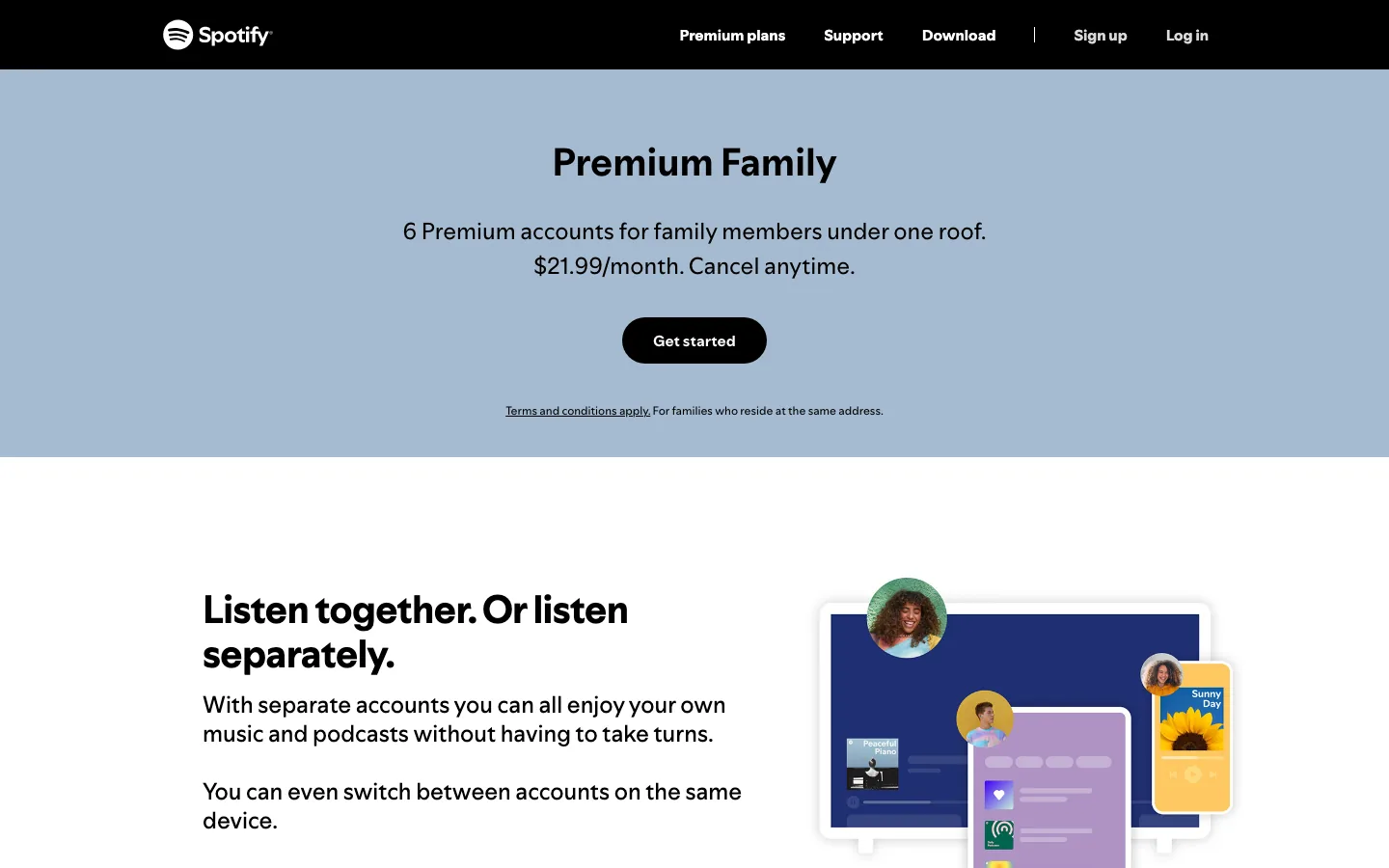
The Spotify Family Plan is Spotify's household Premium plan. As checked on May 29, 2026, Spotify's US Family page shows Premium Family at $21.99 per month for up to 6 Premium accounts for family members under one roof. Each person keeps a separate Spotify account, and the plan manager pays for the subscription.
The useful question is not only whether Family is cheaper than several Individual accounts. It is whether everyone really lives at the same address, whether the plan manager needs to manage members or young listeners, and whether your family's music work needs Spotify listening or local files you are allowed to edit.
Spotify Family price and account rules
Spotify's current Premium Family page says the plan is $21.99 per month in the US and includes up to 6 Premium accounts for family members under one roof. The official page also says the plan is for families who reside at the same address.
Use this quick split before switching:
| Plan question | What Family gives you | What to verify first |
|---|---|---|
| How many accounts? | Up to 6 Premium accounts | Everyone should live at the same address |
| Who pays? | The plan manager pays the monthly bill | The manager should be the account owner who wants billing control |
| Do members share one login? | No, members use separate Spotify accounts | Each invitee should join from their own account |
| What about kids? | Spotify mentions accounts for listeners under 13 and plan-manager controls | Check current Spotify Kids and managed-account rules in your country |
| Audiobooks? | Spotify says audiobook listening time applies to the plan manager | Other members should not assume they get the same audiobook allowance |
If you only need a broad price comparison across Individual, Student, Duo, Family, Basic, and Free, start with the parent guide on how much Spotify Premium costs. This article is narrower: Family setup, members, address rules, and clean music-file boundaries.
How the plan manager role works
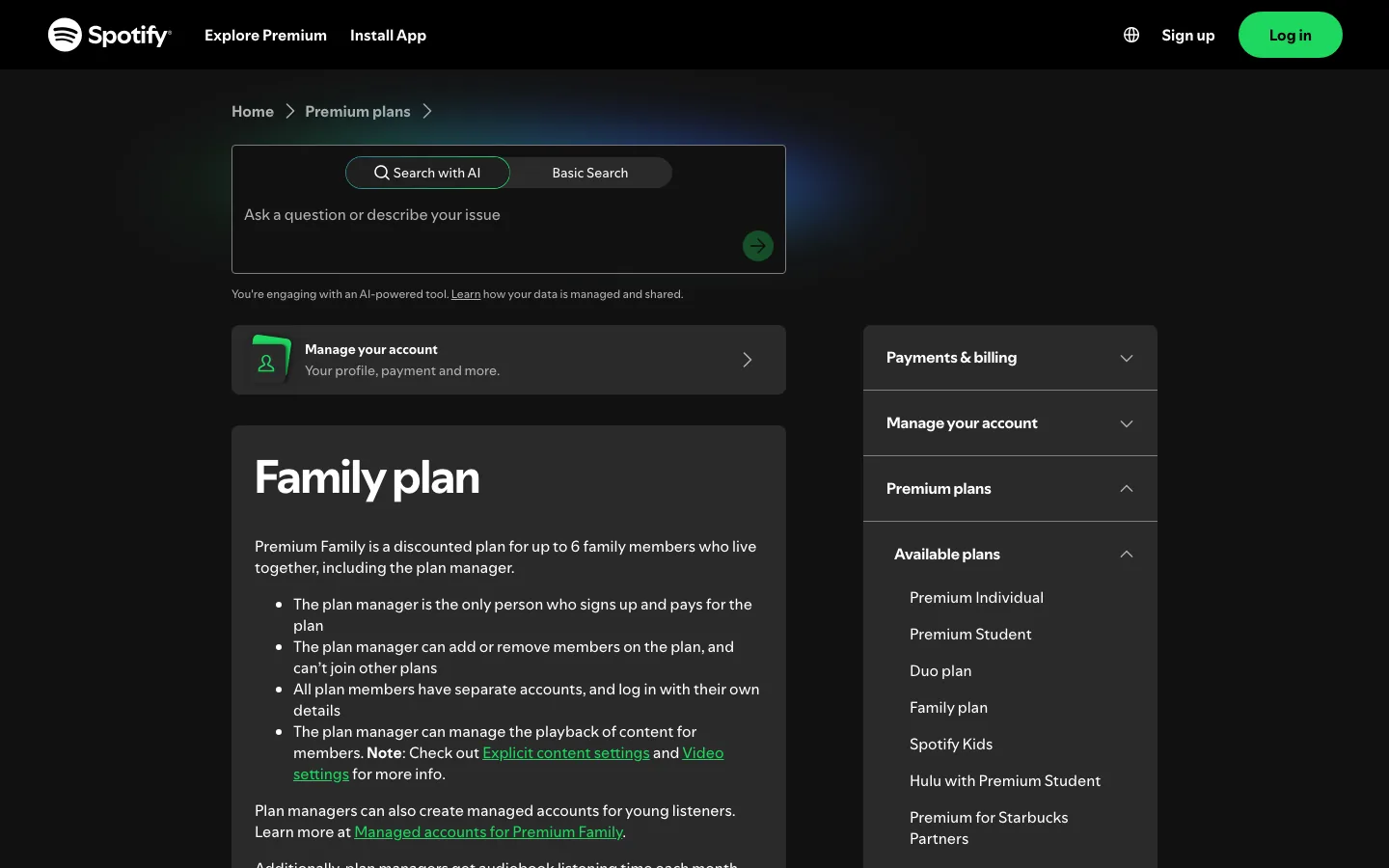
Spotify's Family plan support page says the plan manager is the only person who signs up and pays for the plan. The manager can add or remove members, cannot join other plans, and can manage playback-related settings for members.
That means the manager should be the person who can handle billing, invitations, and member changes calmly. Do not set up Family from a temporary account, a shared login, or a parent/child account arrangement that will be hard to maintain later.
Use this setup order:
- Open Spotify's official Family page for your country.
- Sign in as the person who should become plan manager.
- Review the final monthly price and billing date at checkout.
- Invite household members from the manager's Family page.
- Ask each member to accept the invite from their own Spotify account.
- Have each member confirm the same home address when prompted.
- Save the plan page so the manager can remove or replace members later.
The setup is simple when everyone uses their own login. Most friction starts when people open an invite on the wrong account or try to join while they are already managing another Duo or Family plan.
Family vs Duo vs Student vs Individual
Spotify Family is usually worth checking when at least three household members want Premium. For one listener, Individual is simpler. For two listeners at one address, Duo is usually the cleaner comparison. For one eligible student, Student may be cheaper than every household plan.
| Situation | Better starting plan | Why |
|---|---|---|
| One listener | Premium Individual | No household verification or member management |
| One eligible college or university student | Premium Student | Student pricing can be much lower if verification passes |
| Two people under one roof | Premium Duo | Designed for two accounts at one address |
| Three to six family members under one roof | Premium Family | Separate Premium accounts under one manager |
| Mixed household with young listeners | Premium Family | Manager controls and young-listener account options matter |
If one person in the household is eligible for the Spotify student discount, do the math before defaulting to Family. A student account is single-user, but it can still be the better option when only one person needs Premium.
Common setup problems to avoid
Spotify's invite or remove Family members support page says the manager can invite or remove members from the Family page, and invited members need to log in to their own account and follow the steps to join. It also notes that plan members can only switch plans once every 12 months.
Here are the mistakes that create the most avoidable mess:
| Problem | Likely cause | Cleaner fix |
|---|---|---|
| Invite opens the wrong account | Manager and member use the same device or browser session | Log out of the manager account before the member opens the invite |
| Member cannot join | The member already manages another Duo or Family plan | Switch or downgrade the old plan first |
| Address check fails | The member enters a different home address | Use the same home address as the plan manager |
| Recommendations feel mixed up | People share one login instead of joining separately | Give every person their own account |
| A slot is full | An old member remains on the plan | Manager removes the old member before inviting the next one |
The important part is separation. Family is designed to keep accounts separate while billing is shared through one manager. If everyone shares one login, you lose the main benefit: separate recommendations, libraries, and playback.
What Spotify Family does not solve
Spotify Family is a listening subscription. It does not turn Spotify downloads into music files you own, and it does not give your household permission to edit protected catalog tracks in another app. Offline listening stays inside Spotify's app and account rules.
That distinction matters in homes where people make music, teach lessons, run dance rehearsals, prepare school projects, or manage shared devices. Spotify can be the listening layer. Editing, trimming, arranging, and file handoff need sources you own, created, purchased in an editable format, recorded, or otherwise have permission to process.
Use this split:
| Family music task | Use Spotify Family? | Use local files? |
|---|---|---|
| Listening with separate recommendations | Yes | Not required |
| Giving each household member their own Premium account | Yes | Not required |
| Playing music offline inside Spotify | Yes | Not an export workflow |
| Trimming a rehearsal recording | No | Yes, start from a file you can edit |
| Preparing a short practice clip | No | Yes, keep the source and export backed up |
| Importing owned music into Spotify | Maybe, for listening later | Yes, prepare the file first |
If your real question is how to bring your own files into Spotify, read the guide on how to add local files to Spotify. It is a different job from choosing a Premium plan.
Where Melogen fits for household music files
Melogen does not manage Spotify plans, invite Family members, verify addresses, unlock offline catalog tracks, or convert protected streams. It fits after the rights question is already clean: a family rehearsal recording, a voice memo, a purchased DRM-free file, a school project export, or another local audio file you are allowed to edit.

Use Melogen Music Trimmer when you need to cut silence, make a short cue, add a cleaner fade, or prepare a local audio clip before practice, class, or a shared family project. Keep Spotify Family for listening access; keep Melogen for files your household can legally process.
Trim music files your family is allowed to edit
Use Melogen Music Trimmer for rehearsal recordings, voice memos, and owned audio clips while keeping Spotify Family for streaming access.
FAQs
How much is Spotify Family in the US?
As checked on May 29, 2026, Spotify's US Family page shows Premium Family at $21.99 per month. Prices, taxes, promotions, and plan details can change, so confirm the final checkout page before subscribing.
How many people can use Spotify Family?
Spotify's Family page says Premium Family includes up to 6 Premium accounts for family members under one roof. Each member gets a separate account instead of sharing one login.
Do Spotify Family members need to live together?
Yes. Spotify's Family page says the plan is for families who reside at the same address. The support page also says members need to enter the same home address as the plan manager when joining.
Can the plan manager remove a member?
Yes. Spotify's invite/remove support page says the plan manager can invite or remove members from the Family page. Removing someone frees a slot for another household member.
Is Spotify Family better than Duo?
Family is usually the better comparison for three to six eligible household members. Duo is designed for two people under one roof, so it can be simpler and cheaper when only two accounts are needed.
Can I edit Spotify Family downloads in Melogen?
No. Spotify offline listening is not the same as owning editable audio files. Use Melogen only with files you created, own, purchased in an editable format, recorded, or otherwise have permission to process.
The practical takeaway
Spotify Family is worth checking when three to six people under one roof want separate Premium accounts under one bill. The current US page shows $21.99 per month, but your checkout page is the final source for pricing and terms.
Choose Family for household listening, separate recommendations, manager controls, and young-listener options. Choose Melogen when the job shifts from streaming access to preparing local music files your household is allowed to edit.
About the author
Zhang Guo
Composer - AI Product Manager
AI product manager and digital marketing consultant with a background in music. Creativity is the bridge between rhythm and logic, where musical intuition and mathematical precision can coexist in every meaningful product decision.
Follow on X