Sheet music to midi
Upload PDF/JPG/PNG sheet music, recognize notes with AI, and export a MIDI file for editing.
Open ToolMELOGEN · AI MUSIC AGENT
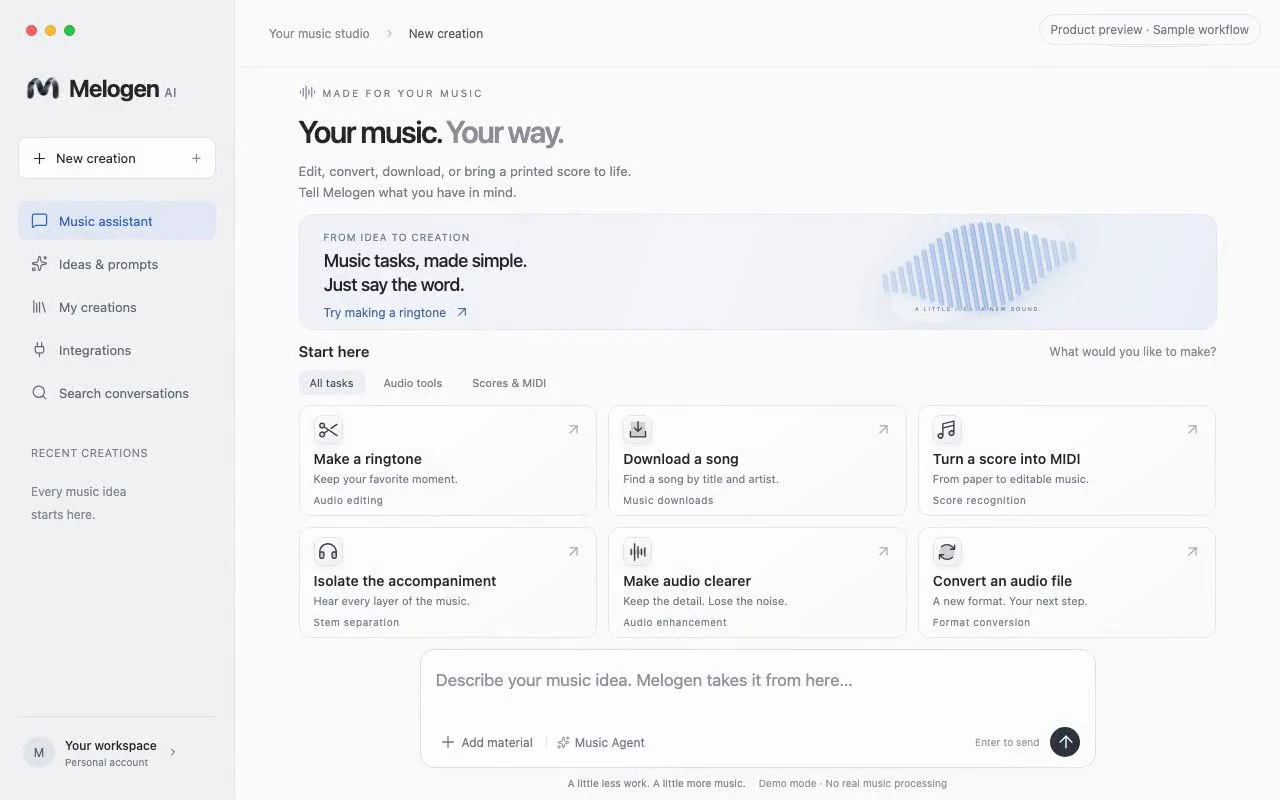
Convert a score, separate stems, or find a song. This AI Music Agent keeps the Audio Tools in one conversation, so you describe the result instead of learning every step.
Available for macOS and Windows.
AUDIO TOOLS, IN ONE CONVERSATION
Describe the result you have in mind. Melogen brings your files, tools and finished work into one conversation, from turning a score into MIDI to finding and downloading music.
FROM THE FIRST NOTE TO THE FINAL FILE
SHEET MUSIC
Turn a printed score into editable music. Convert PDF or image sheet music to MIDI for playback, or take a PDF into MusicXML for notation software.
MUSIC DOWNLOADER
Find a song by title and artist. The Agent brings the matching track and download action into one place.
Explore music downloadersMIDI FORMATS
Render a MIDI file as audio. Choose a format for listening, sharing or bringing the track into your next project.
STEM SEPARATION
Separate vocals from the instrumental with the vocal remover. Make space for practice, study an arrangement or prepare material for your next edit.
AUDIO ENHANCEMENT
Upscale compressed, low-bitrate tracks to high-resolution 48 kHz audio and export as FLAC. Bring more clarity and detail to older recordings.
MUSIC ANALYSIS
Explore tempo, key and song structure in one report. Ask follow-up questions to understand the arrangement and musical choices.
LYRICS
Develop lyrics around a theme and style. Use the generator to explore a draft, then shape the lines into your own voice.
AVAILABLE WEB TOOLS
Each Audio Tool has its own workspace, supported formats and usage guide.
Upload PDF/JPG/PNG sheet music, recognize notes with AI, and export a MIDI file for editing.
Open ToolGenerate original tracks fast with AI-powered composition tools.
Open ToolConvert PDF scores to editable MusicXML for notation software.
Open ToolExport MIDI to common audio formats (MP3/WAV/FLAC) for sharing.
Open ToolDetect sections and structure cues to understand musical form.
AI POWEREDOpen ToolCreate lyrics in seconds with guided prompts and style controls.
Open ToolSeparate vocals and instrumental tracks with AI.
Open ToolReduce background noise and improve audio clarity with AI.
Open ToolTrim audio clips online - great for ringtones and short-form video BGM.
FastOpen ToolTurn clips into clean loops.
Coming SoonMELOGEN DESKTOP
Explore the desktop app and its download options.
THE MELOGEN COMMUNITY
I photograph a piano score and get MIDI I can practise with. I check the notes before I keep the file.
 Sheet to MIDI
A rehearsal PDF becomes MusicXML I can open in my notation program. I still proof the result.
 MusicXML
I ask for a song by title and artist, then keep the download next to that request.
 Song download
I describe the feeling of a melody and get a first lyric draft. I rewrite it before I keep a line.
 Lyric draft
Separating the vocal takes one sentence. I listen to the instrumental, then decide what to edit.
 Vocal split
I describe the result instead of hunting for the right tool. The file comes back in the same conversation.
 One conversation
A compressed recording comes back clearer. I compare it with the original before I replace anything.
 Clearer audio
I ask how a passage moves. The explanation stays next to the file, and I still check the notes myself.
 Song analysis
Spend less time fighting workflows - get to the result faster.
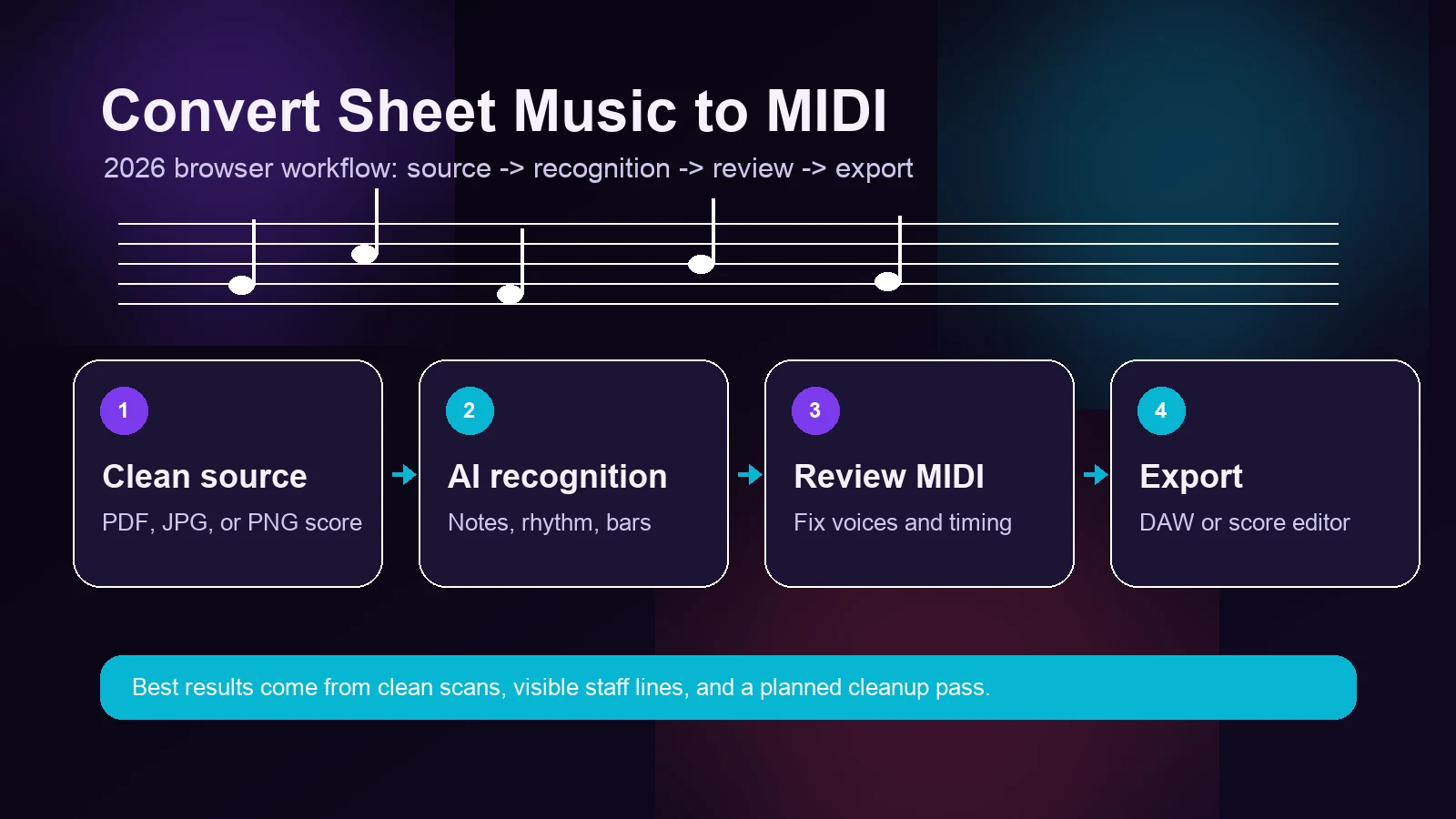
Convert sheet music to MIDI in 2026 with a practical Melogen workflow, source-quality checklist, accuracy expectations, and DAW handoff tips.
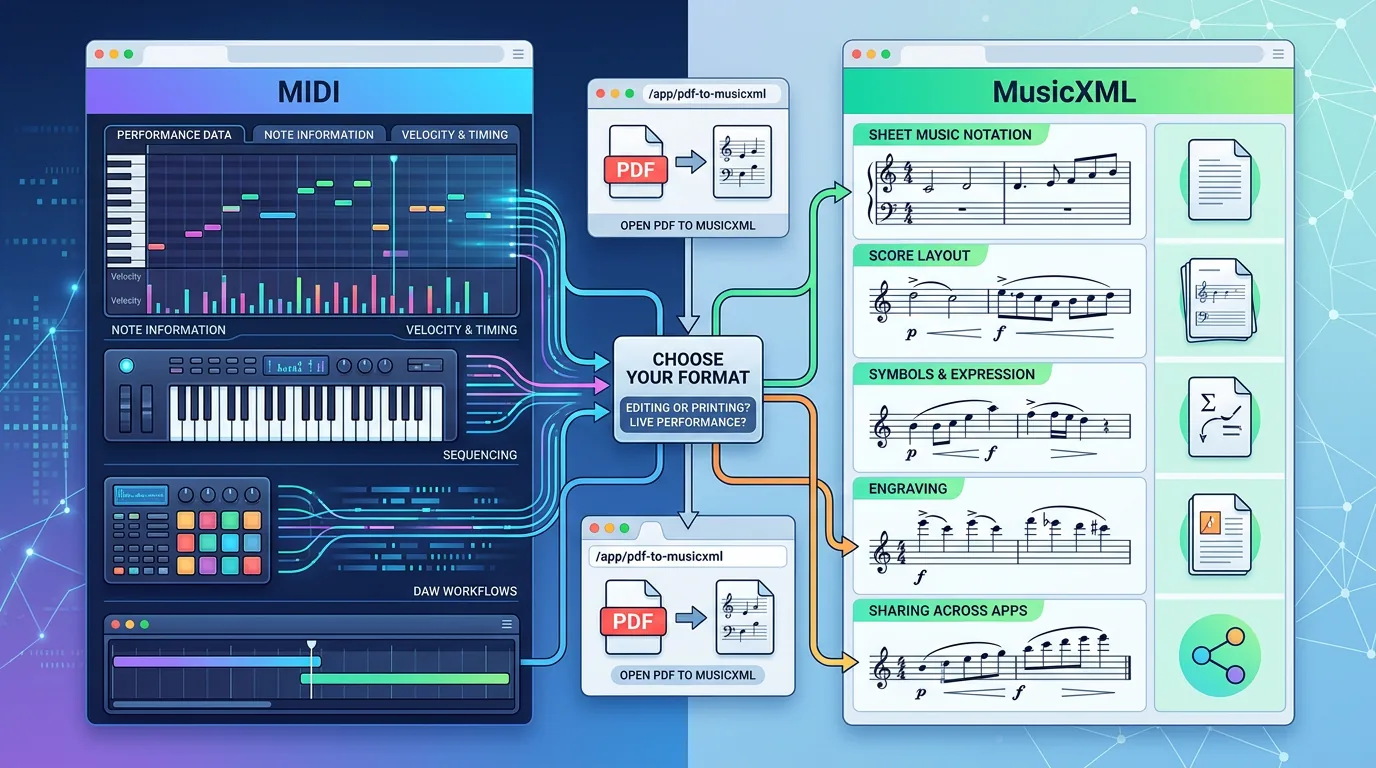
Compare MIDI vs MusicXML for DAWs, notation editors, and score conversion. Learn when to export MIDI, MusicXML, or both with Melogen.

Learn how to transcribe audio into notes with a source-first workflow, cleanup checks, MIDI export tips, and honest limits for dense recordings.

Find free sheet music online with 5 legitimate sites, copyright tips, and a practical Melogen workflow after you download a score.
Most tools run directly in your browser - no installs required.
Supported formats vary by tool. Each tool page lists the exact formats and limits. Generally we support MP3, WAV, FLAC, PDF, PNG, JPG, and MIDI.
Uploads are used for processing only. Retention and deletion rules are described in the privacy policy. We prioritize your privacy.
We offer free access/limits depending on the tool. Advanced features may require a subscription in the future.
Follow the file from there.