PDF to MIDI Converter
Turn a PDF score into a MIDI file for your next arrangement.
Get startedEasily transform your sheet music into high-quality MIDI files. Digitize your musical scores faster and enhance your music production workflow!
Scroll to explore
MELOGEN DESKTOP
Take sheet music to MIDI beyond the browser. Convert a score on your desktop, follow its progress, and keep the generated files close to your music workflow.
For Mac and Windows. Switch versions at the top of this page.
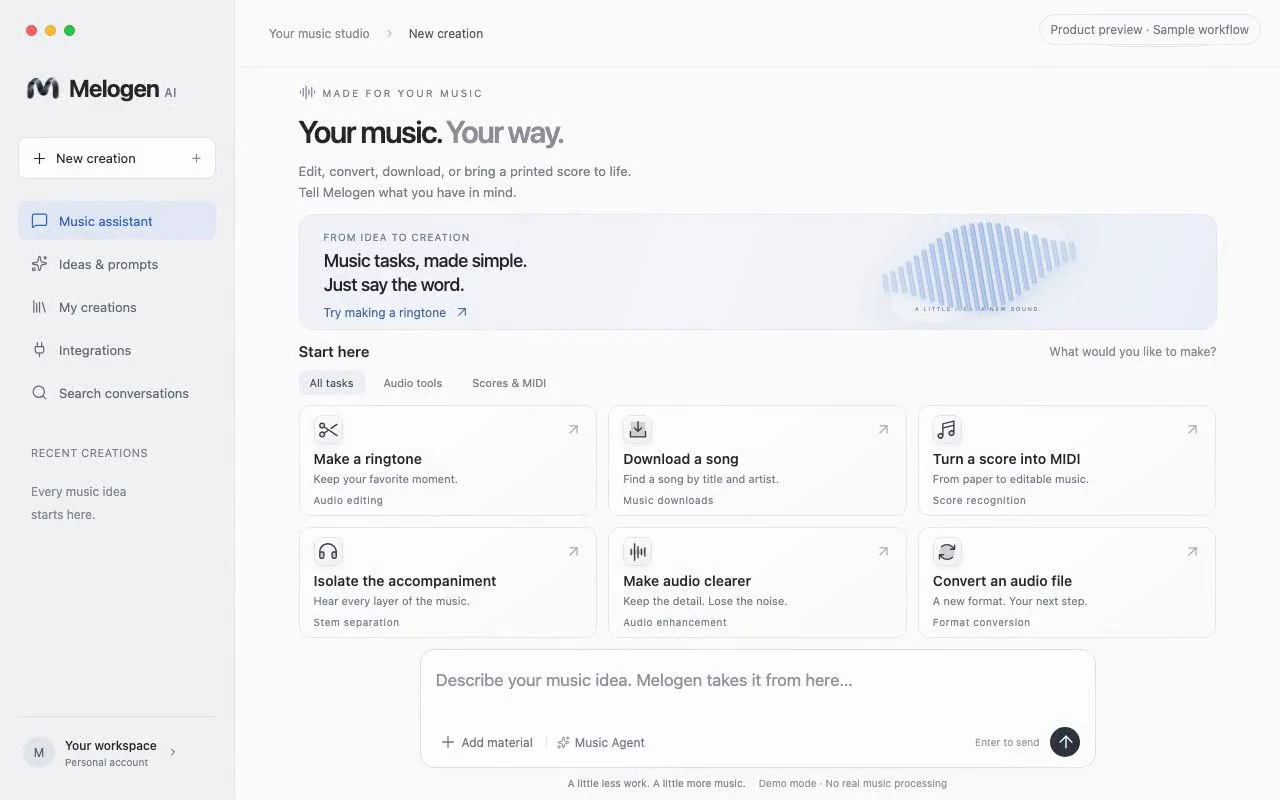
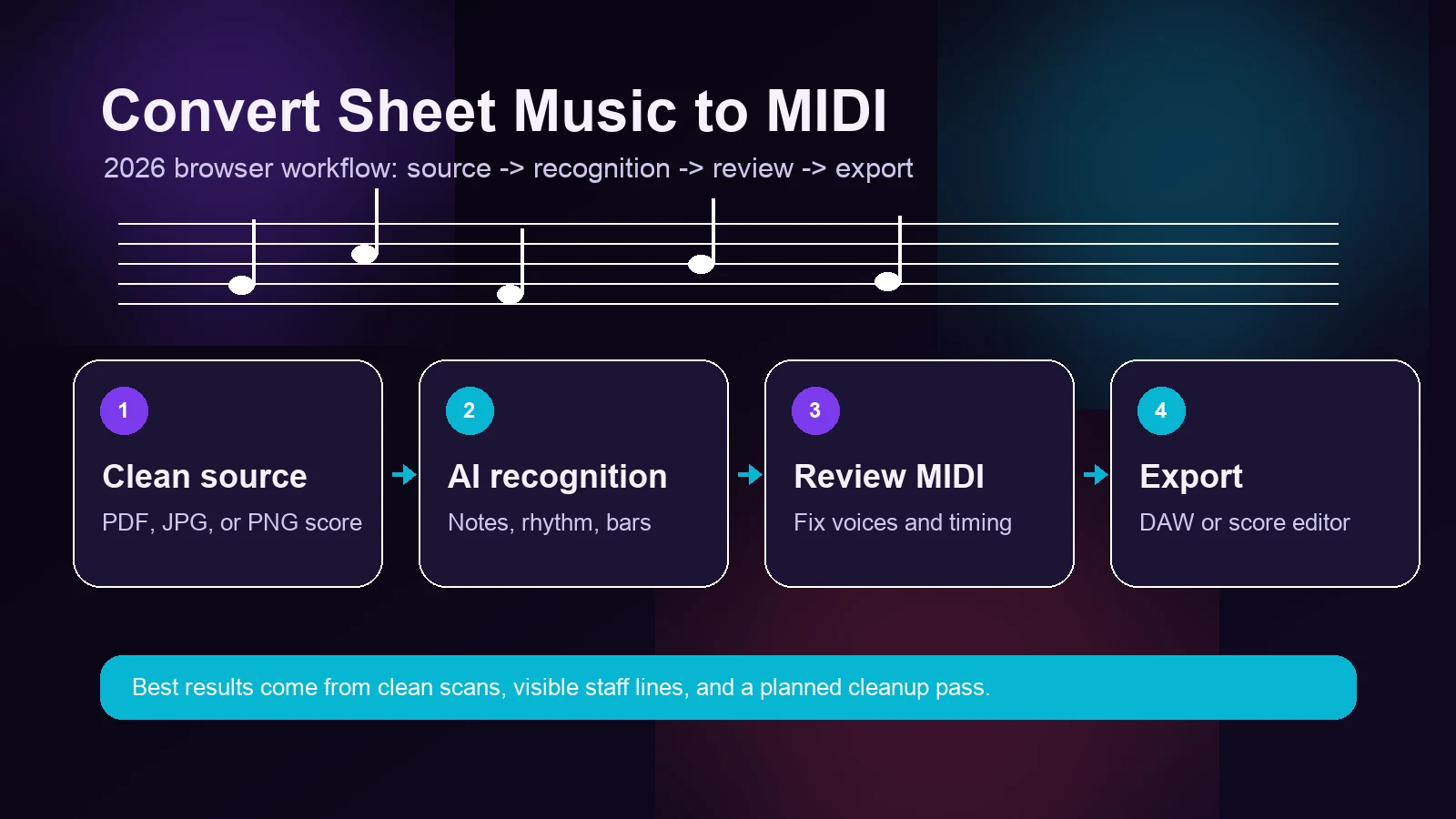
Melogen AI sheet music converter works with various image formats, including PNG, JPG, and PDF. It only takes 3 steps to convert sheet music to MIDI with ease. After uploading your sheet music, our AI will process and convert it into a high-quality MIDI file.

Our AI-powered converter is trusted by musicians, educators, and producers worldwide. Whether you're digitizing a classical score, creating backing tracks, or learning a new piece, we make the process fast and effortless.
Works entirely in your browser. No downloads, no plugins, no complicated setup. Just upload and convert.
Our machine learning models are trained on millions of scores to accurately recognize notes, rhythms, and musical symbols.
Get your MIDI file in seconds, not minutes. Our optimized pipeline ensures quick turnaround even for complex scores.
Download as standard MIDI or MusicXML. Compatible with all major DAWs and notation software.
Your files are encrypted during transfer and automatically deleted after processing. Your music stays yours.
Everything you need to know about converting sheet music to MIDI
A Sheet Music to MIDI Converter is an AI-powered tool that transforms images of sheet music (like scanned pages or photos) into digital MIDI files. MIDI files can be edited in music software, played back with different instruments, and used for music production.
Our converter supports JPG, PNG, and PDF formats. You can upload scanned sheet music, photos of printed music, or digital PDF scores. For best results, ensure the image is clear and well-lit with minimal distortion.
Our AI achieves high accuracy for standard musical notation including notes, rests, time signatures, and key signatures. Complex scores with multiple voices or handwritten music may require some manual editing after conversion.
Yes, we offer free conversions with a limited number of credits for registered users. For unlimited conversions and advanced features, check out our Pro and Premium subscription plans.
Absolutely! The converted MIDI file can be downloaded and opened in any DAW (Digital Audio Workstation) like FL Studio, Ableton Live, Logic Pro, or free software like MuseScore for further editing.
Yes, your privacy is important to us. Uploaded files are processed securely and automatically deleted from our servers after conversion. We do not store or share your music files.
Choose the converter that fits your source file and the output you need.
Turn a PDF score into a MIDI file for your next arrangement.
Get startedStart with a photo or scan of printed sheet music.
Get startedTake your PDF score into notation software for further editing.
Get startedI turn a short score into MIDI for lesson preparation. After checking the notes, I can slow down tricky passages and build a practice exercise around them.
 Teaching
I start with a rehearsal PDF and open the MusicXML in my notation editor. Having an editable starting point helps when I need to adapt a part for our ensemble.
 Arranging
For rehearsal prep, I use the converted MIDI in my usual music software to isolate a vocal line. I review the score first, then make a guide track for practice.
 Rehearsal
I like moving a melody from a score into an arrangement without starting from an empty piano roll. I keep the original nearby and refine the converted part as I write.
 Songwriting
A printed melody is a useful starting point for a session. I bring the MIDI into my DAW, choose a sound, and adjust the timing before adding the rest of the track.
 Production
Listening to a passage while reading the score helps me understand the voicing. I compare the converted notes with the original before using them in my study session.
 Study
StudyWhen a melody is written in standard notation, hearing it makes the phrasing easier to follow. An editable MIDI file lets me work through it at my own pace.
 Practice
MusicXML gives me something I can continue editing in my notation software. I check rhythms, articulations, and layout against the source before sharing the finished score.
 MusicXML
Discover other AI-powered music tools to enhance your workflow
Blog Posts
Practical notes on AI music workflows, score conversion, and browser-based production tools.
MELOGEN DESKTOP AGENT
Bring your sheet music workflow to Melogen Desktop. Convert scores, keep track of your files, and review the results alongside your music software.
Available for Mac and Windows.