Electric Guitar String Notes: Standard Tuning Chart
Learn electric guitar string notes in standard tuning with a string-order chart, fretboard map, practice checks, and where Melogen fits.
 Zhang Guo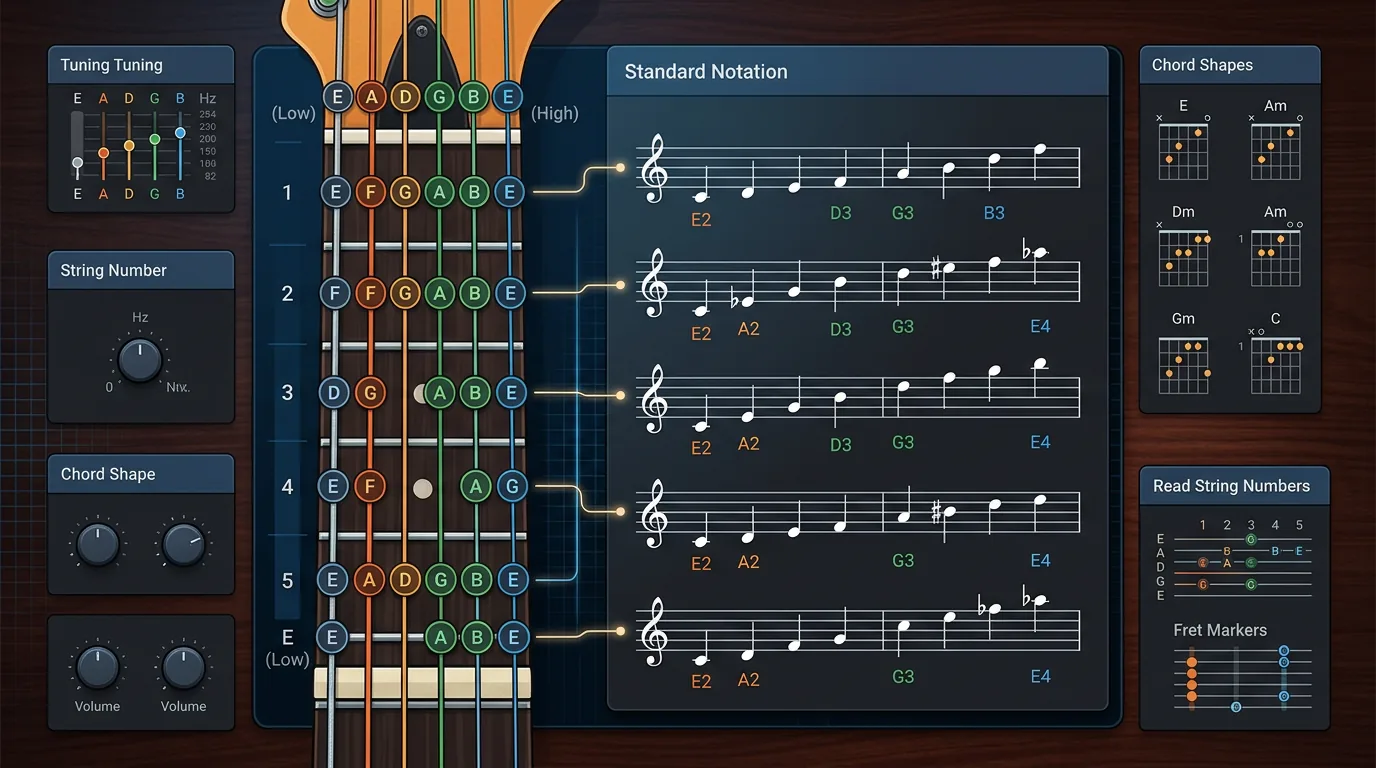
Turn a static score into editable MIDI
Contents
Electric guitar string notes in standard tuning are E, A, D, G, B, E from the lowest, thickest string to the highest, thinnest string. Guitarists usually describe that order as the 6th string through the 1st string: 6-E, 5-A, 4-D, 3-G, 2-B, 1-E.
That simple map does a lot of work. It helps you tune the instrument, name open strings, understand TAB numbers faster, and find the first few notes on the fretboard without guessing. If you already read some standard notation, it also gives you the guitar-specific location layer that a staff alone cannot always show.
Start with the standard tuning chart
Most electric guitars use standard tuning unless the song, teacher, or tab says otherwise. Read the strings from the player's lowest-pitched string to highest-pitched string:
| String number | Open-string note | Physical cue | First beginner use |
|---|---|---|---|
| 6th string | E | Thickest string, closest to your face when holding the guitar | Low riffs, root notes, power-chord shapes |
| 5th string | A | Next thick string | Common chord roots and bass movement |
| 4th string | D | Middle-low string | Riffs, chord tones, simple melodies |
| 3rd string | G | Middle-high string | Chord shapes and melody fragments |
| 2nd string | B | Thin string with the tuning exception | Watch this one because the G-to-B interval changes many shapes |
| 1st string | E | Thinnest string | High melodies, lead lines, top notes of chords |
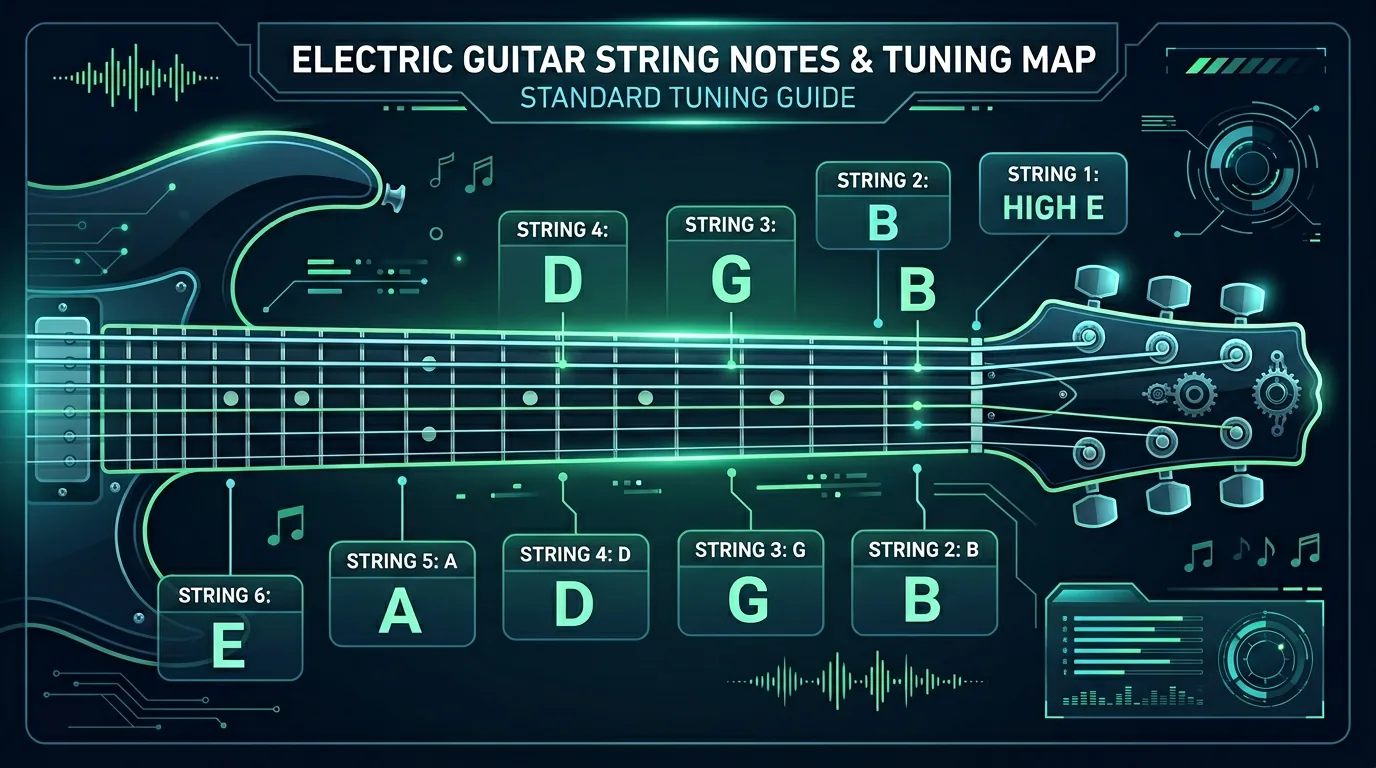
The two E strings are different octaves. The 6th string is the low E, and the 1st string is the high E. Beginners often confuse them because the letter name is the same, but the sound and the musical role are very different.
Map written notes onto the instrument or workflow
Once the open strings are clear, the first few frets become predictable. Moving one fret higher raises the pitch by one semitone. So on the low E string, the first five frets are F, F sharp/G flat, G, G sharp/A flat, and A. The same pattern works from every open string, starting from that string's note.
Use this compact map for the first five frets:
| String | Open | 1st fret | 2nd fret | 3rd fret | 4th fret | 5th fret |
|---|---|---|---|---|---|---|
| 6th E | E | F | F# / Gb | G | G# / Ab | A |
| 5th A | A | A# / Bb | B | C | C# / Db | D |
| 4th D | D | D# / Eb | E | F | F# / Gb | G |
| 3rd G | G | G# / Ab | A | A# / Bb | B | C |
| 2nd B | B | C | C# / Db | D | D# / Eb | E |
| 1st E | E | F | F# / Gb | G | G# / Ab | A |
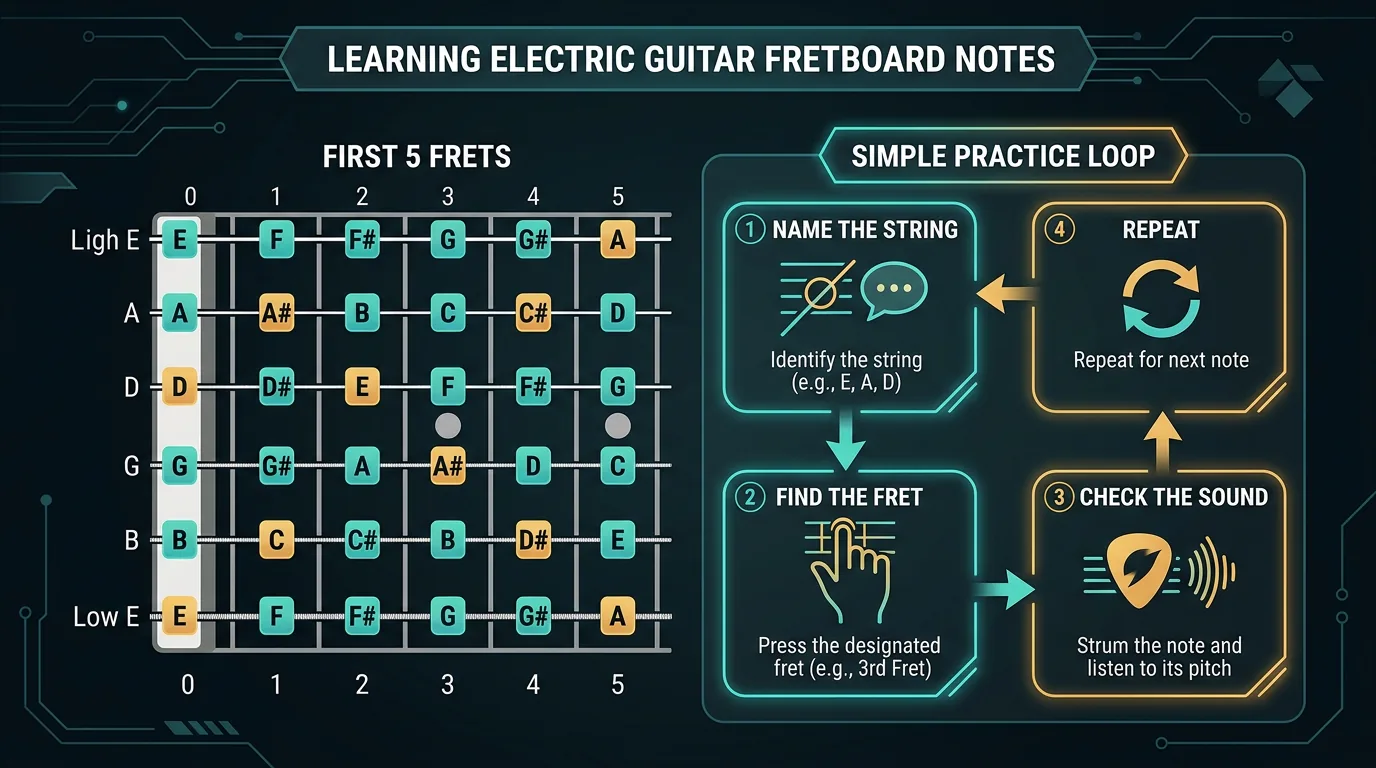
That table is enough for a lot of beginner work. It covers open-string naming, the first-position area, and the notes you will see in many simple riffs and chord shapes.
| Signal | What to read first | Why it matters | Beginner action |
|---|---|---|---|
| String number | 6 to 1 | Tells you which physical string the tab or teacher means | Say the string number before playing |
| Open note | E A D G B E | Gives each string its starting pitch | Name the open note out loud |
| Fret number | 0, 1, 2, 3, and so on | Tells you how far to move from the open string | Count semitones from the open note |
| Tuning note | Standard, Drop D, half-step down, open tuning | Changes the whole map when it is not standard | Check tuning before memorizing a shape |
| Octave | Low E vs high E | Prevents same-letter confusion | Listen for register, not just letter name |
Read rhythm before chasing technique
String notes help you find pitch, but they do not tell you when to play. If you are learning from TAB, a 0 means open string, a 3 means third fret, and a 5 means fifth fret. That still leaves the rhythm layer: how long the note lasts, where the beat lands, and whether the phrase is a riff, chord hit, or melody line.
A simple practice order works well:
- Name the string.
- Name the open-string note.
- Count the fret number.
- Tap the rhythm before you play.
- Play slowly enough that the note name still feels connected to the sound.
This is also why a string-note chart should not replace real listening. The chart gives the map. Your ear confirms whether the note belongs in the phrase.
Understand where supporting formats or references help
Electric guitar players usually meet the same notes in three formats:
| Format | What it gives you | What it leaves to you |
|---|---|---|
| String-note chart | Open strings and fretboard note names | Rhythm, picking pattern, and musical phrasing |
| TAB | String and fret instructions | Deeper note spelling and sometimes rhythmic detail |
| Standard notation | Pitch, rhythm, and musical structure | The most guitar-friendly string choice |
For a broader reading workflow, use the existing Melogen guide on how to read guitar sheet music after this chart. That article covers the staff, rhythm, TAB crossover, and score-to-practice workflow. This page stays narrower: string order, standard tuning, and first-position orientation.
The main warning is alternate tuning. Drop D changes the 6th string from E to D. Half-step down changes every open string. Open G changes the whole map. If a tab sounds wrong even though the fret numbers look easy, check the tuning before blaming your hands.
Use Melogen as a bridge from source to practice
Melogen's AI Guitar Tab Generator is the relevant tool when your starting point is a song, audio file, or YouTube link rather than a written chart. The current product page describes a browser-based workflow that turns songs, audio files, and YouTube links into readable guitar tabs, with support for MP3, WAV, M4A, FLAC, and YouTube links.

The important fit is practical: use the tool for a first-pass tab or riff reference, then use your string-note map to check what you are actually playing. The page also exposes tuning choices such as Standard EADGBE, Half Step Down, Drop D, and Open G, which matters because string-note names only make sense after the tuning is clear.
If your source is printed notation or a scanned score instead of audio, the Sheet2MIDI route is usually a better bridge. For that workflow, the guide to converting sheet music to MIDI is more relevant than a guitar-string chart.
Generate a guitar-first reference before you refine the part
Use Melogen AI Guitar Tab Generator when your source is a song, audio file, or YouTube link and you need a playable first pass before detailed cleanup.
Build a first-week practice loop
Use one small routine instead of trying to memorize the entire fretboard in a sitting.
- Day 1: Say the open strings from low to high: E, A, D, G, B, E.
- Day 2: Say them from high to low: E, B, G, D, A, E.
- Day 3: Play only open strings and call out the string number before each note.
- Day 4: Add frets 1 to 3 on the low E and A strings.
- Day 5: Add the first five frets on the D and G strings.
- Day 6: Read a simple tab and name every open string or first-position note before playing it.
- Day 7: Choose one riff, check the tuning, then compare what the tab says with what your ear hears.
That loop keeps the map musical. You are not just memorizing letters; you are connecting string, fret, pitch, and sound.
The practical takeaway
Electric guitar string notes start with standard tuning: E, A, D, G, B, E from the 6th string to the 1st string. Learn that order first, then use fret numbers as semitone steps from each open note.
Keep the process small:
- Confirm the tuning before using any chart.
- Name the open string before counting frets.
- Treat low E and high E as different registers.
- Use TAB for location and rhythm references for timing.
- Use Melogen when you need a guitar-first tab reference from a song, then refine the musical details yourself.
Once that map is stable, the fretboard stops looking like a long strip of unrelated dots. It becomes a set of repeatable note neighborhoods you can actually practice.
About the author
Zhang Guo
Composer - AI Product Manager
AI product manager and digital marketing consultant with a background in music. Creativity is the bridge between rhythm and logic, where musical intuition and mathematical precision can coexist in every meaningful product decision.
Follow on X