How to Convert Sheet Music to MIDI Online in 2026
Convert sheet music to MIDI in 2026 with a practical Melogen workflow, source-quality checklist, accuracy expectations, and DAW handoff tips.
 Zhang Guo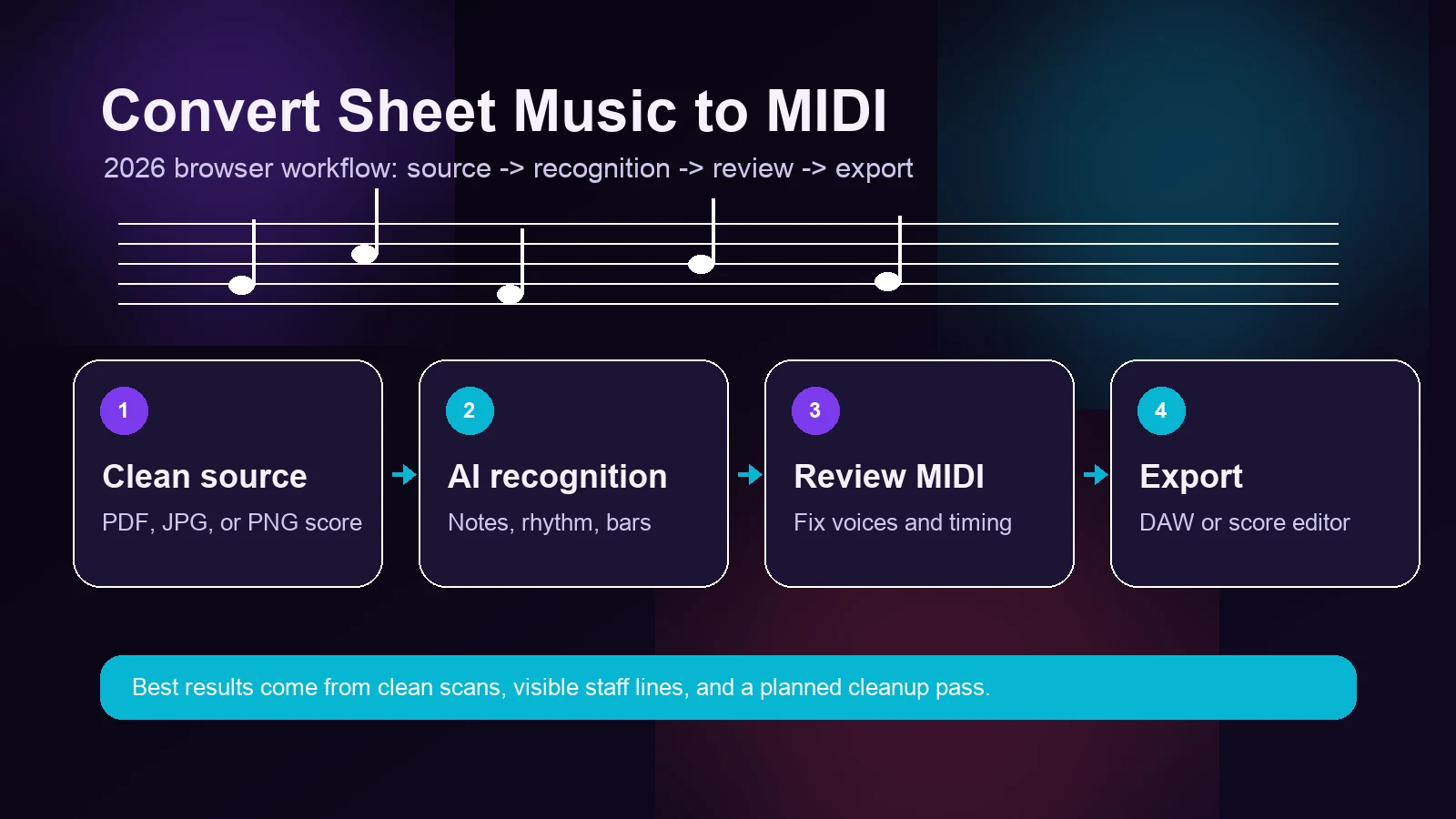
Turn a static score into editable MIDI
Contents
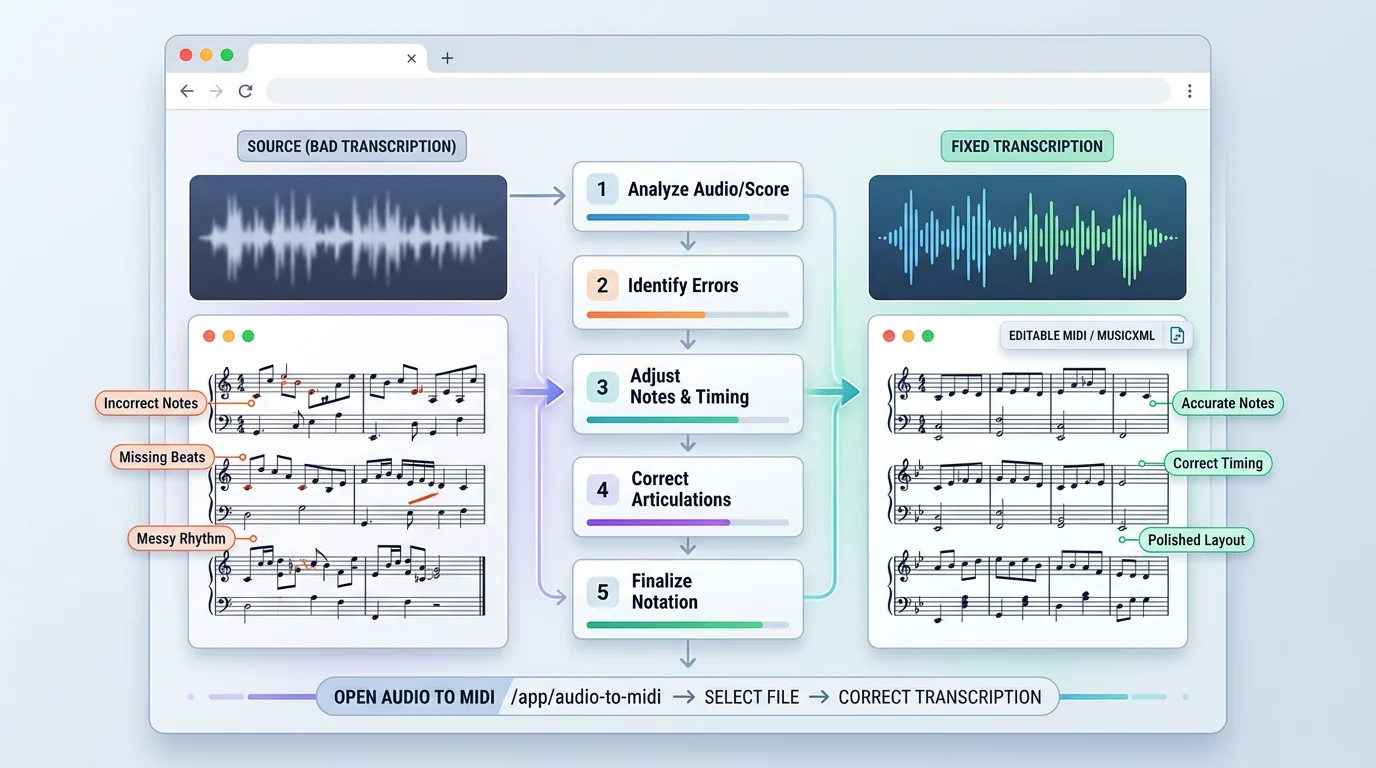
If you want to convert sheet music to MIDI, the reliable 2026 workflow is still source-first: start with the cleanest score file you have, run one fast recognition pass, listen to the MIDI, then clean the musical details in the right editor.
Melogen Sheet2MIDI supports PDF, JPG, and PNG score inputs and returns editable MIDI output for DAWs and notation tools. The important expectation is simple: a converter should save you manual entry time, not promise a finished performance with zero review. Clean digital PDFs and sharp scans usually produce the best first pass. Skewed phone photos, dense piano textures, handwritten notation, and cropped staves need more cleanup.
This tutorial keeps the workflow practical: prepare the file, upload it, run the conversion, review the result, and decide whether MIDI or MusicXML is the better next format.
What You Need Before You Start
You need a visible score source and a clear goal for the output. MIDI is best when you want playback, piano-roll editing, arranging, production, or a quick practice track. If your real goal is to preserve notation layout for a score editor, read the MIDI vs MusicXML guide before you export.
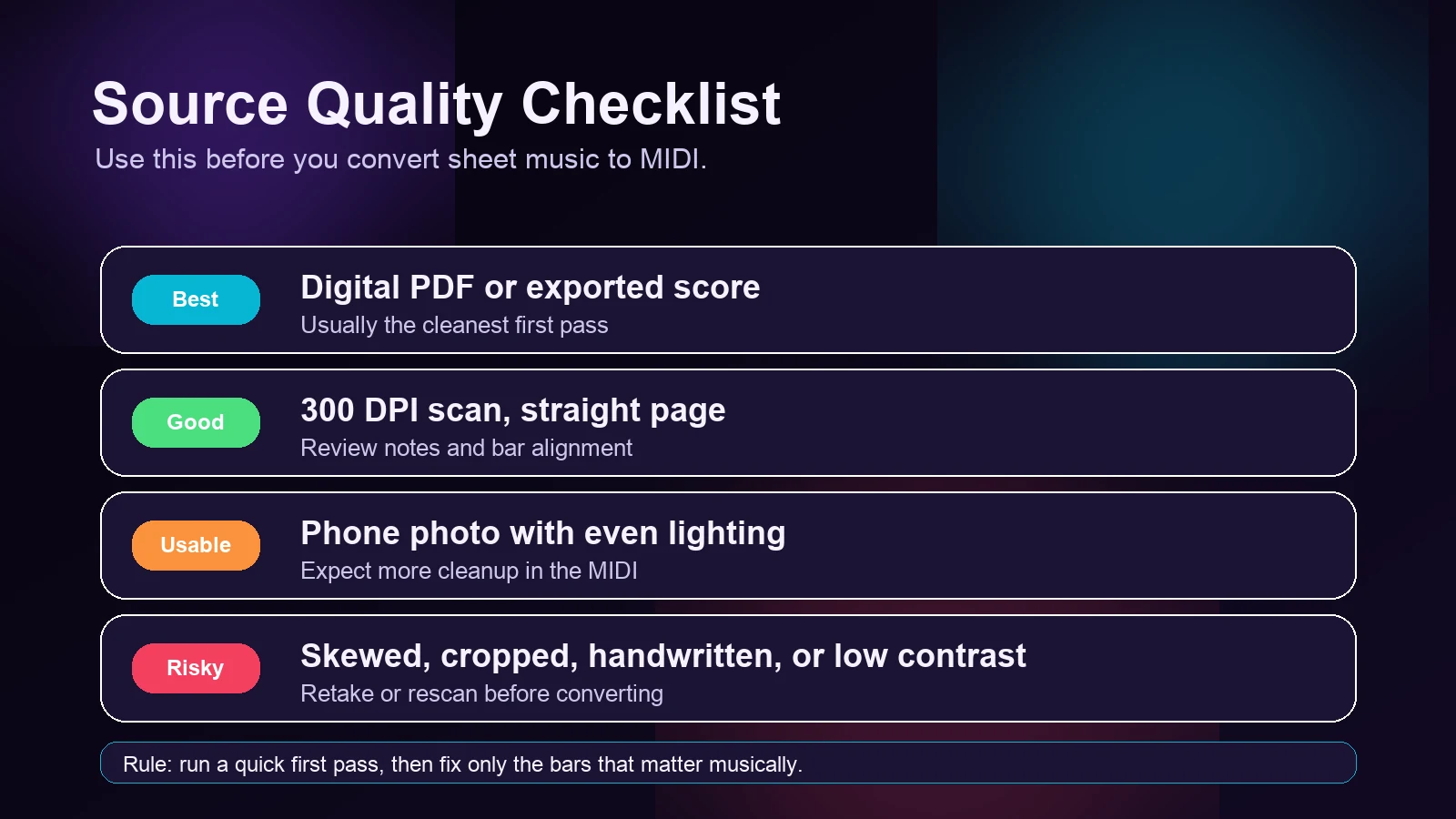
Use this checklist before uploading:
| Source file | Expected first pass | Cleanup you should expect |
|---|---|---|
| Digital PDF exported from notation software | Strongest result; clean symbols and stable spacing | Check repeats, tempo, voices, and any export quirks |
| 300 DPI scan of printed sheet music | Good result when staff lines are straight and contrast is high | Review accidentals, ties, tuplets, and bar alignment |
| JPG or PNG photo of printed music | Usable when the page is flat, centered, and evenly lit | Expect more rhythm and pitch corrections |
| Handwritten, skewed, cropped, or low-contrast source | Risky or partial result | Retake, rescan, or simplify the source before converting |
Step 1: Start With the Cleanest Score File
The fastest way to improve sheet music to MIDI accuracy is not a hidden setting. It is a better source file.
For printed music, scan at 300 DPI or higher, keep the page straight, and avoid shadows near staff lines. For phone photos, place the page on a flat surface, shoot from directly above, and include the full system from left to right. For PDF scores, use the original exported PDF when possible instead of a screenshot of a viewer.
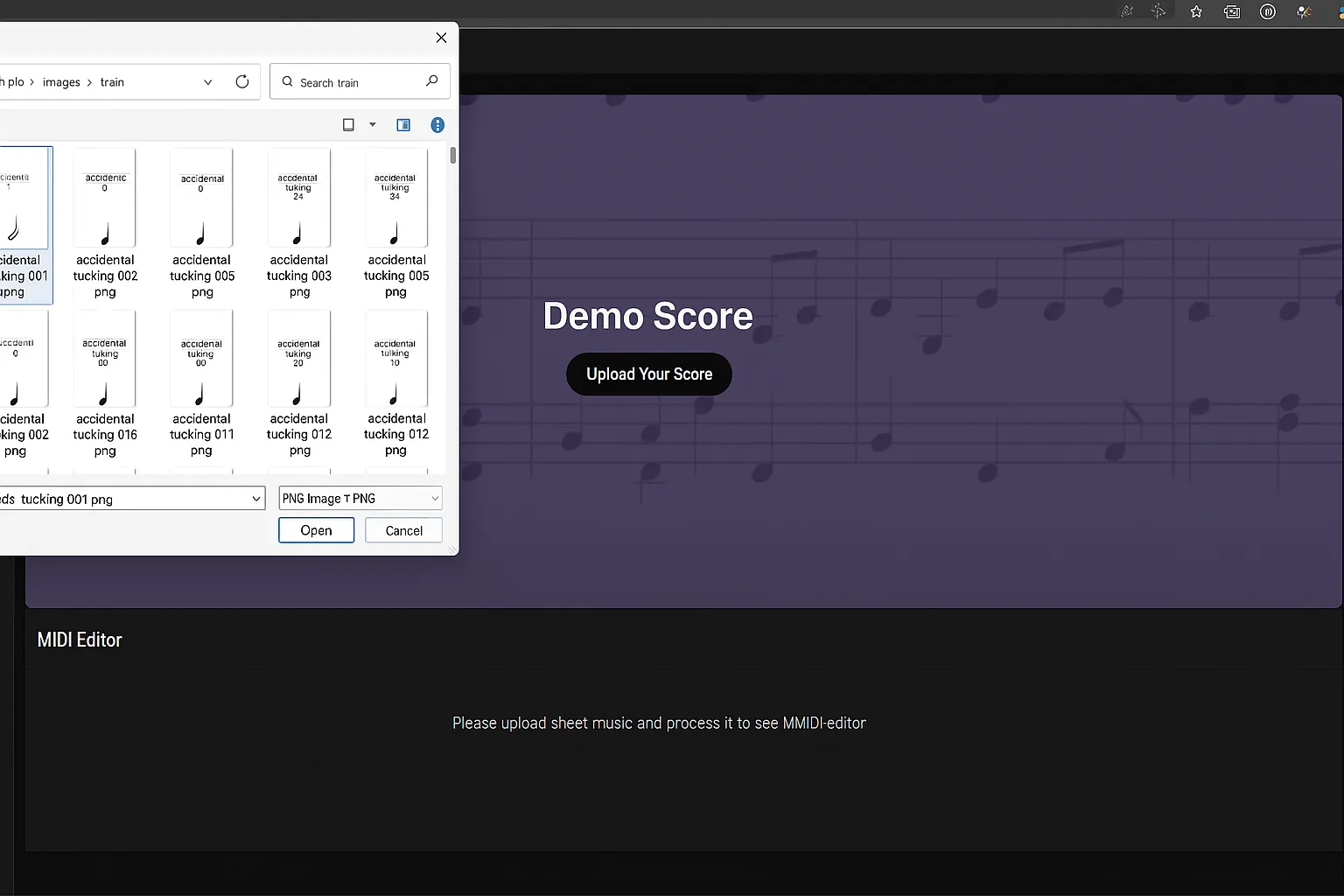
Melogen accepts common score inputs such as PDF, JPG, and PNG. If you have several versions of the same piece, start with the one that has the least compression, the highest contrast, and no cropped clefs or key signatures.
Step 2: Upload the File and Run Sheet2MIDI
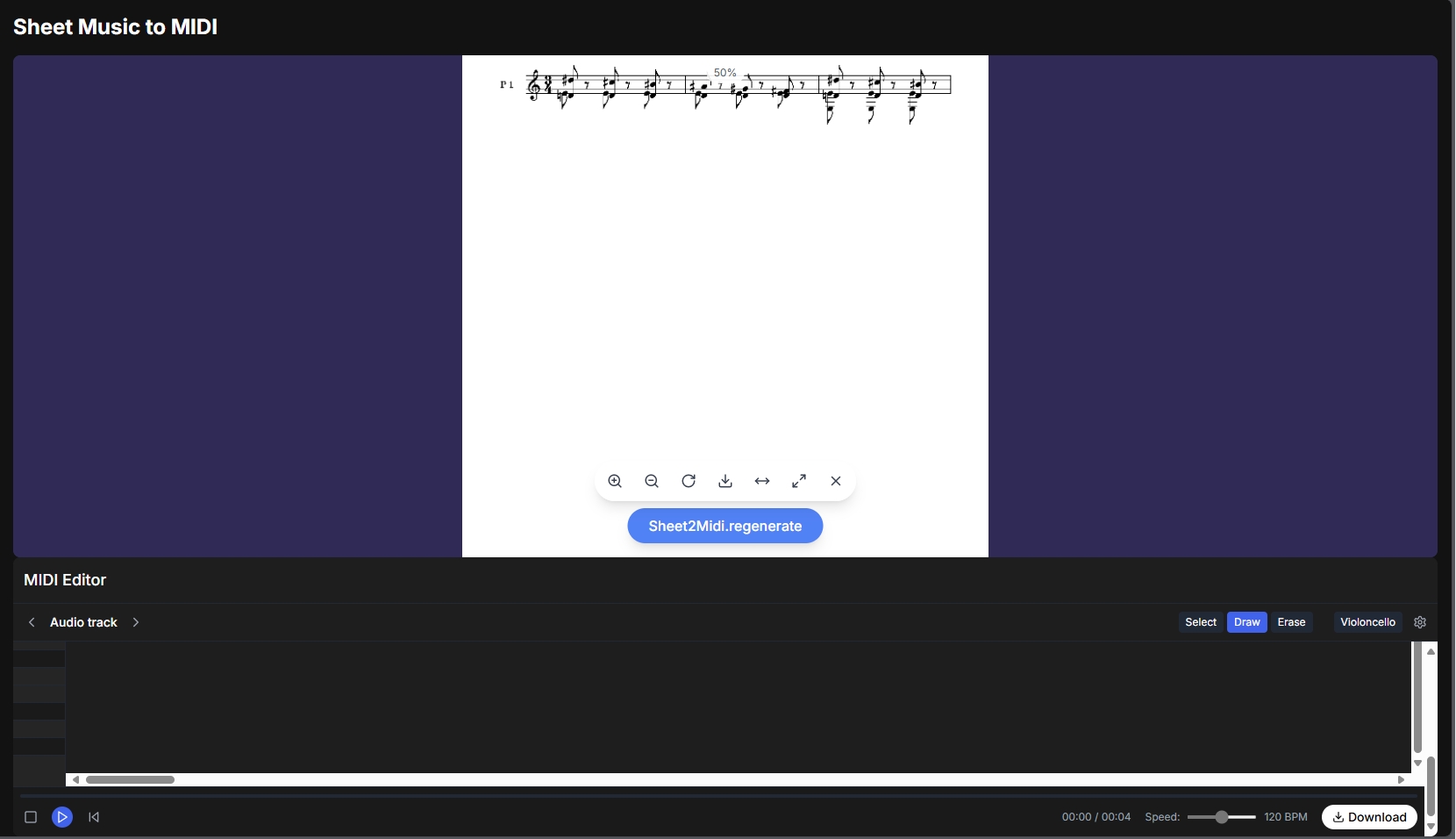
Open the Sheet2MIDI workflow, upload the score, and start processing. If the page asks you to sign in or use credits, follow the account prompt before conversion.
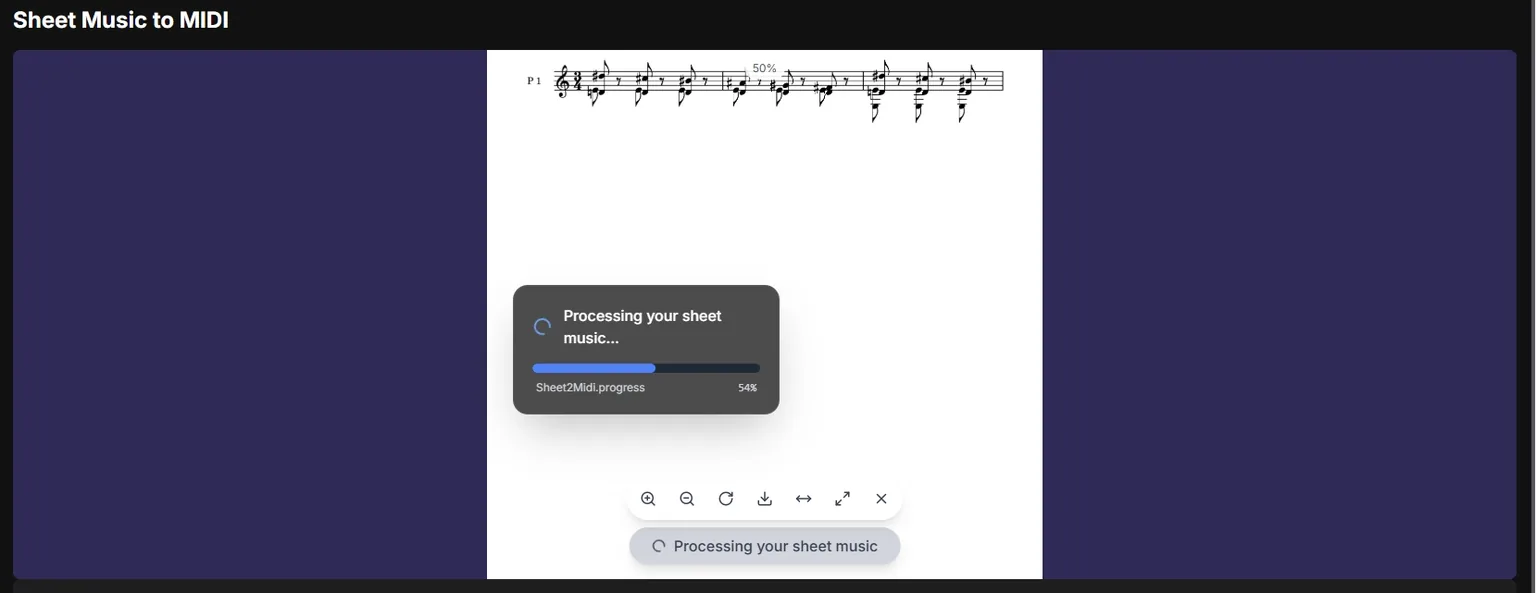
During processing, Melogen analyzes the visible notation, identifies musical symbols such as notes and rhythms, and builds downloadable output. The current Sheet2MIDI flow can return MIDI, and the underlying score workflow also supports MusicXML-style handoff paths for notation-focused use cases.
Keep the first run simple. Do not crop aggressively, add filters, or convert the file through multiple apps unless the original image is genuinely hard to read. Every extra export can blur small details such as dots, accidentals, beams, and rests.
Step 3: Preview the MIDI Before Detailed Cleanup
After conversion, preview the MIDI result before you start editing. Listen for the big structural issues first:
- Are the bars in the right order?
- Is the tempo roughly usable?
- Are the highest and lowest parts in the right register?
- Did a staff, system, or page get skipped?
- Are repeated sections or endings treated in a way you can work with?
This pass matters more than chasing every wrong note immediately. A few wrong notes are normal cleanup. A missing staff or badly shifted measure usually means the source file needs another pass.
Step 4: Fix the Musical Structure, Not Every Pixel
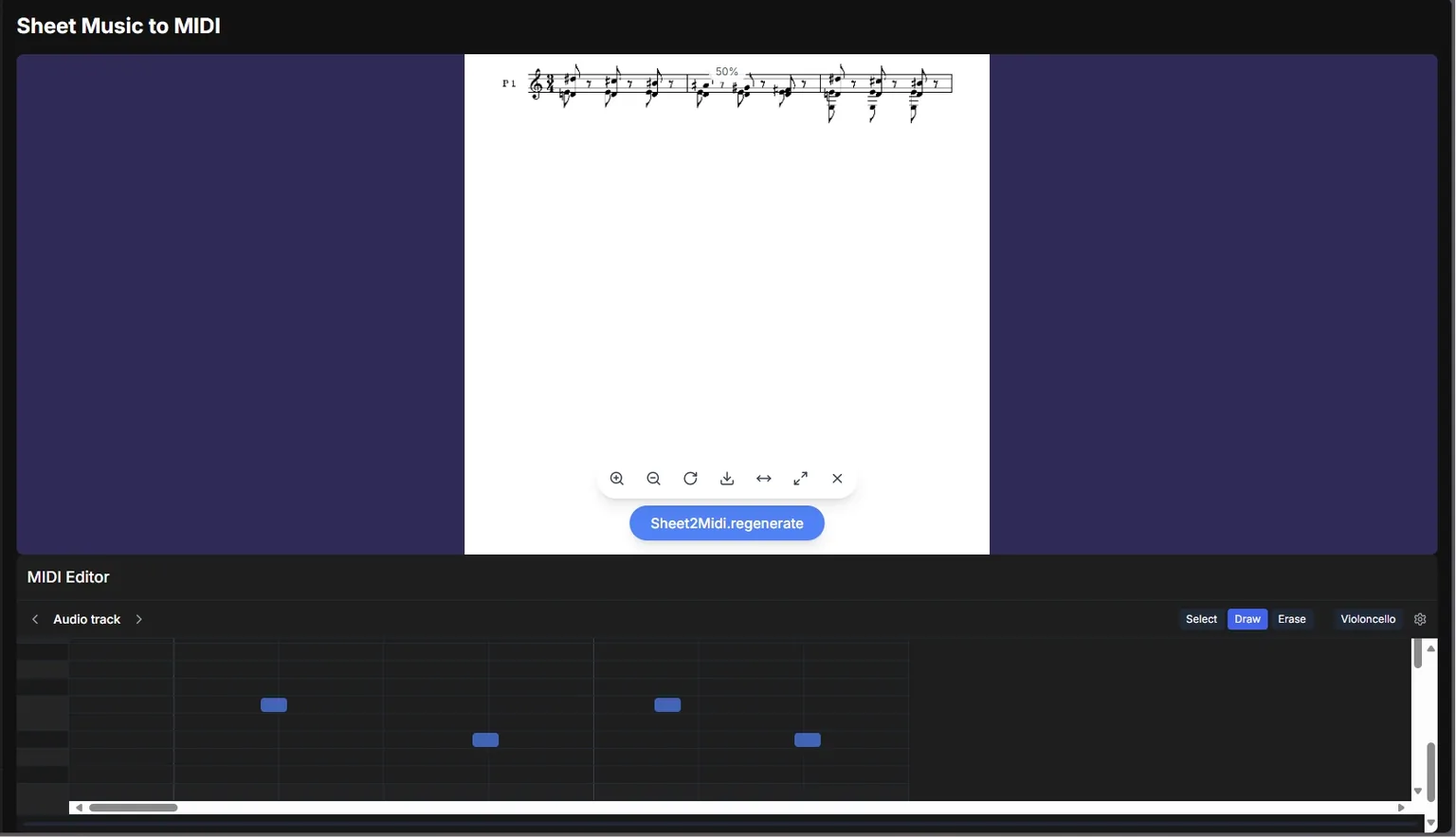
Once the MIDI is generated, use the preview to decide whether the conversion is worth keeping. Then do the detailed cleanup in your DAW or notation editor, where piano-roll tools, quantization, track naming, velocity editing, and instrument assignment are easier to control.
For a practical cleanup order, work from large to small:
- Confirm tempo, meter, and bar alignment.
- Check each staff or part for missing entrances.
- Fix obvious wrong registers and accidentals.
- Clean rhythms, ties, and sustained notes.
- Assign instruments and humanize velocity only after the notes are usable.
If you want the underlying score-reading concept, the OMR explainer gives more context on why scan quality affects recognition.
Step 5: Download the MIDI and Move It Into Your Music Tool
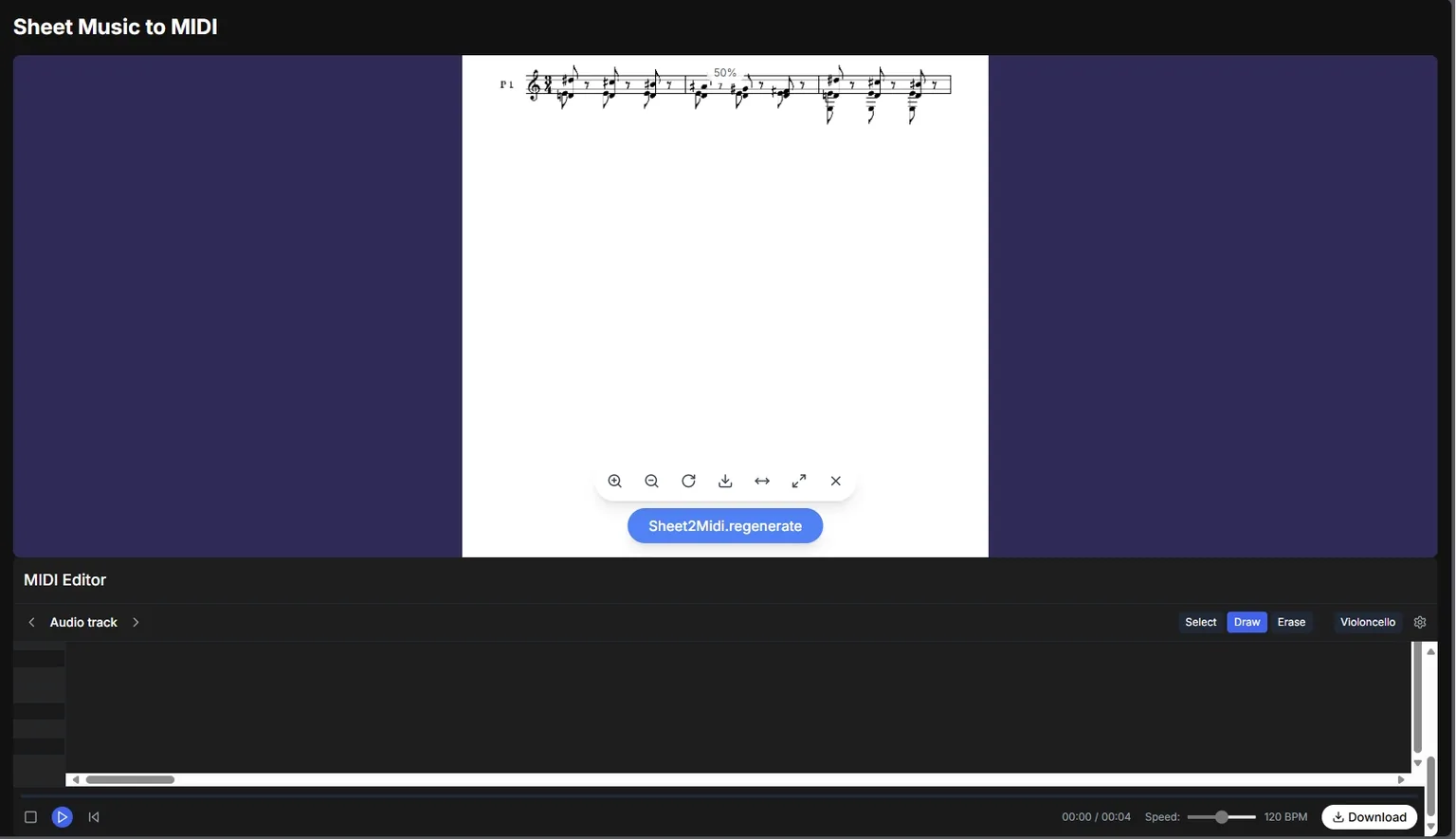
Download the MIDI file when the structure is good enough to continue. From there, import it into the environment that matches your goal:
| Next tool | Use it when | What to check after import |
|---|---|---|
| DAW such as Logic Pro, Ableton Live, FL Studio, or Cubase | You want playback, production, arranging, or sound design | Tempo map, track split, instrument assignment, velocity, quantization |
| Notation editor such as MuseScore, Dorico, Sibelius, or Finale | You want to re-notate, print, or arrange from the score | Bar structure, voices, ties, beams, lyrics, articulations |
| Practice workflow | You need a quick backing track or study loop | Tempo, transposition, repeats, and missing pickup bars |
Do not judge the conversion only by the default instrument sound. A plain piano playback can make a usable MIDI file sound stiff. Judge the notes, rhythm, measures, and handoff value first.
Turn sheet music into editable MIDI faster
Use Melogen Sheet2MIDI for the first recognition pass, then finish the musical decisions in your DAW or notation editor.
Accuracy Expectations in 2026
The honest answer: sheet music to MIDI accuracy depends on the source file as much as the converter. AI recognition can reduce hours of manual entry, but visible notation still has edge cases.
Use these expectations before you decide whether to rerun or edit:
| Situation | Realistic expectation | Best next action |
|---|---|---|
| Clean digital score or exported PDF | Strong first pass with fewer symbol errors | Review, then clean details in your editor |
| High-quality scan of printed notation | Good first pass, especially for standard layouts | Check accidentals, voices, tuplets, and measure alignment |
| Dense piano, orchestral, or multi-voice score | Useful draft, but more proofreading | Work part by part and compare against the original |
| Phone photo with skew or glare | Mixed results | Retake the photo or crop/straighten the page |
| Handwritten or highly stylized notation | Partial recognition at best | Use it only as a starting point, not a finished transcription |
The key is to separate conversion quality from musical editing. The converter should get you to an editable draft. You still decide phrasing, dynamics, voicing, tempo feel, and final instrumentation.
Troubleshooting: When the MIDI Result Is Not Clean
If the output sounds wrong, diagnose the source before blaming the MIDI file.
First, check whether the page was cropped. Missing clefs, time signatures, key signatures, or left edges often lead to wrong registers or bar alignment. Next, check skew. Even a slight angle can make staff-line detection harder. Then check contrast: grey scans, shadows, and glossy paper can hide rests, dots, accidentals, and ledger lines.
If the conversion misses a whole part, rerun with a better image. If it only misses a few notes, keep the MIDI and fix those bars manually. If your goal is printed notation rather than playback, switch to a MusicXML-first workflow instead of forcing every score problem through MIDI.
Frequently Asked Questions
What is the best way to convert sheet music to MIDI?
Start with the cleanest available source, upload it to a sheet music to MIDI converter, preview the result, then clean the MIDI in your DAW or notation editor. For Melogen, the practical path is PDF, JPG, or PNG input into Sheet2MIDI, followed by MIDI export.
Can I convert a photo of sheet music to MIDI?
Yes, but photo quality matters. Use even lighting, keep the phone parallel to the page, avoid shadows, and make sure the full staff system is visible. A clean scan usually performs better than a casual photo.
Does MIDI preserve the original sheet music layout?
No. MIDI is a playback and editing format. It carries notes, timing, tracks, and performance data, not full page engraving. If you want notation structure for score editing, compare MIDI with MusicXML before choosing your output.
How accurate should I expect the first pass to be?
Expect a usable draft from clean printed notation and more cleanup from photos, dense textures, or handwritten sources. Avoid fixed percentage promises; the input quality, score complexity, and target use case all change the result.
Should I edit inside the converter or in my DAW?
Use the converter preview to catch large issues, then do detailed cleanup in the tool where you will continue working. DAWs are better for piano-roll editing, velocity, instruments, and production. Notation editors are better for measures, voices, beams, and print-ready scores.
The Practical Takeaway
To convert sheet music to MIDI well in 2026, do not treat AI recognition as the final step. Treat it as the bridge from static notation into an editable music workflow.
Use the best source file you have, run a fast first pass, check the structure, download the MIDI, and clean the bars that matter. That is the workflow that turns a PDF, scan, or score image into something you can actually arrange, practice, or produce with.
About the author
Zhang Guo
Composer - AI Product Manager
AI product manager and digital marketing consultant with a background in music. Creativity is the bridge between rhythm and logic, where musical intuition and mathematical precision can coexist in every meaningful product decision.
Follow on X