How to Read Bass Tab: Symbols, Rhythm, and Groove
Learn how to read bass tab with four string lines, fret numbers, rhythm spacing, common symbols, practice checks, and a realistic Melogen workflow.
 Zhang Guo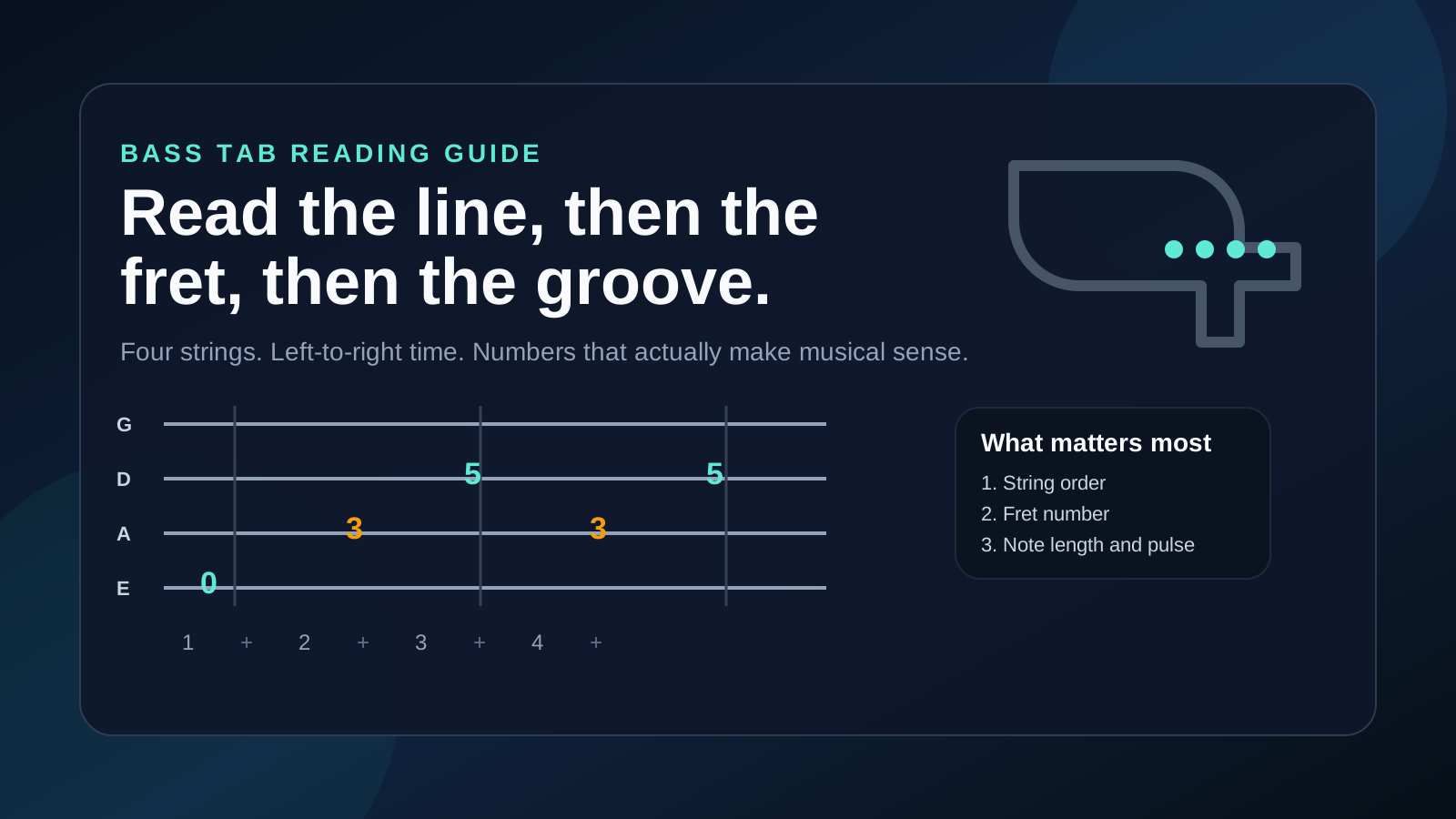
Turn a static score into editable MIDI
Contents
If you want to learn how to read bass tab, start with the grid: time moves from left to right, each horizontal line represents a string, and each number tells you which fret to play. A 0 means open string. A 3 means third fret. When two numbers line up vertically, you play them together as a double-stop or chord shape.
The harder part is not the numbers. It is learning how string order, rhythm spacing, slides, hammer-ons, ghost notes, and groove feel work together. Bass tab is simpler than full notation in some ways, but it can also hide important rhythmic details if you read it too quickly. This guide keeps the job practical: line order first, fret numbers second, rhythm third, symbols fourth, then a practice loop you can actually use.
Start with the four string lines
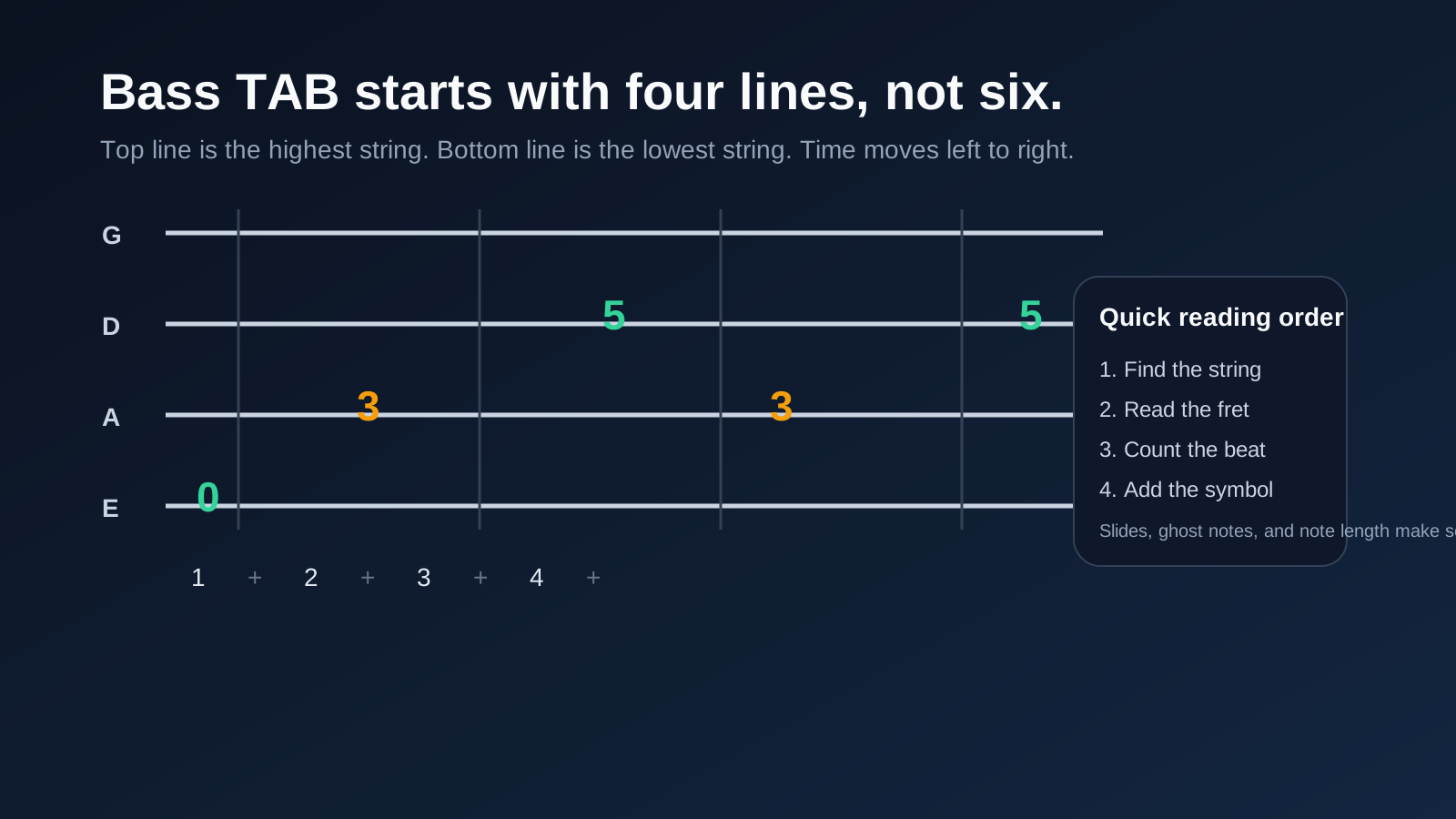
A standard 4-string bass tab usually shows four horizontal lines. The top line is the highest-pitched string, and the bottom line is the lowest-pitched string:
| Tab line | Bass string | Open-string note | What it means in practice |
|---|---|---|---|
| Top line | 1st string | G | Highest string, often used for fills and upper-register lines |
| Second line | 2nd string | D | Middle-high string for scale runs and riffs |
| Third line | 3rd string | A | Main low-mid anchor string |
| Bottom line | 4th string | E | Lowest standard string, root notes and low groove foundation |
That top-to-bottom layout feels backward to many beginners because the lowest string is drawn at the bottom instead of the top. Do not fight it. Treat the page like a pitch map, not like the visual angle of the instrument in your hands.
If you play a 5-string bass, the idea stays the same, but an extra low B line may be added below the E string. The reading order does not change. Time still runs left to right, and the highest-pitched string still sits at the top.
Map fret numbers onto the bass neck
Once the string line is clear, the fret number tells you where to place your finger. A few examples cover most beginner tabs:
0means open string.3means third fret on that string.5means fifth fret on that string.5/7means slide from fret 5 to fret 7.7h9means pick fret 7, then hammer on to fret 9.9p7means pick fret 9, then pull off to fret 7.xoften means a muted or ghosted note.
Bass parts usually care more about line clarity and timing than about dense stacked chords, so many beginner tabs are single-note lines. That is helpful. You can focus on one question at a time: which string, which fret, which beat.
| Signal | What to read first | Why it matters | Beginner action |
|---|---|---|---|
| String line | Which string carries the note | Prevents wrong-string mistakes | Say the string name before playing |
| Fret number | Where the note sits | Gives the exact left-hand location | Land the finger, then pluck once |
| Vertical stack | Whether notes align | Tells you if notes happen together | Check whether it is a double-stop |
| Symbol | Slide, hammer-on, mute, sustain | Changes the feel of the note | Practice the symbol alone before speed |
| Position shift | Whether the line climbs or drops | Helps left-hand planning | Mark the bar where you need to move |
The useful bass habit is to keep note choice and hand motion connected. If a line jumps from 3 on the E string to 5 on the D string, do not think only in numbers. Think low string to middle string, then fret change. That mental picture is what makes reading start to feel musical instead of mechanical.
Read rhythm before chasing groove
Bass tab can tell you where to play notes very clearly while telling you when to play them only partly. Some tabs include stems or rhythmic notation. Others rely on spacing, bar lines, and the recording. That means you need a rhythm-first habit.
Here is a simple groove shape:
G|----------------|
D|------5-----5---|
A|--3-------3-----|
E|0-----0---------|
  1 + 2 + 3 + 4 +
In that example, the line does not just show pitch. It shows placement in time. If you ignore the count and only chase 0, 3, and 5, the line will not groove.
Use this order when a bass tab feels confusing:
- Count the bar out loud.
- Tap the rhythm on one note.
- Say the string and fret numbers in time.
- Play the line below tempo.
- Add articulations only after the pulse is stable.
This matters more on bass than many beginners expect. Bass is not just about landing the right note. It is about locking with the kick drum, controlling note length, and making the groove feel intentional. A tab that is technically correct but rhythmically loose will still sound wrong.
Understand where TAB, notation, and your ear each help
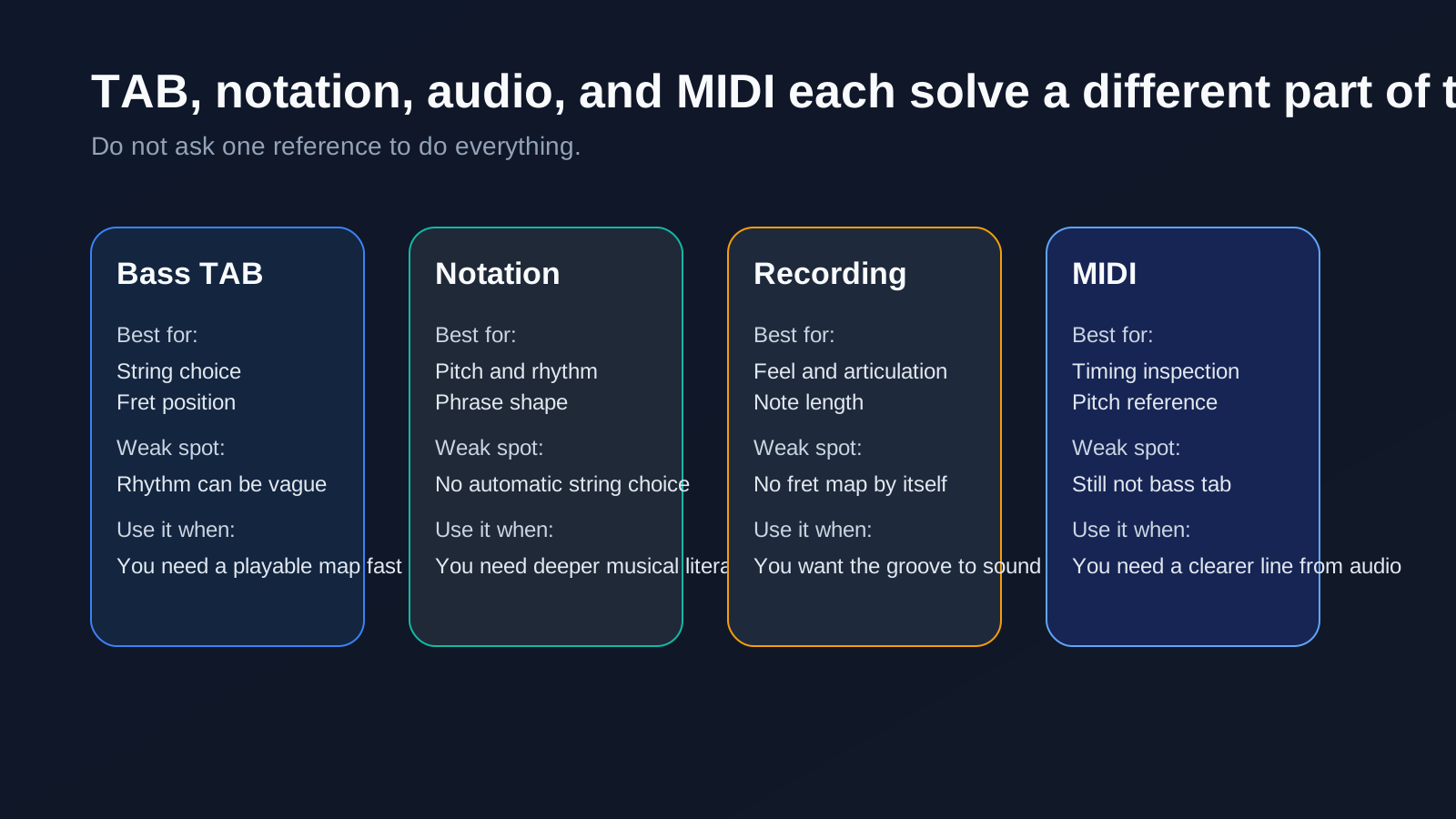
Bass players often work across three sources at once: tab, standard notation, and the recording. Each one solves a different problem.
| Source | Best use | Weak spot |
|---|---|---|
| Bass TAB | String and fret placement | Rhythm and note length can be incomplete |
| Standard notation | Pitch, rhythm, and phrase shape | It may not show the easiest bass position |
| Recording or demo | Feel, dynamics, and articulation | It does not give exact fret locations by itself |
| MIDI reference | Timing and pitch inspection | You still choose the string, fingering, and tab logic |
If you already understand tab as a left-to-right string map, the existing guide on how to read guitar tabs is useful for the shared reading logic. If your real confusion is notation rather than tab, the broader how to read sheet music article gives the staff, clef, and rhythm foundation first.
The important boundary is this: bass tab is a performance shortcut, not a full theory system. It helps you get the line under your fingers. Standard notation helps you understand the line more deeply. Your ear tells you whether the articulation and groove are actually working.
Learn the symbols bass players see most often
The basic numbers get you started, but the symbols are what make bass tab feel like music instead of a spreadsheet.
| Symbol | Common meaning | What to listen for |
|---|---|---|
/ or \\ | Slide up or down | Smooth movement between notes instead of two separate attacks |
h | Hammer-on | Second note sounds without a second pluck |
p | Pull-off | Return to a lower note cleanly after the first attack |
x | Ghost note or muted note | Percussive sound with little pitch center |
~ | Sustain or vibrato | Keep the note alive instead of cutting it short |
( ) | Optional, quieter, or tied-over note | Check the source because meaning can vary |
b | Bend | Less common on bass than guitar, but still possible |
Do not assume every website uses the exact same symbol key. Bass tab is not perfectly standardized. Read the legend when one is available, then test one bar slowly before trusting the whole page.
Use Melogen as an honest bridge from audio to practice
Melogen does not currently present a dedicated bass-tab generator in this repo, so this should not be framed as "upload a song and get finished bass tabs." That was the part I was being careful about before.
The honest bridge is different: if your starting point is an audio recording, Melogen's Music2MIDI workflow can help you isolate and inspect the bass part before you translate it into your own tab logic. The current product copy describes AI-powered audio transcription with optional stem separation, including a dedicated bass stem option and MIDI output you can edit or inspect.

That is useful in a bass workflow for three reasons:
- a bass-heavy or isolated track is easier to study than a dense full mix
- MIDI gives you a clearer timing and pitch reference when your ear is still developing
- you can inspect the line without pretending the software already made final tab decisions for you
The limit is just as important as the advantage: MIDI is not bass tab. You still decide string choice, fret position, note length, and whether the generated reference actually matches the groove you want to play.
Start from the bass line before you turn it into your own tab
Use Melogen Music2MIDI when your source is audio and you want a cleaner MIDI or stem-based reference before you make the final bass tab decisions yourself.
Build a first-week practice loop
Do not try to learn bass tab by collecting twenty songs at once. Pick one short groove and make it readable.
| Day | Goal | What to check |
|---|---|---|
| 1 | Name the four strings from top to bottom | Can you say G, D, A, E without looking down? |
| 2 | Read open-string and first-position notes | Can you connect line plus number quickly? |
| 3 | Count one bar out loud before playing | Does the line still make sense with the pulse? |
| 4 | Practice one symbol at a time | Can you hear the difference between slide, hammer-on, and ghost note? |
| 5 | Play one groove below tempo | Does each note land cleanly with consistent attack? |
| 6 | Compare the tab with the recording | Are the note lengths and groove feel actually close? |
| 7 | Mark the exact bar that breaks down | Is the problem string choice, rhythm, or technique? |
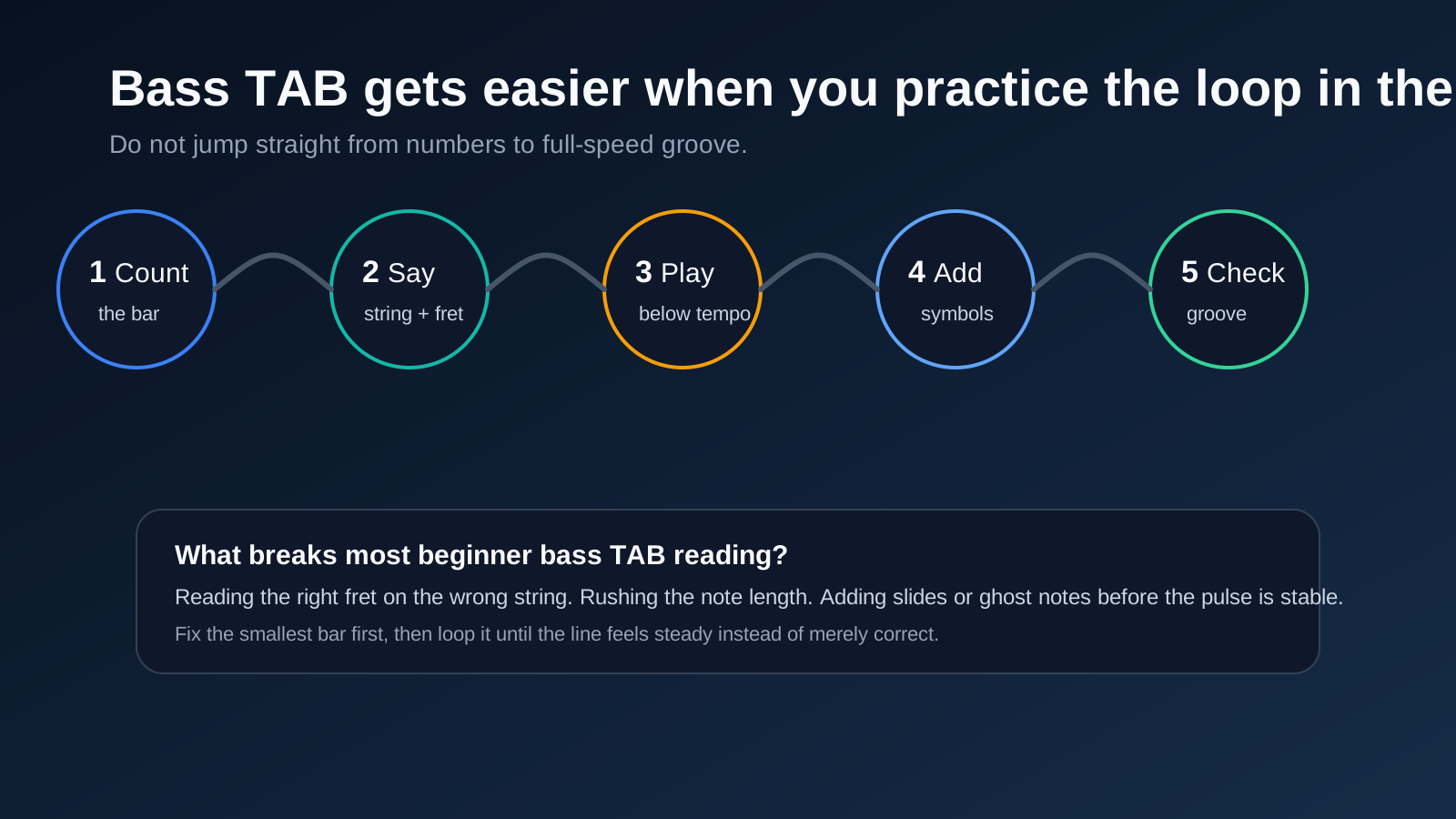
That loop teaches the right lesson: bass tab is not just about reading digits. It is about connecting line location, left-hand movement, plucking control, and time feel.
The practical takeaway
Learning how to read bass tab comes down to a simple order: string line, fret number, pulse, then symbol. When you keep that order, the page stops feeling random and starts working like a playable map.
Before you move on, check one short line with this list:
- Can you name the string before playing the fret?
- Can you count the bar without the bass in your hands?
- Can you tell whether the tab shows notes in sequence or together?
- Can you explain the symbols before you speed up?
- Can you hear whether the note length supports the groove?
If the answer is no, do not restart the whole song. Fix the smallest confusing bar first. Bass players win by making the groove clear, not by pretending the page is easier than it is.
About the author
Zhang Guo
Composer - AI Product Manager
AI product manager and digital marketing consultant with a background in music. Creativity is the bridge between rhythm and logic, where musical intuition and mathematical precision can coexist in every meaningful product decision.
Follow on X