How to Read Sheet Music: Beginner Guide
Learn how to read sheet music with staff, clef, notes, rhythm, symbols, practice steps, and a practical Melogen playback workflow.
 Zhang Guo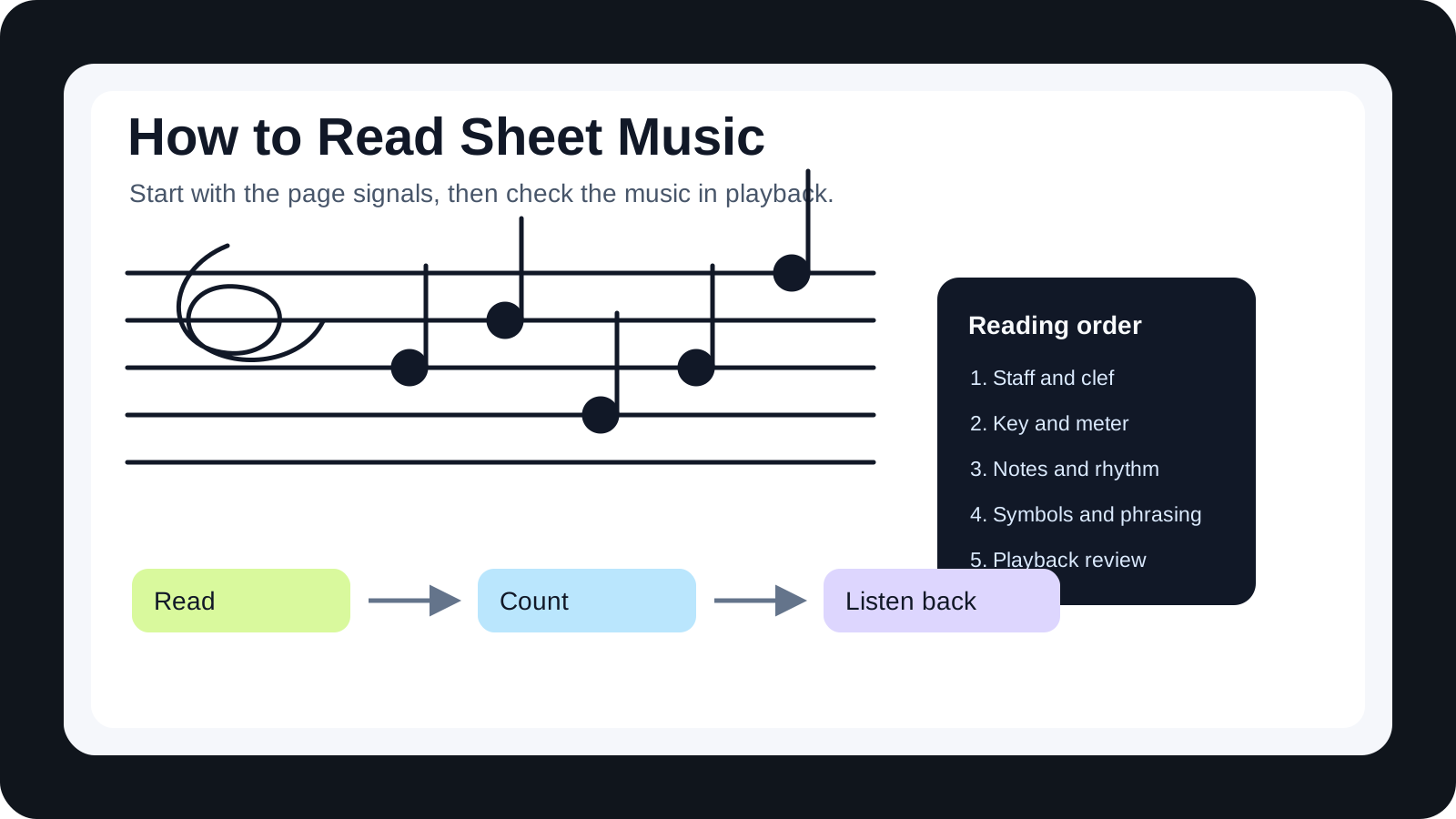
Turn a static score into editable MIDI
Contents
If you want to learn how to read sheet music, start by reading the page in a fixed order: staff, clef, key signature, time signature, note positions, rhythm, and then the extra symbols. Beginners usually get stuck because they try to decode every dot at once. A better first goal is smaller: understand what the page is telling you before you try to play it at tempo.
This guide is the parent map. It will not replace instrument-specific study, but it will show you how written music works before you branch into piano, guitar, voice, strings, or drums. You will learn the main page signals, how pitch and rhythm work together, when supporting guides help, and how to use playback as a check without letting software do the thinking for you.
Start with the five signals on the page
Most sheet music gives you a few big signals before the first phrase begins. Read those first. They act like the setup screen for the score: which pitch map to use, which notes are changed by default, how many beats sit in each bar, and where the music is divided into manageable chunks.
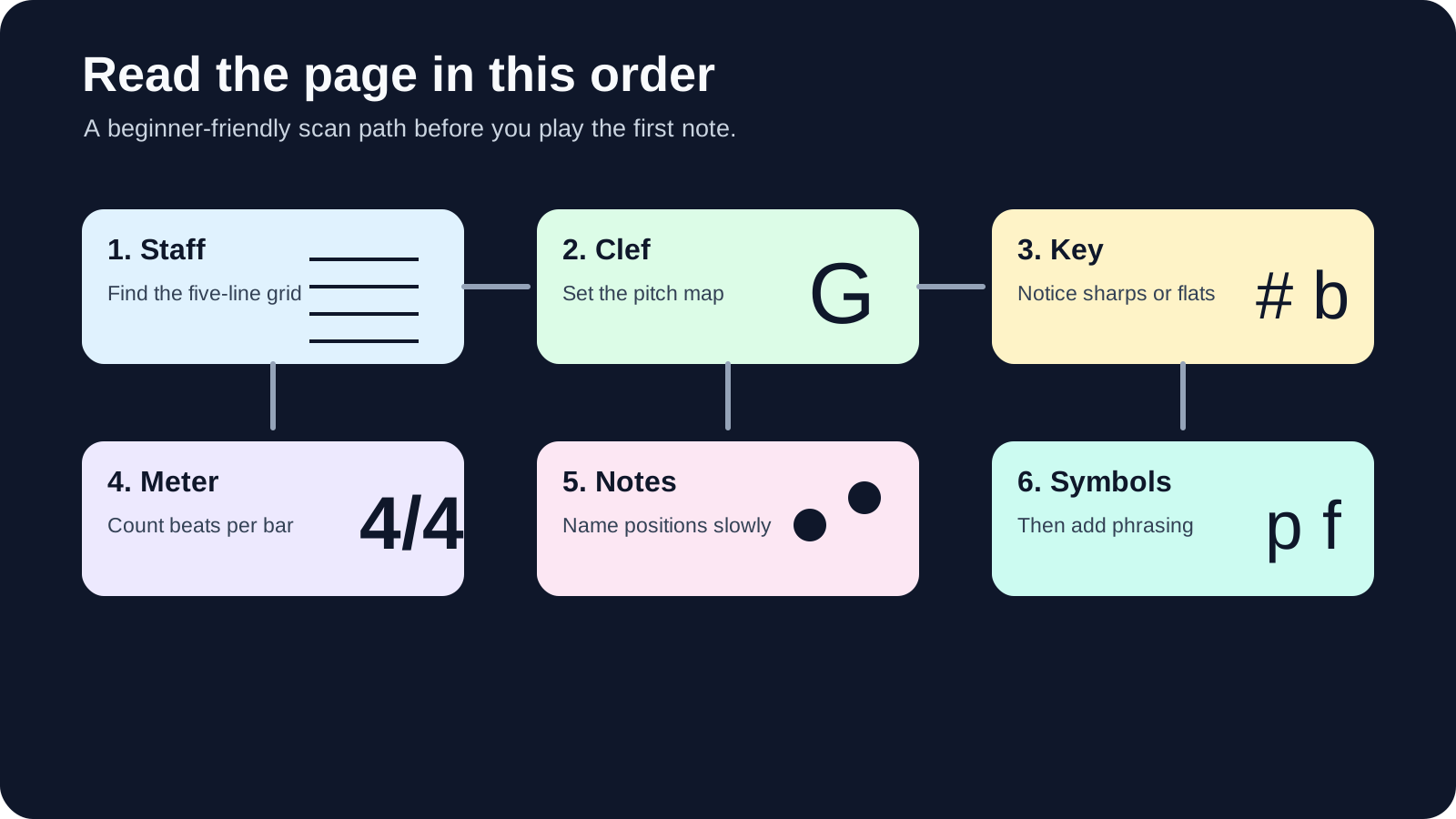
Use this first-pass checklist before naming individual notes:
| Signal | What to read first | Why it matters | Beginner action |
|---|---|---|---|
| Staff | The five lines and spaces | This is the visual grid for pitch | Notice whether the music uses one staff or a grand staff |
| Clef | Treble, bass, alto, tenor, or percussion clef | The same line means different notes under different clefs | Say the clef name before reading notes |
| Key signature | Sharps or flats after the clef | It changes the default spelling of notes across the piece | Mark the altered notes mentally before playing |
| Time signature | Beats per measure and note value receiving one beat | Rhythm depends on this count | Count one empty bar out loud |
| Bar lines | Measure boundaries | They let you check music in short units | Read one measure at a time when stuck |
If the staff itself is still confusing, start with the musical stave guide. It explains why the five-line grid needs a clef before any note position has a stable name.
Map written notes onto the instrument or workflow
After the setup signals, you can start naming pitches. In treble clef, the lines are commonly remembered as E G B D F, and the spaces spell F A C E. In bass clef, the lines are G B D F A, and the spaces are A C E G. These memory tools are useful, but do not stop there. Reading music is not only naming letters. It is turning a position on the page into a sound, a hand position, or an editing decision.
The instrument matters because the same written pitch can feel different in practice. Piano readers often map notes onto two staves at once. Guitar readers must decide where the pitch belongs on the fretboard. Singers may care more about intervals and syllables than fingerings. A producer importing a score into a DAW may care about whether the notes become usable MIDI lanes.
That is why a parent guide should not try to become every instrument guide at once. If your next step is guitar notation, use the dedicated guide on how to read guitar sheet music. If you are working at the keyboard, the piano sheet music guide gives the grand-staff view in more detail.
Read rhythm before chasing technique
Rhythm is where many beginners quietly lose the thread. A pitch mistake is one wrong sound. A rhythm mistake can move the whole phrase out of place.
Before you play a passage, clap or tap the rhythm on one note. Look for note values, rests, ties, dotted notes, beams, and triplets. If the time signature is 4/4, ask whether each measure really adds up to four beats. If it is 3/4, feel the grouped pulse before trying to add expression.
Use this order when a measure looks crowded:
- Count the beats in the bar.
- Speak the rhythm without pitch.
- Name the pitches slowly.
- Play or sing below tempo.
- Mark the exact spot where the pulse breaks.
This feels methodical, but it is faster than guessing. You are separating two problems that beginners often mix together: what note is it, and when does it happen?
Understand where supporting formats or references help
Sheet music is the main source, but supporting formats can help when they are used honestly. A piano keyboard diagram can make pitch location visible. A fretboard chart can help a guitarist choose a playable position. A recording can confirm the phrase shape. MIDI can make timing and pitch easy to inspect.
The trap is letting the reference replace the reading. If you only follow a falling piano-roll block, you may miss key signatures, phrasing, voicing, and articulation. If you only follow a guitar tab, you may get the fret number without understanding the rhythm. If you only listen, you may imitate the sound without knowing how the page produced it.
Here is the useful distinction:
| Support format | Best use | What it cannot replace |
|---|---|---|
| Keyboard diagram | Locating pitches quickly | Rhythm and phrasing |
| Fretboard chart | Choosing a practical guitar position | The note-reading process |
| Recording | Hearing tempo, articulation, and style | Knowing what is written |
| MIDI playback | Checking pitch and timing | Musical judgment and cleanup |
| MusicXML | Moving notation into score software | Human proofreading of the score |
Use Melogen as a bridge from source to practice
Melogen fits when you already have visible notation and want a faster way to check what the page is doing. The local Sheet2MIDI product surface supports PDF, PNG, and JPG sheet music input, with MIDI and MusicXML output for playback, DAW cleanup, or notation editing. That makes it useful as a bridge from a static score to something you can hear and inspect.
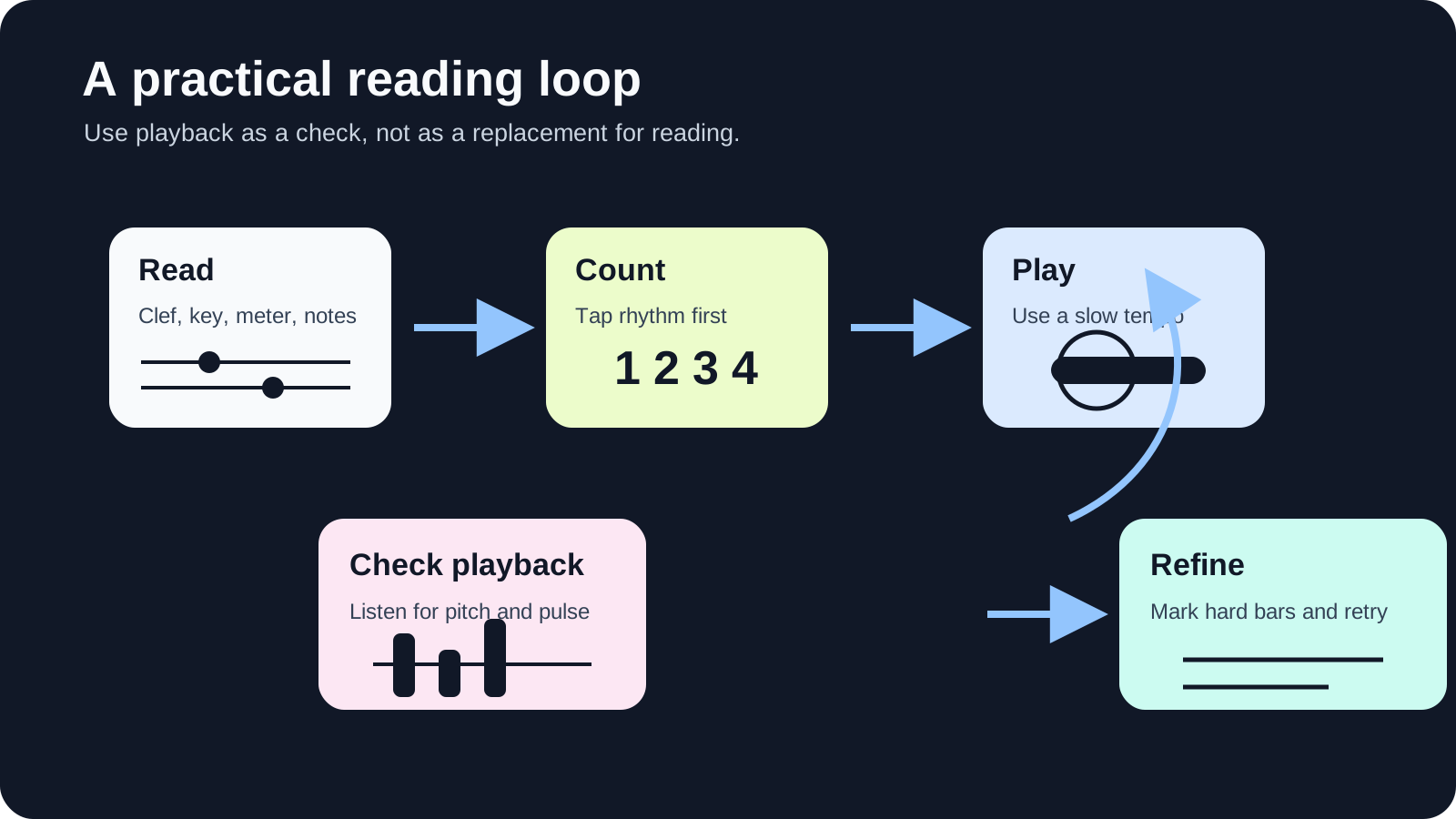
The honest limit matters. Sheet2MIDI does not remove the need to read. Dense polyphony, poor scans, handwritten notation, unusual layouts, and complex rhythms still need review. Use the conversion as a listening and checking step:
- Read the clef, key, meter, and first measure yourself.
- Convert a clean scan or PDF when you need playback support.
- Listen for obvious pitch or rhythm mismatches.
- Mark the hard bars on the original score.
- Fix the musical decision in your instrument practice, DAW, or notation editor.
That workflow keeps musicianship in charge. Software shortens the path from page to playback, but the final interpretation still belongs to you.
Build a first-week practice loop
You do not need to memorize the whole system in one sitting. A first-week loop is enough to make the page less intimidating.
- Day 1: Identify staff, clef, key signature, and time signature on five short examples.
- Day 2: Name treble-clef lines and spaces without playing them.
- Day 3: Name bass-clef lines and spaces, then compare the difference.
- Day 4: Clap rhythms from four simple measures before touching an instrument.
- Day 5: Read one phrase below tempo and stop after every bar line.
- Day 6: Use playback to check whether the rhythm and pitch match what you read.
- Day 7: Revisit the hardest two bars and write down what confused you.
The point is not speed. The point is building a repeatable process. Once the process is stable, speed arrives naturally.
Where Melogen fits
Use Melogen when you want a browser-first playback check from visible sheet music. If your source is a PDF score, scan, or photo, Sheet2MIDI can create a first-pass MIDI or MusicXML file that helps you hear the score and inspect the structure. That is especially useful for practice planning, arrangement cleanup, and DAW handoff.
Do not use it as a shortcut around reading basics. You will still make better decisions if you can identify the clef, count the rhythm, and recognize where a conversion result needs cleanup. Think of Melogen as the bridge from page to editable output, not the final musical answer.
Move from static notation to editable MIDI faster
Use Melogen Sheet2MIDI when you need a fast first pass from sheet music, scans, or PDFs before you do the detailed musical cleanup yourself.
The practical takeaway
Learning how to read sheet music gets easier when you stop treating the page as one giant puzzle. Read the setup signals first. Count rhythm before chasing technique. Name pitches after the clef and key are clear. Use instrument-specific references only when they help you turn the written information into action.
Here is the short version:
- Staff and clef tell you where pitches live.
- Key signature tells you which notes change by default.
- Time signature and note values tell you when sounds happen.
- Bar lines let you debug one small section at a time.
- Playback can help you check your work, but it should not replace your reading process.
Start slowly, listen carefully, and keep the loop small. A clear first measure is better than a rushed full page.
About the author
Zhang Guo
Composer - AI Product Manager
AI product manager and digital marketing consultant with a background in music. Creativity is the bridge between rhythm and logic, where musical intuition and mathematical precision can coexist in every meaningful product decision.
Follow on X