Can MuseScore Convert MP3 to Sheet Music
Learn whether MuseScore can convert MP3 to sheet music, which bridge file to use, and how to clean MIDI or MusicXML for notation.
 Zhang Guo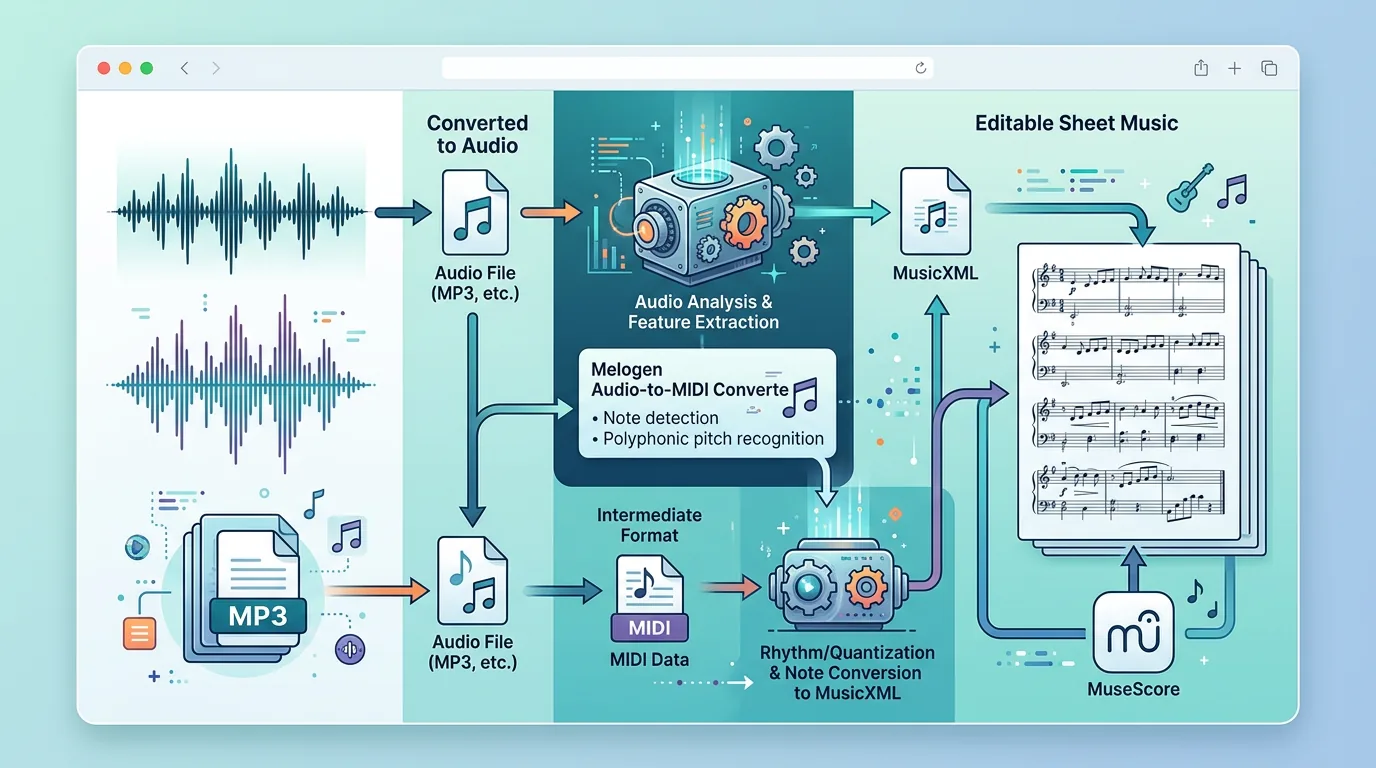
Turn a static score into editable MIDI
Contents
If you are searching for can musescore convert mp3 to sheet music, the honest answer is no, not directly. An MP3 is audio, while MuseScore edits score data. To get from an MP3 to notation, you need a transcription step first, then you open the bridge file in MuseScore and clean it like a musician.
The useful workflow is simple: start with the cleanest MP3 you are allowed to use, convert the audio into editable note data, decide whether MIDI or MusicXML is the right bridge, then use MuseScore Studio for notation cleanup. If your real source is a PDF or scan rather than audio, skip the MP3 route and use a score-to-MusicXML workflow instead.
First decide what the MP3 should become
Before converting anything, name the result you actually need. A producer may only need MIDI note data for a piano roll. A teacher or arranger may want readable staff notation in MuseScore. Those are related jobs, but they are not the same file problem.
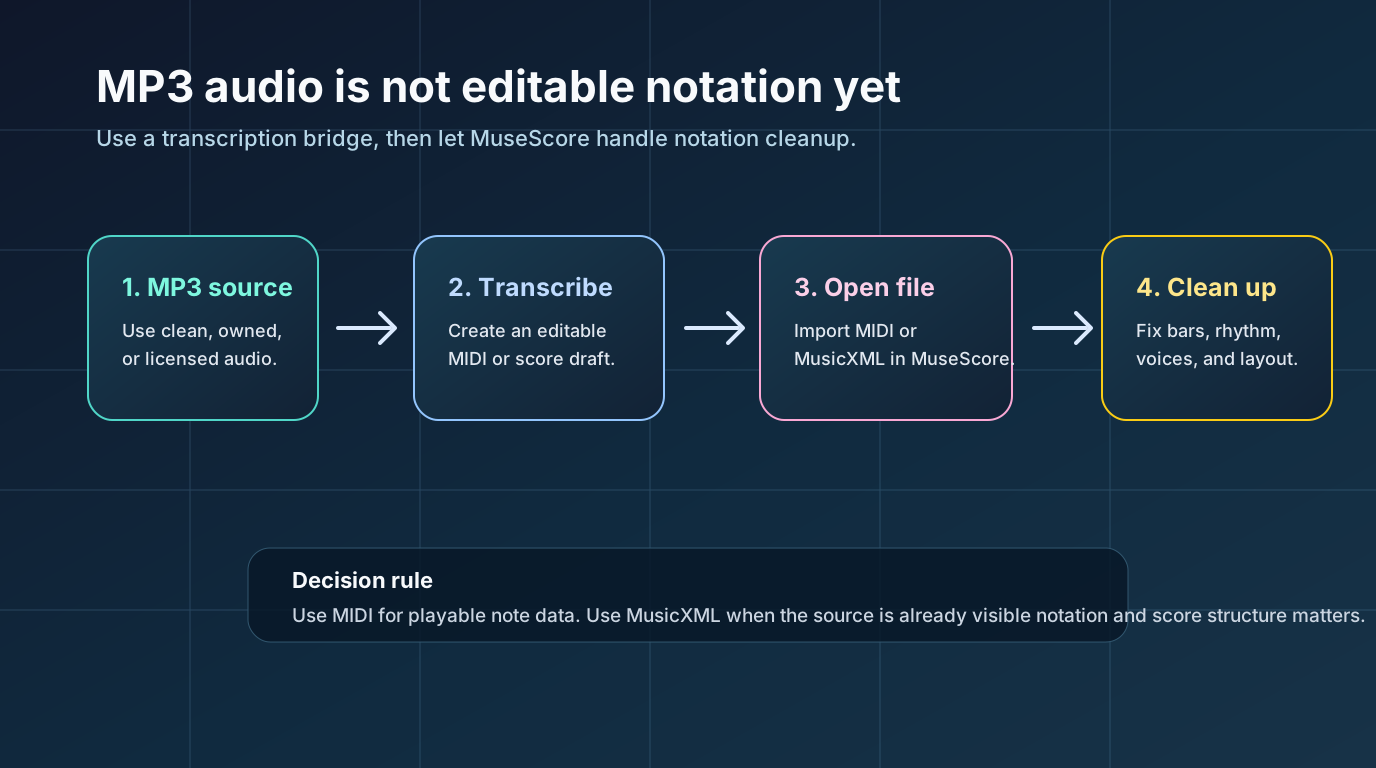
Use this quick decision table:
| Reader goal | Better bridge file | Why |
|---|---|---|
| Edit notes in a DAW or piano roll | MIDI | MIDI carries pitch, timing, note length, and velocity. |
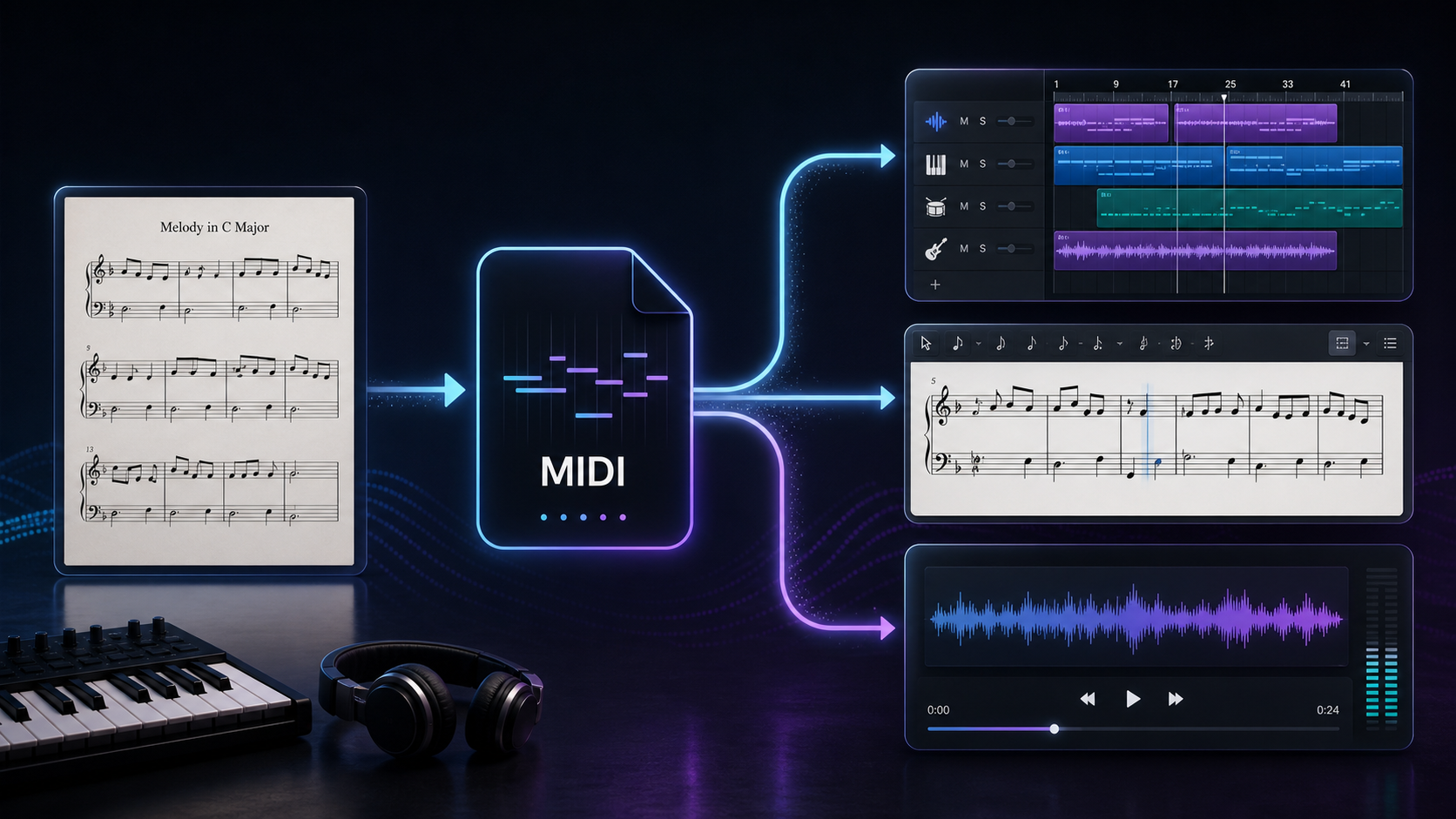
| Open a rough transcription in MuseScore | MIDI, then notation cleanup | MuseScore can import MIDI, but the score will usually need rhythm and layout repair. |
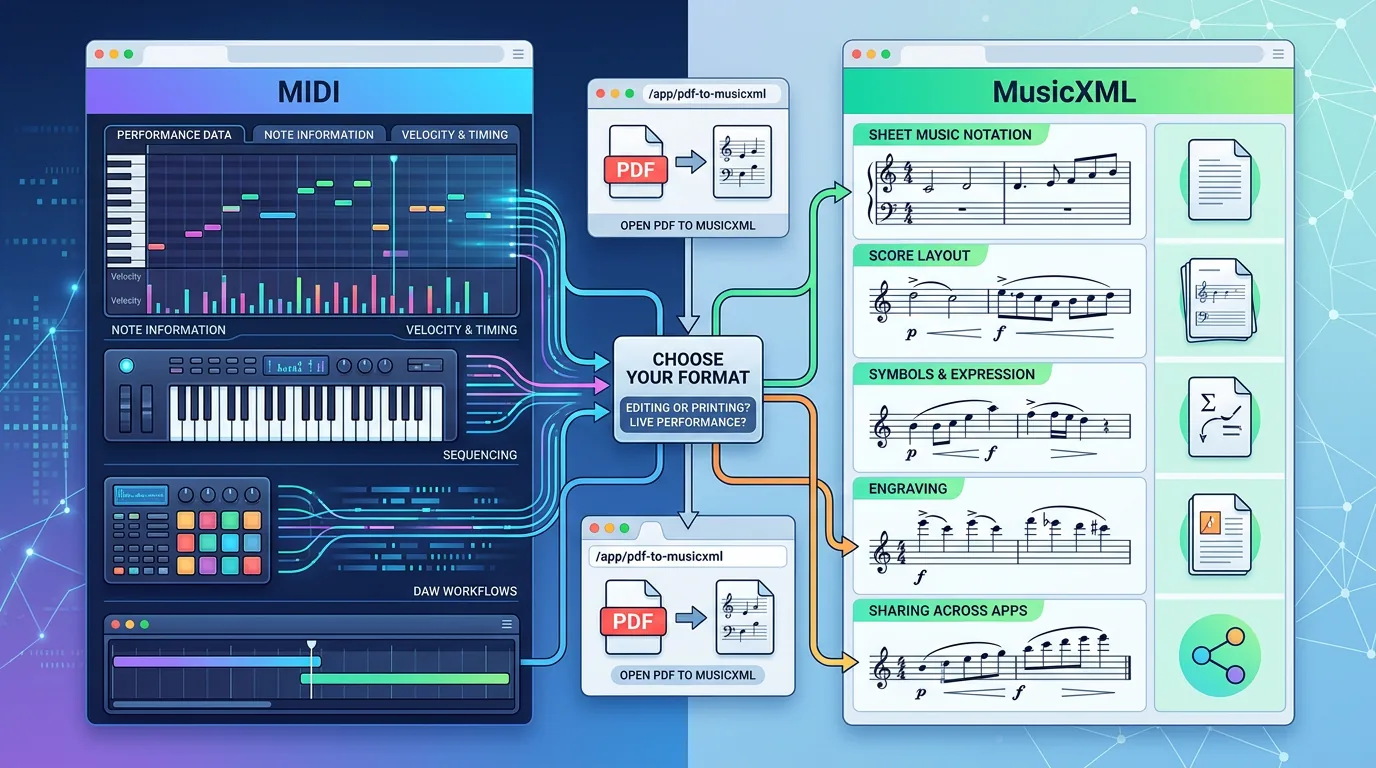
| Preserve score structure from a visible score | MusicXML or MXL | MusicXML keeps measures, voices, staves, clefs, and many notation details. |
| Convert a scanned PDF into MuseScore | MusicXML or MXL | A scan is an OMR task, not an audio transcription task. |
The important correction is this: MusicXML is usually the cleaner notation bridge, but an MP3 does not already contain MusicXML-style score structure. If your input is audio, a MIDI-first route is often more realistic. If your input is visible sheet music, use PDF to MusicXML or another OMR route instead.
Prepare the MP3 before transcription
Audio transcription is source-sensitive. A clean solo piano recording, vocal line, bass phrase, or guitar melody gives the converter a much better chance than a compressed full-band mix with drums, reverb, and crowd noise.
Before you upload, check the source:
| Source check | Good signal | Better next step if it fails |
|---|---|---|
| Rights | You own, recorded, licensed, or have permission to use the audio | Use a lawful source instead of ripping protected streaming audio. |
| Clarity | One main pitched part is easy to hear | Isolate a stem or choose a shorter phrase. |
| Noise | Little hum, room sound, distortion, or crowd noise | Clean the audio or use a better take. |
| Length | A short phrase can be checked quickly | Test 15 to 30 seconds before converting a full song. |
| Destination | You know whether you need MIDI or notation | Choose the bridge file before editing. |
This rights check is not decoration. An article about "MP3 to sheet music" can drift into unsafe download advice very quickly. Keep the workflow about your own recordings, licensed examples, rehearsal files, class material, or audio you have permission to transform.
Use a transcription bridge before MuseScore
The current MuseScore Studio handbook for opening and saving scores lists score import formats such as native MuseScore files, MusicXML, compressed MusicXML, MIDI, and other notation-related formats. That makes the practical route clear: do not try to make the MP3 itself become the MuseScore project. Create a bridge file first.
Melogen's Audio to MIDI converter supports common audio formats including MP3, WAV, FLAC, OGG, M4A, and AAC, and exports a standard MIDI file. That fits the first half of this job when your source is audio and you want editable note data before opening notation software.

The broader Music2MIDI route is worth testing when your source is a fuller music file and you want a more advanced music-to-MIDI workflow. For a visible score, though, do not force an audio route. The scan music into MuseScore guide is the better workflow when the source is a PDF, scan, or phone photo.
Open the bridge file and check structure first
After conversion, open the MIDI or MusicXML file in MuseScore. Do not begin by fixing every wrong note. First ask whether the imported score has a usable structure.
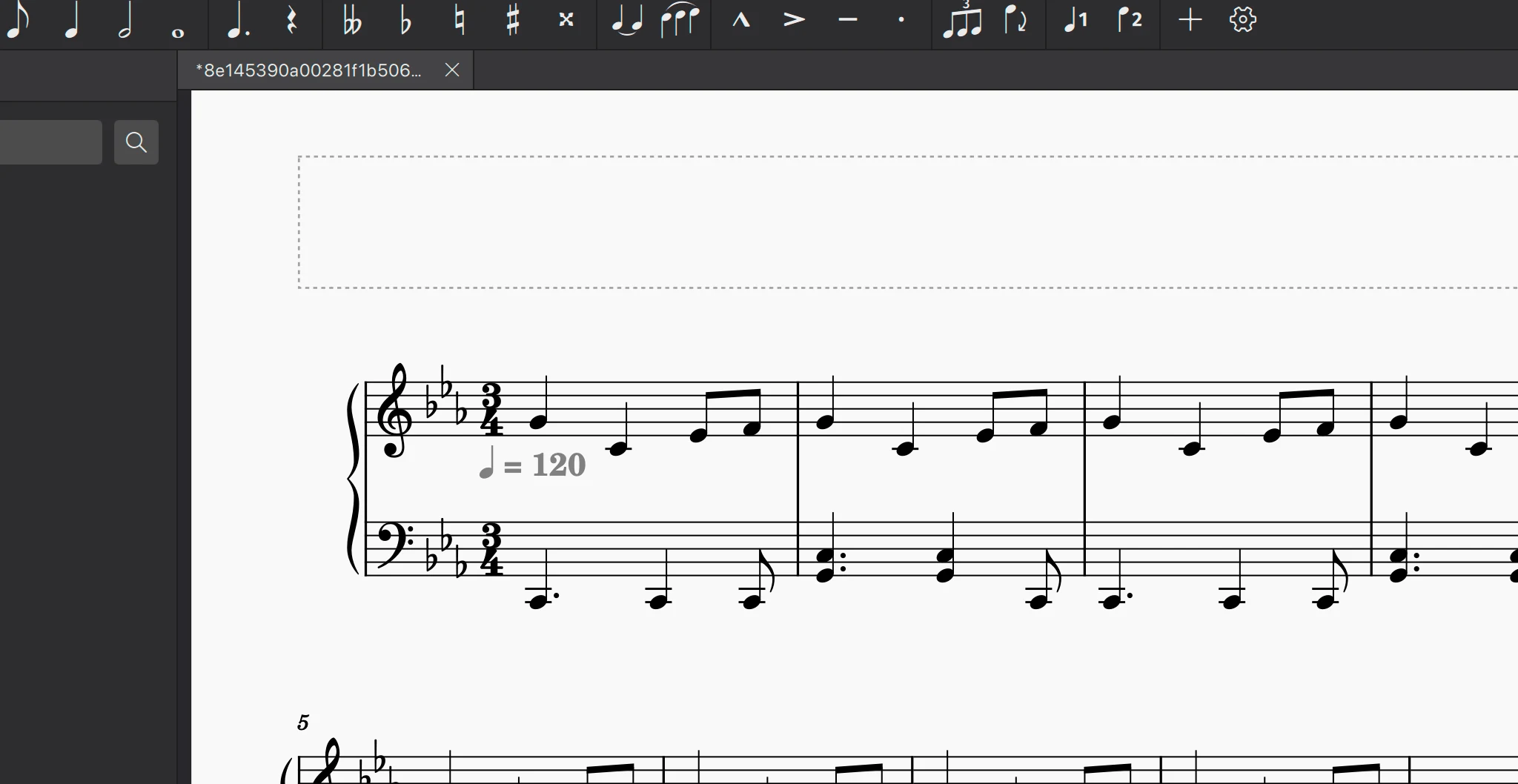
Use this first-pass audit:
- Does the first downbeat land near the right place?
- Are phrase lengths recognizable?
- Are pitches mostly in the right register?
- Did the import create one readable staff or a messy cluster of tiny notes?
- Are rests, ties, tuplets, and bar lines musically plausible?
- Is this worth cleaning, or should you rerun from a cleaner audio source?
MuseScore's MusicXML handbook also makes an important point for notation work: even MusicXML transfers commonly need cleanup because imported layout and text details may not match the original exactly. MIDI imports need even more judgment because MIDI was built for performance data, not engraved notation.
Choose MIDI or MusicXML honestly
If the MP3 is the only source, start with MIDI and treat MuseScore as a cleanup editor. MIDI can get the notes into a score, but it will not know the composer's notation choices. Expect to fix rhythms, bar grouping, enharmonic spelling, voice separation, and layout.
If you already have visible sheet music, do not convert audio at all. Use PDF to MusicXML or another score-recognition route, then open the MusicXML in MuseScore. For notation editing, MusicXML usually preserves more useful score structure than MIDI. The MIDI vs MusicXML guide is the better next read if that file choice is still fuzzy.
Here is the practical split:
| Starting source | First Melogen route | MuseScore expectation |
|---|---|---|
| MP3 of a solo line | Audio to MIDI | Import MIDI, then fix notation. |
| Full song audio | Music2MIDI or stem cleanup first | Simplify the part before notation cleanup. |
| PDF score | PDF to MusicXML | Open MusicXML and proofread score structure. |
| Photo or scan of sheet music | Sheet or OMR workflow | Convert visible notation, then edit in MuseScore. |
Where Melogen fits without overselling it
Melogen is useful before MuseScore when the source is not already editable notation. Use it to create a first-pass file, then make the musical decisions in MuseScore.
For MP3 audio, start with Audio to MIDI. Download the MIDI file, open it in MuseScore, and clean it with the original audio nearby. For fuller recordings, test Music2MIDI or isolate the part first. For PDF sheet music, use PDF to MusicXML instead because the destination is notation, not a piano-roll draft.
Create the bridge file before MuseScore cleanup
Use Melogen Audio to MIDI when your source is MP3 audio, then import the MIDI into MuseScore and make the notation decisions there.
FAQs
Can MuseScore open an MP3 as editable sheet music?
No. Treat an MP3 as audio, not score data. Convert it to a bridge format first, usually MIDI for audio transcription, then open that file in MuseScore.
Is MIDI enough for sheet music?
MIDI is enough to create a rough notation draft, but it is not enough for polished sheet music. You still need to fix rhythm, voices, spelling, rests, articulations, and layout.
Is MusicXML better than MIDI for MuseScore?
For notation editing, yes. MusicXML carries score structure that MIDI does not. But if your source is only an MP3, you may not have a clean MusicXML route unless a transcription tool creates it. Use MusicXML first when your source is a PDF, scan, or existing score file.
What should I do if the imported score is unreadable?
Do not spend an hour repairing a broken first pass. Use a shorter audio clip, isolate the main instrument, reduce noise, or switch to a visible-score workflow if the real source is notation.
The practical takeaway
MuseScore is the notation workspace, not the MP3 transcription engine. Use a bridge step first. For audio, create a MIDI draft with a tool such as Melogen Audio to MIDI, then import and clean it in MuseScore. For visible notation, use MusicXML instead.
The fastest reliable path is not "MP3 straight into perfect sheet music." It is "clean source, honest bridge file, MuseScore cleanup." That gives you editable notes sooner without pretending the musician's review pass can disappear.
About the author
Zhang Guo
Composer - AI Product Manager
AI product manager and digital marketing consultant with a background in music. Creativity is the bridge between rhythm and logic, where musical intuition and mathematical precision can coexist in every meaningful product decision.
Follow on X