Notes in Violin Strings: Beginner Chart and Reading Guide
Learn notes in violin strings with a beginner chart, first-position reading tips, and a practical Sheet2MIDI workflow for scanned violin scores.
 Zhang Guo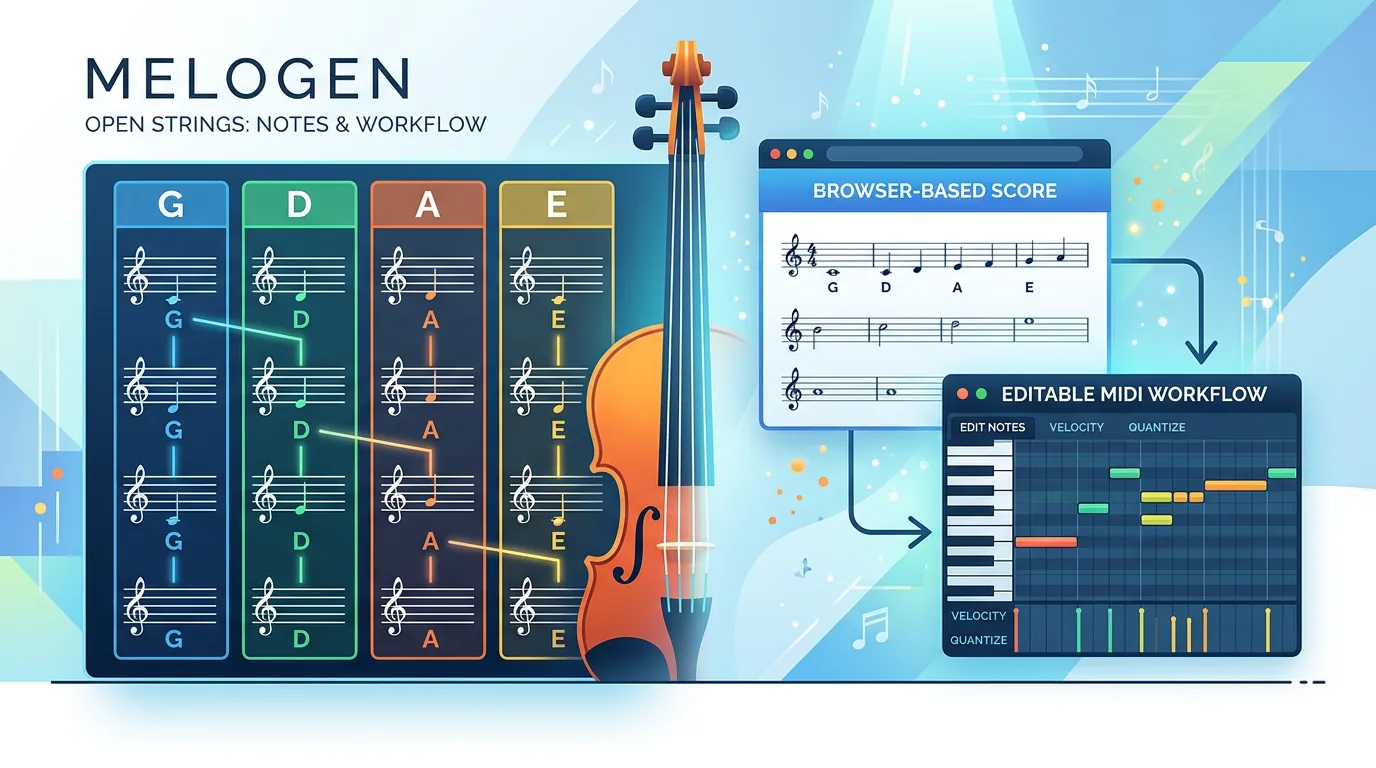
Turn a static score into editable MIDI
Contents
If you searched for notes in violin strings, start with the four open strings first: G, D, A, E, from lowest to highest. Violin music is normally written in treble clef, so those string names become your first map between the printed staff, the fingerboard, and the sound you hear.
The useful beginner model is simple: identify the open string, read the key signature, then add fingers from that string. Do not try to memorize every possible note on the violin at once. Build a small first-position map, read the rhythm separately, and use the score as a musical plan rather than a wall of symbols.
Start with the open-string chart
The violin has four strings tuned a fifth apart. From the string closest to your chin when the violin is under your jaw to the thickest string on the left side of the instrument, the practical order is E, A, D, G. When players talk about them from low to high, they usually say G, D, A, E.
| String | Open note | First thing to remember | Beginner check |
|---|---|---|---|
| G string | G3 | Lowest open string | Expect the notes to sit below the main treble staff more often |
| D string | D4 | Warm middle-low string | Look just below and inside the lower staff area |
| A string | A4 | Central beginner string | Find A in the treble staff and use it as a reference point |
| E string | E5 | Highest open string | Watch for brighter, higher passages and careful left-hand spacing |
The score example below gives you the visual anchor that a text chart cannot. Notice how the low G sits below the staff with ledger-line support, while A and E become easier reference points inside the treble-clef staff area.
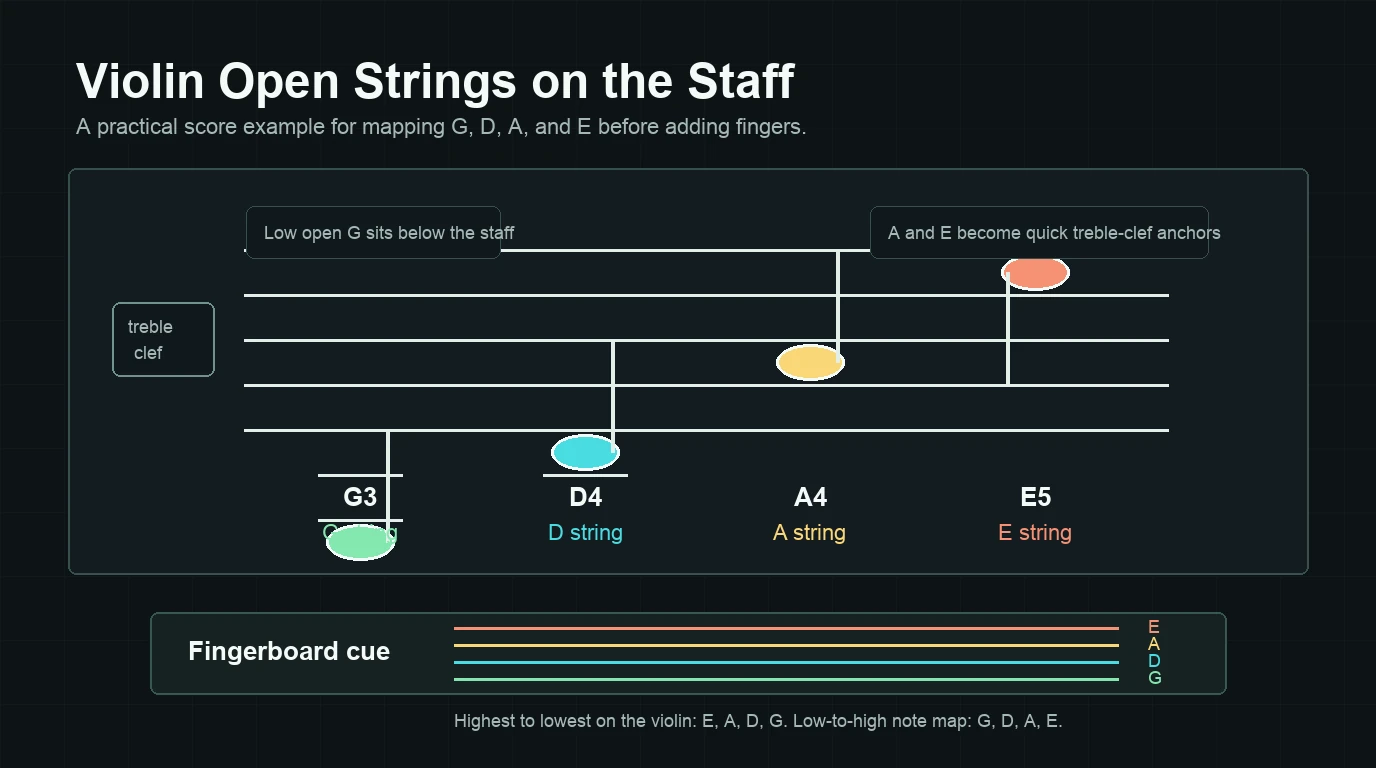
Those pitch labels are useful, but the chart is not the whole job. The key signature can turn a finger into a sharp or flat, and a printed fingering can tell you to use a specific finger even when another string could technically reach the same pitch.
Map written notes onto the instrument or workflow
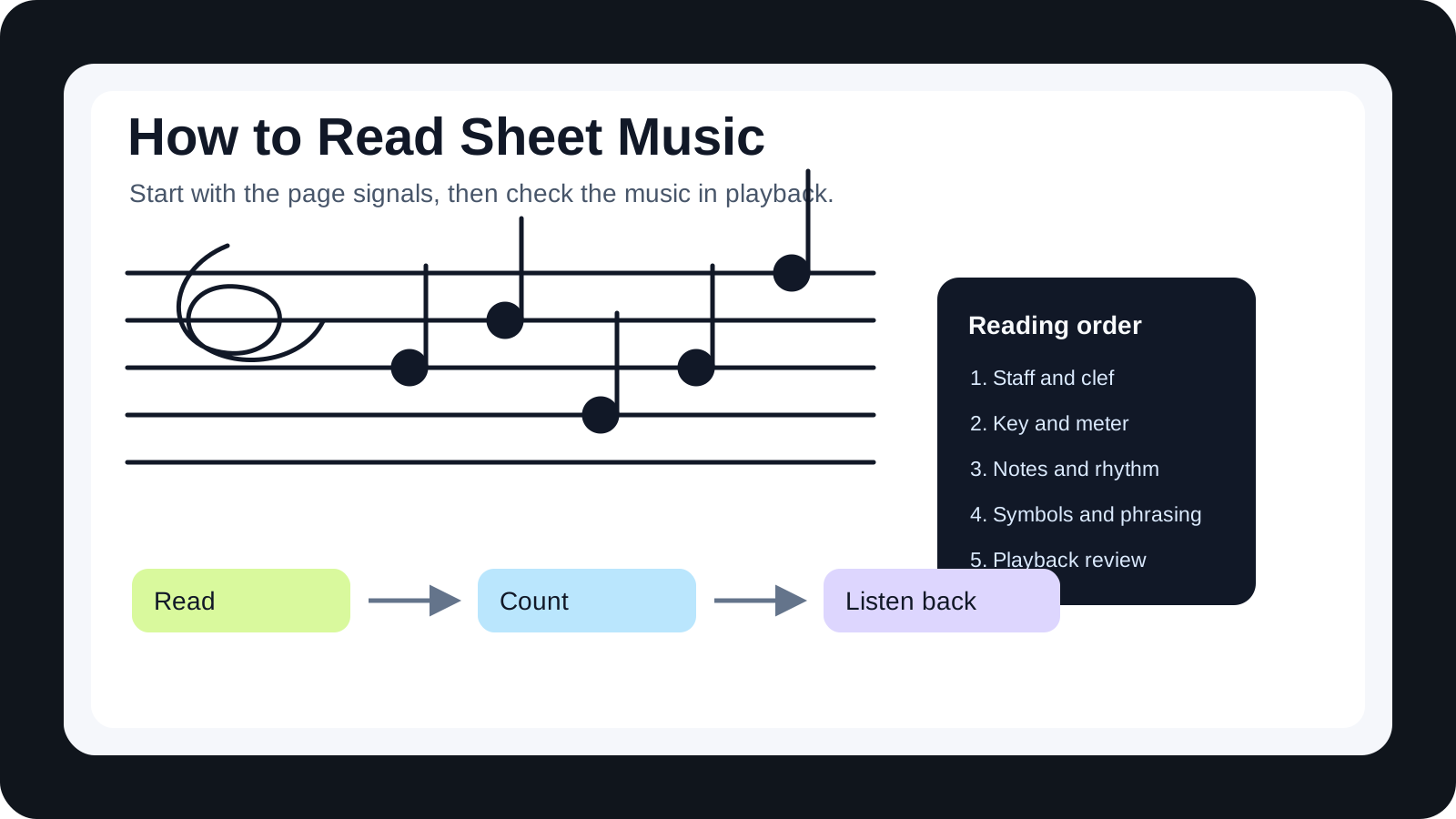
When you look at a violin score, read the page in layers.
| Signal | What to read first | Why it matters | Beginner action |
|---|---|---|---|
| Clef | Treble clef | It tells you how the staff maps to pitch | Assume violin notation is treble clef unless the score says otherwise |
| Key signature | Sharps or flats after the clef | It changes the finger pattern on each string | Mark the altered notes before playing the line |
| Open-string area | G, D, A, or E reference | It narrows the fingerboard choice | Say the likely string name before you play |
| Rhythm | Note values and rests | It controls timing before technique | Clap or count the bar before adding left-hand fingers |
| Finger markings | Numbers above or below notes | They can override the obvious string guess | Follow them when they are present, especially in beginner material |
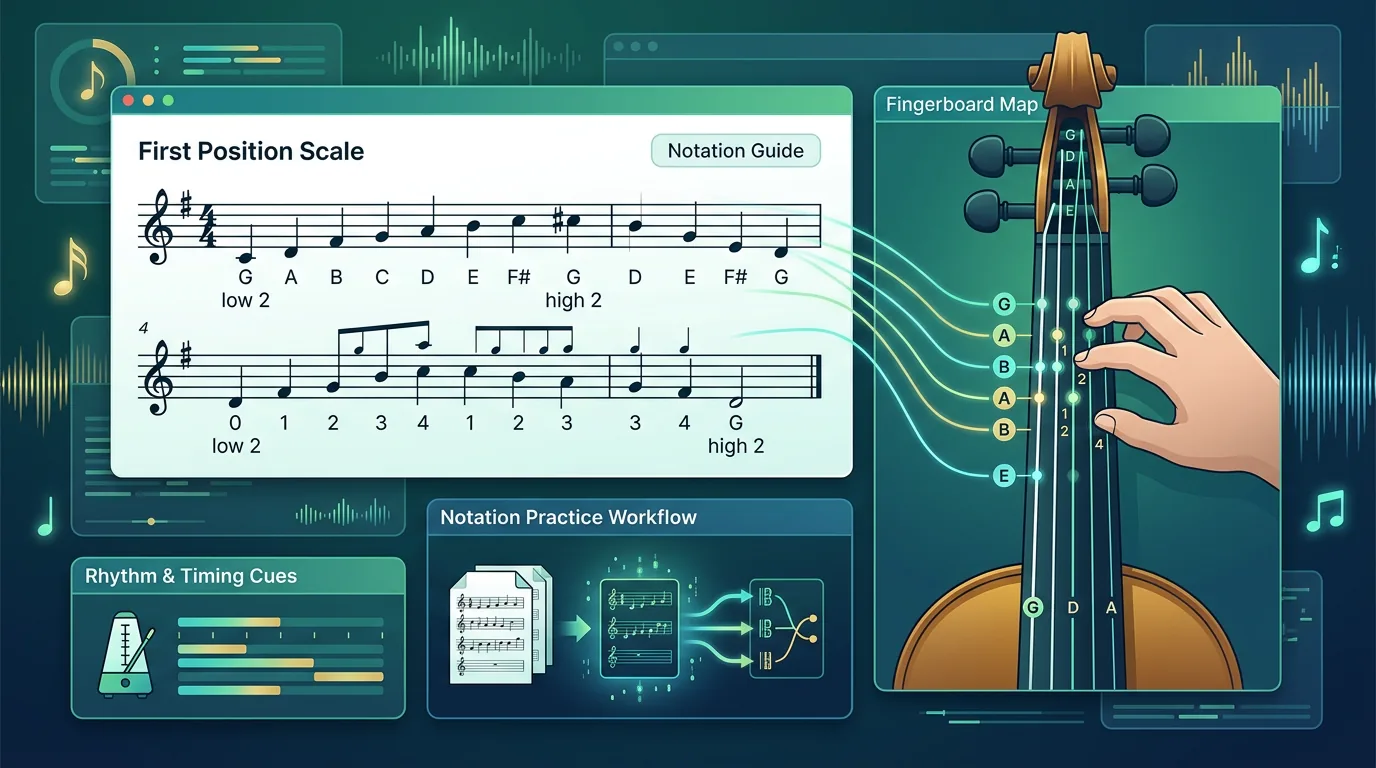
For a simple first-position major pattern, you might see G-A-B-C-D on the G string, D-E-F sharp-G-A on the D string, A-B-C sharp-D-E on the A string, and E-F sharp-G sharp-A-B on the E string. That is not a universal fingering law; it is a starting map. The moment the key changes, the finger spacing changes too.
Read rhythm before chasing technique
Beginners often stare at pitch first because string notes feel concrete. The problem is that the right note at the wrong time still sounds wrong. Before you worry about whether a B belongs on the G string or the A string, check the measure.
Ask three quick questions:
- How many beats belong in the bar?
- Which notes move quickly, and which notes need to be held?
- Are there rests or ties that change what your bow arm should do?
This matters because violin reading is a coordination task. Your left hand chooses the pitch, but your bow makes the rhythm audible. If the rhythm is unclear, slow the line down and count it on one open string before adding fingers.
Understand where supporting formats or references help
A violin string chart is helpful when you are naming notes, but it does not replace the score. Use a chart for orientation, then go back to the printed music to read rhythm, key, slurs, bowing marks, and phrase shape.
If your source is a scanned page or a PDF, it can also help to understand the recognition step behind score conversion. Melogen's article on what OMR means for musicians explains how optical music recognition reads visible notation and turns it into structured music data. That is useful context, especially if you plan to scan a violin etude and listen back before practicing.
Use Melogen as a bridge from source to practice
Melogen is not a violin fingering teacher and it does not decide the best string choice for every phrase. The honest fit is narrower and more useful: when you already have visible notation, Melogen Sheet2MIDI can help you move a PDF, PNG, or JPG score into editable MIDI for listening, DAW cleanup, or practice reference.
That workflow is strongest after you have a readable score. Upload a clean violin page, inspect the first-pass MIDI, and listen for obvious pitch or rhythm mismatches before you rely on it. If the scan is tilted, blurry, handwritten, or crowded, expect a manual review pass. For the larger conversion loop, use the guide on converting sheet music to MIDI as your next reference.
Move from static notation to editable MIDI faster
Use Melogen Sheet2MIDI when you need a fast first pass from sheet music, scans, or PDFs before you do the detailed musical cleanup yourself.
Build a first-week practice loop
Use one small routine instead of trying to memorize the fingerboard in one sitting.
The loop below is the shape to keep in mind: name the string, find it on the staff, count the rhythm, add one small left-hand task, then listen back before removing the written helpers.
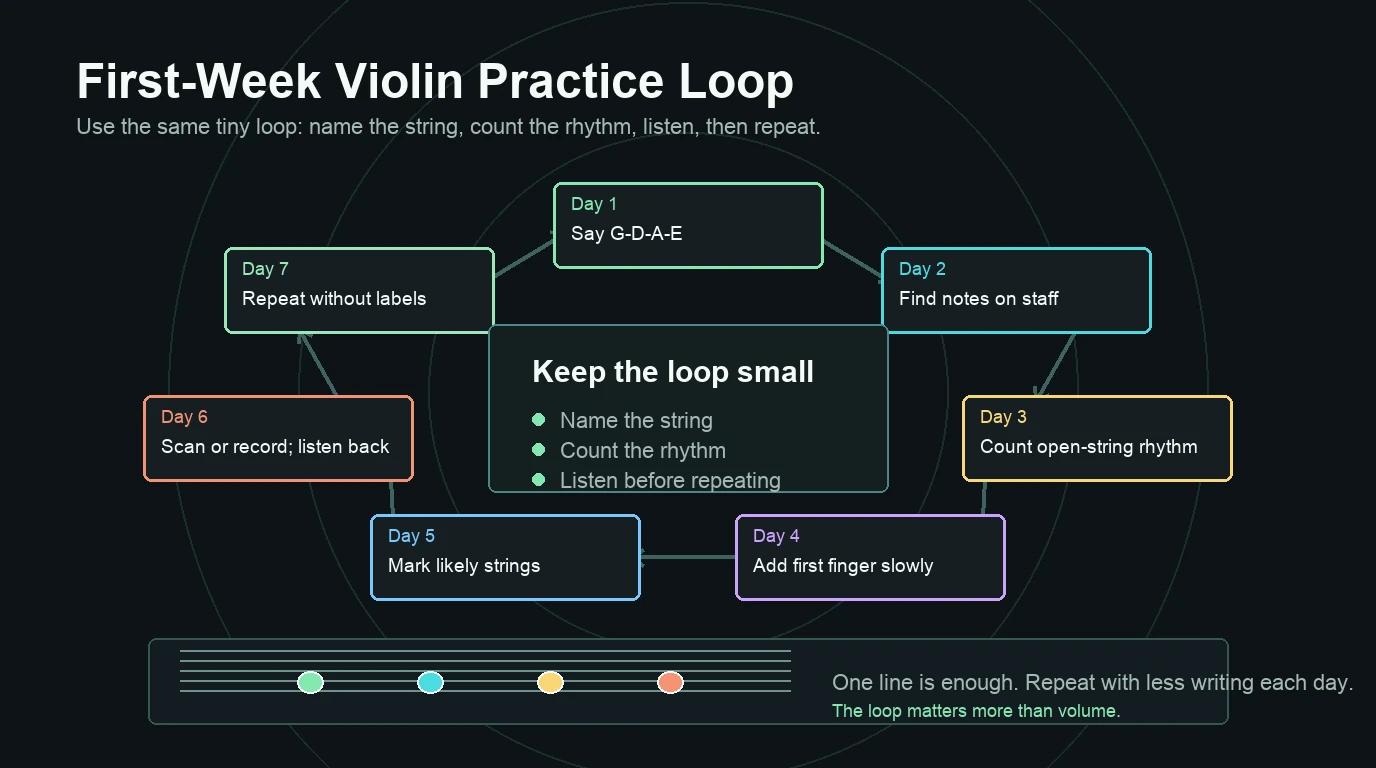
- Day 1: Say the four open strings out loud, low to high and high to low: G, D, A, E, then E, A, D, G.
- Day 2: Find the open-string notes in a simple treble-clef chart without playing.
- Day 3: Play only open strings while counting quarter notes and half notes.
- Day 4: Add first-finger notes on each string, but keep the tempo slow.
- Day 5: Read one easy line and mark the likely string above each small group of notes.
- Day 6: Record or scan the line, listen back, and compare the sound to your counting.
- Day 7: Repeat the same line without writing every string name down.
The practical takeaway
The notes in violin strings begin with a simple open-string map: G, D, A, E. From there, the real reading skill is connecting that map to treble clef, key signature, rhythm, and practical finger choices.
Start with one string area at a time. Count the rhythm before you add technique. Use charts for orientation, and use a score-to-MIDI workflow only when you need a listening or editing bridge from visible notation into a digital file.
About the author
Zhang Guo
Composer - AI Product Manager
AI product manager and digital marketing consultant with a background in music. Creativity is the bridge between rhythm and logic, where musical intuition and mathematical precision can coexist in every meaningful product decision.
Follow on X