Violin Note Scale First Position Practice Guide
Learn the violin note scale with first-position notes, scale patterns, practice checks, and a clean Sheet2MIDI workflow for scanned exercises.
 Zhang Guo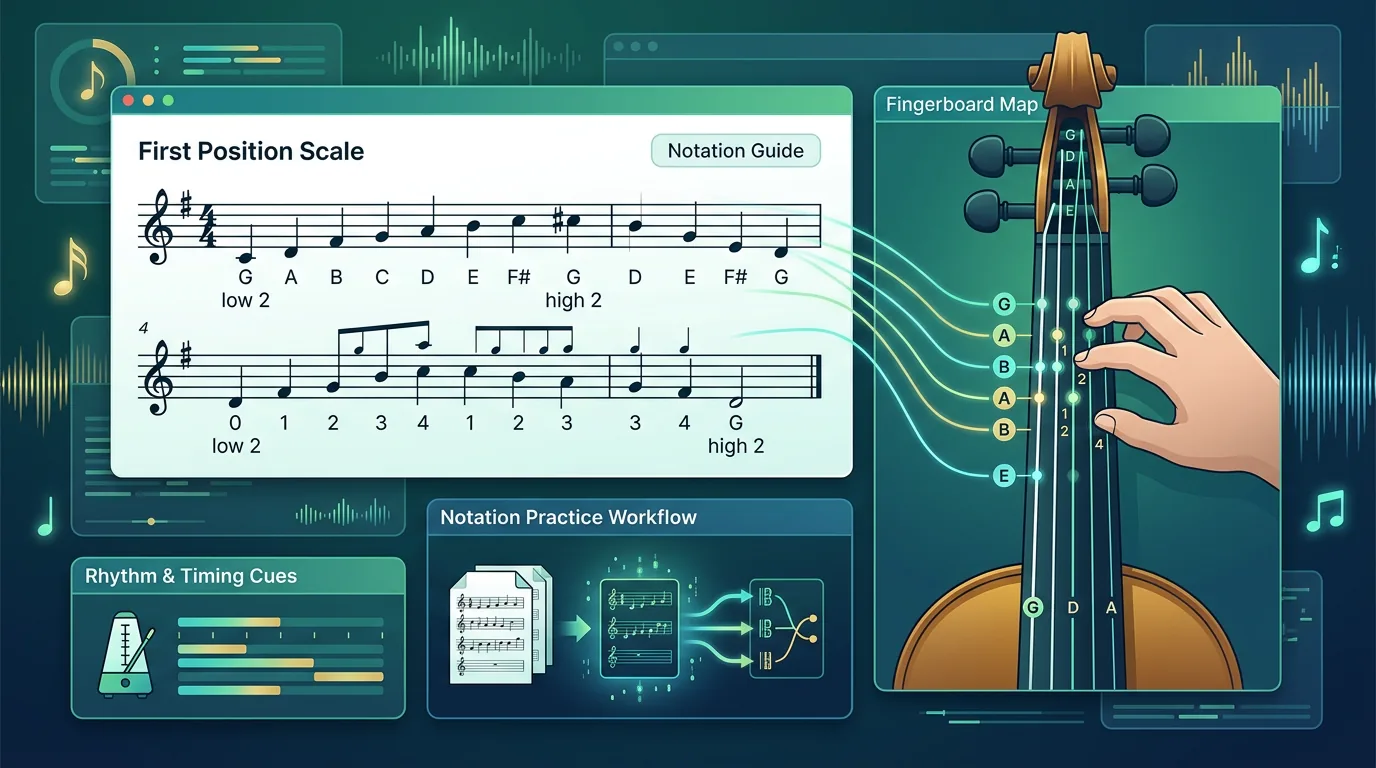
Turn a static score into editable MIDI
Contents
The violin note scale starts with a small map: four open strings, a first-position finger pattern, and a rhythm you can actually count. For a beginner, the useful goal is not to memorize every possible pitch on the fingerboard. It is to know where the scale begins, which string carries each group of notes, and how the written staff turns into a playable practice loop.
Think of the scale in layers. First name the open string. Then build the next notes from that string. Then read the key signature so you know whether a finger is natural, sharp, or flat. Only after those pieces are stable should you add speed, slurs, and a longer exercise.
Start with the four open-string anchors
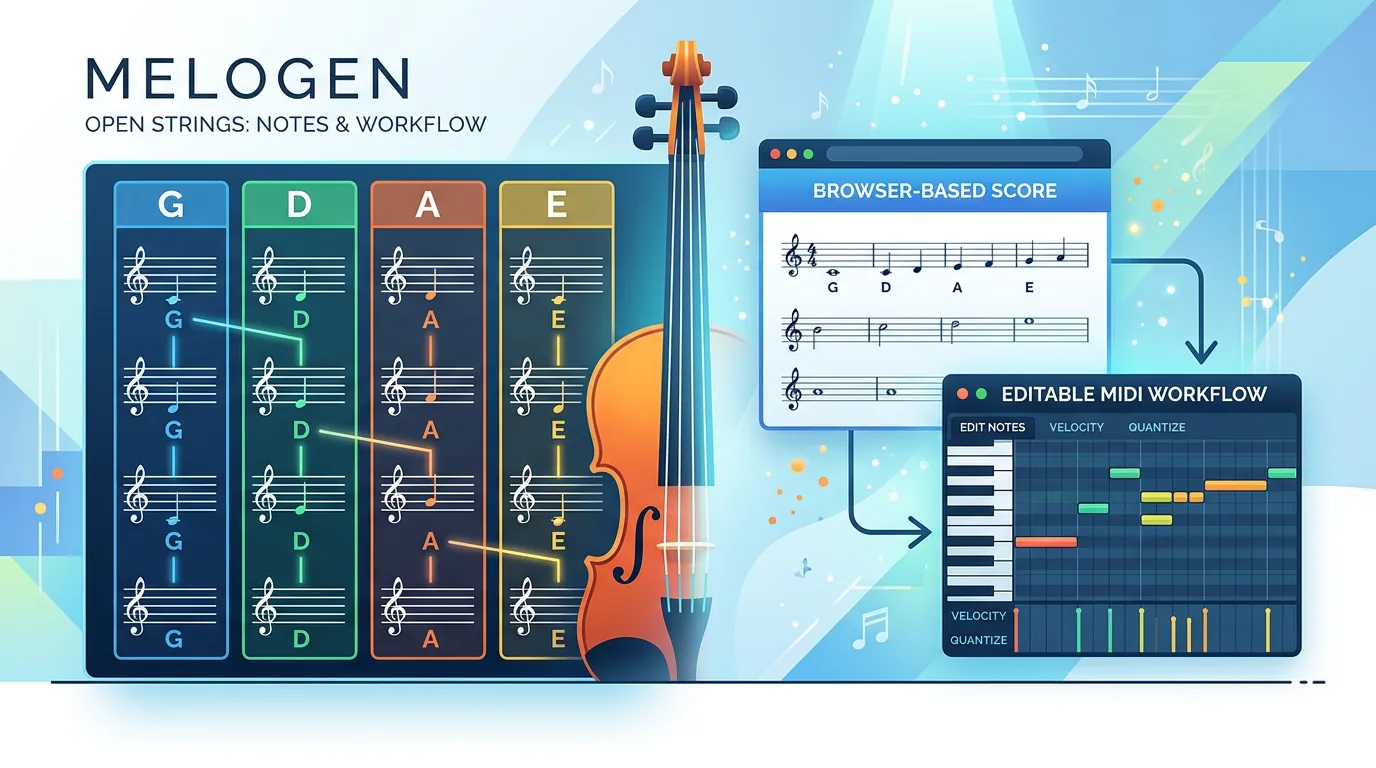
Violin music is normally written in treble clef, and the instrument is tuned in fifths: G, D, A, E from low to high. Those four open strings are your landmarks. If a scale passage begins around the low G area, you should not treat it the same way as a passage sitting on the A or E string.
| String | Open note | Common beginner scale area | First practice check |
|---|---|---|---|
| G string | G3 | G, A, B, C, D | Keep the hand relaxed because the string is thicker |
| D string | D4 | D, E, F sharp, G, A | Watch the F sharp in common major patterns |
| A string | A4 | A, B, C sharp, D, E | Use A as a central pitch anchor on the staff |
| E string | E5 | E, F sharp, G sharp, A, B | Keep the sound clean before you add speed |
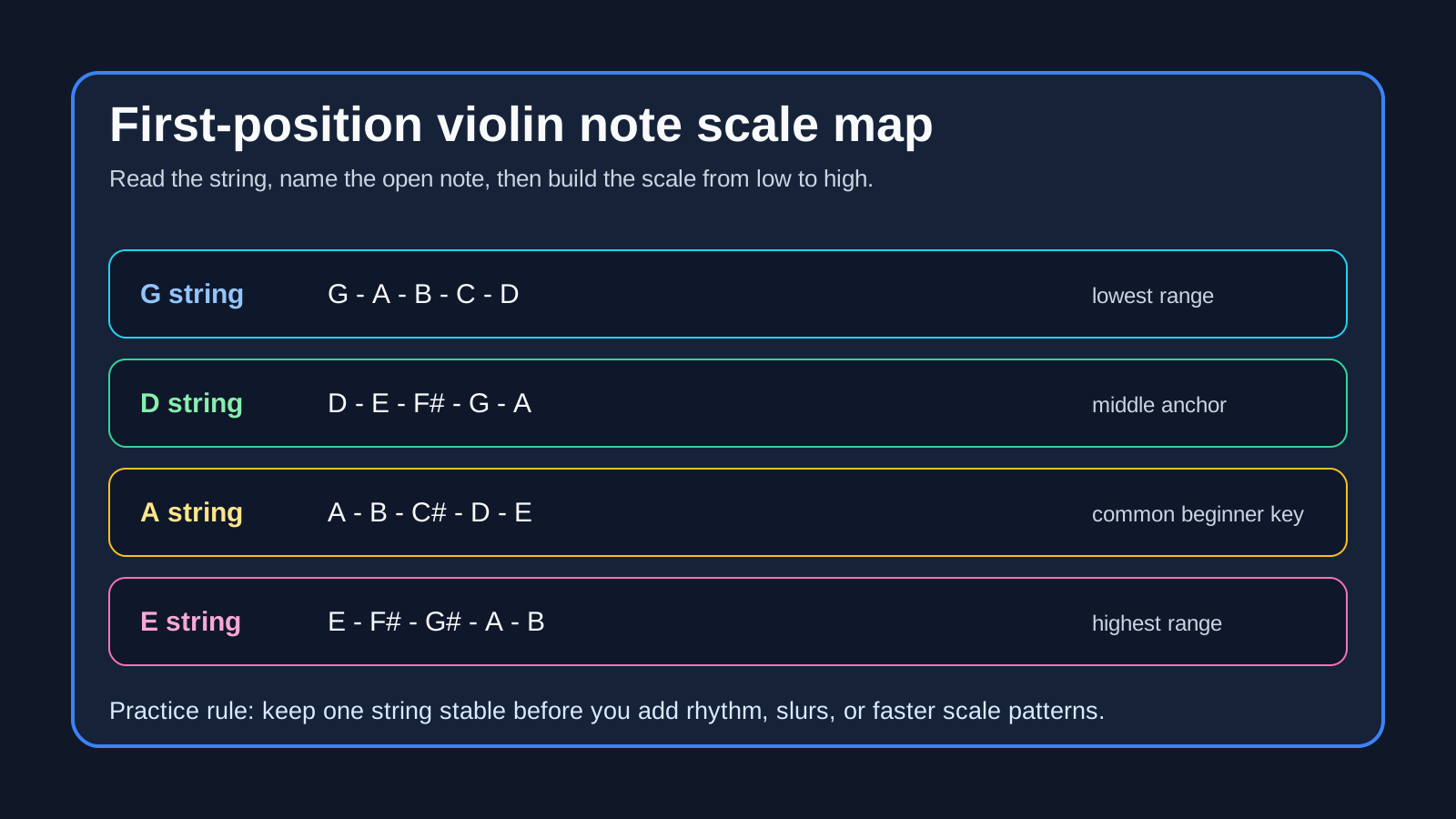
This chart is a starting map, not a law for every piece. Minor keys, accidentals, shifts, and alternate fingerings can change the pattern. Still, the open-string anchor keeps the first read from turning into a random hunt across the fingerboard.
If you need the open-string foundation first, the existing guide to notes in violin strings is the better warm-up. This page goes one step further: it uses those strings to build scale movement.
Build the scale from string choice to finger pattern
A beginner scale is not just a row of note names. It is a physical pattern. On the D string, for example, a simple D major one-octave scale begins D, E, F sharp, G, then continues to A on the next open string. That means the page is asking you to coordinate string crossing, finger spacing, and rhythm.
Use this order when you read a new scale line:
| Signal | What to read first | Why it matters | Beginner action |
|---|---|---|---|
| Clef | Treble clef | Confirms that the staff is using normal violin reading | Do not re-map it like bass clef or piano left hand |
| Key signature | Sharps or flats | Controls the finger spacing for the whole scale | Mark the altered notes before playing |
| Starting note | Open string or fingered note | Tells you the first hand position | Say the string name out loud |
| Direction | Up, down, or both | Shows whether the pattern crosses strings | Circle the crossing point |
| Rhythm | Note values and rests | Keeps the scale musical instead of rushed | Count one bar before adding speed |
The most common beginner mistake is to memorize "D major has two sharps" but never connect that fact to finger spacing. The page may say F sharp and C sharp, but your hand needs to feel where those fingers land on the string. Read the key signature as a left-hand instruction, not just a theory label.
Read rhythm before chasing speed
Scale work can become mechanical fast. That is useful only if the mechanics are correct. If the notes are eighth notes, triplets, slurred pairs, or a dotted rhythm, the pattern is no longer just pitch practice. It becomes bow practice and pulse practice too.
Try this sequence before speeding up:
- Say the note names in time without playing.
- Tap the rhythm on one open string.
- Play the scale in quarter notes with separate bows.
- Add the written rhythm.
- Add slurs or articulation only after the pulse stays steady.
The catch: a scale that sounds clean at a slow tempo can fall apart when every note changes string or finger quickly. That is a sign to simplify the layer, not to restart the entire exercise. Go back to one string, one rhythm, or one direction.
Use the score, chart, and ear together
A violin scale chart gives you orientation. The printed score gives you the actual rhythm, key, bowing marks, and phrase shape. Your ear tells you whether the scale is centered, smooth, and in tune. None of those three sources replaces the others.
If the source is a public-domain exercise, teacher handout, or scanned method-book page, keep the notation visible while you practice. Do not rely only on a typed note list. The staff shows where the scale sits in real music, and that makes it easier to transfer the pattern into etudes, orchestra excerpts, or simple melodies.
When the page itself is hard to decode, a broader notation workflow can help. The guide on how to convert sheet music to MIDI explains the source-quality checks that matter before any score-to-MIDI conversion: clean scans, readable staves, and a review pass after the first output.
Use Melogen as a listening bridge
Melogen Sheet2MIDI is useful when the scale exercise already exists as visible notation and you want a quick listening or editing reference. The local product metadata describes support for sheet music images and PDFs, including PNG, JPG, and PDF sources, with MIDI as the output. That makes it a practical bridge from a scanned scale page into a file you can audition.

Use it narrowly:
- Upload a clean scan, PDF, or image of the exercise.
- Convert the visible notation into MIDI.
- Listen for wrong notes, missing rhythm, or register mistakes.
- Compare the output against the printed scale before practicing from it.
- Fix the musical decision yourself instead of treating the first pass as final.
This is not a fingering teacher. It will not decide your best hand shape, bow distribution, or intonation. Its best role is getting a static page into a playback or DAW check faster, especially when you want to hear whether the written scale pattern matches what you think you are reading.
Turn a scanned scale exercise into a MIDI check
Use Melogen Sheet2MIDI when you have a readable violin scale page and want a first-pass MIDI file for listening, practice, or cleanup.
Build a repeatable practice loop
The safest beginner loop is simple: read, play slowly, listen, adjust, repeat. Keep the same order until the scale feels stable.
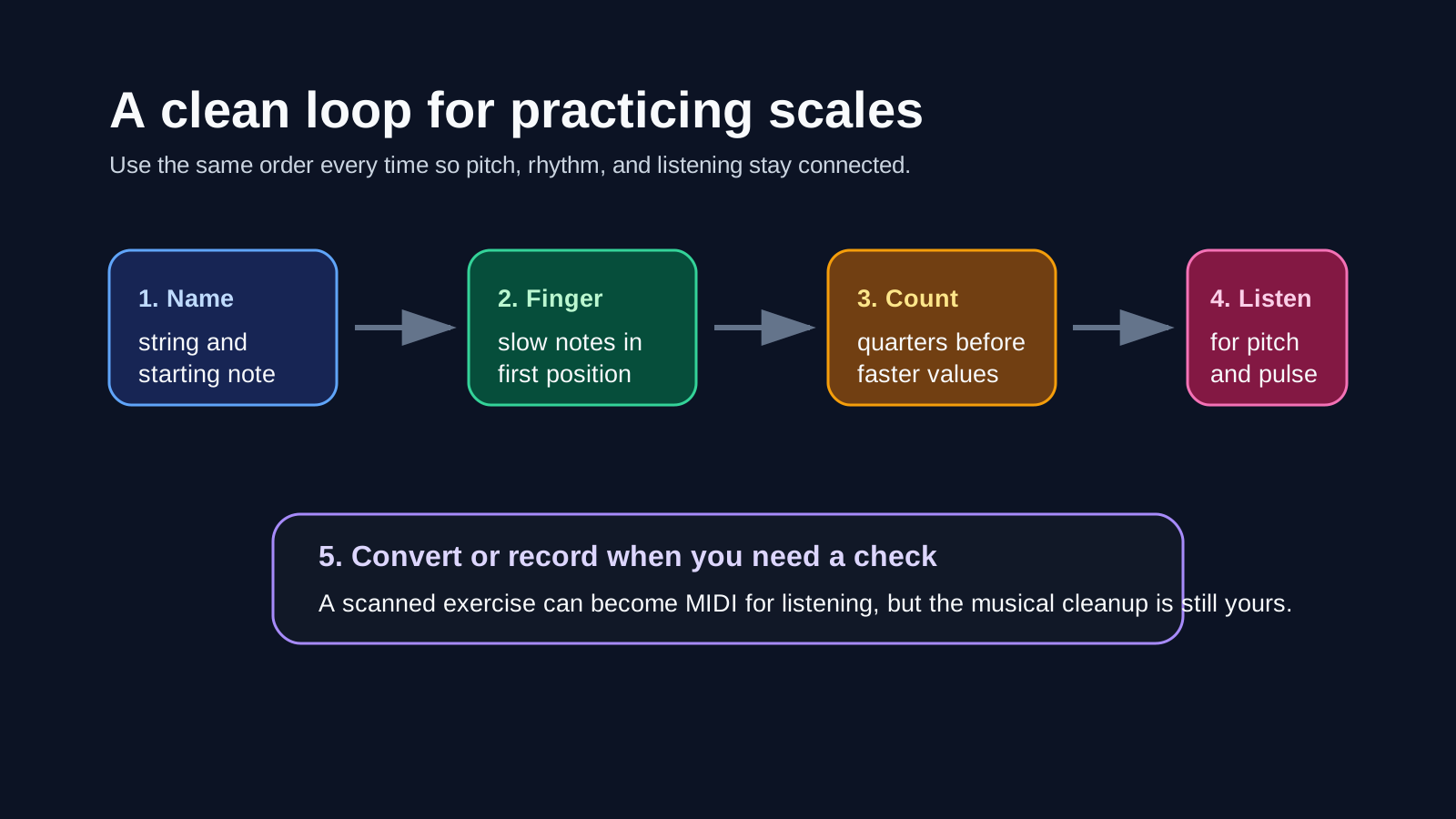
Use this seven-day version if you are starting from scratch:
- Day 1: Say G, D, A, E low to high, then high to low.
- Day 2: Play one octave slowly on one string pair, with no slurs.
- Day 3: Add the key signature and name every sharp or flat before playing.
- Day 4: Count the rhythm away from the instrument.
- Day 5: Add string crossings at half speed.
- Day 6: Record yourself or convert the written exercise for a listening check.
- Day 7: Play the same scale without writing every string name above the notes.
The point is not to finish every key immediately. The point is to make one scale feel connected: staff position, string area, finger pattern, rhythm, and sound.
The practical takeaway
The violin note scale is easiest when you treat it as a map instead of a memory test. Start with the open strings, read the key signature as a finger-spacing instruction, and keep rhythm separate until the pitch pattern is stable.
Before you move to a faster scale, check three things:
- Can you name the string area before you play?
- Can you explain which notes are sharp or flat in the key?
- Can you count the rhythm slowly without losing the pulse?
If yes, add speed. If not, shrink the exercise. A smaller clean scale teaches more than a longer rushed one.
About the author
Zhang Guo
Composer - AI Product Manager
AI product manager and digital marketing consultant with a background in music. Creativity is the bridge between rhythm and logic, where musical intuition and mathematical precision can coexist in every meaningful product decision.
Follow on X