Bass Notes on the Piano: Bass Clef and Left Hand Guide
Learn bass notes on the piano with bass clef anchors, left-hand patterns, keyboard mapping, and a cleanup workflow for sheet music practice.
 Zhang Guo
Turn a static score into editable MIDI
Contents
Bass notes on the piano usually mean the notes you read in the bass clef and play with the left hand. Start with a few anchors instead of trying to memorize the whole lower keyboard at once: C2, F2, C3, and Middle C. Once those are stable, the lines, spaces, and left-hand patterns become much easier to place.
The useful mental model is simple: read the clef, name the note, find the keyboard area, then count the rhythm before adding speed. If you skip rhythm and only chase the right key, the left hand may land in the correct place but still sound late, heavy, or disconnected from the melody.
Start with bass clef, not the lowest keys
Bass clef is the lower staff in most beginner piano music. It does not mean "play as low as possible." It means the notes are usually assigned to the left hand and sit below Middle C more often than the treble staff.
The first anchors are enough for a beginner practice map:
| Signal | What to read first | Why it matters | Beginner action |
|---|---|---|---|
| Bass clef sign | Use the lower staff | It tells you the left hand is probably responsible | Point to the lower staff before touching the keyboard |
| C2 | Low left-hand anchor | It keeps bass notes from drifting too high | Find C two octaves below Middle C |
| C3 | Middle bass anchor | Many beginner bass patterns sit near this area | Play C3, D3, E3, F3 slowly |
| Middle C, C4 | Boundary note | It separates the hands in many early pieces | Use it as the top checkpoint, not the main bass home |
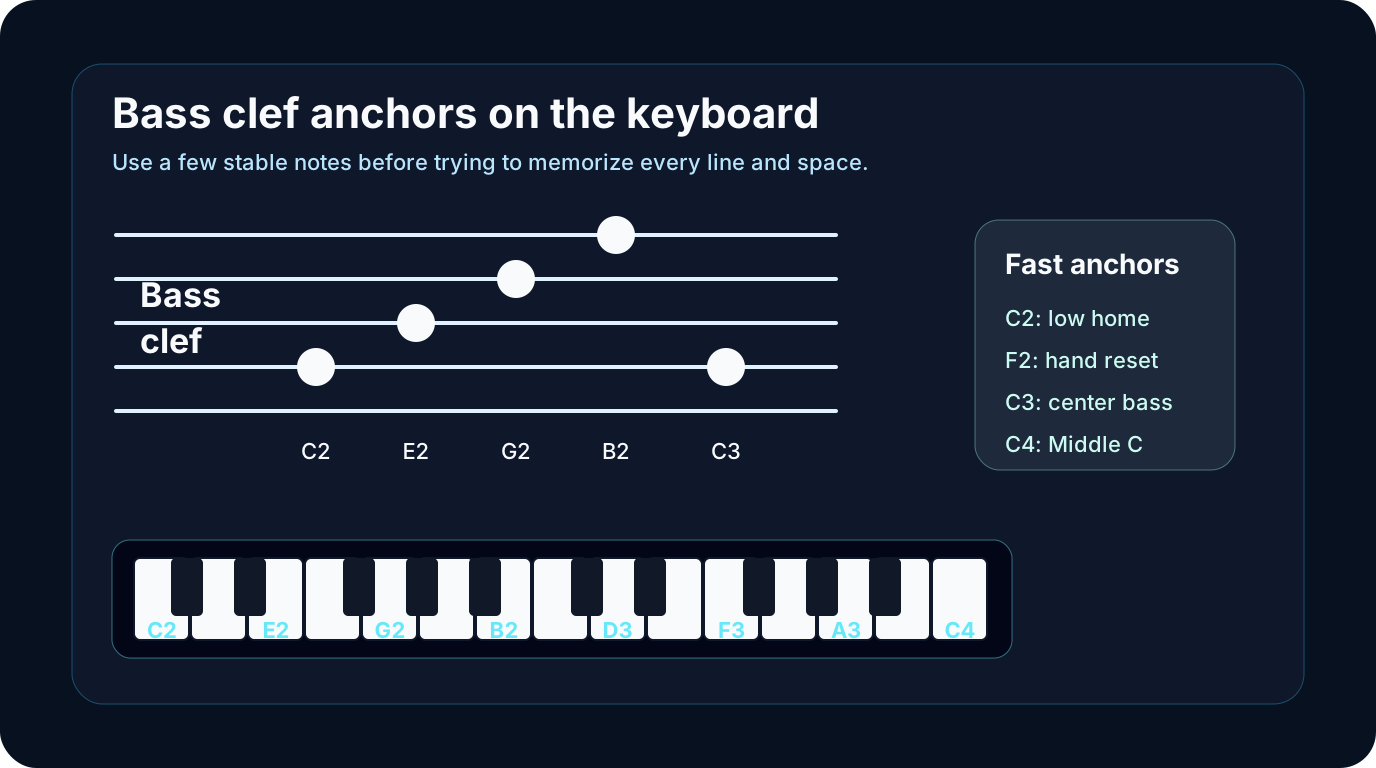
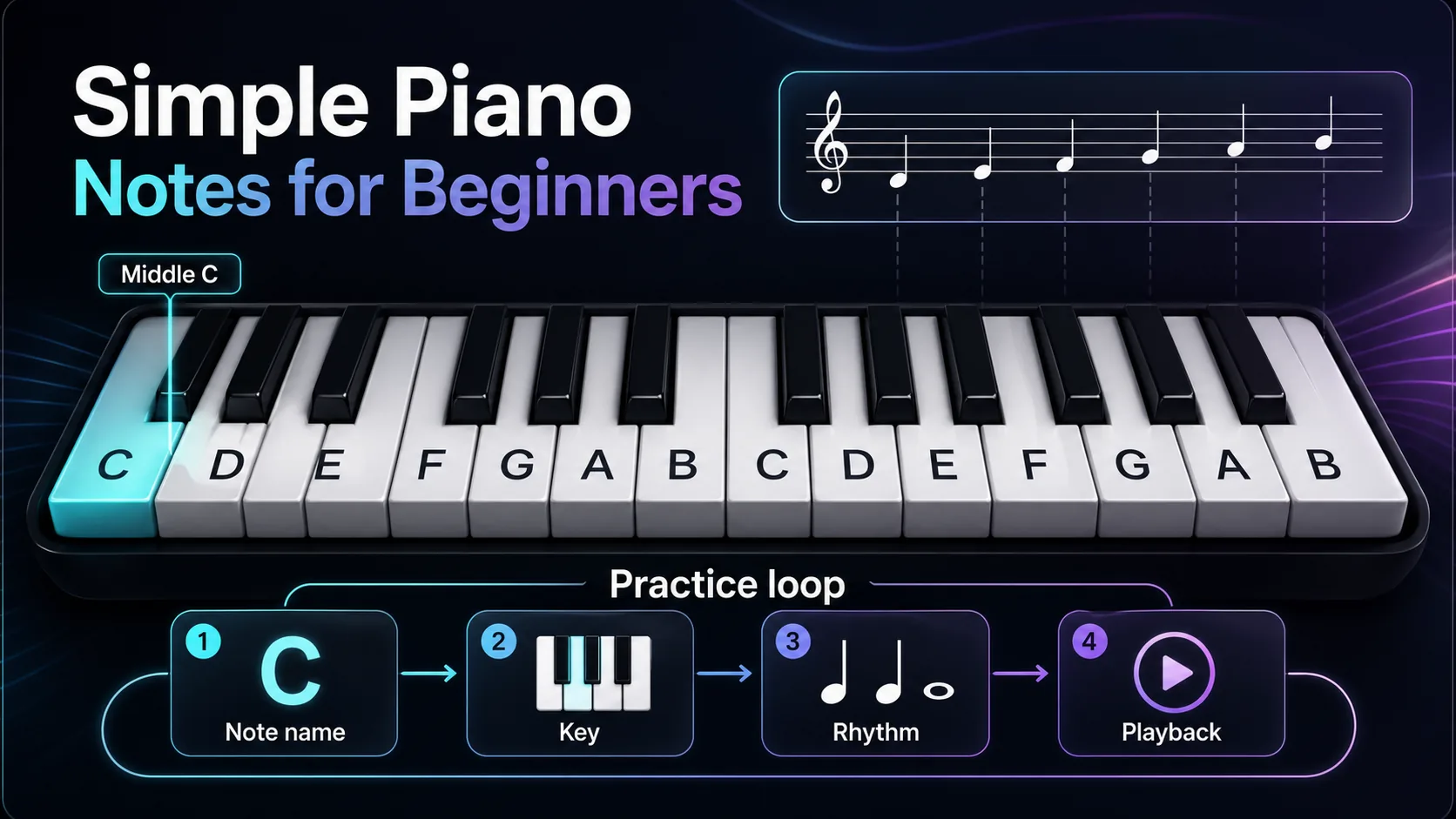
If the keyboard letters still feel unstable, review Simple Piano Notes for Beginners first. That guide covers the white-key pattern before adding the extra bass-clef layer.
Map bass notes onto the left hand
When you see a bass note, do not jump straight to a finger. Find the note family first. Then choose the hand shape.
Use this order:
- Name the note: C, D, E, F, G, A, or B.
- Name the octave if you can: C2, G2, C3, and so on.
- Find the nearest anchor: C2, F2, C3, or C4.
- Place the left hand with relaxed fingers.
- Play slowly enough to say the beat out loud.
Here is the beginner-friendly range to start with:
| Range | Common use | What to practice |
|---|---|---|
| C2 to G2 | Low support notes | Single notes and slow open fifths |
| A2 to E3 | Comfortable left-hand center | Simple bass lines and broken chords |
| F3 to C4 | Upper bass area | Hand-crossing checks and Middle C awareness |
| Below C2 | Very low color | Use sparingly until reading feels stable |
This is also where Piano Key Numbers can help. If a converted MIDI part sounds one octave too low or too high, key numbers and MIDI note numbers give you a fast way to diagnose the register.
Read rhythm before building the bass pattern
Bass notes often look simple because the left hand may repeat a small pattern. The trap is that repeated notes still need rhythm. A repeated C is not automatically easy if one note is a half note, the next is a quarter note, and the next lands off the beat.
Before you add speed, run a four-step loop:

Use the loop on one bar at a time:
| Check | What to ask | Fast correction |
|---|---|---|
| Note name | Is this C, D, E, F, G, A, or B? | Say the letter before playing |
| Octave | Is it C2, C3, or near Middle C? | Move by an octave only after naming the note |
| Rhythm | How many beats does it last? | Clap the bar before playing it |
| Hand shape | Does the pattern repeat? | Keep the hand relaxed and reuse the shape |
Rhythm first is not a slogan. It changes how you practice. A slow correct bass line teaches the left hand what to repeat. A fast wrong line trains the wrong spacing.
Use references without turning them into crutches
Charts and note maps are useful, especially when you are new to bass clef. The problem starts when the chart replaces reading. Keep the reference nearby, but make the keyboard and page do the work.
Try this three-pass method:
- Read the note from the staff without looking at the chart.
- Check the chart only if you are stuck.
- Cover the chart and play the same bar again.
If the staff itself is the hard part, the broader how to read sheet music guide explains clefs, staff lines, time signatures, and note values. Use that for the reading system, then come back here for the left-hand piano application.
Where Melogen fits
Melogen helps when your source is visible notation: a PDF, scan, or image of sheet music. The Sheet2MIDI workflow supports PDF, JPG, and PNG score inputs and produces editable MIDI, so you can listen to the left hand and inspect whether the bass register landed where expected.

Use Melogen as a checking step, not a replacement for left-hand reading:
- Read one bar yourself.
- Convert a clean score source when you need playback.
- Listen for octave problems in the bass line.
- Open the MIDI and check whether the left hand sits below Middle C.
- Return to the piano and correct one small section.
Check bass-clef piano parts as editable MIDI
Use Melogen Sheet2MIDI for a first conversion pass, then inspect the bass register, rhythm, and hand split before deeper cleanup.
The practical takeaway
Bass notes on the piano are not a separate language. They are the lower-staff version of the same note-reading system, with more attention on left-hand range and rhythm.
Keep the short checklist close:
- Start from the bass clef and lower staff.
- Use C2, F2, C3, and Middle C as anchors.
- Say the note and octave before playing.
- Clap the rhythm before building speed.
- Check converted MIDI for octave shifts before editing touch or dynamics.
If you can name the note, place it in the left-hand range, and count it steadily, the bass line stops feeling like guesswork. That is the real first win.
About the author
Zhang Guo
Composer - AI Product Manager
AI product manager and digital marketing consultant with a background in music. Creativity is the bridge between rhythm and logic, where musical intuition and mathematical precision can coexist in every meaningful product decision.
Follow on X