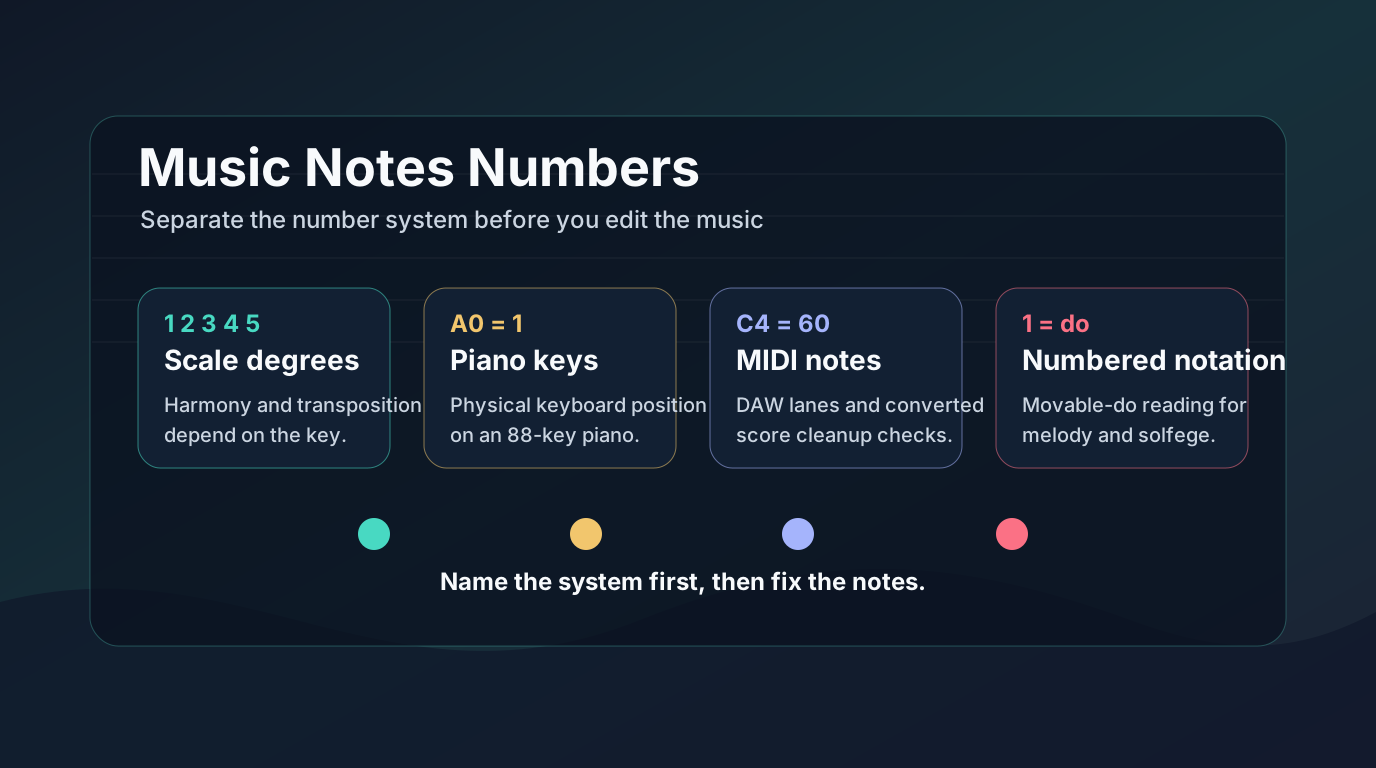
How Does Piano Make Sound? Hammers, Strings, MIDI
Learn how pianos create sound through hammers, strings, soundboard resonance, pedals, and what changes when a score becomes MIDI.
 Zhang Guo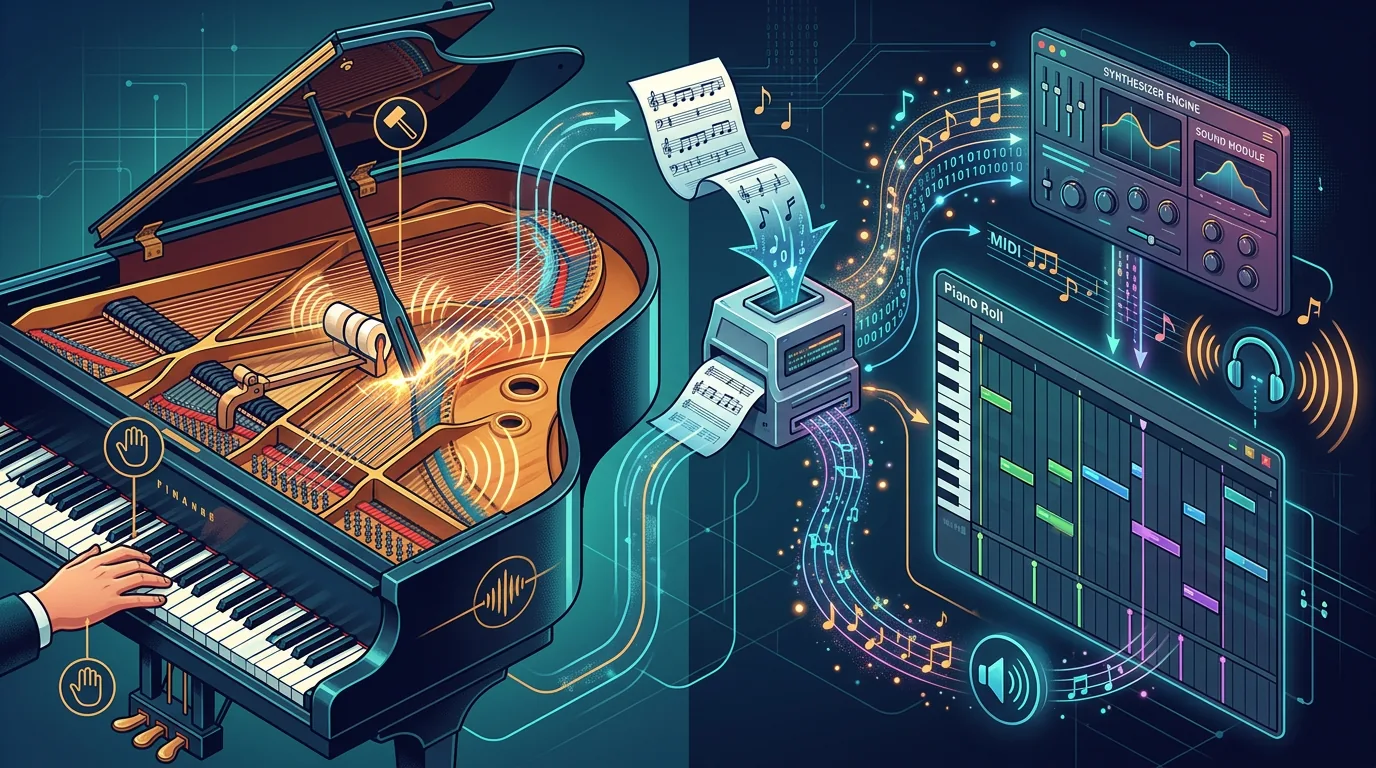
Turn a static score into editable MIDI
Contents
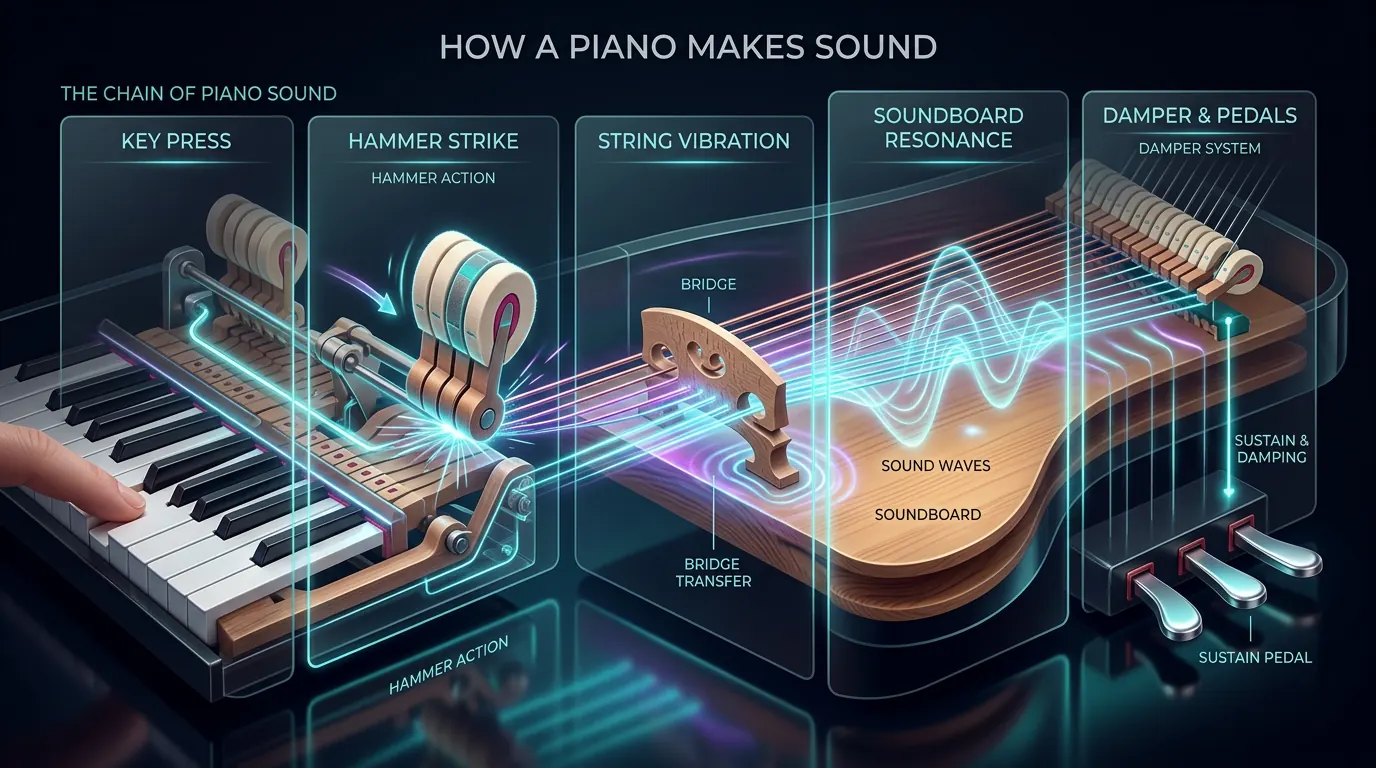
If you are asking "how does piano make sound," the practical answer is mechanical: a key moves a felt-covered hammer into a string, the string vibrates, and the bridge sends that vibration into the soundboard so the instrument can move air. The short version is easy to remember: keys do not make the sound by themselves. They trigger a mechanical chain.
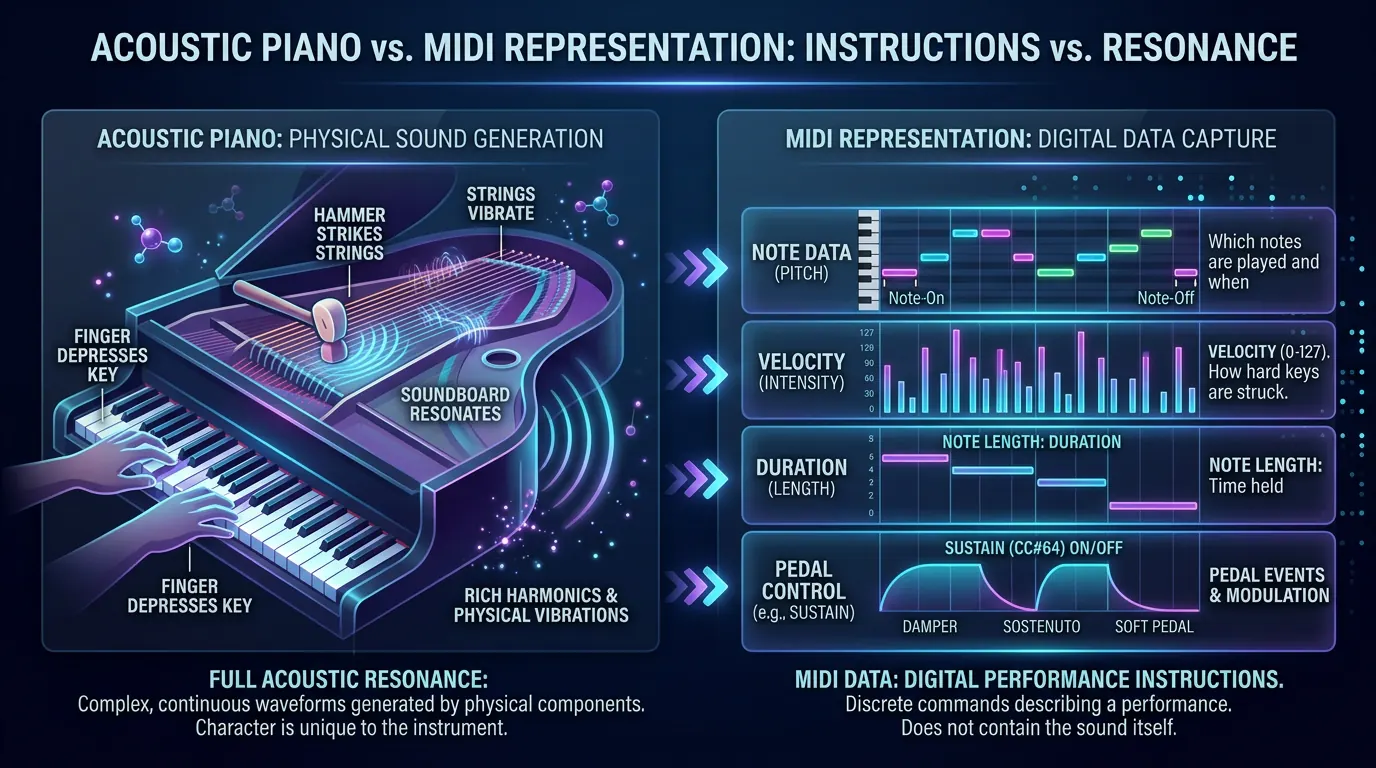
That chain matters even if your next step is digital. A MIDI piano can tell a synth or sampler which notes to play, how hard they were struck, how long they lasted, and whether the pedal was down. It does not contain the full wooden-body resonance of an acoustic piano. Understanding that difference helps you read a score, practice touch, and make smarter choices when you turn notation into MIDI.
Start with the sound chain
When you press a piano key, the far end of that key lifts a small action mechanism. That action throws a hammer toward the string, then lets the hammer fall back so the string can vibrate freely. This escape step is one reason the piano can sound clear instead of muted after every attack.
The string vibration is small by itself. The bridge transfers that vibration into the wooden soundboard, and the soundboard moves a much larger surface area of air. That is where the piano gets its body, bloom, and room-filling projection. Official instrument guides from Yamaha and Kawai describe the same core relationship: key motion, hammer action, string vibration, and resonance.
What each part contributes
The key starts the action, but it also controls timing and touch. A slow, gentle key press creates a different hammer speed from a fast attack. That hammer speed affects the beginning of the note: softer attacks feel rounder, while harder attacks produce more brightness and upper harmonics.
The strings set the pitch. Lower notes use longer, heavier strings, often with copper winding; higher notes use shorter, thinner strings. Many piano notes use multiple strings tuned together, so one key can activate a small group of strings rather than a single strand.
The soundboard shapes the result. Without it, the string would vibrate but the sound would be thin. With it, the vibration becomes a resonant instrument tone. The dampers and pedals decide how long that resonance continues.
| Concept | What it means | Workflow consequence |
|---|---|---|
| Hammer speed | How fast the felt hammer reaches the string | Controls attack brightness and perceived loudness |
| String vibration | The physical source of pitch | Sets note, harmonic color, and decay behavior |
| Soundboard resonance | The wooden amplifier inside the instrument | Adds body, sustain, and acoustic character |
| Damper release | Whether the string is stopped or allowed to ring | Changes note length, pedal wash, and phrase clarity |
| MIDI velocity | A digital value for how hard the note was played | Tells a virtual piano how strong the attack should be |
Common mistakes or misunderstandings
The first mistake is thinking the piano is only a string instrument. It has strings, but the player never plucks or bows them directly. The hammer strike is why the piano belongs to the percussion family in a practical sense.
The second mistake is treating loudness as only a volume setting. On an acoustic piano, a stronger attack also changes tone color. The note can become brighter because more of the string's harmonic content is excited.
The third mistake is expecting MIDI to preserve every acoustic detail automatically. MIDI is a set of performance instructions. It can store note pitch, note start, note length, velocity, and pedal messages, but the final sound depends on the virtual instrument that plays those instructions back. For the format decision behind that workflow, see Melogen's guide to MIDI vs MusicXML.
Connect acoustic sound to MIDI
If you convert piano sheet music into MIDI, the notation gives you the notes, rhythm, and markings. The MIDI file then becomes an editable performance map. It can tell your DAW or notation software what to play, but it still needs a piano sound source to turn that data into audio.
That is why a MIDI piano can sound like a grand piano, upright piano, electric piano, synth pad, or toy keyboard from the same notes. The data is not the acoustic piano itself. It is the instruction layer.
Use this checklist when a MIDI piano part sounds wrong:
- Check note length before changing the instrument preset.
- Check velocity before raising the whole track volume.
- Check sustain pedal data if phrases blur together.
- Check octave placement if the part feels thin or muddy.
- Check whether the score needs MusicXML instead of MIDI when notation layout matters.
Where Melogen fits without overstating the product
Melogen does not turn a real piano into a finished acoustic recording. Its useful role is earlier in the workflow: it helps you move from visible notation, score images, or PDFs into editable MIDI so you can study, audition, and revise the part.
If you are working from a printed piano score, start with a clean scan or PDF. Melogen Sheet2MIDI supports PDF, PNG, and JPG inputs, then produces MIDI you can continue editing in a DAW. If you need the broader conversion workflow, the full guide on how to convert sheet music to MIDI is the better next read.

Where Melogen fits
Use Melogen when you have notation and want a fast first pass into MIDI. Then do the musical decisions yourself: choose the piano sound, correct timing, adjust velocity, clean up pedal behavior, and listen for whether the part still feels like a pianist could play it.
For beginners, it also helps to separate note learning from sound design. If the keyboard layout itself is still new, the Melogen article on simple piano notes for beginners can help you map written notes to the instrument before you worry about synthesis or mix polish.
Move from static notation to editable MIDI faster
Use Melogen Sheet2MIDI when you need a fast first pass from sheet music, scans, or PDFs before you do the detailed musical cleanup yourself.
The practical takeaway
A piano makes sound through motion: key, action, hammer, string, bridge, soundboard, and damper. The player controls timing and touch; the instrument turns that motion into resonance.
When you move into MIDI, keep the distinction clear. MIDI can preserve the structure of the performance, but tone comes from the playback instrument and your edits. If your source is sheet music, convert it first, listen critically, then polish velocity, duration, pedal, and sound choice until the part behaves like music rather than just data.
About the author
Zhang Guo
Composer - AI Product Manager
AI product manager and digital marketing consultant with a background in music. Creativity is the bridge between rhythm and logic, where musical intuition and mathematical precision can coexist in every meaningful product decision.
Follow on X