How Is AI Used in Music for Real Creative Workflows
How is AI used in music? See practical use cases for generation, transcription, production, education, rights checks, and Melogen workflows.
 Zhang Guo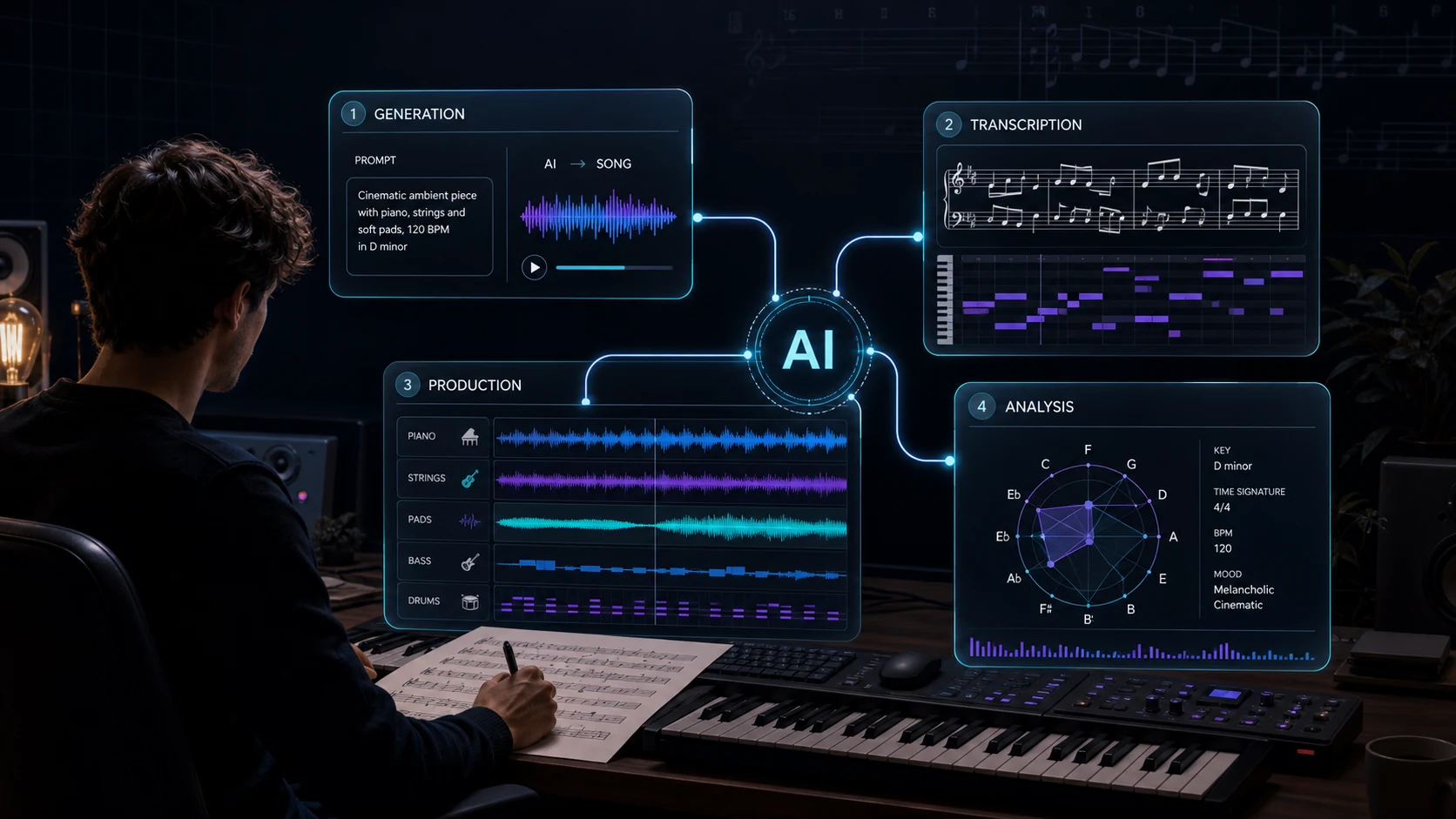
Turn a static score into editable MIDI
Contents
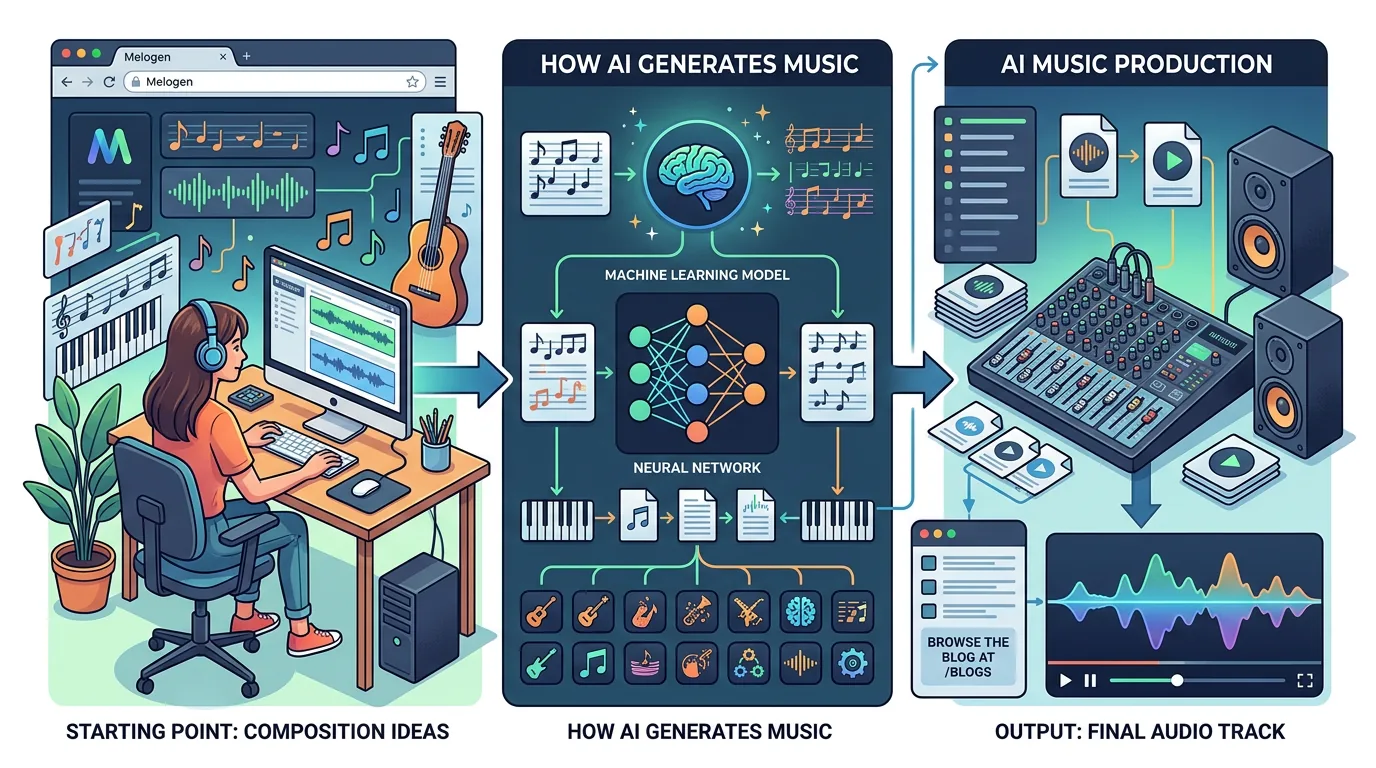
How is AI used in music? In practical work, AI helps musicians generate drafts, transcribe audio, clean up production material, analyze scores, and move faster from a rough idea to an editable musical object. The useful frame is not "AI replaces the musician." It is "AI changes the first pass."
That distinction matters. A songwriter may use AI to hear a lyric as a quick demo. A producer may use it to separate stems or turn a melody recording into MIDI. A student may use it to understand a score. The musical decision still belongs to the person listening, editing, arranging, and deciding what is worth keeping.
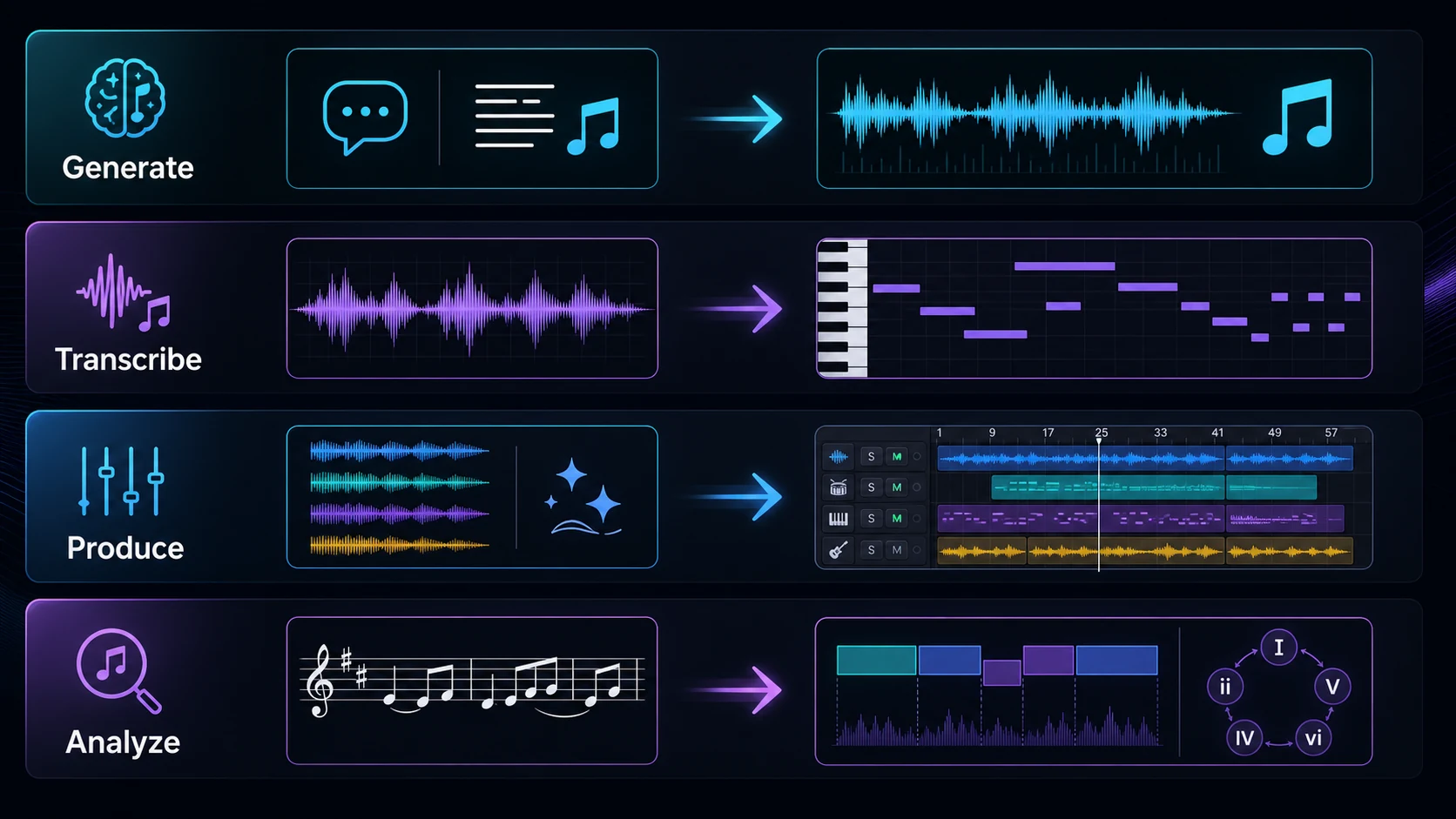
The four main ways AI is used in music
Most AI music workflows fall into four useful buckets. They can overlap inside one project, but separating them keeps the tool choice honest.
| AI music use case | Typical input | Useful output | Human decision that remains |
|---|---|---|---|
| Generation | Text prompt, lyrics, style notes | Song sketch, instrumental bed, vocal demo | Keep, rewrite, regenerate, or arrange |
| Transcription | Audio recording, vocal line, piano part | MIDI, note draft, rough score material | Fix timing, pitch, rhythm, and phrasing |
| Production cleanup | Mixed audio, stems, noisy reference | Cleaner audio, separated layers, editable material | Decide what sounds better, not just brighter |
| Analysis | Score image, PDF, written music | Form, harmony, key, section, or structure cues | Decide what the analysis means musically |
This is why broad AI music searches can feel confusing. One result talks about song generators, another talks about copyright, another talks about audio transcription. They are all AI music, but they answer different jobs.
If you need the category definition first, start with the broader what is AI music explainer. This guide is narrower: it maps the places where AI actually enters the music workflow.
AI can generate first drafts from prompts and lyrics
The most visible use of AI in music is generation. A prompt-to-music system can turn a short brief into a song draft, background cue, vocal idea, instrumental loop, or style reference. That can help when the blank page is the bottleneck.
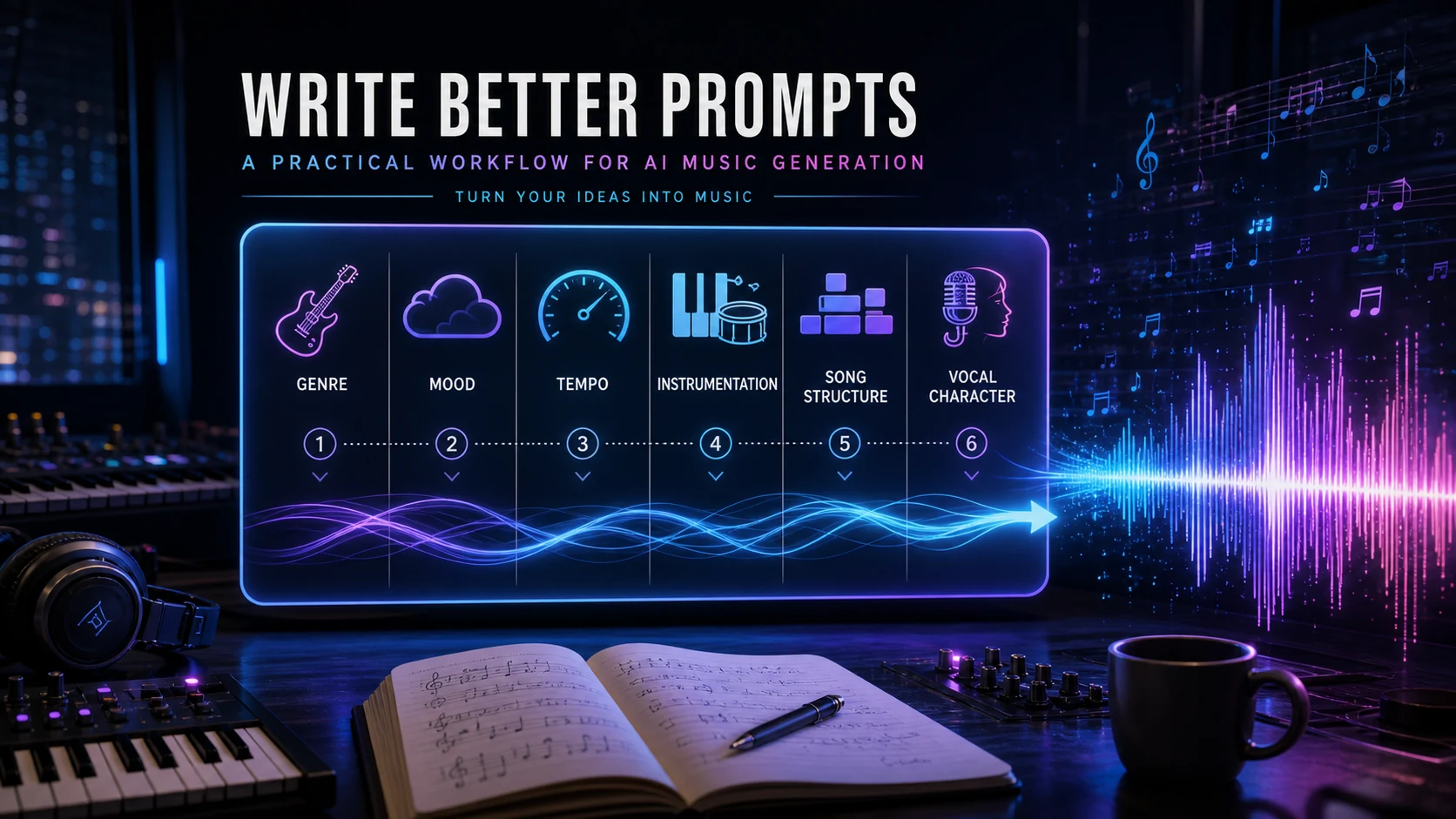
The best prompt is not a pile of adjectives. It gives the model a musical job:
- the song role, such as demo, chorus sketch, intro cue, or practice loop
- the genre and tempo direction
- the instrumentation or vocal feel
- the section length you want to judge
- the one thing you will listen for first
For example, a producer might ask for a 30-second dark pop chorus idea with a half-time drum feel and a restrained vocal. That output is not the final production. It is a reference object. You can judge the hook, tempo, energy, and arrangement direction before rebuilding, editing, or discarding it.
Melogen's Mureka route fits this first-draft job because it is built around text descriptions, style direction, lyrics, vocals, instrumentals, and song generation. Use it when the project needs a musical starting point, then keep the next decision small.
AI can turn audio into editable music data
Transcription is a different use case from generation. Instead of asking AI to invent music, you give it music that already exists and ask for a more editable form. The output might be MIDI, a rough note map, or a first-pass transcription that can move into a DAW or notation editor.
This is useful when you have:
- a vocal memo that needs a MIDI melody
- a piano or guitar idea that should become editable notes
- a generated audio draft you want to rebuild with your own sounds
- a rehearsal recording that needs a rough study reference
- a short phrase that is easier to edit as MIDI than as audio
The quality of the source matters. A clean solo melody is easier to transcribe than a mastered full mix. A short phrase is easier to inspect than a five-minute song. If this is your main job, the guide to transcribe audio into notes goes deeper on source quality, MIDI cleanup, and notation handoff.
Melogen's Audio to MIDI workflow supports common audio formats such as MP3, WAV, FLAC, OGG, M4A, and AAC, and the output is a standard MIDI file. That makes it useful as a bridge, not a magic final answer. You still check the downbeat, octave, rhythm, note lengths, and phrase shape before trusting the result.
AI can make production sessions easier to edit
In production, AI is often most useful after an idea already exists. It can separate a mixed track into layers, make a rough recording easier to hear, or create an editable object from source material that was previously locked inside audio.
The good production question is not "Which AI tool is impressive?" It is "What is blocking the next edit?"
| Session blocker | AI role to consider | What to check afterward |
|---|---|---|
| The arrangement idea is missing | Generate a short draft | Form, hook, groove, and emotional direction |
| The source is audio but the edit needs notes | Transcribe to MIDI | Downbeat, octave, rhythm, and phrasing |
| The mix is too dense to inspect | Separate stems | Artifacts, bleed, and whether the layer helps |
| The reference is noisy or dull | Enhance audio | Whether clarity improved without harsh artifacts |
| The score feels hard to explain | Analyze structure | Whether the labels match what you hear |
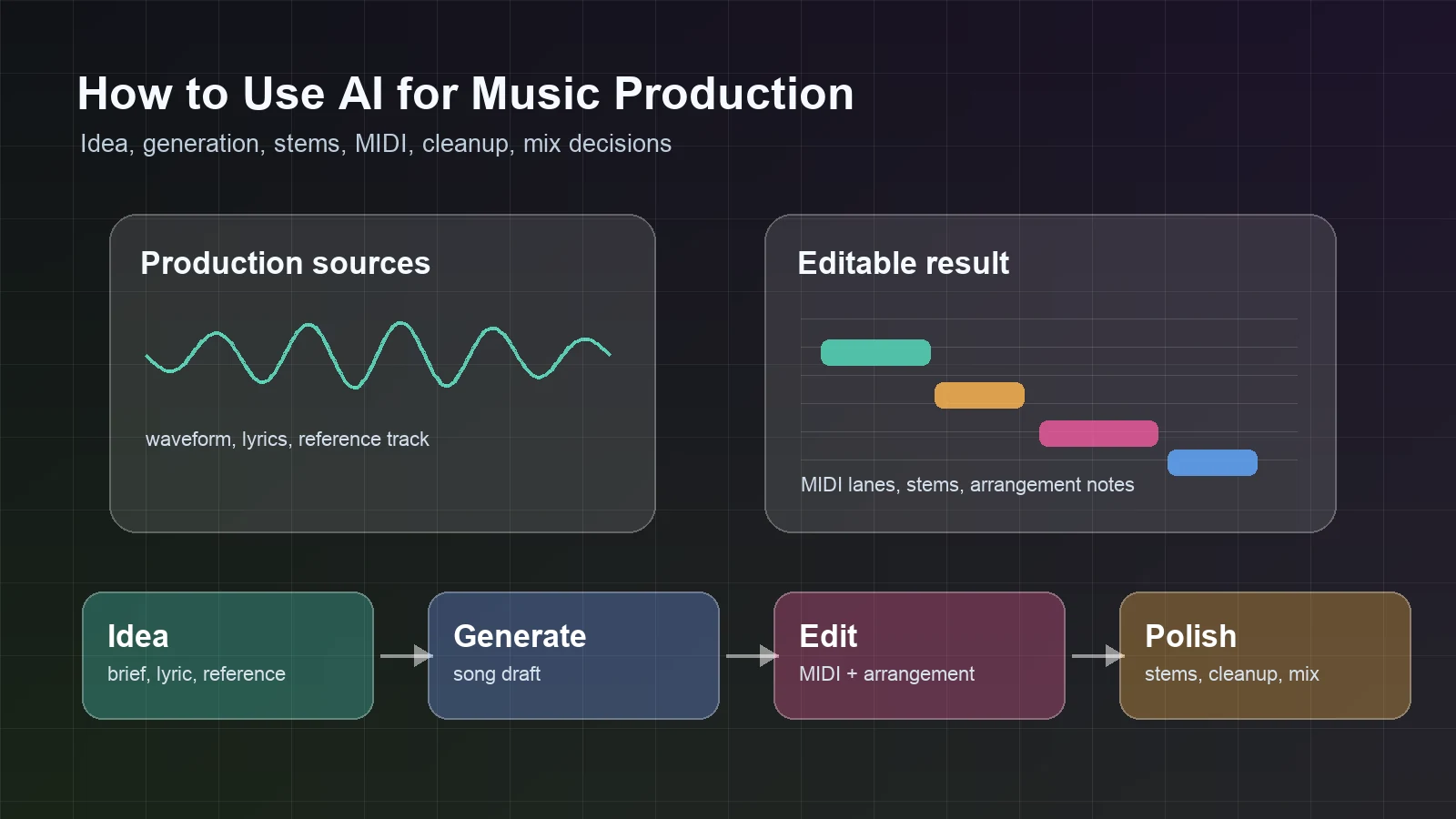
This is the same discipline covered in how to use AI for music production: match one AI step to one bottleneck, then return to musical editing.
AI can support learning, arranging, and score analysis
AI in music is not only about generating songs. It can also help students, teachers, composers, and arrangers understand existing material.
A score-analysis workflow can identify key signatures, time signatures, harmonic progressions, cadences, melodic themes, formal sections, and other structure cues. That is useful when a student needs to see why a passage works, when a teacher needs a quick discussion map, or when a composer wants another pass over a draft.
The important habit is to treat analysis as a starting point. If an AI labels a section, ask whether your ear agrees. If it suggests a key area, check the cadence and bass motion. If it names a theme, look for repetition, variation, and placement.
For composition work, AI is strongest when it makes the next question visible. If you are choosing between notation software, DAWs, score conversion, and analysis tools, keep the decision anchored to the source you already have.
Choose the AI route from the source you already have
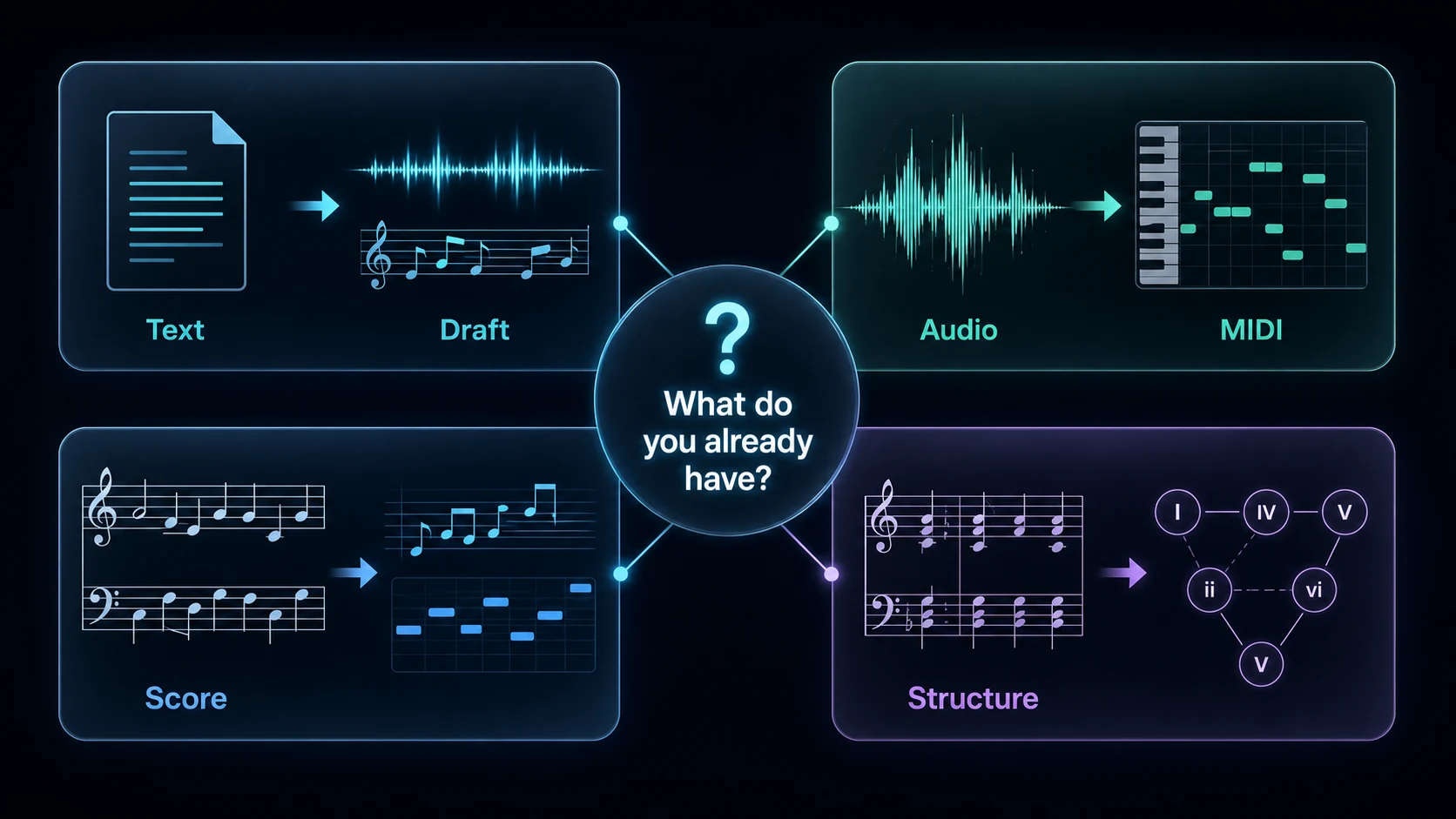
The simplest way to choose an AI music workflow is to start with the source, not the tool category.
- If you have text, lyrics, or a style brief, use AI generation to make a draft.
- If you have audio, use transcription, stem separation, trimming, or enhancement.
- If you have sheet music, use score conversion or score analysis.
- If you have a finished score but need insight, use structural analysis.
- If rights, samples, uploads, or platform rules matter, resolve that before public release.
This keeps broad AI music work practical. You do not need one tool to answer every job. You need the right first pass for the material in front of you.
Where Melogen fits
Melogen fits when AI music needs to stay connected to editable music workflows. The Mureka route is the strongest starting point for prompt-to-song generation inside Melogen. Audio to MIDI helps when the project already has sound and needs notes. Sheet music, PDF, and image conversion help when the source is written notation. Structural Analysis helps when the score exists and the question is form, harmony, or section logic.
Use this Melogen map:
| If your source is... | Start with... | Why it fits |
|---|---|---|
| Text, lyrics, or style notes | Mureka in Melogen | It creates a first musical draft from a written direction |
| Audio, vocal, or instrument recording | Audio to MIDI | It turns a usable source into editable MIDI |
| PDF, scan, or score image | Sheet2MIDI or PDF to MusicXML | It moves written music toward MIDI or notation editing |
| A score you need to understand | Structural Analysis | It surfaces form, key, harmony, and section cues |
Start with the AI music route that matches your source
Use Melogen when AI generation, MIDI, score conversion, and analysis need to stay in one practical music workflow.
The practical takeaway
AI is used in music as a drafting, transcription, production, and analysis layer. It can make a first pass faster, but it does not remove the musical review step. The useful question is always: what decision does this output help you make next?
Use generation when the idea is missing. Use transcription when audio needs to become notes. Use cleanup when the source blocks the next edit. Use analysis when the score exists but the structure is hard to see.
That is the musician-led version of AI music. The tool moves you closer to the next edit; you still decide what the music should become.
About the author
Zhang Guo
Composer - AI Product Manager
AI product manager and digital marketing consultant with a background in music. Creativity is the bridge between rhythm and logic, where musical intuition and mathematical precision can coexist in every meaningful product decision.
Follow on X