How to Annotate Sheet Music for Your Next Rehearsal
Learn which marks help you enter, breathe, finger a passage or follow a cut. Try a printable four-bar part and compare your marks with a worked copy.
 Zhang Guo

Turn a static score into editable MIDI
Contents
The fastest way to learn how to annotate sheet music is to mark the decision that keeps going wrong. If you enter late after a rest, pencil the count where you need to see it. If you keep choosing the wrong finger, put one number over that note. Try the entrance again. A good mark changes what you do on the next pass.
Try a clean four-bar part first
Read the exercise aloud or play it. In bar two, G lasts two beats, a quarter rest takes beat three, and E starts on beat four. Many players hold the G through the rest or wait for the next downbeat to play E. First see what actually happens in your reading.
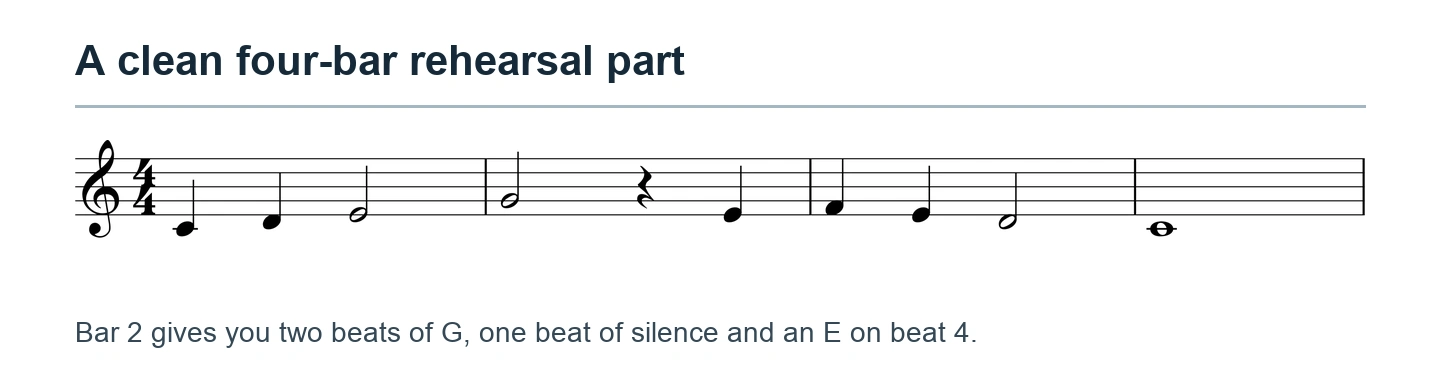
Download the clean practice part (PDF). Print a working copy or open a duplicate on your tablet. Leave the master clean so you can try a different marking system later. For a borrowed part, check the ensemble's rules and use an erasable pencil where marking is permitted.
Put the cue where your eye will arrive
Suppose the E was late. Put count 3 above the rest and in on 4 over the E. Place each cue far enough from the staff that it leaves the pitches, dots and accidental signs visible. Now start at the beginning of bar one. The test is whether you can keep moving through the marked entrance without pausing to read your handwriting.
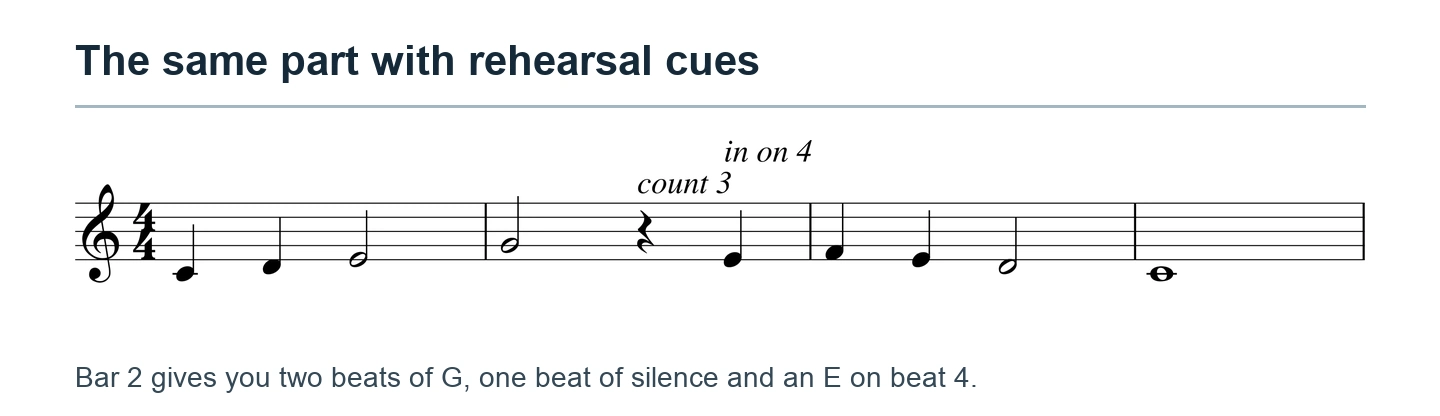
Open the marked practice part (PDF). If one short cue solves the entrance for you, erase the other. A player who already counts the rest accurately might need only the “4.”
For a wind or voice part, you could use that rest to breathe if the phrase, ensemble and teacher allow it. Mark the breath before the next entrance, then rehearse the timing. A breath mark reminds you where to inhale. It does not add an extra beat.
Choose the mark that solves the problem
| What went wrong | A small mark to try | How to test it |
|---|---|---|
| You entered late | Write the count above the rest or entrance | Start one bar earlier and enter on time |
| You chose a different fingering each pass | Write one finger number over the decision note | Play the preceding note and the following note too |
| You lost the harmony in a long phrase | Add one verified chord symbol near the change | Play the phrase and listen for that change |
| You missed a conductor's cut | Mark both the departure and the destination with measure numbers | Trace the jump, then play through it |
| You missed a dynamic change | Lightly emphasize the printed marking | Keep the printed symbol visible and listen for the contrast |
A personal cue and a conductor's instruction have different jobs. Try a temporary fingering lightly in pencil. Record a confirmed ensemble cut consistently at both ends so the rest of the section follows the same jump. When several people share a part, agree on the symbols and keep private practice notes on your own copy.
Keep paper and digital copies usable
On paper, use the blank space near the event. A carefully placed “2” is faster to read than a paragraph in the margin. For color, pick one job that needs to stand out, such as entrances after long rests. Check that the mark is still recognizable on a monochrome photocopy.
On a tablet, duplicate the part, open the reader's annotation controls, and use a pen or text tool. If your app offers layers, keep personal practice cues on one layer and ensemble changes on another. Export or share a test page and open it in a different reader to confirm the intended marks are visible. If the receiver needs a clean copy, send that version separately.
Separate a marked page from a playback reference
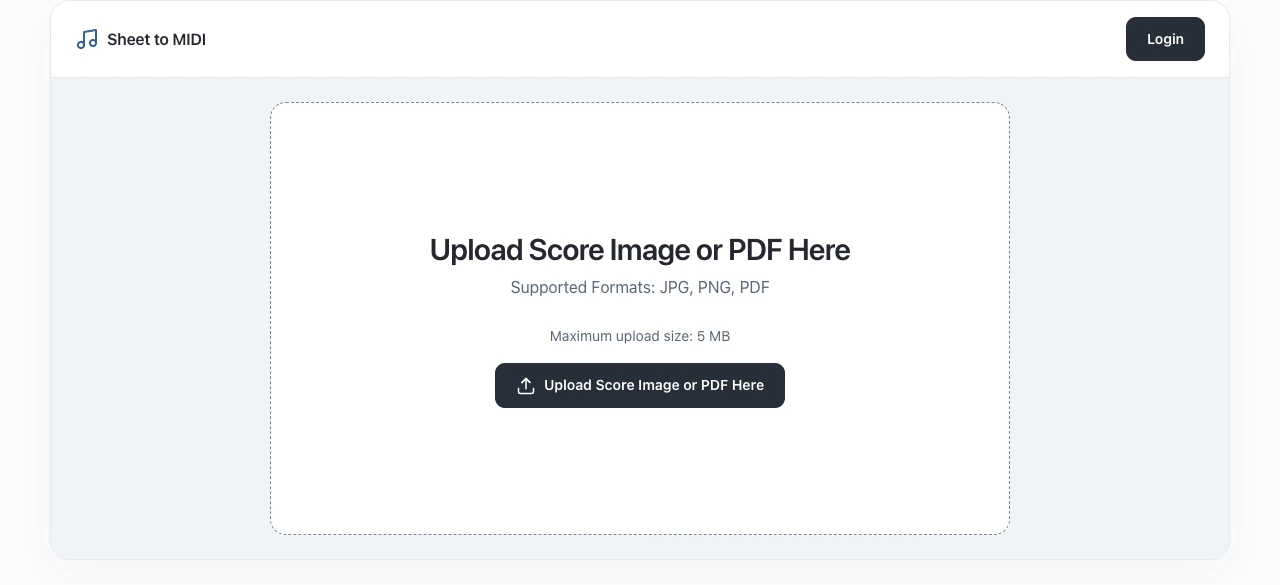
Your marked PDF keeps finger numbers, breath cues and cuts where you put them. If you also need to hear the notes, start a separate working file from the clean part. Melogen Sheet2MIDI accepts printed scores as PDFs or images and can provide a MIDI reference. Keep the annotated page on the stand to guide the rehearsal decisions a playback file cannot communicate.
For an ensemble practice file, the choir rehearsal score guide explains how to choose parts and check entrances before sharing them.
Hear the clean score alongside your marked copy
Use the clean page for a first-pass MIDI reference and keep your annotated PDF for rehearsal.
About the author
Zhang Guo
Composer - AI Product Manager
AI product manager and digital marketing consultant with a background in music. Creativity is the bridge between rhythm and logic, where musical intuition and mathematical precision can coexist in every meaningful product decision.
Follow on X