How to Make a Choir Rehearsal Score for Every Part
Learn how to make a choir rehearsal score with clear SATB balance, source checks, playback loops, and a practical MIDI or MusicXML handoff.
 Zhang Guo
Turn a static score into editable MIDI
Contents
A choir rehearsal score is a practice version of the music that helps singers hear, follow, and repeat their own part before the full ensemble meets. The most useful version does more than play the notes. It makes soprano, alto, tenor, and bass easy to identify, keeps the original score as the authority, and gives every singer a simple way to start, slow down, and loop difficult bars.
For a choir director, the real task is choosing the right deliverable. An interactive playable score, a MIDI file, a MusicXML project, and an exported audio practice track can all support rehearsal, but they solve different problems. This guide shows how to prepare the source, build a short proof section, balance the parts, check the result, and share a rehearsal package without promising more than the file can deliver.
Decide what your choir rehearsal score needs to do
Start with the singer's experience, not the software. Do they need to follow the notation on screen, hear one voice above the others, open an editable score, or simply play an audio file on any phone?
| Deliverable | Best for | What singers receive | Main tradeoff |
|---|---|---|---|
| Playable score document | Follow-along practice with tempo and loop controls | Interactive score inside the supported app | Recipients need the compatible player or app |
| Part-forward audio track | Fast home practice on almost any device | MP3, M4A, WAV, or another rendered audio file | Singers cannot rebalance parts themselves |
| MIDI file | DAW editing, tempo work, and track routing | Note and timing data for a MIDI player or DAW | Instrument sound can change between devices |
| MusicXML file | Notation cleanup and score-editor handoff | Editable notation in a compatible score editor | The file still needs proofreading against the source |
| Marked PDF plus reference audio | Simple rehearsal packs and clear director notes | Original notation plus a separate listening track | Navigation and looping are less integrated |
The useful distinction is control. A director may want editable MIDI or MusicXML during preparation, while a singer may need a locked, clearly named practice file that opens with one tap. One file does not have to serve both jobs.
Start with a clean and permitted score source
Use the best source you are allowed to use. A purchased digital score, a licensed ensemble copy, or a public-domain edition will usually give better results than a bent photocopy or a compressed message-app image. Rights vary by edition and use, so confirm that your choir can copy, scan, convert, and distribute the material before sending rehearsal files.
Check the source page before conversion:
- all staves are visible from left bar line to right bar line
- the SATB labels and any divisi labels are readable
- key signatures, clefs, tuplets, repeats, and endings are not cut off
- page curvature, shadow, bleed-through, and pencil marks are limited
- the piano reduction is clearly separated from the vocal staves
- the file name identifies the piece, edition, and version
If the choir still needs a broader map of voice formats and score layouts, the choral music guide explains unison, two-part, SATB, divisi, and double-choir structures before you build the practice material.
Build a short proof section before the full score
Choose eight to sixteen bars that contain the hardest recognition problem in the piece. Good proof sections include a page turn, a repeat, a divisi passage, a tenor octave convention, a pickup, or a dense piano-vocal texture. If a system works there, the rest of the score is less likely to surprise you.
Run the short section through your chosen scanning or conversion route, then compare it bar by bar with the original. Do not begin with tone quality. First check the musical structure:
- Confirm the bar count and pickup measure.
- Check every clef, key change, and time-signature change.
- Verify that soprano, alto, tenor, and bass enter on the right beats.
- Test first and second endings, D.S./D.C. instructions, and repeats.
- Listen for octave mistakes in tenor and accompaniment parts.
- Confirm that the tempo gives singers enough time to read and breathe.
This proof pass is also where you decide whether the output should continue as an interactive score, move into a notation editor through MusicXML, or move into a DAW through MIDI.
Balance each part for useful practice
A part-forward rehearsal file should make one line easy to hear without deleting the musical context. If alto is the focus, keep soprano, tenor, bass, and accompaniment present at a lower level. Singers still need the harmony, pulse, and cues that make their entrance intelligible.
The current official PlayScore choir rehearsal guide describes a direct branded workflow: import or photograph the score, adjust the volume of each vocal part, change instruments when useful, name the rehearsal score, and share it with singers. PlayScore's current feature page also documents tempo control, looping, per-part volume control, and two parts per staff.

For any system, make four musical decisions deliberately:
- Level: Put the focus part clearly above the surrounding texture without making it painfully loud.
- Timbre: Use a sound that is easy to follow in the singer's range. A contrasting instrument can help, but an extreme or novelty sound becomes tiring.
- Context: Keep at least one harmonic anchor and the rhythmic pulse audible.
- Range: Check octave placement so tenor, bass, and accompaniment parts do not mislead the ear.
For divisi, label the practice file precisely. Soprano 1 and Soprano 2 are more useful than two files both called Soprano. If two voices share a staff, verify that the software interprets both voices as expected before building the full set.
Choose MIDI, MusicXML, audio, or a playable document
Choose the format from the next action.
Use a playable document for interactive follow-along
A PlayScore playable document keeps the score and playback together. According to the current official sharing instructions, recipients can follow the notation, start from a measure, change tempo, and create loops in the free player. This is useful when the choir is already comfortable installing and opening the compatible app.
Use MIDI for DAW routing and tempo experiments
MIDI is note and timing data, not a finished recording. It is useful when the director wants to route parts to different instruments, change balance, add a count-in, or render several audio versions in a DAW. Always listen on the actual playback system before sharing because the instrument sounds can change from one device to another.
Use MusicXML for notation cleanup
MusicXML is usually the better handoff when lyrics, voices, dynamics, articulations, page structure, and notation editing matter. Open it in the target score editor, proofread against the original, and only then create rehearsal playback or printed part materials.
Use audio when access must be effortless
Rendered audio is the simplest singer-facing delivery. Create separate all voices, part forward, and optionally part only files. Keep the same starting point, count-in, tempo, and file naming across the set so singers do not rehearse against mismatched versions.
Package the files so singers can use them
A technically correct rehearsal score can still fail because the handoff is confusing. Use a naming system that sorts naturally and identifies the version.
For example:
01-piece-title-all-voices-v1
02-piece-title-soprano-forward-v1
03-piece-title-alto-forward-v1
04-piece-title-tenor-forward-v1
05-piece-title-bass-forward-v1
Add a short message with:
- the score edition and rehearsal version
- the starting tempo and any deliberate tempo reduction
- whether the file is all voices, part forward, or part only
- the measure range for any excerpt
- known recognition or playback limitations
- a reminder to check the printed score for text, breath, diction, and conductor marks
If singers are learning one line in detail, send them to the SATB choir-part practice loop as the next step. The director's file supports that practice; it does not replace score reading, text work, or ensemble listening.
Run a final rehearsal-score audit
Before sending anything to the whole choir, ask one singer from the target section to open the exact shared file on the device they normally use. This catches permissions, app requirements, missing audio, wrong versions, and confusing names before the link reaches thirty people.
Use this final checklist:
- The focus part enters on the correct beat and octave.
- The surrounding voices remain audible enough to provide harmony and cues.
- Repeats, endings, pickups, and tempo changes behave as expected.
- Divisi and two-voice staves are assigned correctly.
- The file name identifies piece, part, and version.
- The opening includes enough context or count-in to prepare the entrance.
- The hard passage loops without cutting off a pickup or release.
- The source, conversion, and distribution are permitted for this score.
- The singer-facing file opens without an editor account or unexplained setup, unless that requirement was communicated.
- The original score remains the authority for notation, text, dynamics, and conductor decisions.
Where Melogen fits in the workflow
Melogen fits when the rehearsal material starts as visible notation and the director needs a browser-first bridge into editable MIDI or MusicXML. Sheet2MIDI accepts a clear PDF, JPG, or PNG score and creates a first-pass conversion for further work.
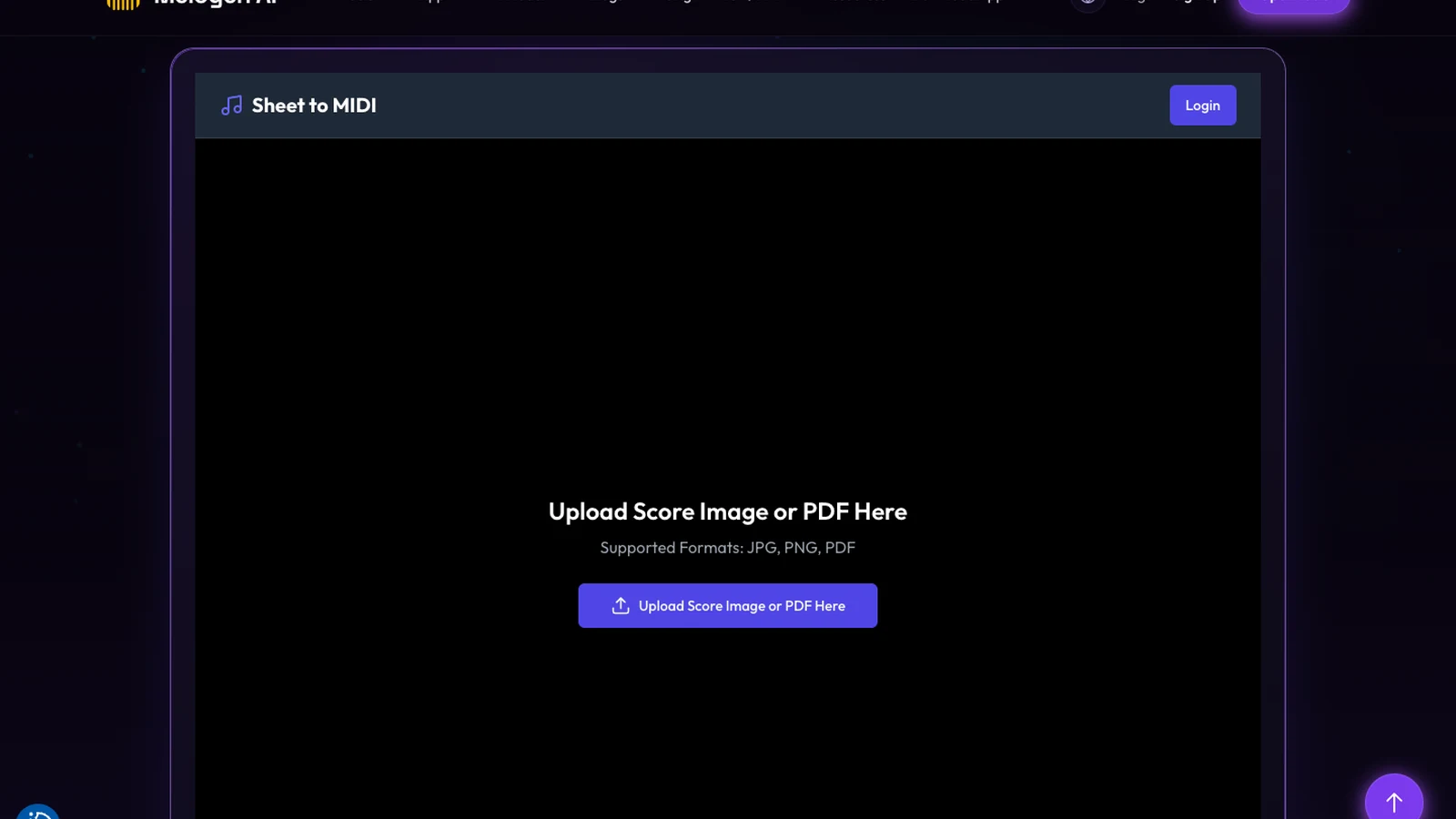
Keep the boundary clear. Melogen does not currently promise PlayScore-style per-part volume controls, a shareable interactive score document, or choir-member app delivery. Use the converted output in a DAW or notation editor to inspect the structure, route parts, repair mistakes, and render the singer-facing files you actually need.
For the best result, convert the difficult proof section first. If the voices, repeats, or accompaniment need too much repair, improve the source or switch the destination format before processing the full score.
Move a clear choir score into editable MIDI or MusicXML
Use Melogen Sheet2MIDI for the first conversion, then proof the parts and build the rehearsal files in your DAW or notation editor.
The practical takeaway
The best choir rehearsal score is not the file with the most features. It is the version that gives singers a clear part, enough ensemble context, reliable loops, and a handoff they can open without guessing.
Choose the singer-facing format first. Prove one difficult page. Balance the focus part without erasing the harmony. Audit every repeat, octave, and divisi assignment. Then package the files with consistent names and a clear version note. That small preparation step turns a scanned score into rehearsal material the choir can actually trust.
About the author
Zhang Guo
Composer - AI Product Manager
AI product manager and digital marketing consultant with a background in music. Creativity is the bridge between rhythm and logic, where musical intuition and mathematical precision can coexist in every meaningful product decision.
Follow on X