How to Convert Violin Music to Viola Music Correctly
Learn how to convert violin music to viola music by rewriting treble clef, checking range and octaves, and testing the finished viola part.
 Zhang Guo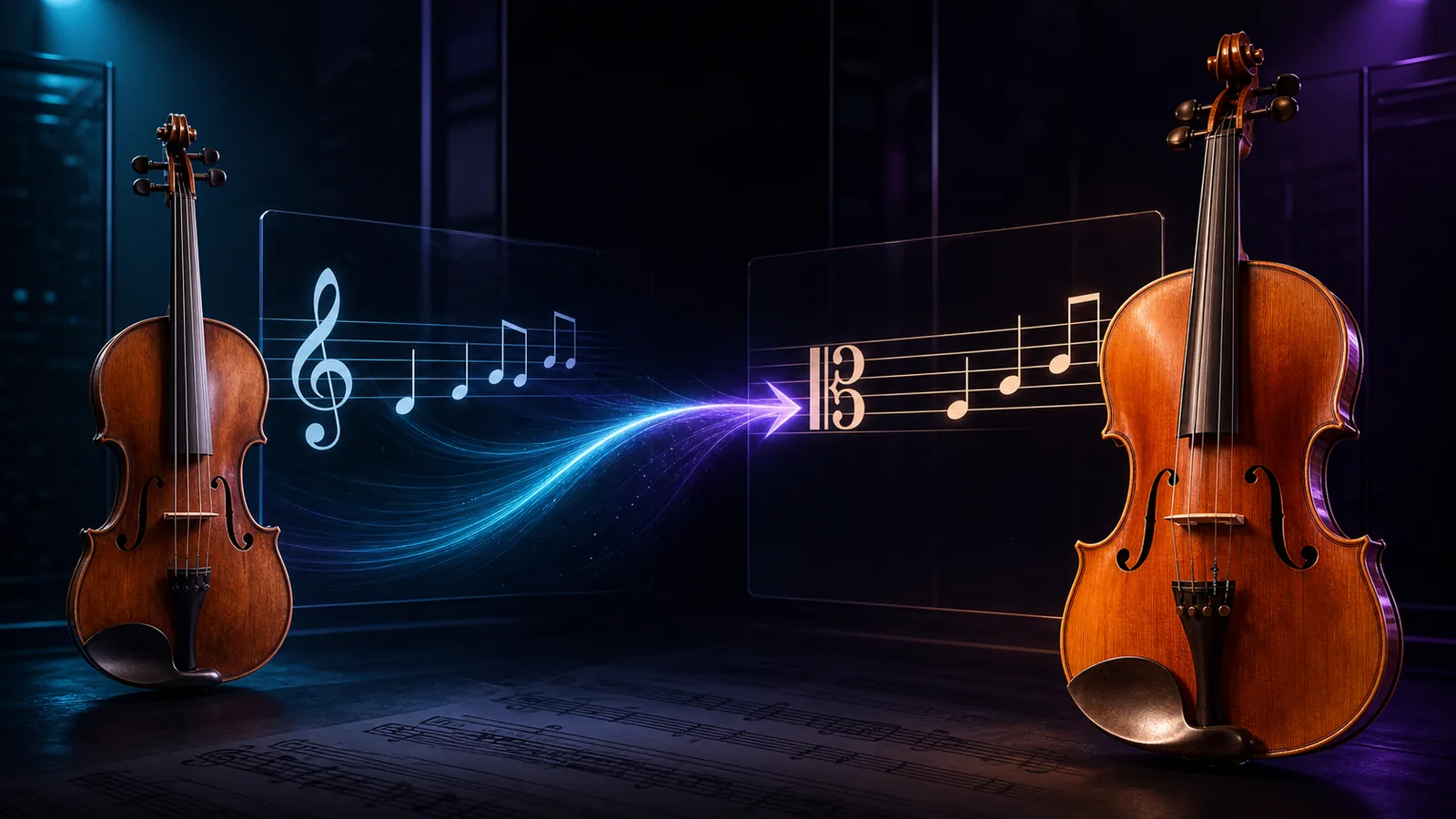
Turn a static score into editable MIDI
Contents
How to convert violin music to viola music depends on whether you need a faithful rewrite or a new arrangement. Keep the same sounding pitches unless you deliberately want a register change. Rewrite the part from treble clef into alto clef, preserve rhythm and musical markings, then check whether high passages sit comfortably on the viola's A string. Move a phrase by an octave only when range, tone, or playability calls for it.
The important distinction is that violin and viola are both concert-pitch instruments. A written A normally sounds as A on both. You are not automatically changing the key as you would when preparing a part for a B-flat clarinet. Most of the work is clef conversion, range judgment, and practical string writing.
This guide gives you a repeatable workflow for a printed score, PDF, scan, or editable notation file. It also shows where a browser conversion tool can save time without pretending that software can make the final arranging decisions for you.
Decide whether you need a rewrite or an arrangement
Start by defining what “convert” means for this piece. There are two valid jobs, and they produce different viola parts.
| Goal | What stays the same | What may change |
|---|---|---|
| Same-sounding rewrite | Key, pitches, rhythm, harmony, dynamics | Clef, layout, page turns, some fingerings |
| Viola-friendly arrangement | Musical identity, harmony, phrasing | Octaves, register, occasional voicing, bowing choices |
A same-sounding rewrite is the clean default. The viola player reads alto clef, but the audience hears the same notes as the violin original. This is often enough for ensemble rehearsal, teaching material, or a substitute part.
A viola-friendly arrangement goes further. You may lower exposed high phrases by an octave, use the C string for a darker answer, or reshape awkward repeated notes so the line sits naturally under the bow. Those are arranging choices, not automatic consequences of changing instruments.
Map the violin and viola strings before rewriting
Violin and viola share three open strings: G, D, and A. The violin adds a high E string; the viola replaces that E string with a low C string.
| Instrument | Open strings from low to high | Practical implication |
|---|---|---|
| Violin | G3, D4, A4, E5 | High passages often use the E string directly |
| Viola | C3, G3, D4, A4 | Extra low register, but no open E string |
That shared G-D-A layout is why many violin passages transfer without changing pitch. The catch is the violin's E-string writing. The viola can still reach many of those notes on the A string, but the passage may require a higher position, a different fingering pattern, or a more demanding string crossing.
Do not lower every E-string passage automatically. A lyrical melody a little above E5 may be comfortable for an experienced violist. A fast sequence that lives high on the violin E string may be better down an octave, especially for student, community, or rehearsal use.
Rewrite treble clef into alto clef at concert pitch
For a direct conversion, copy the sounding pitch, not the note's visual location on the staff.
The alto-clef symbol centers middle C on the middle line. In treble clef, middle C sits on a ledger line below the staff. That difference makes the same pitch appear in a different vertical place, even though nothing has changed acoustically.
Use this safe sequence:
- Read the violin note in treble clef and name its sounding pitch.
- Find that same pitch in alto clef.
- Copy the duration, dot, tie, accidental, articulation, and dynamic.
- Continue by phrase or measure, not by isolated symbols.
- Play back or play through the rewritten line before polishing layout.
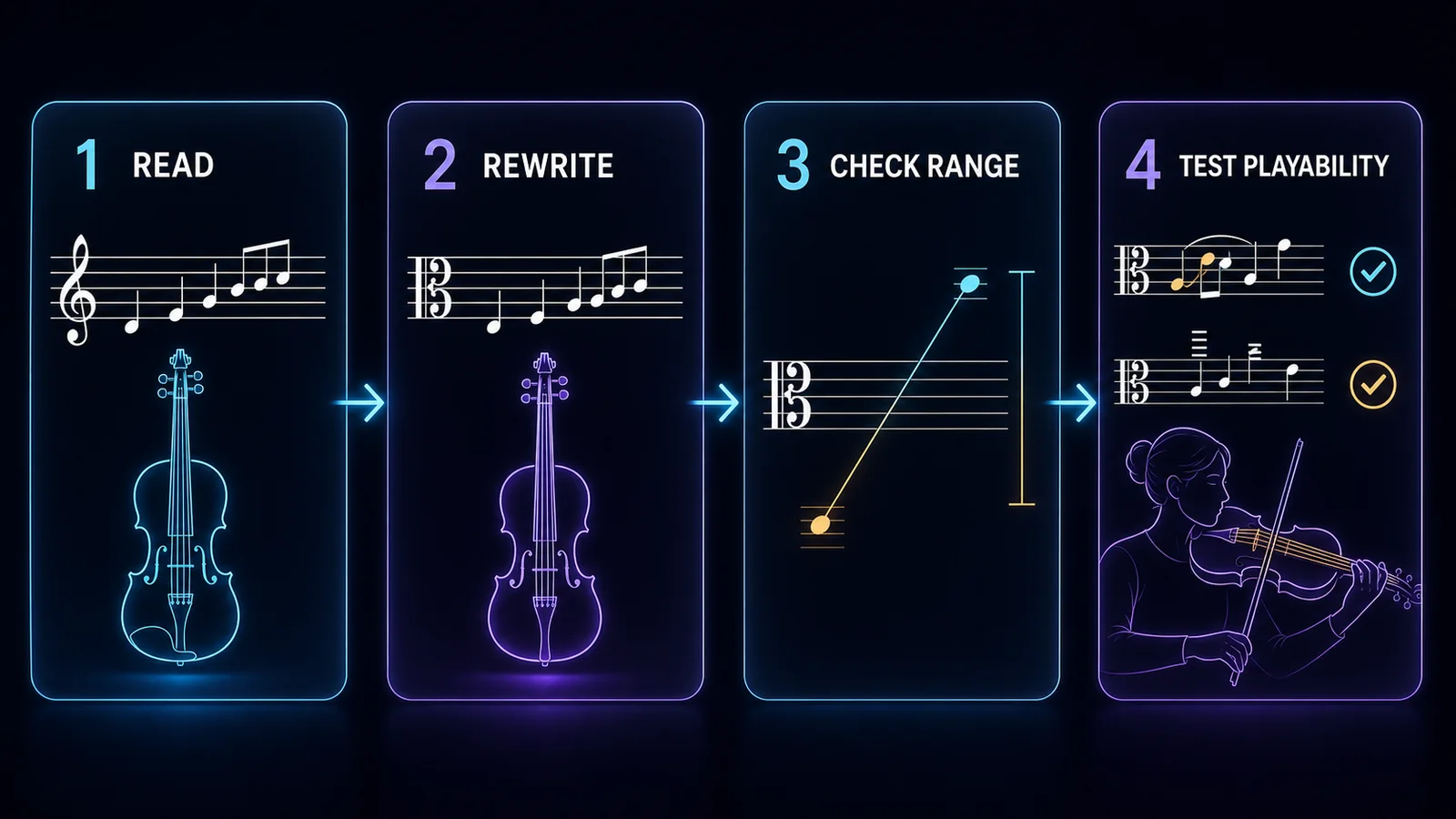
Do not use a fixed “move every note up two lines” shortcut. Visual shortcuts break when ledger lines, accidentals, octave signs, or clef changes appear. Pitch-name conversion is slower for the first few measures but far safer across a complete part.
This job is also different from changing a song into another key. If you need that separate process, use the step-by-step music transposition guide. For violin-to-viola conversion, the default question is “How should the viola read this pitch?” rather than “What new key should the piece use?”
Check range, octave, and string crossings
Once the notes are in alto clef, stop copying and test the part as viola writing.
Look first for three pressure points:
- Long passages that depend on the violin's E string.
- Rapid figures that repeatedly cross between A-string and high-position notes.
- Double stops or chords whose spacing was comfortable on violin but awkward on viola.
Then choose among three repairs:
| Problem | First repair to try | Why it helps |
|---|---|---|
| Brief high note | Keep the pitch and choose a practical A-string fingering | Preserves the original line |
| Long high passage | Move the whole phrase down an octave | Avoids one note sounding accidentally displaced |
| Awkward chord or double stop | Revoice, arpeggiate, or omit the least important doubling | Protects harmony while improving playability |
Keep octave changes phrase-shaped. Lowering one isolated note in the middle of a sequence can create a strange melodic leap. If you need to move a line, choose a musically clear boundary such as the start of a phrase, a repeated section, or a cadence.
The viola's C string creates a new opportunity too. Do not use it merely because it exists, but consider it when a repeated phrase would benefit from a lower, darker answer. Mark that as an arranging choice so anyone comparing parts understands why the register changed.
Preserve the details that make the part musical
A correct pitch map can still produce a poor part if the expressive information disappears.
Proofread these layers separately:
- Key signature and local accidentals.
- Rhythm, rests, ties, tuplets, and pickup measures.
- Slurs, staccato marks, accents, and tenuto marks.
- Dynamics, hairpins, tempo changes, and rehearsal marks.
- Bowings, fingerings, and string indications that may need viola-specific revision.
Bowing and fingering marks deserve judgment rather than blind copying. A violin fingering tied to the E string may not make sense on viola. A slur, phrase mark, or dynamic usually remains musically important, but a specific string number may need to change.
If the source includes chords, cue notes, or ossia staves, compare the viola part against the harmony rather than proofreading it alone. The converted notes should still land correctly with the accompaniment.
Digitize a printed violin part before editing
If the source is already an editable notation file, work there. If it is a PDF, scan, phone photo, or printed page, digitize it before spending hours entering every note manually.
Melogen Sheet2MIDI accepts JPG, PNG, and PDF score sources and can produce MIDI or MusicXML output. Use MusicXML when the next step is clef, notation, and layout editing. Use MIDI when playback is the fastest way to catch a wrong pitch or octave.

The useful boundary is simple: Melogen can move visible notation into editable material. It does not automatically decide which violin phrases should move down an octave or which bowing suits a violist. Recognition is the first pass; musical adaptation is the second.
If you are unsure which file to carry into the next step, the MIDI vs MusicXML guide explains the tradeoff. For a clean printed viola part, MusicXML is usually the stronger notation handoff. For quick listening checks, MIDI is usually faster.
Turn a static violin score into editable material first
Use Melogen Sheet2MIDI to digitize a PDF, scan, or photo, then finish alto-clef rewriting, octave choices, and viola-specific cleanup in your notation editor.
Test the finished viola part in context
Use both playback and a real instrument when practical. They catch different problems.
Playback is useful for:
- Wrong pitches introduced during clef conversion.
- Accidental octave jumps.
- Missing rests, ties, or repeat endings.
- Harmony that no longer aligns with the accompaniment.
A violist is useful for:
- High-position passages that are possible but unnecessarily difficult.
- Bow distribution, string crossings, and repeated-note fatigue.
- Chords or double stops that do not sit well in the hand.
- Register choices that sound thin, covered, or unbalanced in the ensemble.
Run the part slowly first. Compare it with a concert-pitch reference, then test it at performance tempo. If the pitch is wrong, return to the treble-to-alto rewrite. If the pitch is right but the line feels awkward, treat it as a range, fingering, or orchestration problem.
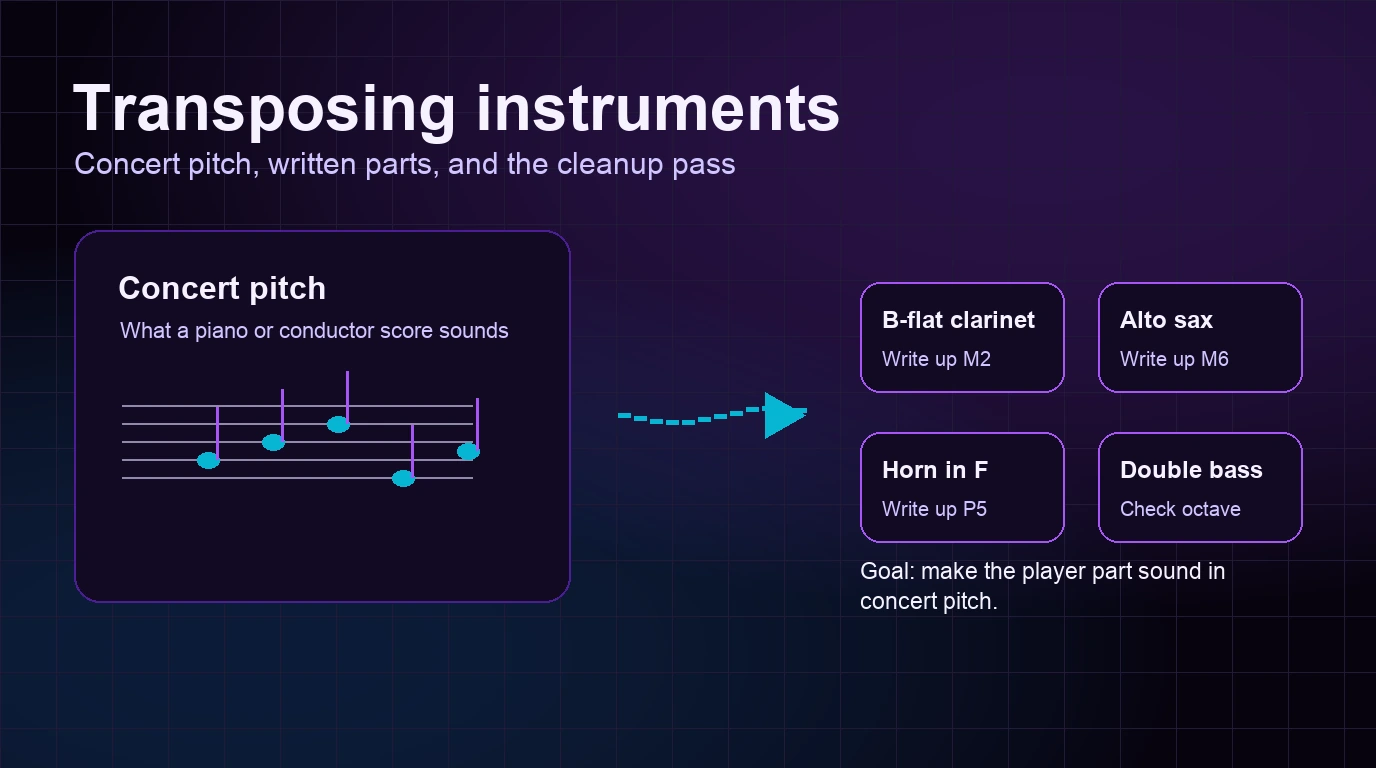
For a broader explanation of written pitch versus sounding pitch, read the concert-pitch guide to transposing instruments. It helps clarify why violin-to-viola rewriting normally keeps concert pitch while clarinet, saxophone, and horn parts follow different rules.
Avoid the most common conversion mistakes
These errors cause most unusable viola parts:
- Transposing the key even though the goal was only a clef rewrite.
- Moving notes visually without naming their concert pitches.
- Copying every violin fingering or string indication unchanged.
- Lowering isolated high notes instead of moving a complete musical phrase.
- Forgetting that a playable note may still be uncomfortable at the intended tempo.
- Trusting optical recognition without checking accidentals, ties, and repeat structures.
- Exporting a clean-looking PDF before anyone has listened to the result.
Use a final two-pass check. First ask, “Does it sound like the original?” Then ask, “Does it behave like a viola part?” A conversion is not finished until both answers are yes.
Frequently asked questions
Do I transpose violin music down a fifth for viola?
Not by default. Violin and viola are concert-pitch instruments, so the same written pitch normally represents the same sounding pitch. Rewrite the music into alto clef first. Shift an octave or revoice a passage only when you are intentionally arranging for range, tone, or playability.
Can a viola play violin music as written?
Often, yes. The instruments share G, D, and A strings, and a violist can play many violin pitches on the A string. Music that stays high on the violin's E string may require advanced positions or an octave adjustment.
Should a viola part use alto clef all the way through?
Alto clef is the default because it keeps most of the viola's range readable without excessive ledger lines. High passages may switch to treble clef when that is clearer. Use the clef that produces the easiest professional reading, not the clef that avoids every change.
Is MIDI or MusicXML better for this job?
Use MusicXML when you need to edit clefs, measures, voices, dynamics, and page layout in notation software. Use MIDI when you mainly need to hear pitches, octaves, and timing. A careful workflow may use MusicXML for the part and MIDI for the listening check.
The practical takeaway
How to convert violin music to viola music comes down to one reliable rule: preserve sounding pitch first, then adapt the writing to the instrument.
Read each violin note in treble clef. Rewrite that pitch in alto clef. Keep rhythm, harmony, and expression intact. Check the E-string-heavy passages, move complete phrases only when an octave change is justified, and test the result on a viola at the real tempo.
If the source is trapped in a scan or PDF, digitize it before the rewrite. That saves copying time while keeping the musical judgment where it belongs: with the arranger, editor, and player.
About the author
Zhang Guo
Composer - AI Product Manager
AI product manager and digital marketing consultant with a background in music. Creativity is the bridge between rhythm and logic, where musical intuition and mathematical precision can coexist in every meaningful product decision.
Follow on X