How to Fix Bad Music Transcriptions in 5 Steps
Fix bad music transcriptions with source checks, rerun rules, MIDI cleanup, and a clear workflow for audio or score-based mistakes.
 Zhang Guo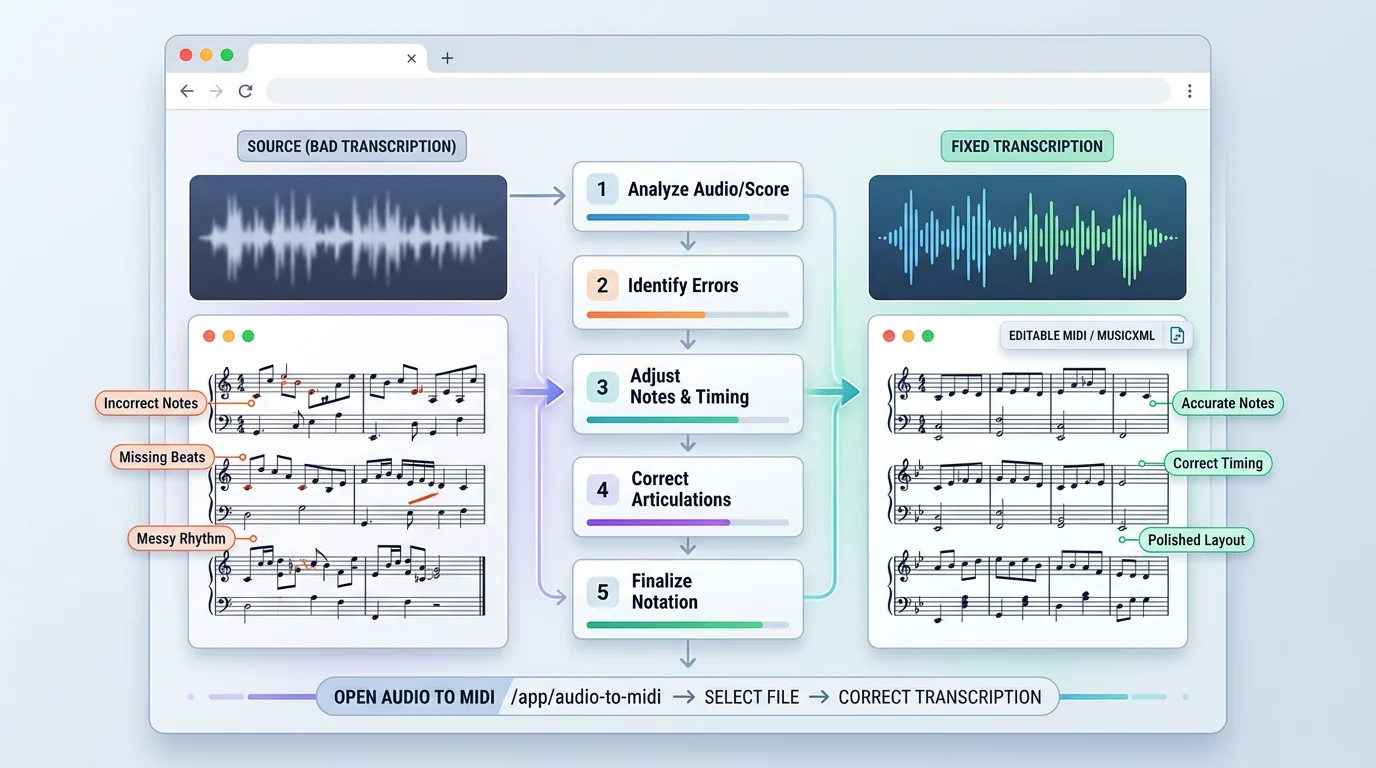
Turn a static score into editable MIDI
Contents
If you need to fix bad music transcriptions, start by finding where the mistake actually happened. Bad results usually fail for one of three reasons: the source is hard to read or hear, the recognition pass chose the wrong structure, or the exported MIDI/MusicXML needs normal musical cleanup. The fix is not always to keep editing note by note.
This guide gives you a practical repair workflow for audio-to-MIDI, sheet-music-to-MIDI, and PDF-to-MusicXML results. Use it when a transcription has wrong pitches, missing bars, messy rhythms, split voices, strange tempo, or a MIDI file that technically opens but feels painful to edit.
Diagnose the error before editing notes
A bad transcription is easier to fix when you name the failure precisely. "The MIDI is wrong" is too broad. A wrong key signature, a missing left-hand part, a muddy vocal recording, and a scanned score with crooked staff lines all need different fixes.
Start with this quick triage table:
| Symptom | Most likely cause | Best first move |
|---|---|---|
| Pitches are mostly right, but rhythm feels stiff | Tempo grid or quantization mismatch | Edit the MIDI timing in a DAW before touching every note |
| Whole phrases are missing | Source audio is buried, noisy, or too dense | Rerun with a clearer source or isolate the part first |
| Notes are correct but notation looks messy | MIDI was the wrong destination format | Use MusicXML for notation-first cleanup |
| Chords become single-note lines | Polyphonic material is too complex | Simplify the source or transcribe one part at a time |
| A scanned score loses measures or voices | Image quality, skew, or staff detection issue | Rescan, crop, and rerun before manual correction |
If your task starts from audio, compare the result against the source in short loops. If your task starts from a score image or PDF, compare the output against the bar structure first. Bar count, repeats, clefs, and voice separation matter before individual pitches.

Start with the cleanest source you can get
Many transcription errors are source problems wearing a software costume. Before blaming the tool, ask whether the input gives the recognition model enough musical information.
For audio, use the cleanest version of the part you care about. A solo line, dry vocal, DI guitar, or clear piano recording is easier to convert than a mastered full mix. If the source is compressed, clipped, or full of reverb, read what audio bitrate changes in music files before assuming a higher setting will solve everything. Bitrate helps only when the musical detail is actually present.
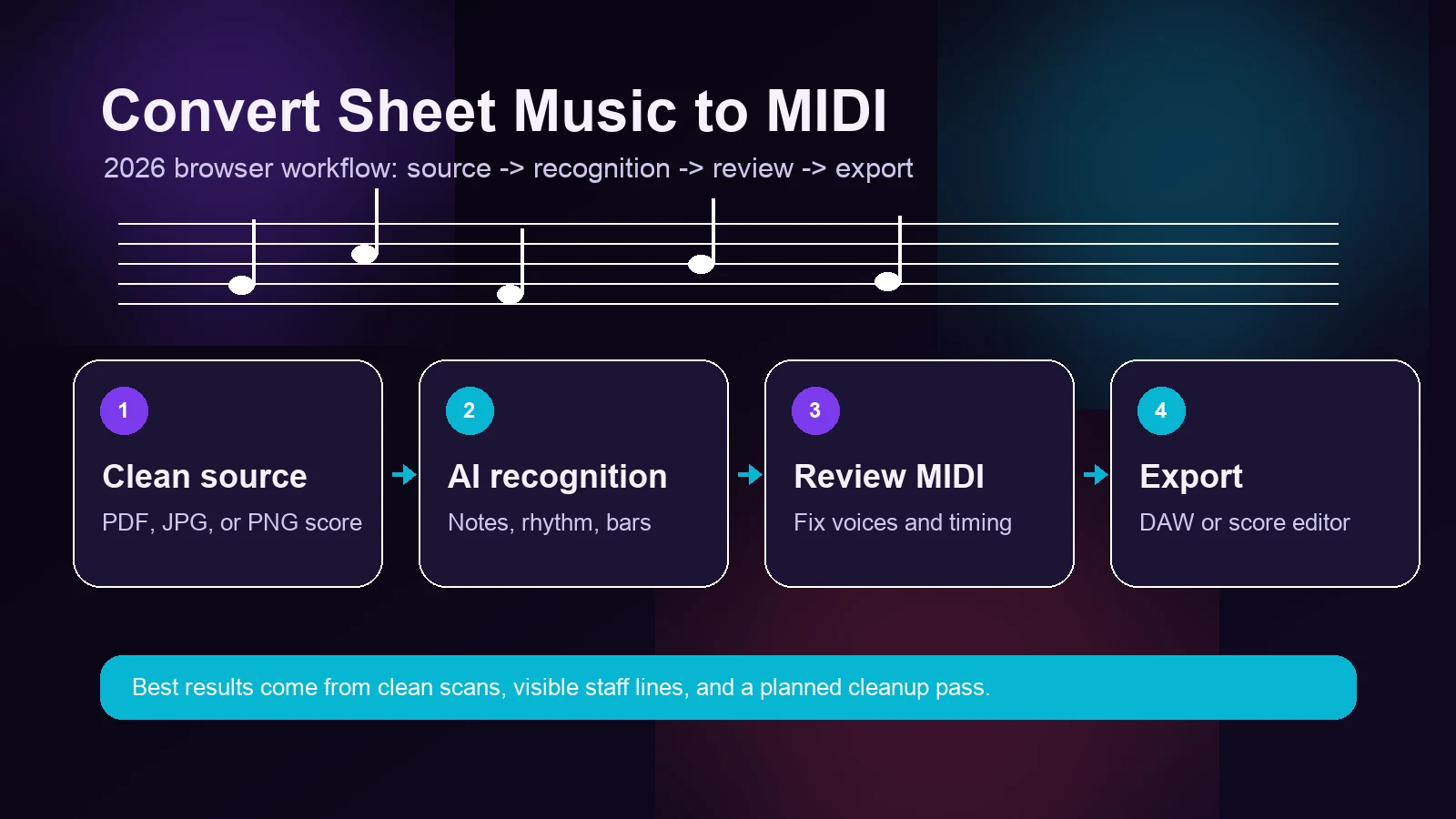
For sheet music, crop away the table, shadows, and page margins. Straighten the staff lines. Use one page at a time when the scan is difficult. If you are converting a score image or PDF, a sheet music to MIDI converter or PDF to MusicXML workflow works best when the staff lines, clefs, and measure groups are readable.
Rerun when the structure is wrong
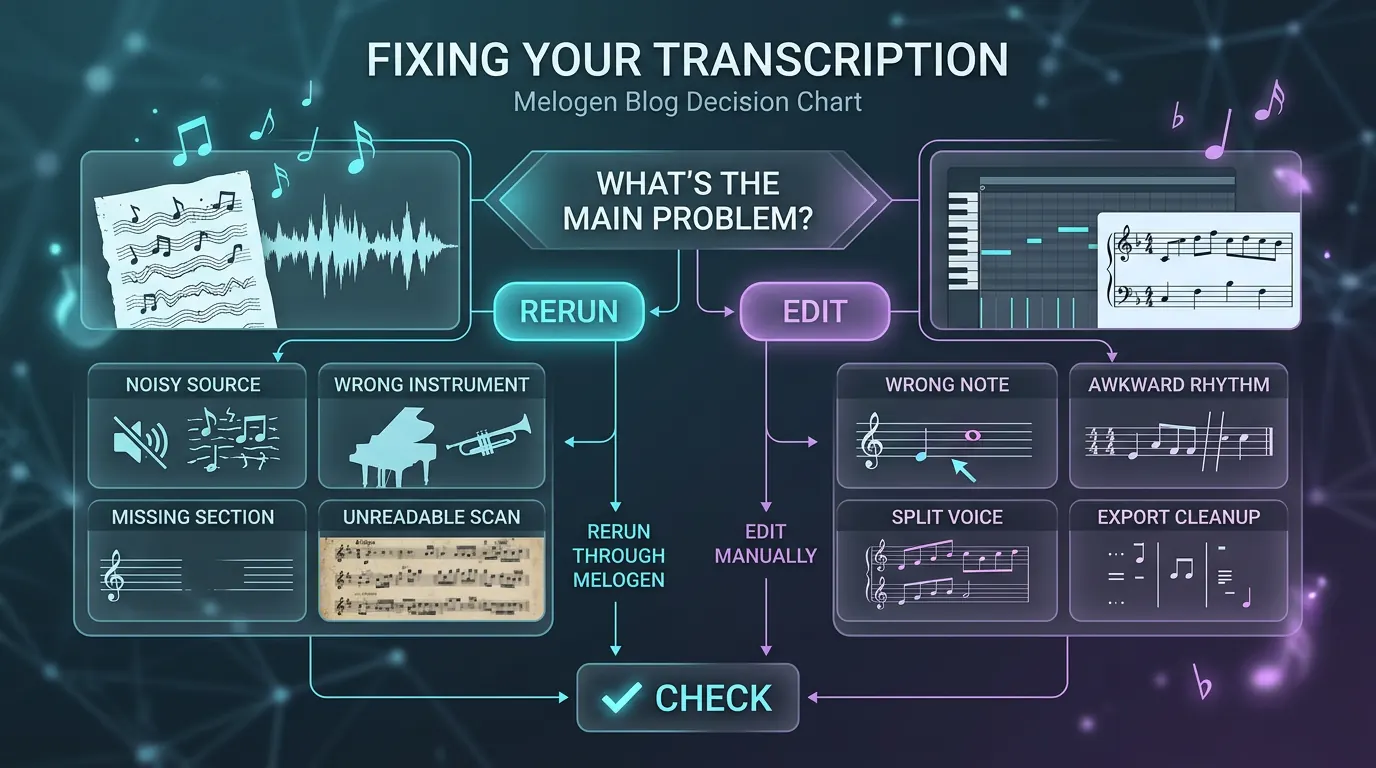
Rerun the transcription when the first pass misunderstood the shape of the music. This is the right move when entire phrases are missing, the instrument part is buried, the tempo map is unusable, the left and right hands are confused, or the score scan loses systems and bar lines.
Rerunning is not wasted time if you change the input. Try one meaningful change at a time:
- Use a cleaner audio file, shorter excerpt, or more isolated stem.
- Crop and straighten the score image before another OMR pass.
- Choose MIDI when playback and DAW editing matter most.
- Choose MusicXML when notation layout, voices, clefs, and articulations matter most.
- Split a dense passage into smaller sections if the first pass collapses the texture.
The useful question is: did the error happen before the file was exported? If yes, rerun. If no, edit.
Edit manually when the musical idea is already there
Manual cleanup makes sense when the transcription has captured the main musical idea. If the contour, rough pitches, and phrase boundaries are usable, you can often fix the rest faster in a DAW or notation editor.
For MIDI cleanup, check in this order:
| Cleanup pass | What to inspect | Why it comes first |
|---|---|---|
| Tempo and bar alignment | Downbeats, bar starts, count-in silence | Bad timing makes every later edit feel wrong |
| Note lengths | Overlaps, clipped releases, tied notes | This changes playback and notation readability |
| Pitch outliers | Notes outside the instrument range or phrase shape | These are usually easy recognition mistakes |
| Voice separation | Bass, melody, inner parts, drum lanes | Cleanup is faster when each part has its own lane |
| Dynamics and velocity | Accents, ghost notes, loud accidental hits | Musical feel often lives here, not only in pitch |
For notation cleanup, open MusicXML in a notation editor when possible. MIDI can show pitch and timing, but it does not preserve the full visual logic of a score. If you are deciding between the two, the MIDI vs MusicXML guide is the better next read.
Where Melogen fits
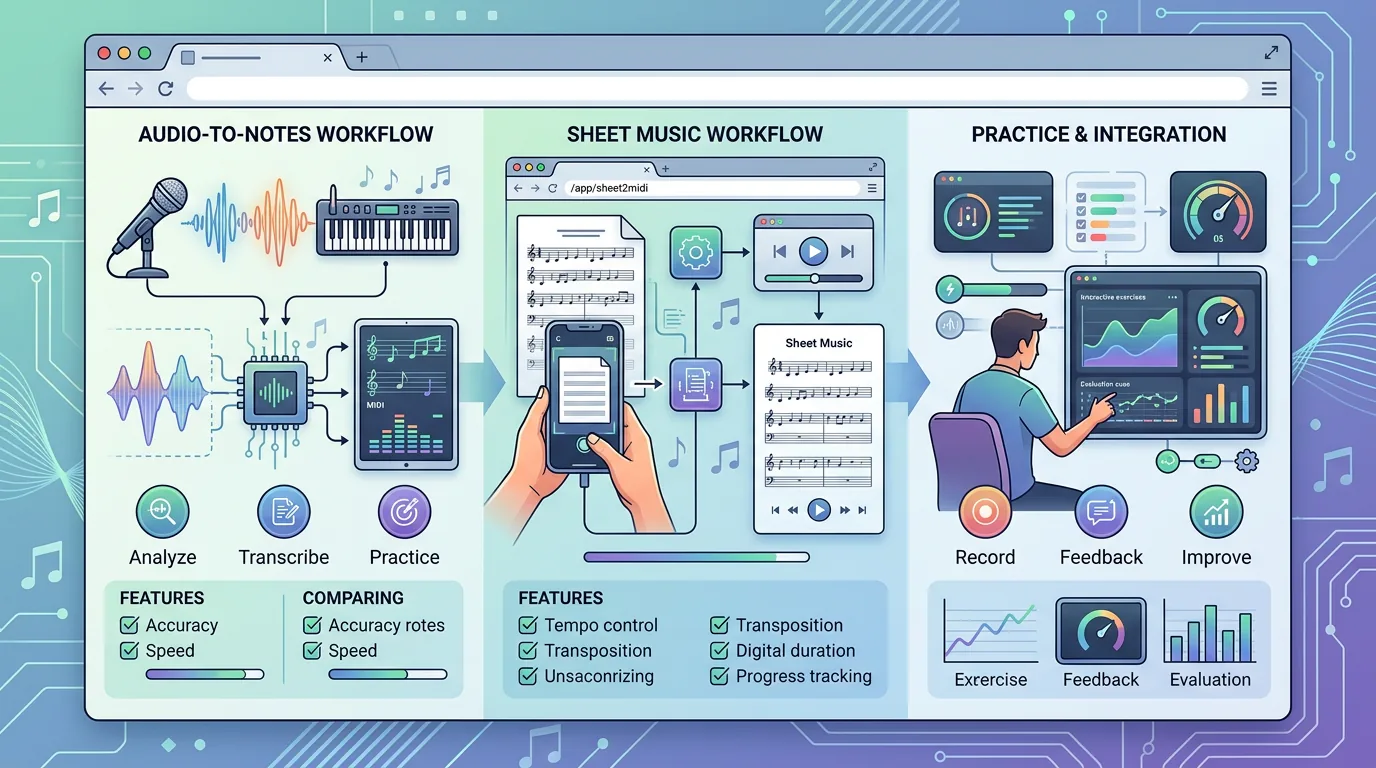
Melogen is useful when you want a fast browser-based first pass and an editable file you can finish elsewhere. The local product pages confirm three relevant routes:
| Starting point | Melogen route | Best output target |
|---|---|---|
| Audio, MP3, WAV, or vocal melody | Audio to MIDI | MIDI for DAW cleanup |
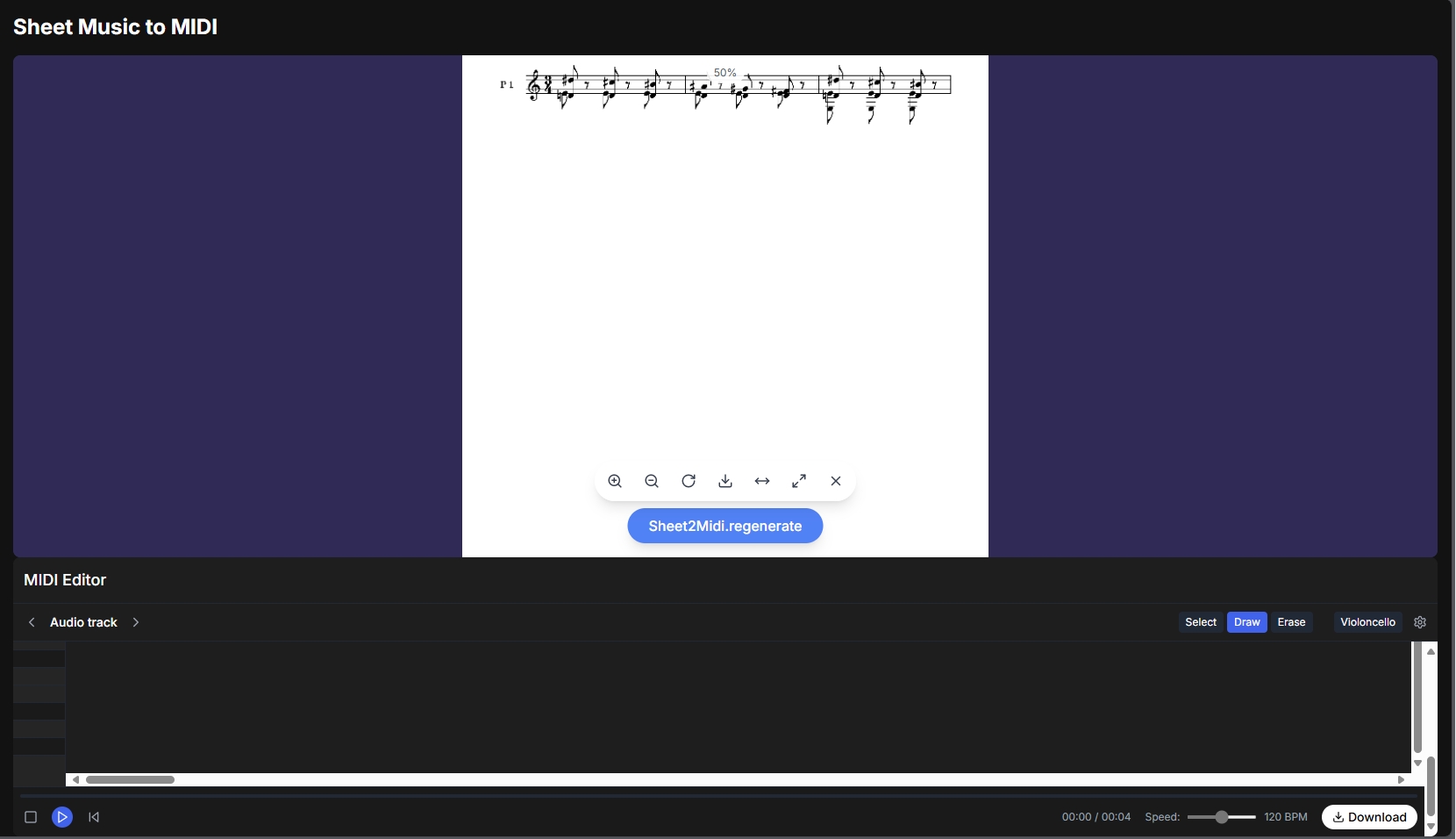
| Scanned sheet music, image, or PDF | Sheet2MIDI | MIDI for playback and arrangement |
| PDF score for notation editing | PDF to MusicXML | MusicXML for notation software |
The right expectation is a strong first pass, not final engraving. The Audio to MIDI page itself explains why conversion can need manual editing: overlapping frequencies, harmonics, and noise make audio transcription difficult. That is normal. Your job is to use the first pass to avoid blank-page work, then make the musical decisions a model cannot make for you.
If you are still at the beginning of the process, start with the broader transcribe audio into notes workflow. If you already have a usable but messy output, stay here and work through the triage steps.
Turn audio ideas into editable MIDI faster
Use Melogen Audio to MIDI when the fastest route is hearing the phrase, extracting the notes, and refining them in your DAW.
Keep a repeatable correction loop
Do not treat every transcription as a one-shot test. Use a repeatable loop so each pass teaches you something:
- Convert only the section you need first.
- Check bar count, tempo, and phrase shape.
- Mark errors as source, structure, or note-level cleanup.
- Rerun only when a changed source or output format can fix the root cause.
- Export, edit, and save the cleaned MIDI or MusicXML with a clear version name.
This is especially helpful for arrangements. A rough MIDI part can become a practice track, a sketch for orchestration, or a starting point for notation. A rough MusicXML file can become a cleaner score for Dorico, MuseScore, Sibelius, or another notation editor. The first pass gives you material. The correction loop turns it into music you can trust.
The practical takeaway
To fix bad music transcriptions, stop guessing and sort the problem first. Rerun when the source or structure is wrong. Edit manually when the musical idea is already captured. Use MIDI when you care about DAW cleanup and playback. Use MusicXML when you care about notation structure.
The fastest useful workflow is simple: improve the source, run one focused conversion, check the structure, then clean the output in the right editing environment. That keeps you out of endless note-by-note repair and gets you back to the actual musical work.
About the author
Zhang Guo
Composer - AI Product Manager
AI product manager and digital marketing consultant with a background in music. Creativity is the bridge between rhythm and logic, where musical intuition and mathematical precision can coexist in every meaningful product decision.
Follow on X