How to Tell What Key Sheet Music Is In
Learn how to identify the key of sheet music from the key signature, accidentals, final chord, and a quick playback check before transposing.
 Zhang Guo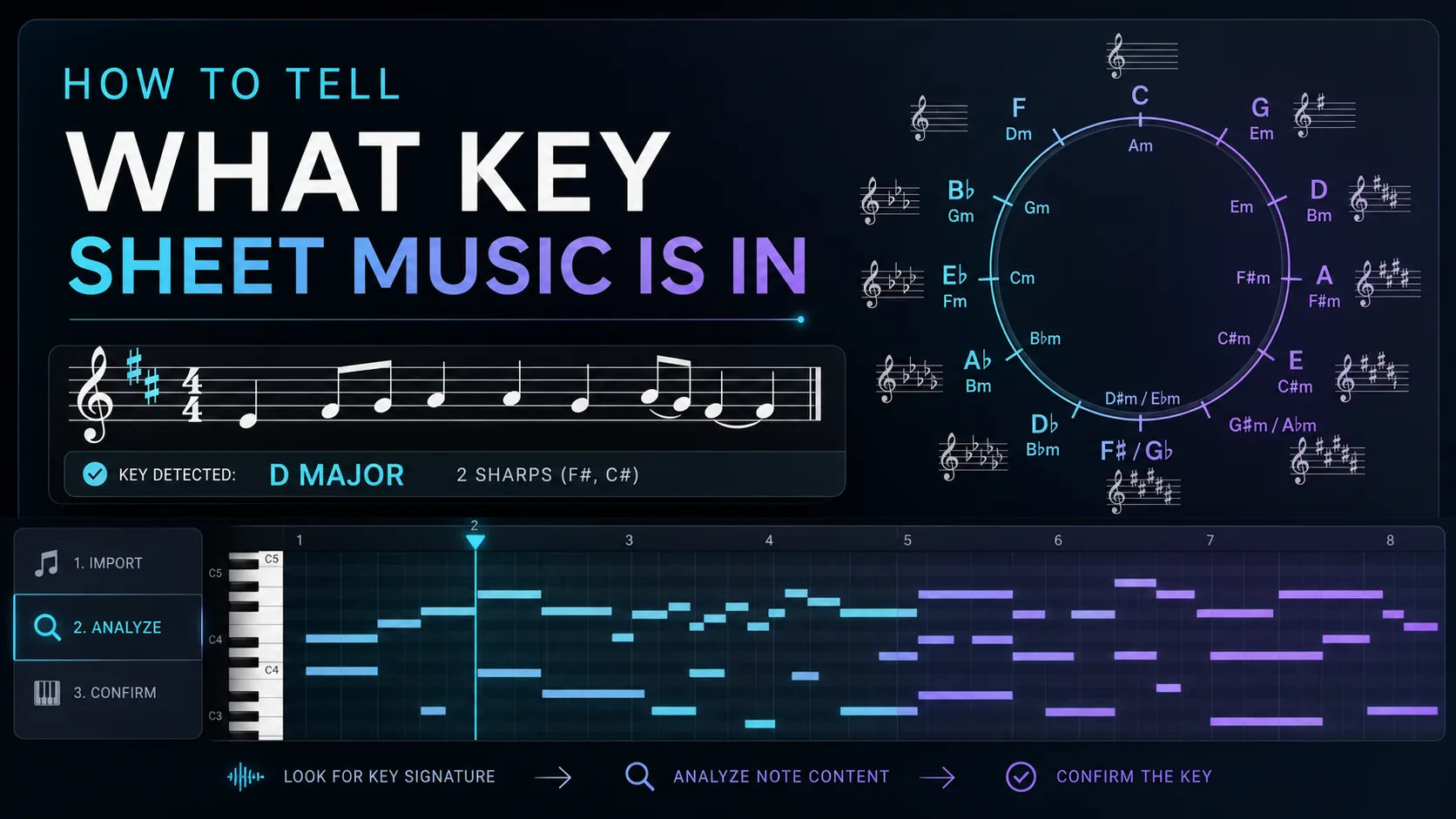
Turn a static score into editable MIDI
Contents
If you are wondering how to tell what key sheet music is in, start with the key signature at the beginning of the staff. Count the sharps or flats, name the likely major key, then check the final chord or final bass note to see whether the piece is actually in the relative minor. Accidentals, cadences, and playback can confirm the answer when the page is ambiguous.
That matters because the key is not just a theory label. It affects transposition, MIDI cleanup, chord naming, sight-reading, and how you decide whether a scanned score imported correctly. If a converter reads the notes but misses the key center, the MIDI can still sound technically close while the harmony feels wrong.
Start with the key signature
The key signature is the group of sharps or flats after the clef and before the time signature. It narrows the answer to a key family. For example, one sharp usually points to G major or E minor. Two flats usually point to B-flat major or G minor.
Use this quick table as the first pass:
| Key signature | Likely major key | Relative minor | What to check next |
|---|---|---|---|
| No sharps or flats | C major | A minor | Does the music settle on C or A? |
| 1 sharp | G major | E minor | Look for F-sharp and the final chord |
| 2 sharps | D major | B minor | Check whether C-sharp and F-sharp feel structural |
| 3 sharps | A major | F-sharp minor | Watch for G-sharp leading to A |
| 1 flat | F major | D minor | Look for B-flat and the ending bass note |
| 2 flats | B-flat major | G minor | Check whether the final cadence lands on B-flat or G |
| 3 flats | E-flat major | C minor | Watch for B-natural accidentals in minor passages |
If you are still learning the staff, read the broader sheet music reading guide before going deep into key signatures. The key only makes sense once clefs, measures, and note names are stable.
Check accidentals before trusting the first answer
The key signature gives you the default scale, but accidentals show how the music behaves inside that key. A piece with no sharps or flats might still use many G-sharps because it is in A minor. A piece with two flats might add F-sharps because it is moving through G minor or a temporary dominant chord.
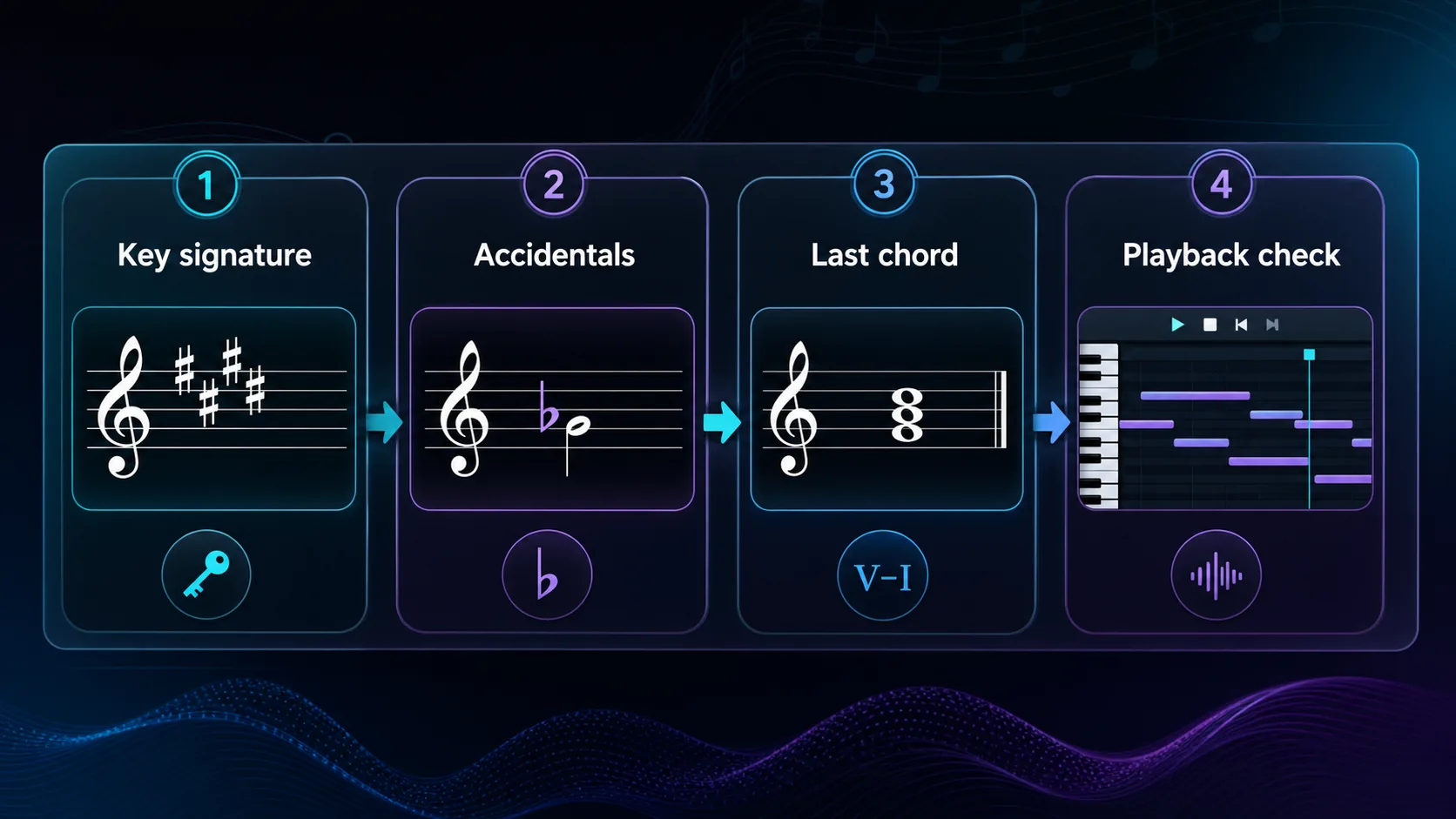
Use accidentals this way:
- Scan the first full phrase and the final phrase.
- Mark accidentals that repeat in important places.
- Ignore one-off chromatic passing notes until you see a pattern.
- Look for a raised seventh in minor keys, such as G-sharp in A minor or D-sharp in E minor.
Accidentals are easy to overread. A single chromatic note does not change the key. A repeated accidental near cadences, bass motion, or melodic arrivals is more important. If a symbol itself is unfamiliar, the sheet music symbols and meanings guide is the better companion page.
Use the final chord and melody center as a tie-breaker
Most tonal pieces end on the tonic chord, or at least on a note that points strongly back to it. That final landing is the fastest way to choose between major and relative minor.
Try this simple test:
| What you see | Likely interpretation | Example |
|---|---|---|
| Key signature has no sharps/flats and the last chord is C | C major | The melody feels resolved on C |
| Key signature has no sharps/flats and the last bass note is A | A minor | G-sharps may appear before A |
| Key signature has one sharp and the last chord is G | G major | F-sharp belongs to the key signature |
| Key signature has one sharp and the last chord is E minor | E minor | D-sharp may appear near cadences |
| Key signature has two flats and the last chord is G minor | G minor | F-sharp may appear as a raised seventh |
The melody can help too. If the most settled note at phrase endings keeps returning to E, the piece may be in E minor even if the key signature also matches G major. If phrases keep landing on G, G major is more likely.
Verify the key with playback or MIDI cleanup
When the page is clean, your eyes may be enough. When the score is scanned, handwritten, cropped, or full of modulations, use playback as a second check.
The practical workflow is:
- Identify the likely key from the page.
- Convert a short, readable section into MIDI.
- Open the MIDI in a DAW or notation editor.
- Check whether the piano roll and chord arrivals match the key you expected.
- Fix the key signature or accidentals before deeper note editing.
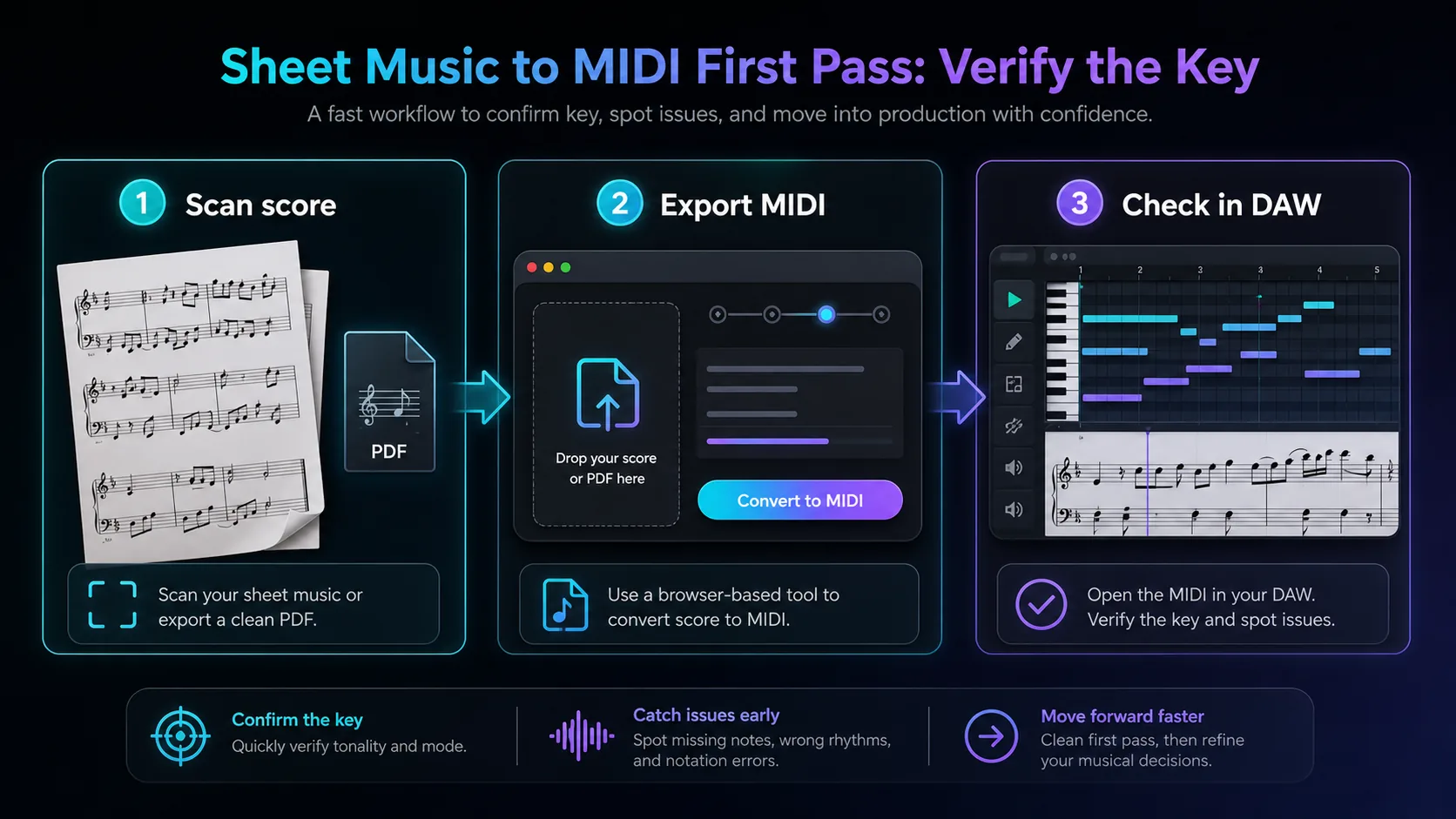
Melogen fits when your source is visible notation: PDF, JPG, or PNG sheet music. The local Sheet2MIDI page describes a browser workflow that recognizes notes, rests, time signatures, and key signatures, then exports standard MIDI for DAWs or notation software. Use Sheet2MIDI when the source can be read as a score. Use PDF to MIDI for PDF scores and image to MIDI for photos or scans.
Do not treat the first MIDI export as a verdict. Treat it as a fast listening check. If the harmony sounds centered somewhere other than the key you named, go back to the final chord, bass line, and accidentals before editing every note.
Watch for cases where the key changes
Some scores do not stay in one key. A beginner method book may stay simple, but pop, jazz, hymns, musical theater, and classical pieces often move between centers.
Common cases:
| Situation | What it means | What to do |
|---|---|---|
| New key signature appears mid-piece | Formal key change | Name the new key from that point forward |
| Accidentals cluster for several measures | Temporary tonicization or modulation | Check phrase endings before renaming the whole piece |
| The bridge feels brighter or darker | Section-level key shift | Compare the first chord and last chord of the section |
| Chord symbols disagree with the key signature | Arrangement may use borrowed chords | Trust the cadence more than one chord label |
| The ending returns to the opening key | Temporary middle-section modulation | Keep the home key, but note the detour |
This is where key-finding connects to transposition. If your next task is moving the piece for a singer or instrument, read how to transpose music after you identify the real home key.
Where Melogen fits without overclaiming
Melogen can help you move from a static score into an editable MIDI draft. That is useful when you want to hear the harmony, inspect a piano roll, or hand the part to a DAW. It does not replace musical judgment about relative minor, modulations, borrowed chords, or ambiguous endings.
Use Melogen when:
- the source is a readable score, PDF, scan, or photo
- you want a quick playback check before transposition
- you need MIDI lanes to inspect notes and chord arrivals
- the key signature is visible but the harmony still feels unclear
Do the theory check yourself when:
- the score is a lead sheet with only chord symbols
- the page is cropped before the key signature
- the music changes key several times
- the piece is modal, atonal, or intentionally avoids a clear tonic
Check a score by turning it into editable MIDI
Upload a clean score to Melogen Sheet2MIDI, listen to the first pass, then confirm the key before you transpose or clean the file.
The practical takeaway
The fastest way to tell what key sheet music is in is to combine three clues: key signature, final landing, and repeated accidentals. The key signature gives you the family. The final chord or bass note tells you whether it is major or relative minor. Accidentals and playback help when the page is less obvious.
Use this checklist:
- Count the sharps or flats.
- Name the likely major key and relative minor.
- Check the final chord or final bass note.
- Look for repeated accidentals near cadences.
- Play or export a short section if the answer still feels uncertain.
- Mark any section where the key changes instead of forcing one answer onto the whole piece.
Once the key is right, everything downstream gets easier: chord naming, MIDI cleanup, transposition, rehearsal tracks, and notation editing all start from the same musical center.
About the author
Zhang Guo
Composer - AI Product Manager
AI product manager and digital marketing consultant with a background in music. Creativity is the bridge between rhythm and logic, where musical intuition and mathematical precision can coexist in every meaningful product decision.
Follow on X