Sheet Music Symbols and Meanings Explained
Learn the sheet music symbols and meanings that matter for reading, scanning, and cleaning up scores before MIDI or MusicXML export.
 Zhang Guo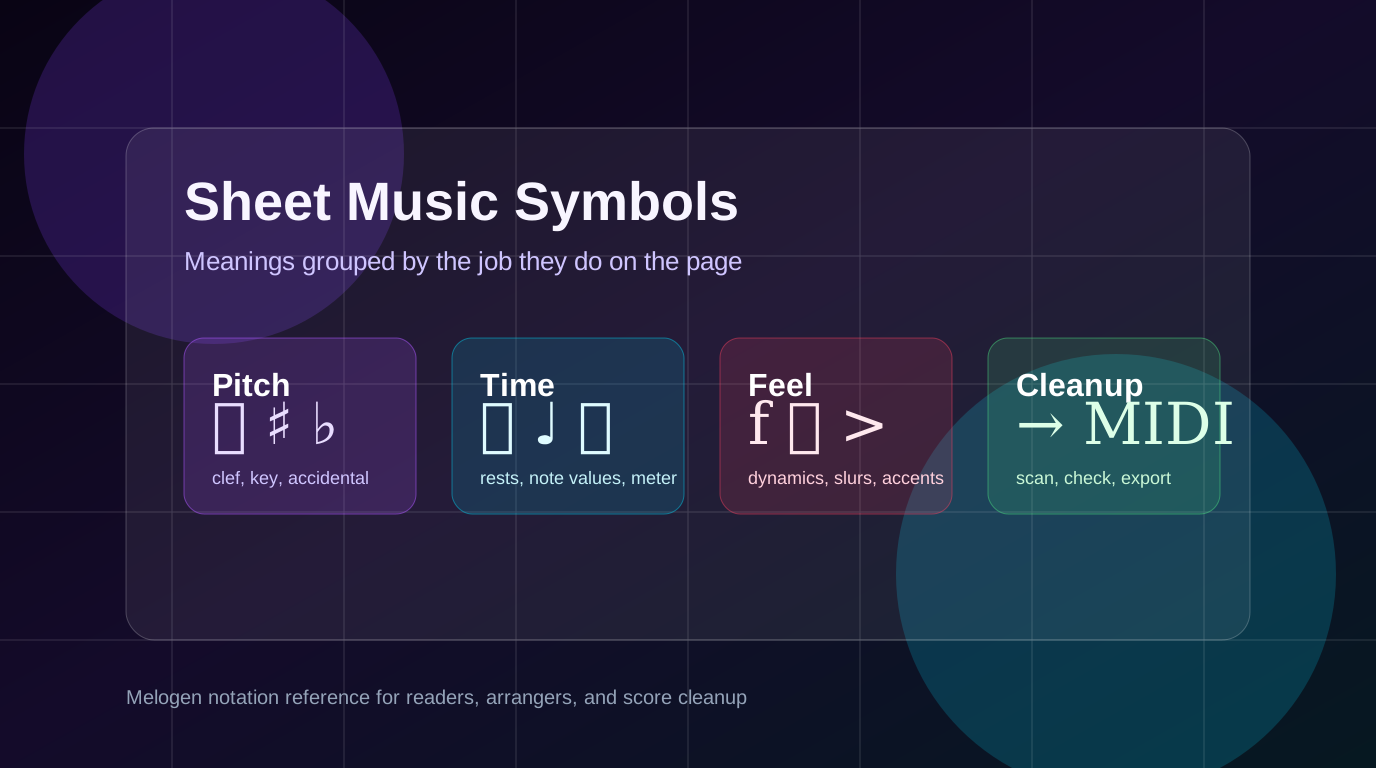
Turn a static score into editable MIDI
Contents
Sheet music symbols and meanings are easier to learn when you stop treating every mark as a separate mystery. Most symbols do one of four jobs: define pitch, organize time, shape expression, or tell the reader where to go next.
That matters even more when you scan a score or convert notation into MIDI. A missed clef can move every note into the wrong range. A missed tie can split one held note into two attacks. A missed repeat can make playback feel like the page is broken, even when the notes themselves were recognized.
Start with the symbols that define pitch
Pitch symbols tell you which note a notehead represents. If these are wrong, everything downstream becomes harder to fix.
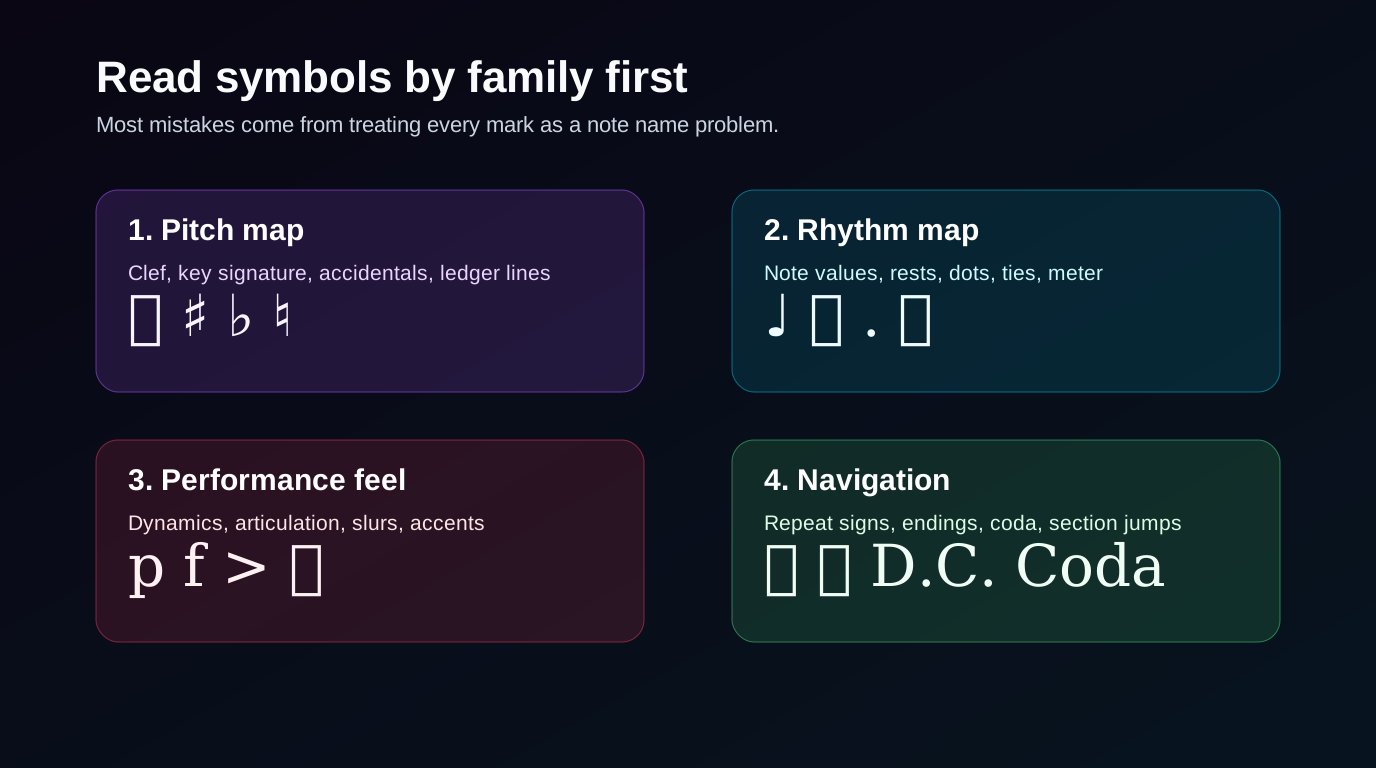
The clef is the first pitch symbol to read. A treble clef, bass clef, alto clef, or tenor clef changes the meaning of the same staff position. Key signatures then set the default sharps or flats for the piece. Accidentals such as sharps, flats, and naturals override that default for nearby notes.
Use this quick reference when you scan the first line of a score:
| Symbol family | Common marks | What it means | Why it matters |
|---|---|---|---|
| Clef | Treble, bass, alto, tenor | Defines the pitch map for the staff | A wrong clef can shift the whole part into the wrong register |
| Key signature | Sharps or flats after the clef | Sets default altered notes for the key | Missing key signatures create repeated wrong pitches |
| Accidental | Sharp, flat, natural | Changes one note from the key default | Local accidentals often explain "almost right" scan errors |
| Ledger line | Short lines above or below staff | Extends the staff range | High and low notes depend on counting these accurately |
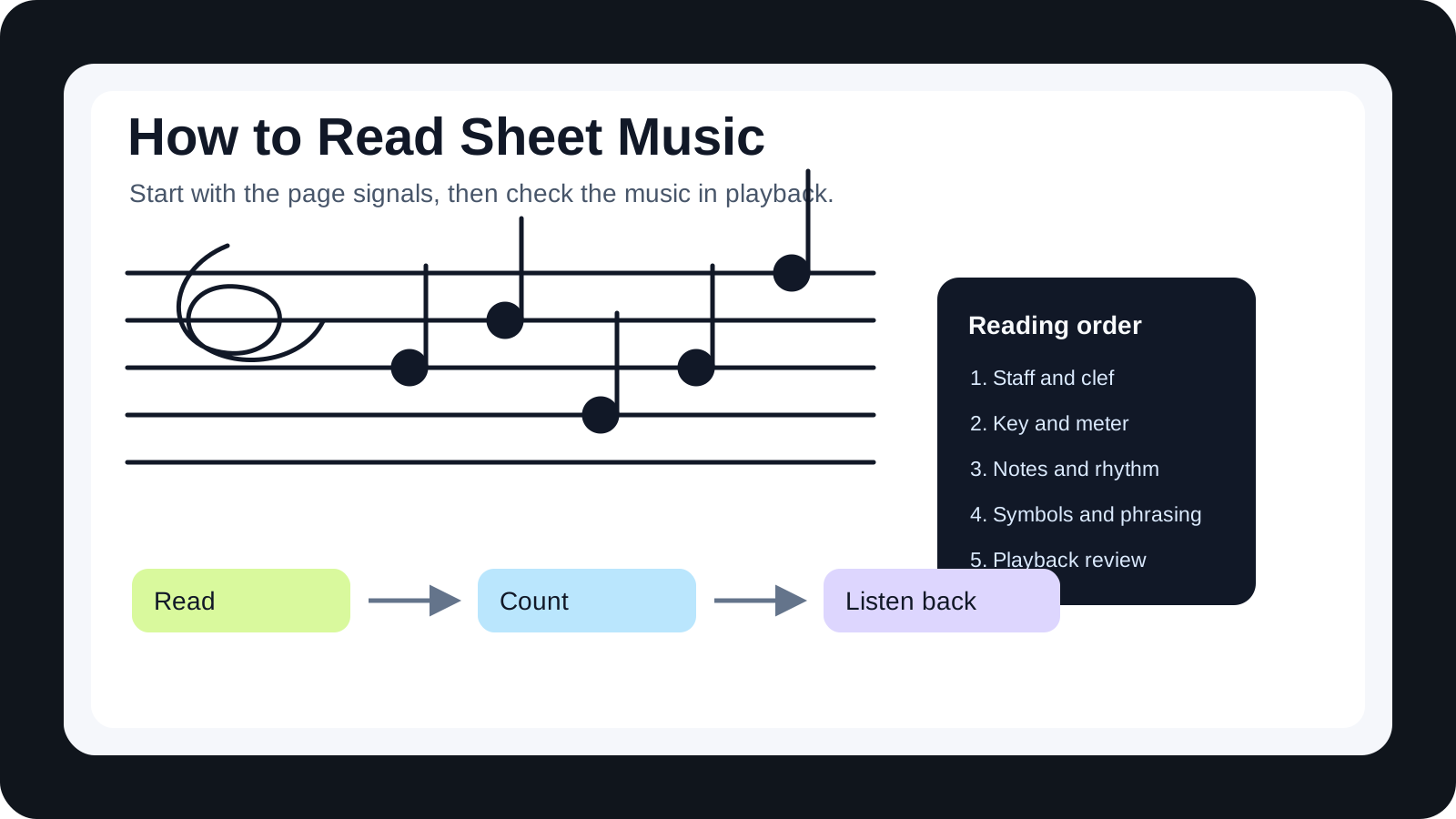
If you are still learning the staff itself, start with the broader guide on how to read sheet music. This article focuses on the symbols you need to identify quickly once the staff map is in place.
Rhythm symbols tell you how long notes last
Rhythm symbols answer a different question: how long should the sound or silence last?
Note values, rests, dots, ties, beams, bar lines, and time signatures all belong in this layer. A quarter note and a quarter rest do opposite things, but they both occupy time. A dot after a note adds half of the note's value. A tie connects two notes of the same pitch so they sound as one longer note.
This is where many cleanup mistakes happen after optical music recognition. The pitch may be right, but the playback can still feel choppy because a tie became two separate notes or a dotted rhythm became a straight rhythm.
| Rhythm symbol | Meaning | Cleanup check |
|---|---|---|
| Note value | How long a note sounds | Compare the note length against the beat grid |
| Rest | How long silence lasts | Make sure rests did not become short notes |
| Dot | Adds half the note value | Check dotted rhythms before quantizing |
| Tie | Holds the same pitch across notes | Merge tied notes instead of retriggering them |
| Time signature | Beats per measure and beat unit | Confirm bar lines land in the expected places |
| Beam | Groups short notes visually | Check whether grouped notes kept the right durations |
The important distinction is that ties change duration, while slurs change phrasing. They can look similar because both use curved lines. A tie connects the same pitch. A slur connects different notes so they are played smoothly.
Expression marks change how the notes should feel
Expression symbols do not usually change the written pitch or duration. They change the performance.
Dynamics such as p, mp, f, and ff tell the musician how loud to play. Articulation marks such as staccato dots, accents, tenuto lines, and slurs tell the musician how each note should start, connect, or release. Tempo marks and expressive text tell the performer how the passage should move.
Read expression after pitch and rhythm. If the score is in the wrong key or the rhythm is broken, polishing dynamics will not fix the musical problem. But once the structure is right, expression marks help the converted result feel less mechanical.
Use this order:
- Confirm the clef and key signature.
- Check note values, rests, dots, and ties.
- Review repeats and endings so the form is right.
- Then adjust dynamics, accents, slurs, and phrasing.
For jazz and lead-sheet contexts, expression and shorthand can become denser. The jazz music notation guide explains how chord symbols, swing feel, and chart conventions change the reading job.
Navigation symbols control the path through the page
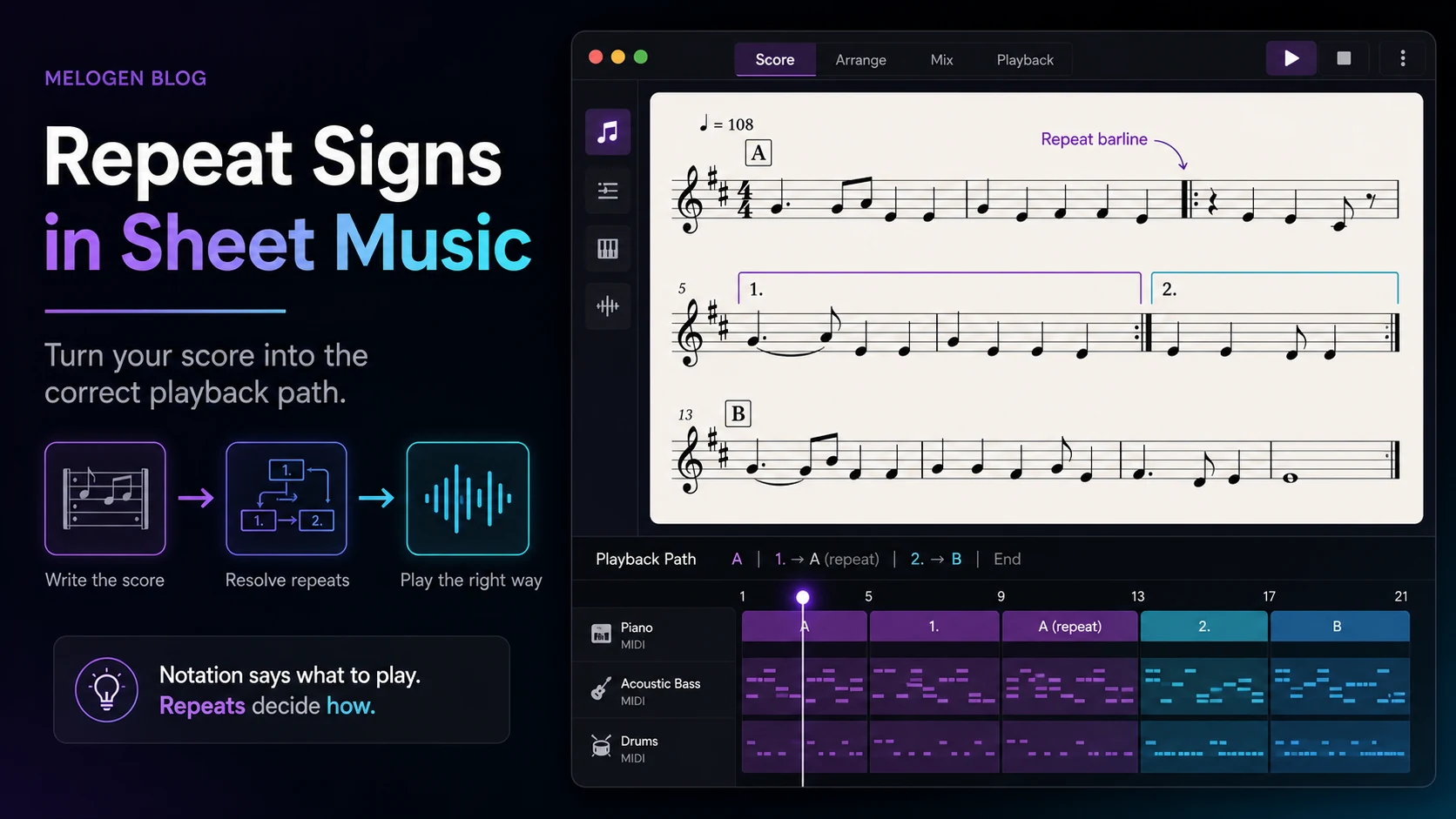
Navigation symbols tell you the order of the music. Repeat signs, first and second endings, D.C., D.S., coda, and segno marks can make a short printed page represent a longer performance.
These marks are easy to miss in a scan because they are not always attached to one note. They may sit above the staff, at a bar line, or near a rehearsal mark. If you export MIDI from a score and the form feels too short, too long, or out of order, navigation marks are one of the first things to check.
Here is the practical meaning:
| Navigation mark | Plain meaning | What to check after conversion |
|---|---|---|
| Repeat signs | Play a section again | Did the exported playback repeat or stay linear? |
| First and second endings | Use one ending first, another ending later | Did the form choose the correct ending order? |
| D.C. | Go back to the beginning | Did playback return to the top? |
| D.S. | Go back to the sign | Did playback jump to the segno mark? |
| Coda | Jump to a closing section | Did the ending land in the right place? |
Some workflows flatten repeats into a straight timeline. That can be fine if your goal is DAW editing. It is less fine if you need a notation file that preserves the printed form. For that decision, compare whether you need MIDI playback or notation-aware editing in MIDI vs MusicXML.
Use symbols as a scan cleanup checklist
When a converted score sounds wrong, do not start by changing random notes. Use the symbol families as a checklist.
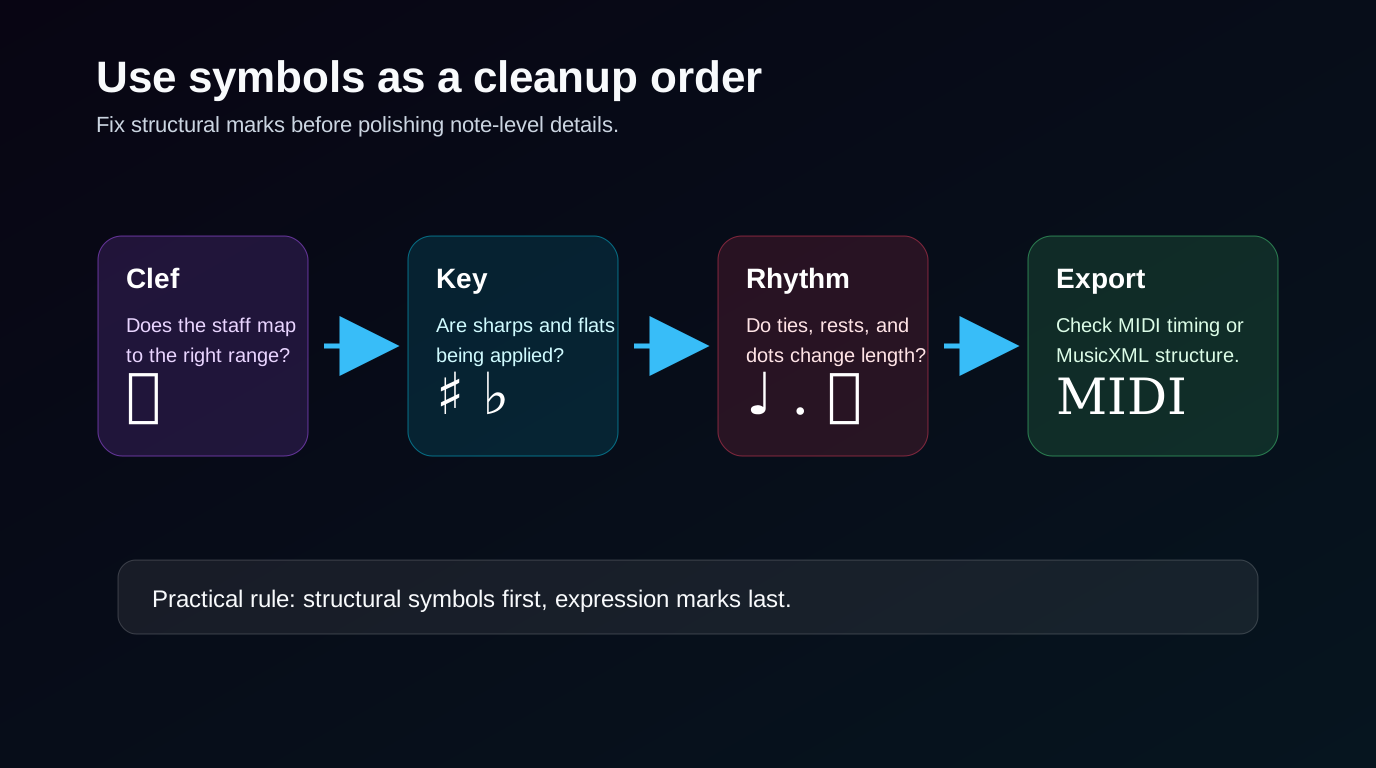
Start with the marks that affect the largest amount of music. A wrong clef can damage every note on a staff. A missing key signature can create repeated wrong accidentals. A missed tie can create a rhythm problem across a measure boundary. Expression marks are important, but they should come after the structural checks.
Use this workflow before deep editing:
| Cleanup layer | Question to ask | Fix before moving on |
|---|---|---|
| Pitch map | Are the clefs and key signatures correct? | Repair staff-level pitch assumptions |
| Local pitch | Did accidentals and ledger lines survive? | Fix the visible note errors |
| Rhythm | Did rests, dots, and ties export correctly? | Correct durations and sustained notes |
| Form | Did repeats and endings behave as expected? | Choose flattened playback or score-faithful form |
| Expression | Did dynamics and articulations matter for this use case? | Add phrasing detail only after structure is stable |
This order keeps cleanup efficient. If you fix individual wrong notes before the clef is right, you may be correcting symptoms instead of the cause.
Where Melogen fits after you understand the page
Melogen is useful when you already have readable notation and want a browser-based first pass into editable music data. The Sheet2MIDI route supports sheet music images and PDFs, including JPG, PNG, and PDF inputs, with MIDI output for DAW review.

Use the symbol checklist before and after conversion:
- Choose the clearest scan or PDF you have.
- Look for clefs, key signatures, time signatures, repeats, and dense accidentals.
- Upload the score to Sheet2MIDI.
- Review the MIDI by staff range, rhythm, and form before editing expression.
- If notation structure matters more than playback, consider a MusicXML workflow instead.
The broader sheet music to MIDI workflow covers source quality and DAW handoff. Use this symbols guide as the page-reading checklist that keeps the first pass from turning into guesswork.
Turn readable notation into editable MIDI
Use Melogen Sheet2MIDI for the first conversion pass, then check clefs, key signatures, ties, repeats, and rhythm before polishing the result.
FAQs
What are the most important sheet music symbols to learn first?
Learn clefs, key signatures, time signatures, note values, rests, accidentals, ties, slurs, dynamics, and repeat signs first. Those symbols explain the largest reading decisions on most beginner and intermediate scores.
What is the difference between a tie and a slur?
A tie connects two notes of the same pitch so they sound as one longer note. A slur connects different notes and tells the performer to play them smoothly.
Do dynamics matter when converting sheet music to MIDI?
Dynamics matter, but they are usually a later cleanup layer. First confirm pitch, rhythm, ties, and repeats. Then adjust velocity, accents, and phrasing if the MIDI output needs a more musical performance.
Should I memorize every music symbol before scanning a score?
No. Learn the families first. You need to know whether a mark changes pitch, rhythm, expression, or navigation. Then you can look up rare ornaments or advanced markings when they appear.
The practical takeaway
Sheet music symbols are not just decorations around notes. They are instructions for pitch, time, expression, and form. Read them in that order and score cleanup becomes much less random.
Before you convert a score, check the symbols that affect the whole page. After conversion, use the same order to diagnose mistakes. Clefs and key signatures first. Rhythm and ties next. Repeats and endings before form decisions. Expression last, once the structure is stable.
About the author
Zhang Guo
Composer - AI Product Manager
AI product manager and digital marketing consultant with a background in music. Creativity is the bridge between rhythm and logic, where musical intuition and mathematical precision can coexist in every meaningful product decision.
Follow on X