How to Write Prompts for Suno AI Music With More Control
Learn how to write prompts for Suno AI music using clear style, structure, lyric, exclusion, and iteration rules for more focused song drafts.
 Zhang Guo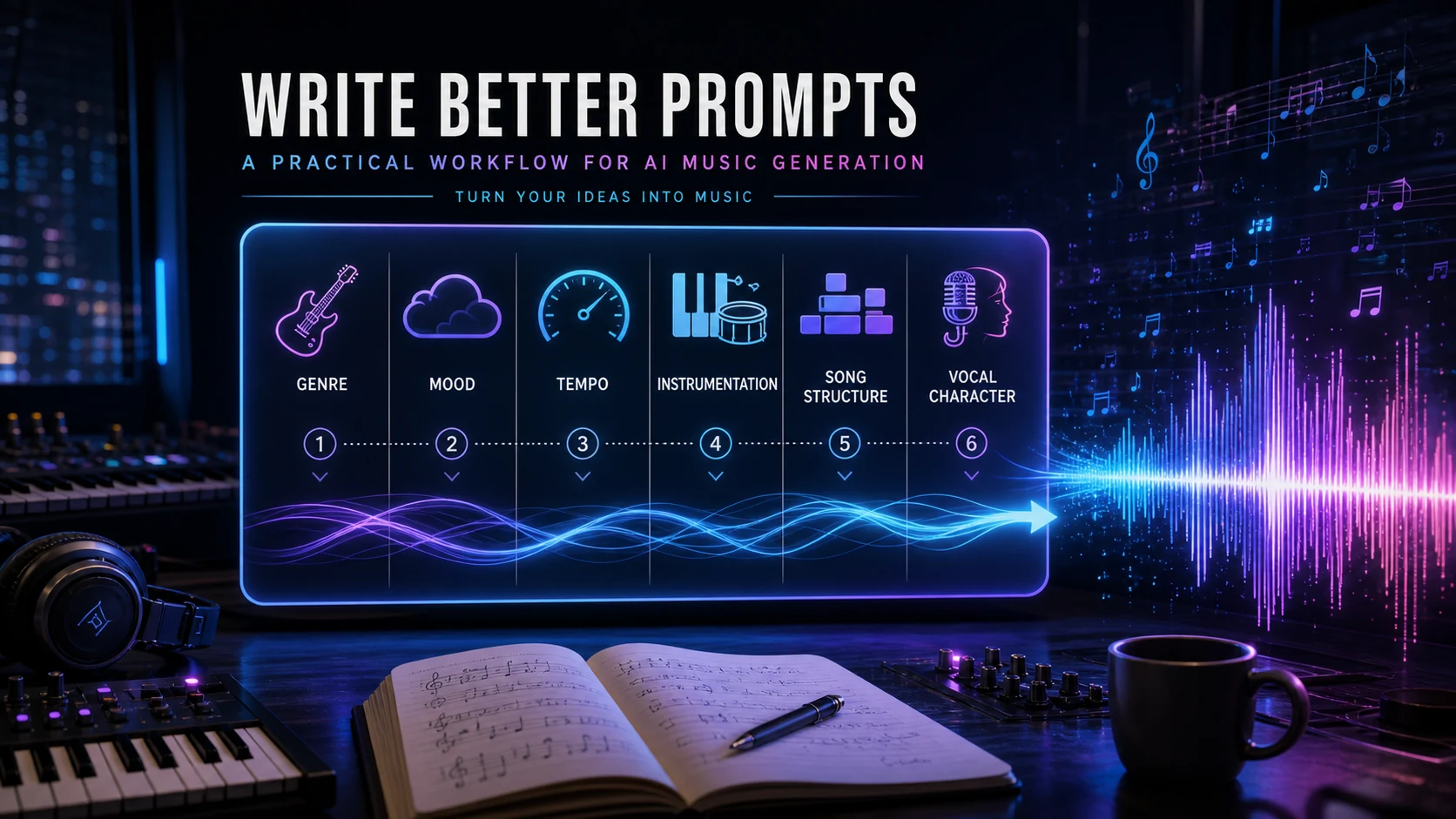
Turn a static score into editable MIDI
Contents
If you are learning how to write prompts for Suno AI music, define the musical job first, then describe the genre, tempo or groove, instrumentation, vocal direction, structure, and production character. In Custom mode, keep the style brief focused, put original lyrics and song context in the Lyrics field, list unwanted elements in Exclude when that control is available, and revise one variable at a time.
That method gives Suno a clearer musical brief without pretending that a prompt can remove every surprise from generative music. The goal is not to write the longest possible prompt. It is to make each instruction do one job.
Start with the result you want to hear
Before choosing adjectives, write one sentence that describes the result in practical terms. A useful starting line might be: "A restrained instrumental cue that begins sparsely, builds tension, and ends with a wide final section." That sentence gives every later choice a purpose.
Ask four questions:
- What is the song for: a vocal single, background cue, demo, loop, or arrangement sketch?
- What should happen over time: stay steady, rise gradually, drop into a chorus, or finish abruptly?
- Which element should lead: voice, guitar, piano, drums, bass, synth, or orchestral texture?
- What should the listener feel: calm, uneasy, triumphant, intimate, playful, or heavy?
Avoid opening with a pile of praise words such as "amazing, beautiful, epic, professional." Those words express approval, but they do not tell the model what to play. A tempo feel, an instrument, and a structural arc provide more usable direction.
If you are still deciding whether Suno suits the project, read the separate guide to whether Suno is the best AI music generator. The workflow below assumes you have already chosen Suno and want to improve the prompt itself.
Step 1 Choose Simple or Custom mode
Simple mode works well when you can express the entire musical idea as one compact description. It is a fast way to test direction before investing time in lyrics or detailed controls.
Custom mode is better when you need to separate parts of the brief. Suno's current help documentation describes controls for lyrics, instrumental output, styles, advanced options, and a title. Product labels can change, so use the fields shown in your account rather than treating this article as a frozen map of the interface.
Choose Simple mode when:
- you are testing a genre or mood quickly
- the song is instrumental or does not need fixed lyrics
- you want to discover a direction before refining it
Choose Custom mode when:
- you have original lyrics or a specific song section in mind
- the vocal character and arrangement need separate instructions
- you want to exclude an unwanted element
- you plan to reuse the prompt and compare controlled revisions
The important choice is not which mode is "better." It is whether the prompt needs one field or several clearly assigned jobs.
Step 2 Build the style prompt from six musical decisions
A reliable style prompt is a compact musical brief. Build it from the following six decisions, then remove anything that does not affect the result.
| Prompt dimension | Question to answer | Useful detail |
|---|---|---|
| Genre and blend | What musical language should lead? | indie folk with restrained electronic texture |
| Tempo and groove | How should the pulse feel? | 92 BPM, steady tom groove, relaxed swing |
| Instrumentation | Which sounds should carry the arrangement? | clean guitar arpeggios, warm bass, sparse piano |
| Vocal direction | Who sings and how? | intimate low-register lead, dry close vocal |
| Structure and dynamics | How should the song develop? | sparse opening, gradual crescendo, wide final section |
| Production character | What should the recording feel like? | natural room ambience, narrow verses, wider chorus |
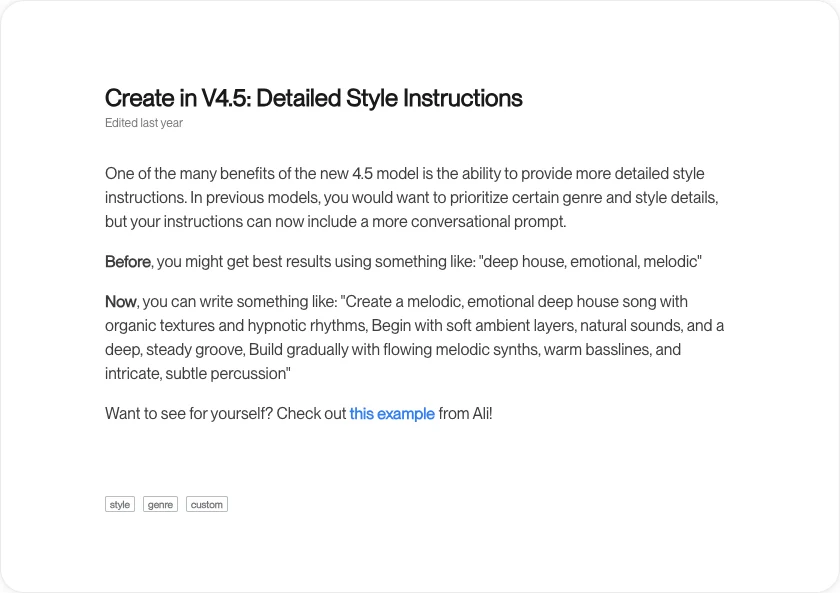
Suno's official guide to detailed style instructions recommends a more conversational approach to style prompts. That is useful because musical relationships are often clearer in a sentence than in a disconnected tag cloud.
Here is the six-part recipe in one prompt:
Restrained cinematic post-rock instrumental at 92 BPM, steady tom groove, clean electric guitar arpeggios, warm bass, sparse opening, gradual crescendo, wide final section, natural room ambience.
Notice what the prompt does not include. It does not name a famous artist, promise a masterpiece, or repeat the same mood in five ways. Every phrase changes genre, pulse, instrumentation, structure, or production.
Step 3 Put each instruction in the right field
In Custom mode, assign each instruction to the field where it is easiest to understand and revise.
Use the Styles field for the musical brief: genre, groove, instrumentation, vocal character, structure, texture, and production. Use the Lyrics field for your own lyrics, section markers, and lyric-specific context. Suno's help page on better prompts in the Lyrics box also shows that lyric context can guide the performance, so this is a practical separation rather than an absolute wall.
A clean division might look like this:
Styles
Intimate alternative folk, 78 BPM, fingerpicked acoustic guitar, soft upright bass, close low-register vocal, restrained verses, fuller final chorus, warm room sound.
Lyrics
[Verse 1: quiet and conversational]
Add your original lyric draft here.
[Chorus: wider delivery, short held final phrase]
Use section labels only when they make the intended form clearer. Too many production notes inside every lyric line can make the instruction harder to scan. Start with the main transitions, listen, and add detail only where the result keeps missing the intended turn.
If you need better musical vocabulary, Suno maintains a music glossary for prompting covering areas such as tempo, dynamics, structure, instrumentation, vocal technique, texture, and production effects.
Step 4 Use exclusions and creative controls carefully
When the current interface provides an Exclude field, put unwanted sounds there instead of crowding the main style prompt with repeated negatives. For example, the positive brief can describe acoustic guitar, bass, and close vocals, while Exclude contains "drum machine, distorted guitar, choir."
Keep exclusions concrete. "No bad instruments" is subjective; "no brass section" is observable. Do not exclude so many elements that the prompt loses a workable arrangement.
Some Suno surfaces also expose creative controls such as style influence, weirdness, or audio influence. Their availability and labels can vary by model, input, or interface. Treat them as experiment controls, not permanent rules. Change one setting, compare the two outputs, and record what improved.
Avoid prompting with a living artist's name or asking for an exact imitation. Apart from the creative and rights concerns, Suno's moderation guidance notes that names of well-known people and copyrighted or trademarked terms can cause a generation to be blocked. Describe the musical properties you want instead: vocal register, guitar tone, rhythm feel, decade, arrangement density, or production texture.
Step 5 Reuse the prompt and change one variable
A strong first prompt is helpful; a disciplined revision loop is more valuable. Generate two versions from the same brief, compare the same four qualities, and revise only the weakest dimension.
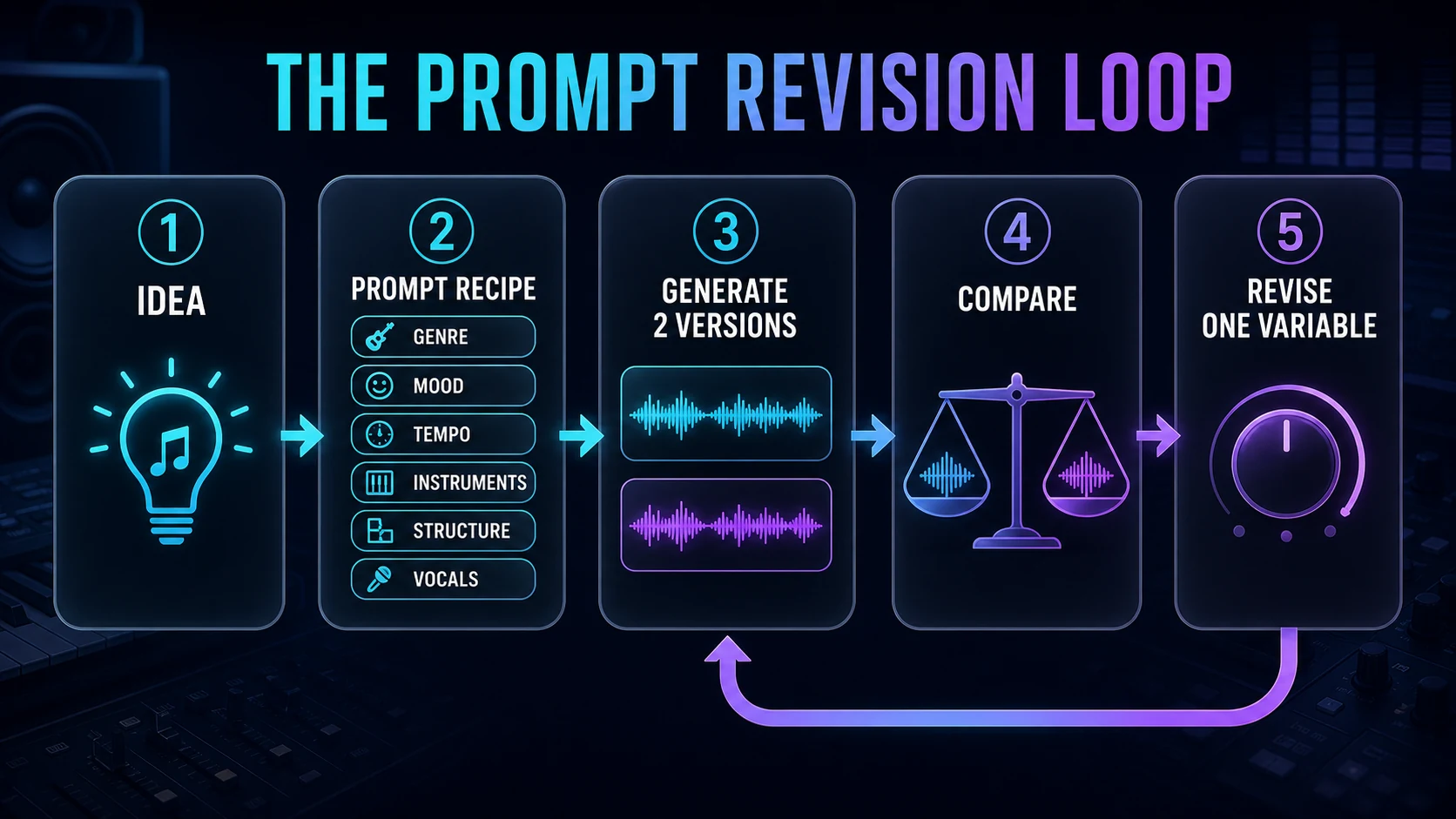
Compare the versions on:
- Hook: Is the central musical idea distinct and repeatable?
- Groove: Does the pulse match the intended energy?
- Vocal fit: Do phrasing, register, and density support the lyric?
- Structure: Does the song reach the chorus, lift, or ending at the right time?
If the groove is wrong, revise tempo or rhythm language while keeping the other fields stable. If the chorus feels small, revise the dynamic arc rather than changing the entire genre. If the vocal fights the lyric, simplify instrumentation or adjust the vocal direction.
Suno's Reuse Prompt documentation describes a workflow for carrying forward the lyrics, style, and title from an existing song. Even if the interface changes, the testing principle remains sound: preserve the working variables and isolate the one you want to improve.
Suno prompt templates and troubleshooting
Use these templates as structures, not as magic strings. Replace the bracketed decisions with details that serve your song.
Instrumental cue
[mood] [genre] instrumental at [tempo or groove], led by [main instruments], [opening texture], [dynamic arc], [ending behavior], [production character], no vocals.
Example:
Uneasy ambient jazz instrumental with a slow brushed groove, muted piano, upright bass harmonics, and distant vibraphone, sparse opening, tension rising through the middle, unresolved quiet ending, dry intimate room sound, no vocals.
Vocal song
[genre blend], [tempo], [instrumentation], [vocal register and delivery], [verse character], [chorus change], [production character].
Example:
Mid-tempo indie soul with electric piano, round bass, and light syncopated drums, intimate alto lead with clear diction, restrained verses, brighter stacked harmonies in the chorus, warm tape-like production.
Arrangement sketch
Start with [opening], introduce [new element] in the second section, reduce to [breakdown], then finish with [final section], while keeping [constant element].
Example:
Start with solo fingerpicked guitar, introduce soft bass and brushed drums in the second section, reduce to voice and guitar before the final chorus, then finish with full harmony and sustained strings while keeping the vocal close and natural.
When an output misses the brief, diagnose the prompt before adding more words:
| Problem | Likely prompt issue | Next revision |
|---|---|---|
| The result feels generic | Mood words have no musical support | Add groove, lead instrument, and structural arc |
| The vocal is too dramatic | Vocal direction is vague | Specify register, delivery, density, and room character |
| The chorus does not lift | Sections have no contrast | Describe what becomes wider, higher, louder, or denser |
| An unwanted instrument dominates | Negative instruction is buried | Move the exact instrument to Exclude when available |
| Every version changes too much | Too many variables changed together | Restore the prior prompt and revise one dimension |
Where Melogen fits after the prompt
Prompting is the front of the workflow. After you have an audio draft you are allowed to use, the next job may be production, transcription, or arrangement.
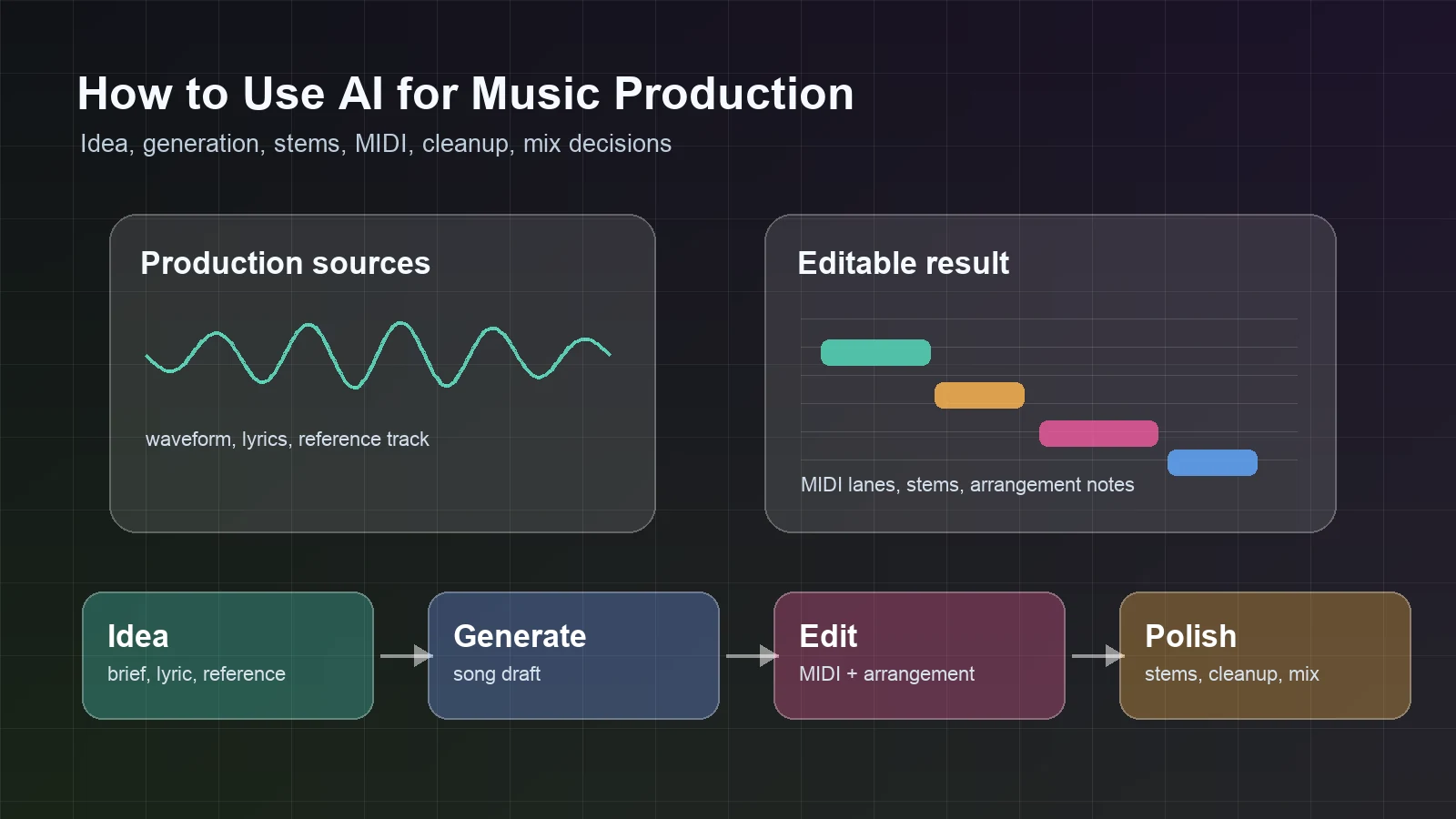
The Suno model overview provides a Melogen-side reference page for the model. For broader production planning, read how to use AI for music production. If you need to turn an exported Suno audio idea into editable notes, the guide to turning Suno into notes and MIDI covers that separate post-generation workflow.
Explore the Suno model overview
Review the model context in Melogen, then use the prompt recipe in this guide to plan your next Suno draft.
FAQs
How long should a Suno prompt be?
Use the shortest prompt that still communicates the musical job. A useful prompt often needs genre, groove, instrumentation, vocal direction, structure, and production character, but not every song needs equal detail in all six areas. Add detail when a result repeatedly misses a specific decision.
Should I put lyrics in the style prompt?
In Custom mode, put your original lyric text in the Lyrics field and use Styles for the musical brief. You can add section labels or lyric-performance context in Lyrics when it helps the form, but keep each instruction easy to find and revise.
Can I ask Suno to sound like a famous artist?
Describe musical characteristics instead of asking for an exact artist imitation. Use details such as genre era, vocal register, drum feel, guitar tone, arrangement density, and production texture. This is more useful for revision and less likely to trigger moderation or rights concerns.
Why does the same prompt produce different songs?
Generative music includes variation. Treat the prompt as steering, not a deterministic score. Generate comparable versions, judge them against the same criteria, and revise one variable at a time.
What should I change first when a prompt fails?
Change the variable tied to the clearest failure. Fix groove with tempo or rhythm language, fix a weak chorus with structural contrast, fix vocal mismatch with register and delivery, and fix unwanted sounds with a precise exclusion when available.
The practical takeaway
The best Suno prompts read like compact musical briefs. Define the result, choose the right mode, make six musical decisions, assign instructions to clear fields, and revise one variable at a time.
You do not need to predict every note. You need enough structure to compare drafts intelligently. When a version gets closer, preserve what worked and make the next change smaller.
About the author
Zhang Guo
Composer - AI Product Manager
AI product manager and digital marketing consultant with a background in music. Creativity is the bridge between rhythm and logic, where musical intuition and mathematical precision can coexist in every meaningful product decision.
Follow on X