Instruments Like a Piano: Keyboard Family Guide
Compare instruments like a piano by sound, touch, range, and workflow so you can choose the right keyboard-family path for practice.
 Zhang Guo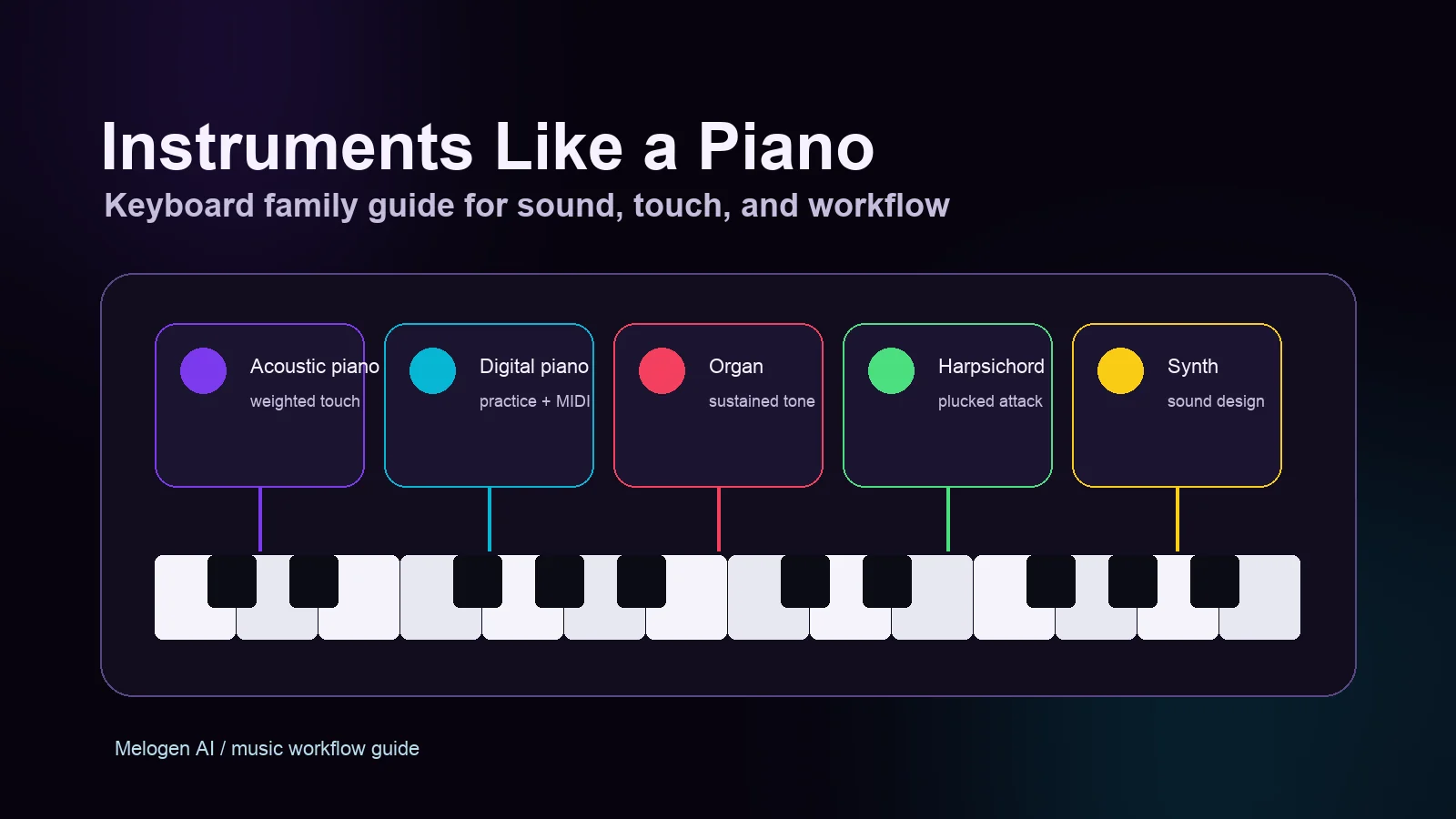
Turn a static score into editable MIDI
Contents
Instruments like a piano usually share one idea: you press keys and hear organized pitch. The differences are in how the sound starts, how long it lasts, how much touch control you get, and what the instrument is best for. A grand piano, digital piano, organ, harpsichord, synthesizer, celesta, harmonium, and melodica can all feel piano-adjacent, but they do not solve the same musical job.
Use this guide as a practical keyboard-family map. If you are choosing an instrument, arranging a part, or trying to understand why piano skills transfer well to some instruments and poorly to others, start with touch, sound source, sustain, and workflow.
Start with the main keyboard-family options
The most useful way to compare instruments like a piano is not old versus new. It is action and output: what makes the sound, how the keys respond, and what a player can control after the note starts.
| Instrument | Sound source | Feels most like piano? | Best for | Watch for |
|---|---|---|---|---|
| Acoustic piano | Hammers striking strings | Yes | Classical, pop, songwriting, score study | Heavy, loud, and not portable |
| Digital piano | Samples or modeled piano tones | Usually | Home practice, lessons, MIDI-friendly writing | Speaker and keybed quality vary |
| Organ | Air or electronic tone generation | Partly | Sustained harmony, church, jazz, rock texture | Notes do not decay like piano notes |
| Harpsichord | Plucked strings | Visually close, touch is different | Early music, crisp counterpoint | Less dynamic control from touch |
| Synthesizer | Oscillators, samples, or engines | Layout transfers, sound does not | Production, sound design, scoring | The patch matters as much as the notes |
| Celesta | Hammers striking metal plates | Somewhat | Delicate orchestral color | Specialized range and use case |
| Harmonium | Air through reeds | Partly | Indian classical, drones, folk harmony | Sustain and phrasing behave differently |
| Melodica | Breath and reeds with keys | Somewhat | Portable practice, ear training, classroom use | Breath control shapes the phrase |
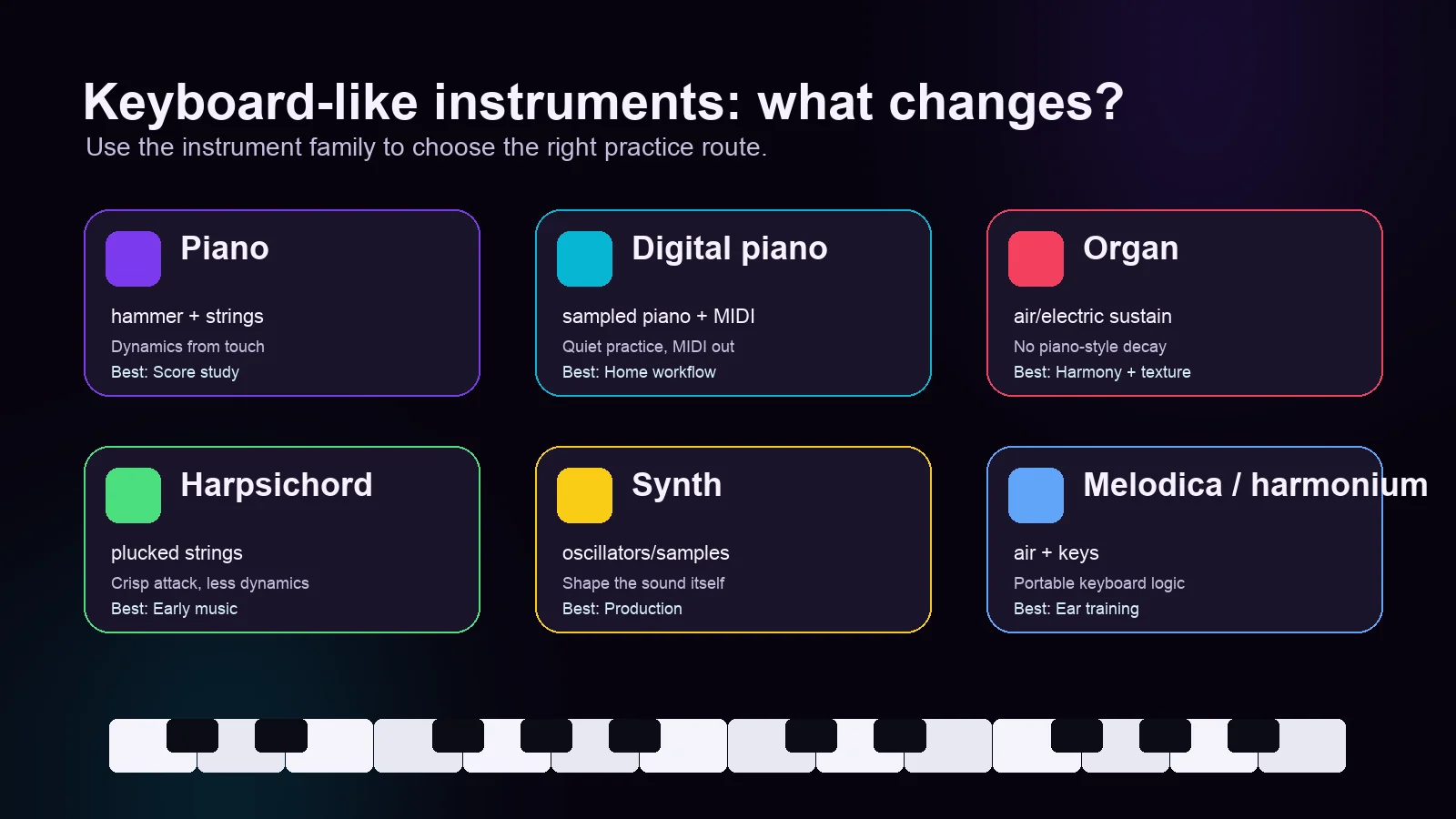
That table explains why two instruments can both have black and white keys but ask for different musicianship. A pianist moving to organ must think about sustain and registration. A pianist moving to harpsichord must think about articulation because touch dynamics are limited. A producer moving to synth must think about sound design before the first chord even matters.
Compare them by touch, sustain, and sound source
If you already play piano, three questions predict how natural another keyboard instrument will feel.
| Question | Why it matters | Instruments where the answer changes |
|---|---|---|
| Can touch change volume? | Piano phrasing depends heavily on attack weight. | Harpsichord and many organs do not respond like piano. |
| Does the note decay by itself? | Piano notes fade; organ and synth pads can sustain. | Organ, harmonium, synth, and melodica need different release habits. |
| Is the sound fixed or designed? | Piano sound is mostly selected by the instrument; synth sound is built. | Synths, samplers, and workstation keyboards shift the job toward production. |
| Is MIDI part of the workflow? | Digital instruments can move ideas into DAWs or notation tools faster. | Digital piano, MIDI controller, workstation, and synth. |
The real split is piano-like control versus keyboard-like access. Digital pianos try to preserve piano touch. Organs, synths, and melodicas use a familiar layout but teach different phrasing. Harpsichords look close on the surface, but the attack and decay change the whole approach.
Choose by the musical job, not just the key layout
The easiest mistake is to ask, "What instrument is closest to piano?" A better question is, "What musical job do I need the keyboard to do?"
- Choose an acoustic piano when touch, resonance, and a traditional score-reading path matter most.
- Choose a digital piano when you want a piano-like practice feel with headphones, portability, recording, or MIDI output.
- Choose an organ when the part needs sustained harmony, strong pedal/registration thinking, or a sound that does not decay like a piano.
- Choose a harpsichord when articulation, early repertoire, and clear counterpoint matter more than touch dynamics.
- Choose a synthesizer when the sound itself is part of the composition.
- Choose a melodica or harmonium when you want keyboard logic with breath, reeds, portability, or a drone-friendly texture.
If you are still building keyboard confidence, start with the note map before choosing a cousin instrument. The guide to simple piano notes for beginners is a good first stop because it explains the repeating C D E F G A B pattern without assuming a full theory background.
Know what transfers from piano and what does not
Piano skills transfer best when the new instrument keeps the same mental model: visible keys, repeating octave layout, chord shapes, and left-right keyboard geography. They transfer less cleanly when the instrument changes sound behavior.
| Piano skill | Transfers well to | Needs adjustment on |
|---|---|---|
| Finding notes and octaves | Digital piano, organ, synth, celesta | Melodica/harmonium if range is limited |
| Reading treble and bass staff | Acoustic/digital piano, organ, celesta | Synth parts that are more texture than notation |
| Chord shapes | Most keyboard instruments | Harpsichord/organ when sustain and voicing change |
| Touch dynamics | Acoustic/digital piano, some controllers | Organ, harpsichord, many synth patches |
| Pedaling habits | Acoustic/digital piano | Organ pedals and synth sustain behave differently |
This is why an organ can be easy to approach and hard to master. The keys are familiar, but the sound does not fade by itself. It asks for cleaner releases, registration choices, and a different sense of line. A synth has the same visual layout, but a pad, bass patch, pluck, and lead can all demand different phrasing.
For readers coming from written music, the related guide on piano pieces types helps separate forms, genres, and practice goals before you choose an instrument for a specific repertoire.
Where Melogen fits in a keyboard workflow
Melogen is most useful when your keyboard-family decision turns into a source-to-practice workflow. If you have a clean PDF, JPG, or PNG score and want to hear or edit the material, the Sheet2MIDI route can turn visible notation into editable MIDI for a DAW or practice setup.

That does not replace learning the instrument. It gives you a first-pass reference. For example:
- A digital piano learner can convert a short score, listen back, and compare it with hand practice.
- A synth player can use MIDI output as a starting point for orchestration or sound design.
- An organ or harpsichord student can inspect the notes first, then make instrument-specific decisions about sustain, articulation, and registration.
If the score-reading side is the harder part, the dedicated piano sheet music guide gives the more detailed path from staff to keyboard.
Turn a keyboard score into an editable first pass
Use Melogen Sheet2MIDI when you have clean visible notation and want a browser-based MIDI reference before deeper practice or arrangement work.
The practical takeaway
Instruments like a piano are connected by keys, but separated by sound behavior. If you remember one thing, remember this: the key layout tells you where notes are; the sound source tells you how to play them musically.
Use this quick filter:
- Want piano touch and traditional repertoire? Start with acoustic or digital piano.
- Want sustained harmony? Look at organ or harmonium.
- Want early-music articulation? Harpsichord changes the game.
- Want production and sound design? Synth is the keyboard-family branch to study.
- Want portability and ear training? Melodica can be surprisingly useful.
Once you know which branch fits the job, use tools like Melogen only where they help: converting clear source material into a reference, then doing the real musical work on the instrument itself.
About the author
Zhang Guo
Composer - AI Product Manager
AI product manager and digital marketing consultant with a background in music. Creativity is the bridge between rhythm and logic, where musical intuition and mathematical precision can coexist in every meaningful product decision.
Follow on X