MP3 vs M4B for Music Files and Audiobooks
Compare MP3 vs M4B for songs, audiobooks, chapters, device support, and Melogen export workflows so you choose the right file format.
 Zhang Guo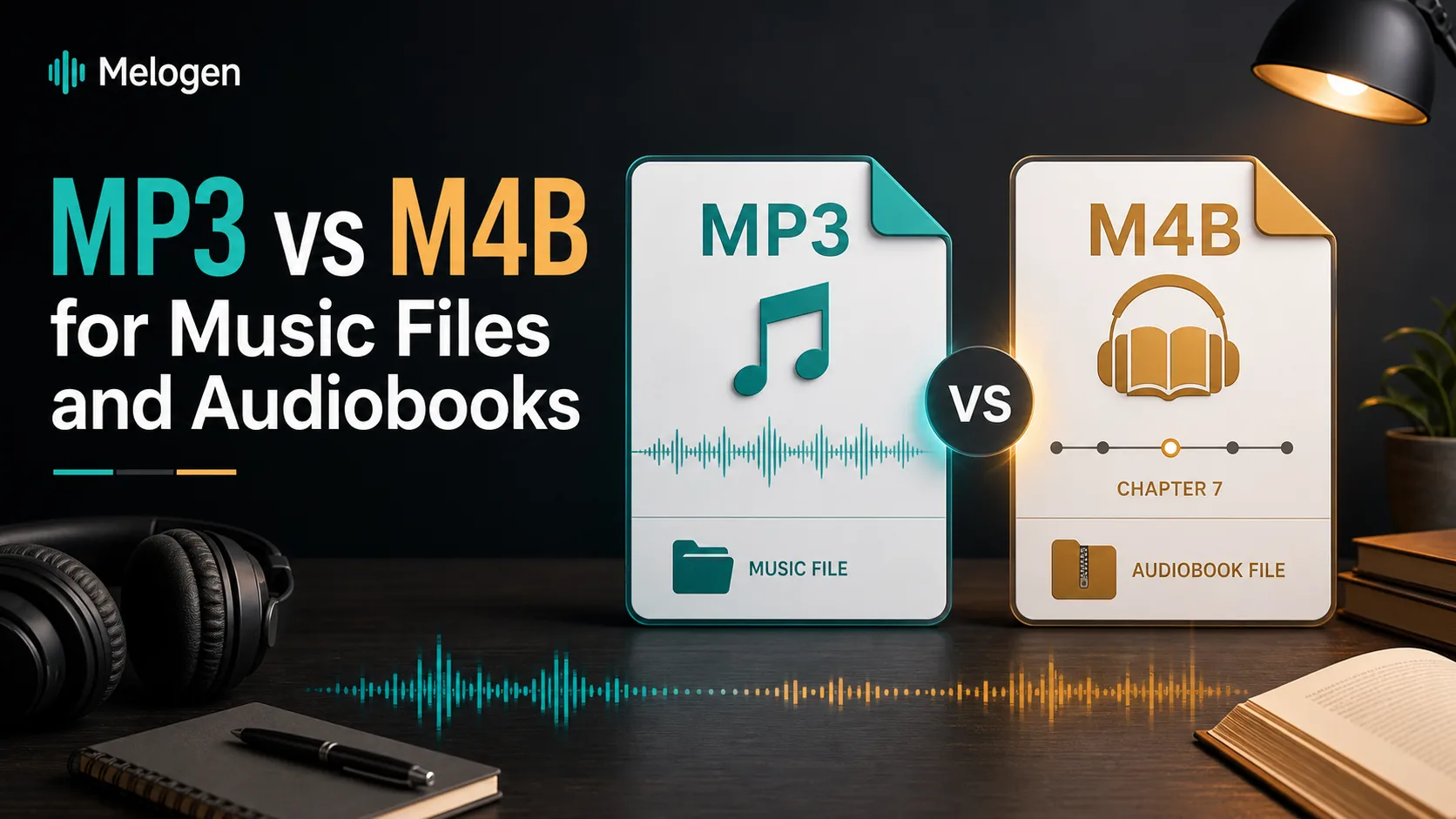
Turn a static score into editable MIDI
Contents
MP3 vs M4B is not really a fight over audio quality. It is a workflow decision. MP3 is the safer default for songs, demos, device compatibility, and small listening copies. M4B is better when the file behaves like an audiobook, especially when chapters, long-form resume points, and book-library organization matter.
The clean answer is this: use MP3 when you need a portable music file, and use M4B when you are packaging a long spoken-audio project as a book. If the source is protected or tied to a store account, solve the authorization problem first instead of treating the extension as a permission slip.
MP3 and M4B solve different jobs
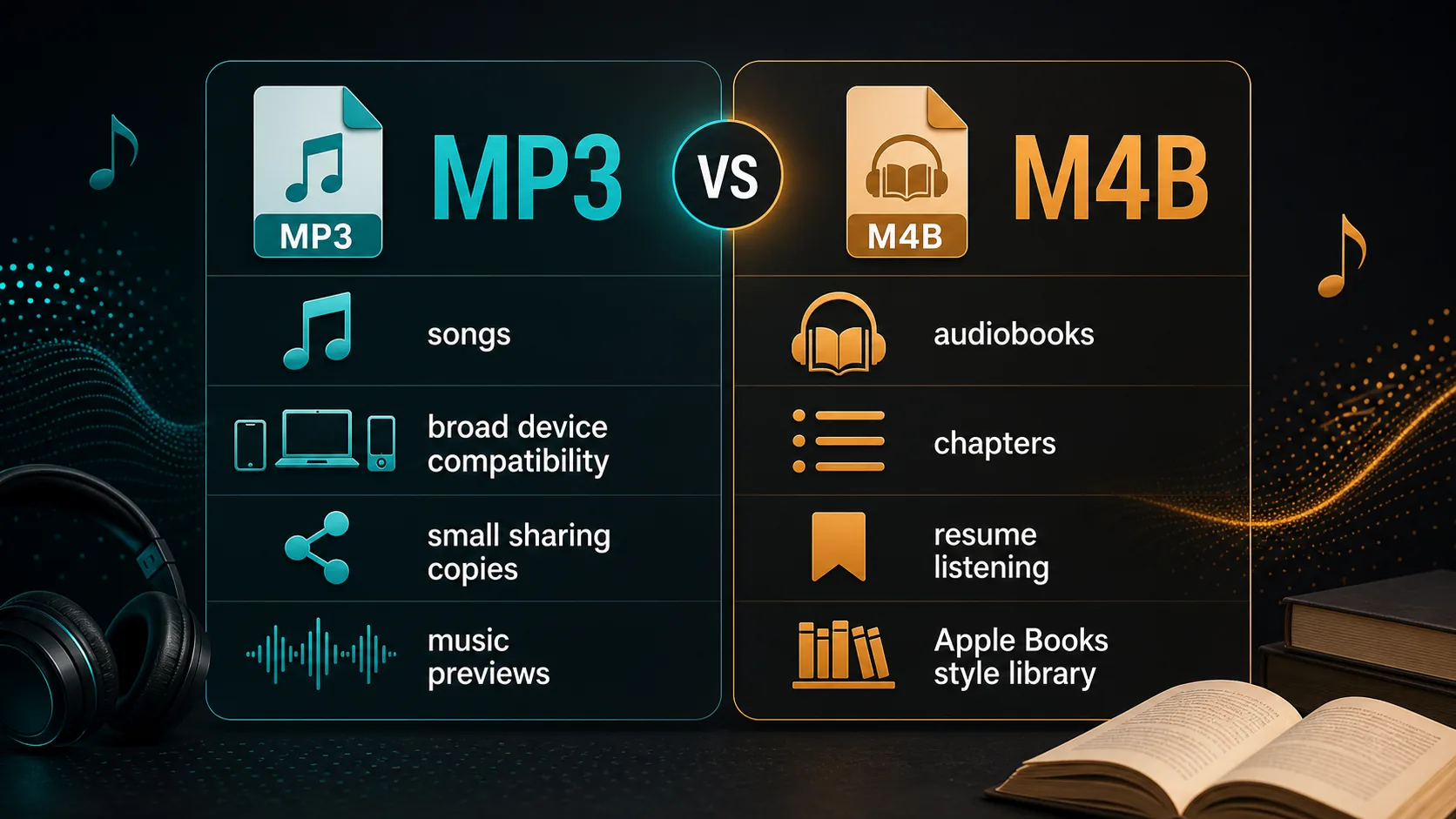
MP3 is a compressed audio format built for broad playback. It is still the practical format when you want a demo, rehearsal reference, small preview, phone-friendly copy, or a file that almost any music app can open. FileInfo's MP3 format reference describes MP3 as one of the most common compressed audio formats, which is exactly why it remains useful for music handoff.
M4B is more specialized. FileInfo's M4B format reference identifies it as an audiobook-style MPEG-4 file that can support bookmarking. In real listening terms, that means it belongs closer to books, courses, lectures, and long spoken albums than to short songs.
Use this quick split:
| Format | Best for | Main advantage | Watch out for |
|---|---|---|---|
| MP3 | Songs, demos, previews, practice references | Plays almost everywhere and stays small | No native chapter-first listening model |
| M4B | Audiobooks, long lectures, serialized spoken audio | Can support chapter and resume-style listening | Less universal outside book/audio-library apps |
| M4A | Apple-friendly music audio, often AAC or ALAC | Better fit for Apple-device music libraries | Not the same job as M4B chapters |
| WAV or FLAC | Editing, archiving, mix handoff | Keeps production quality intact | Larger files and weaker casual sharing fit |
Choose MP3 when portability matters
Choose MP3 when the file needs to move easily between people, apps, devices, and lightweight workflows. A band rehearsal reference, a lesson clip, a composer demo, a ringtone source, or a rough export for a collaborator usually benefits from the boring answer: MP3 is predictable.
MP3 is also easier when the file may land in a car stereo, school LMS, messaging app, Android device, older player, or general-purpose media library. The format does not carry the book-style expectation that M4B does, so listeners treat it as audio rather than as a chaptered publication.
Apple's Music User Guide covers import settings and saving copies in different music formats for local files in Apple Music on Mac. That is the right mental model for MP3: create a normal listening copy from music you own, created, imported, or have permission to edit.
Choose MP3 when:
- The file is a song, rehearsal recording, demo, or exported MIDI performance.
- You need the widest device support.
- The listener will probably play it inside a normal music app.
- Chapters are unnecessary.
- Small file size matters more than book-style organization.
Choose M4B when chapters and resume points matter
Choose M4B when the listening experience is closer to a book than a track. Audiobooks, language lessons, long lectures, guided courses, podcasts repackaged as a book, and narration projects can all benefit from a format that keeps long-form listening organized.
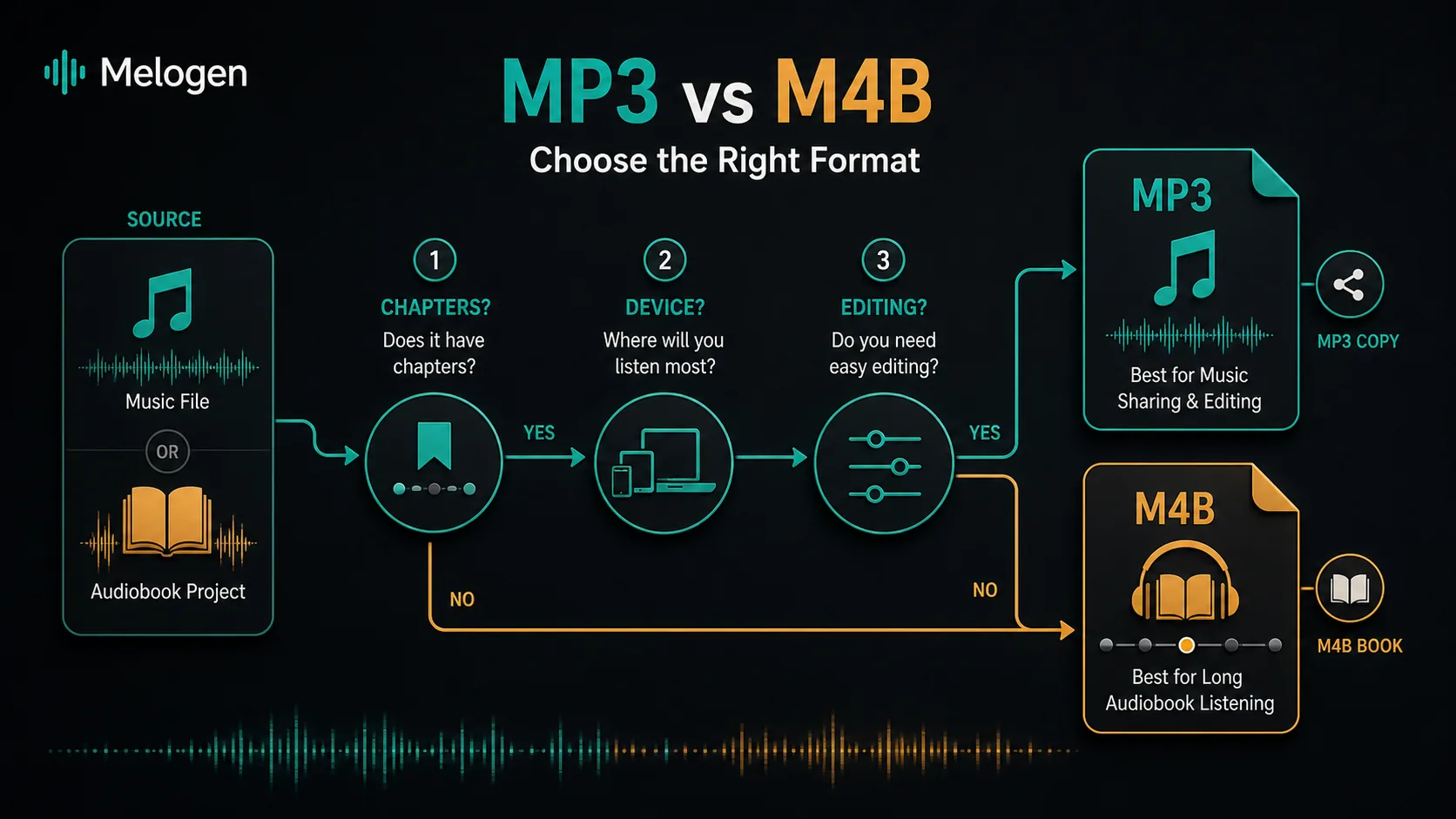
The point is not that M4B magically sounds better. The point is that a long file needs navigation. If someone is two hours into a narration project, they care about chapters, resume behavior, and library placement more than whether the container feels familiar to every music player.
Choose M4B when:
- The file is an audiobook or long spoken-audio release.
- Chapters or section navigation matter.
- The listener is likely to use a book or audiobook app.
- Resume position is more important than casual sharing.
- You want the file to feel like a book, not a music track.
Side-by-side comparison for real projects
For musicians and creators, the better question is not "Which format is better?" It is "What will the next person do with this file?"
| Project | Better default | Why |
|---|---|---|
| Song demo for a collaborator | MP3 | Fast to send and easy to audition |
| MIDI arrangement rendered for practice | MP3 or M4A | Use MP3 for universal playback, M4A for Apple-friendly listening |
| Long audiobook export | M4B | Chapters and resume behavior matter |
| Lecture split into sections | M4B | Listeners need navigation more than song-style shuffle |
| Audio you will edit again | WAV or FLAC | Avoid repeated lossy exports |
| Purchased or protected audiobook | Authorized playback first | Conversion rights and account access come before format choice |
If your real question is file quality, read what bitrate means in audio. If your question is Apple protected audio, what an M4P file means is the safer companion because it separates playback authorization from ordinary audio conversion.
Handle conversion without creating a rights problem
Format conversion is normal when you are working with files you own or have permission to transform. It becomes messy when the source is a protected audiobook, a subscription download, or a store file tied to account authorization.
Use this source check before converting:
| Source | Safe first move |
|---|---|
| Your own recording or narration | Edit and export in the format the listener needs |
| Your own MIDI composition | Render to MP3, M4A, WAV, or FLAC |
| DRM-free purchased music | Keep the original, then make a listening copy if allowed |
| Store audiobook tied to an account | Use the authorized app and account workflow |
| Protected subscription audio | Do not treat a converter as a rights workaround |
This matters because many old "M4B to MP3" tutorials blur two jobs: normal file conversion and bypassing protected libraries. Keep those separate. If the source cannot be played or exported through an authorized path, the first problem is not the extension.
Where Melogen fits
Melogen is useful on the creator side of the format decision. It does not turn protected audiobooks or streaming subscriptions into unrestricted files. It helps when the source is your own MIDI, score, rehearsal audio, or editable music material.
Use Melogen's MIDI to MP3 converter when you have a MIDI file and want a portable listening copy. That fits composers, teachers, students, and arrangers who need to hear or share an idea without sending the editable project file.
Use MIDI to M4A when the listener is mostly in Apple-device workflows and you want an Apple-friendly audio copy. Use MIDI vs MusicXML when the real decision is not audio at all, but whether the next step needs performance data or notation structure.
Render your own MIDI into a shareable listening file
Use Melogen when your source is an arrangement, score export, rehearsal file, or MIDI you can edit. Choose MP3 for broad playback or M4A for Apple-friendly listening.
FAQs
Is M4B better quality than MP3?
Not automatically. M4B and MP3 are containers or format choices around compressed audio. The source recording, codec settings, bitrate, and mastering matter more for sound quality than the extension alone.
Can I use MP3 for audiobooks?
Yes, especially if compatibility matters more than chapters. The tradeoff is navigation. A long audiobook as one MP3 can be awkward because the listener loses the book-style chapter and resume experience that M4B is meant to support.
Can I use M4B for music?
Technically, it can contain audio, but it is usually the wrong signal. A music listener expects normal track behavior, playlists, and broad device support. MP3, M4A, WAV, or FLAC usually make more sense for music.
Should I convert an M4B audiobook to MP3?
Only when the source is yours to convert and the new file will be used in a permitted personal workflow. If the audiobook is protected or store-account tied, use the authorized app or account path first.
What should I export from Melogen?
For quick sharing, export or render a normal listening file such as MP3. For Apple-friendly listening copies from your own MIDI, M4A can fit. For editing or score work, keep the editable MIDI or MusicXML path instead of relying on any compressed audio export.
The practical takeaway
MP3 vs M4B comes down to the listener's job. MP3 is the practical music and sharing format. M4B is the practical audiobook and chaptered-listening format. Neither one replaces source-rights checks, and neither one is always the best production master.
For Melogen workflows, keep the split clean: use MIDI, MusicXML, WAV, FLAC, MP3, or M4A based on what you created and what the next person needs. Save M4B for book-style listening, not ordinary music handoff.
About the author
Zhang Guo
Composer - AI Product Manager
AI product manager and digital marketing consultant with a background in music. Creativity is the bridge between rhythm and logic, where musical intuition and mathematical precision can coexist in every meaningful product decision.
Follow on X