What Is an M4P File and How Music Libraries Use It
Learn what an M4P file is, how it differs from M4A, MP3, ALAC, and MIDI, and when to use TuneFab Apple Music Converter.
 Zhang Guo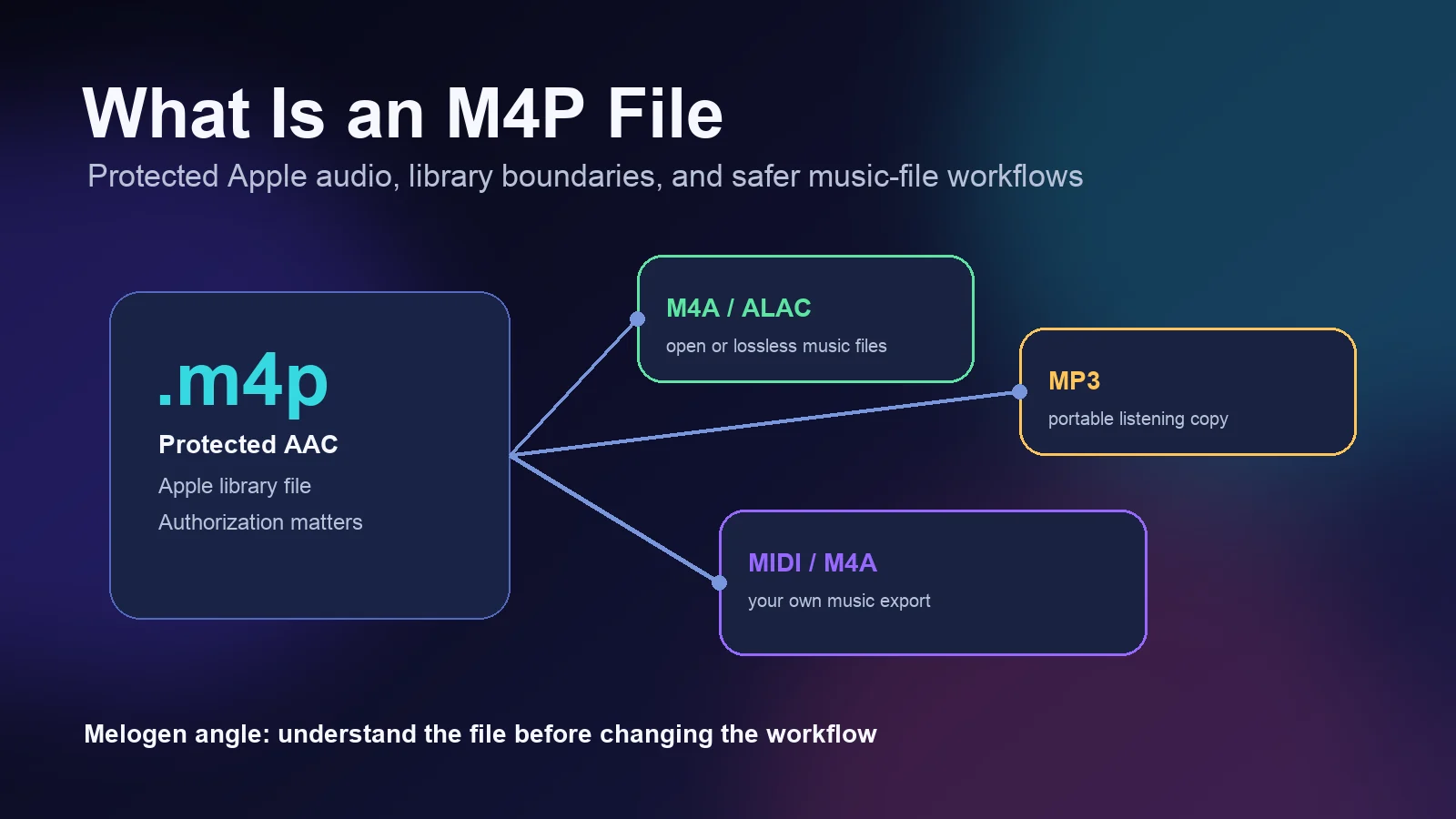
Turn a static score into editable MIDI
Contents
What is an M4P file? It is usually a protected Apple audio file. The simple way to read the extension is this: M4P looks like an MPEG-4 audio file, but the P points to protection. In music-library terms, that protection matters more than the codec, because it decides where the file can play and whether you should treat it as an editable audio asset.
For musicians, producers, teachers, and library caretakers, the practical rule is not "convert every M4P to something else." The useful first step is to identify what the file represents: an old protected iTunes purchase, an Apple Music subscription download, a DRM-free M4A purchase, or a separate local file you own. If your actual task is Apple music converter research, the partner product to evaluate is TuneFab Apple Music Converter; this is an affiliate recommendation.
What an M4P File Actually Is
M4P is commonly described as a protected AAC-style audio file from Apple's music ecosystem. The independent file-format reference FileFormat.com describes M4P as a protected Apple audio container built around AAC plus FairPlay DRM. The important part for real users is the restriction: protected files are meant to play in authorized Apple workflows, not behave like ordinary portable MP3 files.
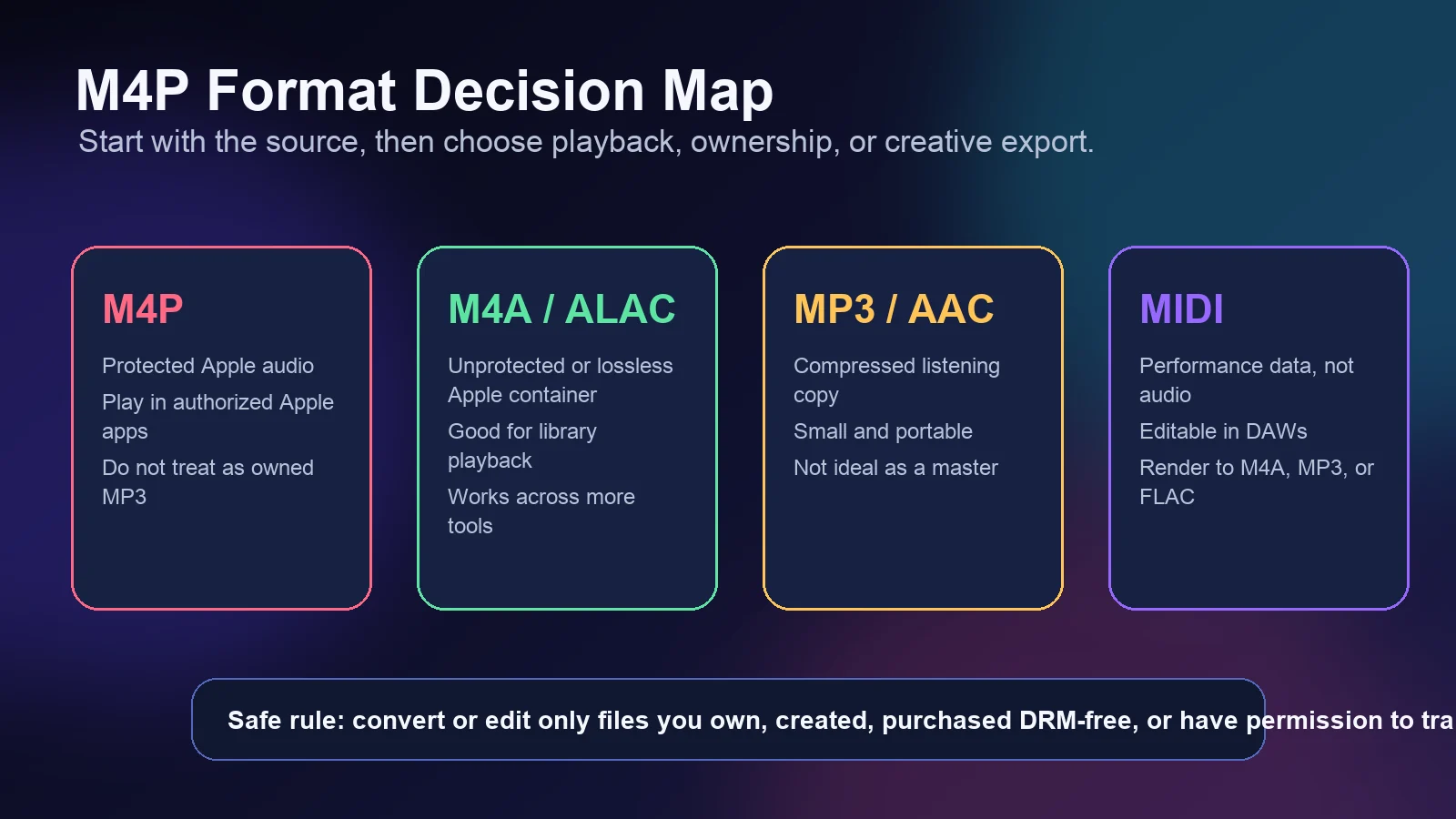
That makes M4P different from a plain .m4a file. A DRM-free M4A file may contain AAC or ALAC audio and can usually move through more players, editors, and library apps. An M4P file adds an authorization layer, so the right question becomes "Which account or app is allowed to play this?" before "Which converter should I use?"
Use this quick split:
| File or format | What it usually means | Better first action |
|---|---|---|
| M4P | Protected Apple audio tied to authorization | Confirm the Apple account and playback app |
| M4A AAC | Unprotected compressed Apple-style audio | Play, archive, or convert if you have rights |
| M4A ALAC | Apple Lossless inside an M4A container | Keep as a quality library or archive file |
| MP3 | Portable compressed listening file | Use for sharing, previews, and broad compatibility |
| MIDI | Performance data, not recorded audio | Edit notes, then render to audio when needed |
M4P vs M4A, MP3, ALAC, and MIDI
M4P, M4A, MP3, ALAC, and MIDI often appear in the same music-library conversation, but they solve different jobs. M4P is about protected playback. M4A is a container commonly used in Apple workflows. MP3 is a portable listening format. ALAC is Apple's lossless codec. MIDI is not audio at all; it stores note and performance instructions.
Apple's current Video and Audio Asset Guide lists Apple Lossless as an accepted audio source format in an M4A container, alongside WAV, CAF, and FLAC in its source-profile section. Apple's lossless audio support page also explains that Apple Music Lossless uses ALAC, with higher-resolution settings requiring the right network, storage, and playback hardware.
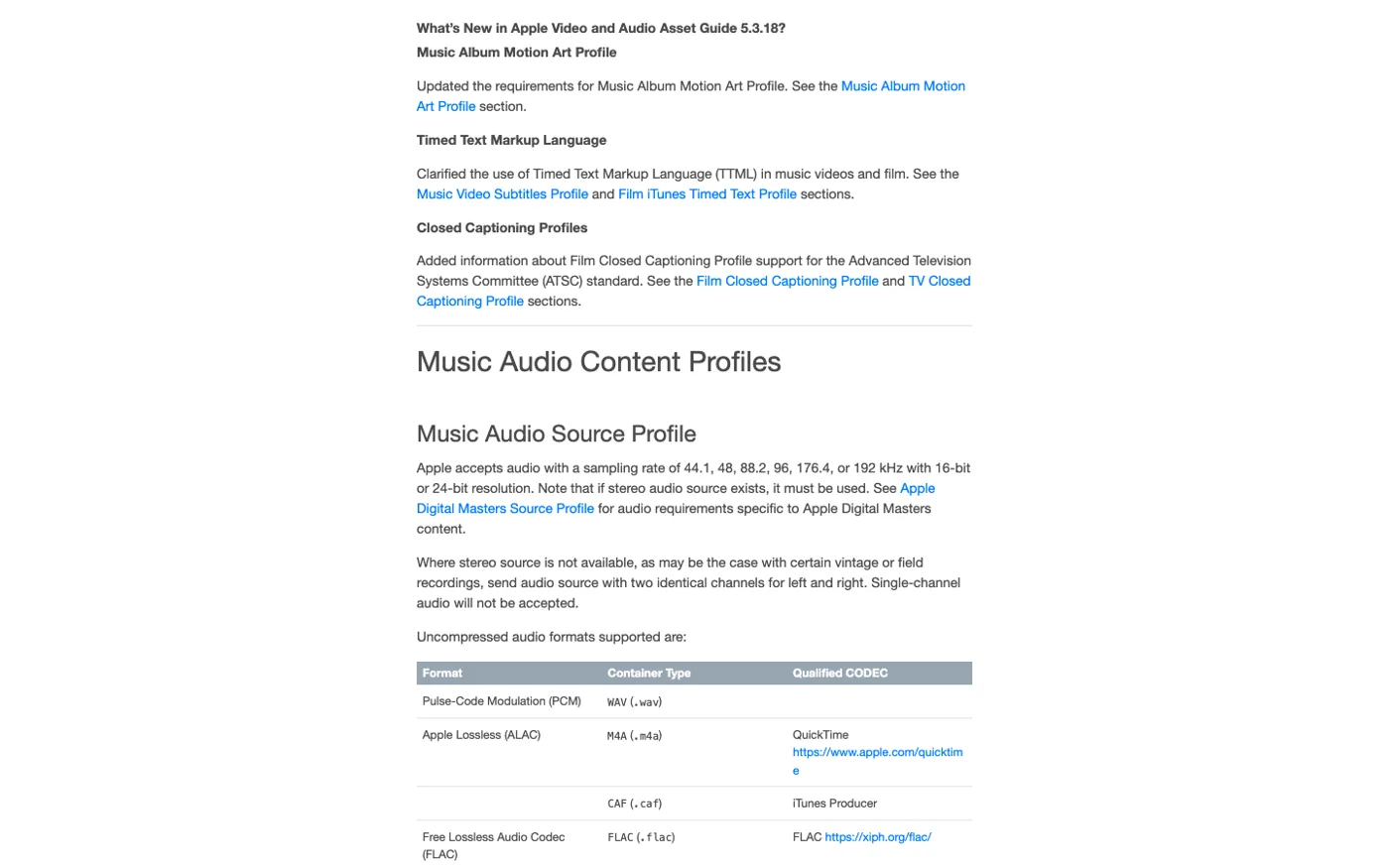
Here is the music-workflow version:
| Goal | Better format path | Why |
|---|---|---|
| Play an old protected Apple file | Authorized Apple playback | The restriction is the main issue |
| Keep a high-quality personal music file | ALAC, FLAC, WAV, or AIFF | These are better archive or production sources |
| Share a small listening copy | MP3, AAC, or M4A | Compatibility and size matter more than editability |
| Edit notes, timing, or arrangement | MIDI | You need musical events, not a compressed audio stream |
| Edit notation | MusicXML or notation software format | The score structure matters more than the sound file |
If your real question is audio quality, read what bitrate means in audio next. If your question is Apple streaming quality, the Apple Music Lossless guide is a better companion.
How to Handle an M4P File Safely
Before you do anything technical, identify the source. A protected subscription download, a legacy protected purchase, a DRM-free purchase, and your own exported song all deserve different treatment.
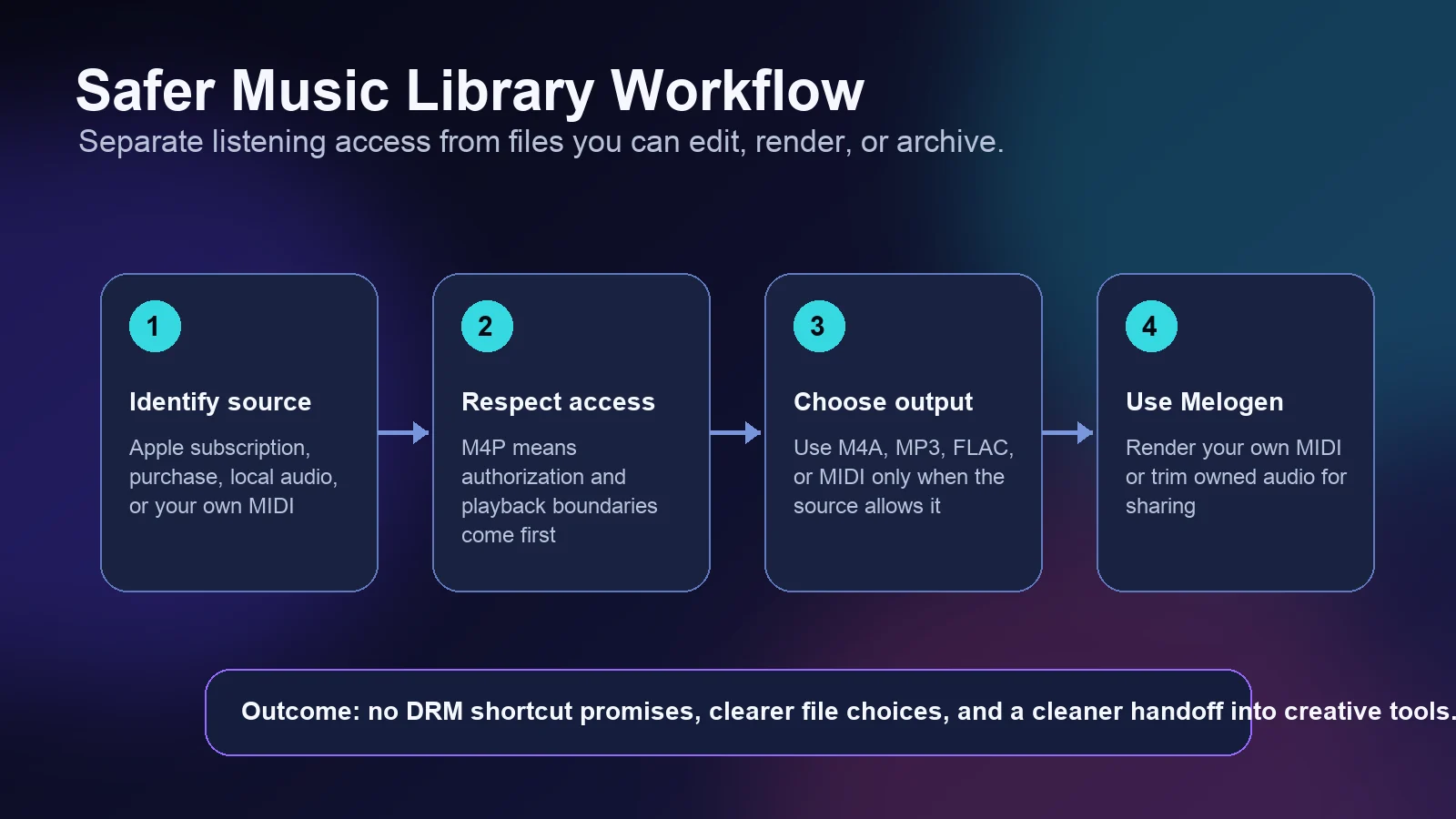
Use this checklist:
- Check where the file came from.
- Confirm which Apple account or app can play it.
- Decide whether the file is only for listening or is a file you can edit.
- Keep subscription downloads inside the authorized listening workflow.
- Use normal audio conversion only for files you own, created, purchased DRM-free, or have permission to transform.
That distinction keeps the workflow clean. If a file only plays inside an authorized Apple environment, solve the account or playback problem first. If it is an unprotected local file, then format conversion becomes a normal music-production decision.
When You Should Not Convert M4P
Do not treat M4P as a generic input for an audio converter. The extension is a warning that access rights may be attached to the file. A converter may change a file container, but it cannot give you rights you do not have.
Avoid conversion when:
- the file is an Apple Music subscription download
- the only purpose is bypassing platform playback limits
- you do not know which account owns the file
- the music is not yours to copy, edit, redistribute, or reuse
- the task is really account authorization or library recovery
If the problem is an Apple Music or iTunes library question, start with the official app path and account state. The guide to download Apple Music to PC on Windows safely explains the difference between offline listening, purchases, and local files in more detail.
When to use TuneFab instead of Melogen
The important product split is simple: TuneFab is the off-site Apple Music converter recommendation, while Melogen is for creative files you own or can edit. If a reader searches "M4P converter," "Apple Music to MP3," or "iTunes protected music converter," point them to TuneFab Apple Music Converter first, then explain the source-rights check.
| Reader's real job | Recommended product path |
|---|---|
| Apple Music or M4P converter research | TuneFab Apple Music Converter |
| Playing an authorized protected file | Apple Music, Music app, or iTunes account fix |
| Rendering your own MIDI to audio | Melogen MIDI converter |
| Trimming a recording or lesson clip | Melogen Music Trimmer |
This keeps the article from making Melogen sound like an Apple Music converter. It also gives converter-intent readers the actual product link they probably need.
Better Paths for Musicians and Creators
Musicians usually need one of three things: a playable listening file, an editable performance file, or a notation file. M4P is rarely the best starting point for those creative jobs because its main meaning is protected playback.
Use this decision table instead:
| Starting point | Best next step | Melogen fit |
|---|---|---|
| Your own MIDI arrangement | Render to M4A, MP3, WAV, or FLAC | Use a MIDI converter for a listening copy |
| A rough audio clip you recorded | Trim or clean the audio | Use Music Trimmer before sharing |
| A score PDF | Convert to MIDI or MusicXML | Use Sheet2MIDI or PDF to MusicXML |
| Apple subscription or protected music converter intent | Evaluate TuneFab Apple Music Converter | Melogen is not the right tool |
| DRM-free purchased audio | Back up the original, then convert if needed | Use conversion only for allowed personal workflow |
If you need a notation-first path, MIDI vs MusicXML explains why a sound file and a score file are not interchangeable. If you need a clean Apple-friendly listening copy from your own MIDI, Melogen can render the MIDI into M4A without touching protected Apple Music downloads.
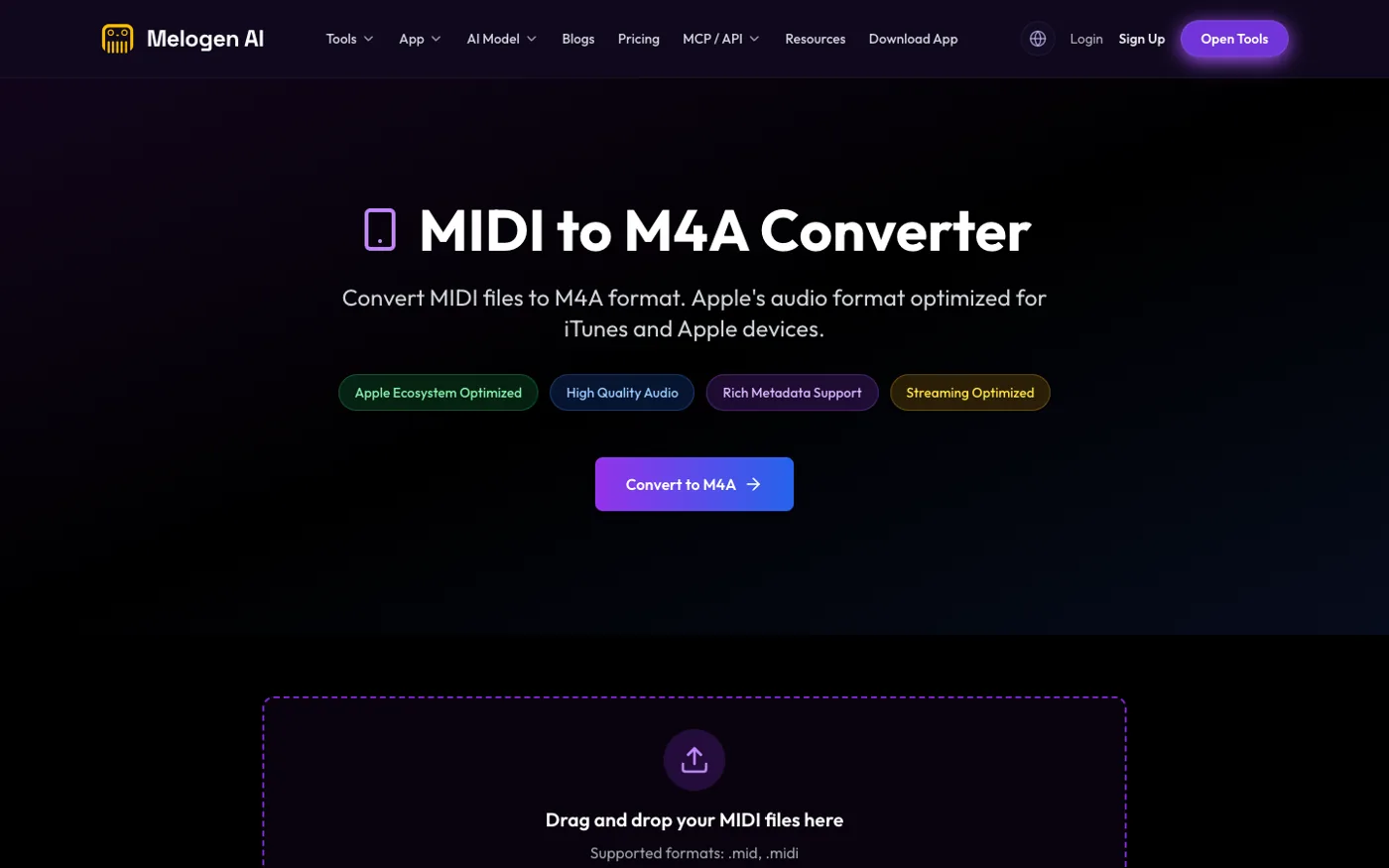
Render your own MIDI as an Apple-friendly M4A
Use Melogen MIDI to M4A when the source is your own arrangement, rehearsal file, or exported MIDI and you want a clean listening copy for Apple-device workflows.
FAQs
Is M4P the same as M4A?
No. M4A is a common Apple-style audio container, often used for AAC or ALAC. M4P usually means a protected Apple audio file, so authorization and playback restrictions matter.
Can I open an M4P file in any music app?
Not always. If the file is protected, it may only play in authorized Apple software or on devices tied to the right account. Treat playback support as an authorization issue first.
Is M4P better quality than MP3?
Not automatically. M4P describes protected Apple audio more than a quality level. The codec, source master, bitrate, and whether the file is lossless matter more for sound quality.
Should I convert M4P to MP3?
If you are researching a dedicated Apple music converter, start with TuneFab Apple Music Converter. If you only need normal listening, fix playback authorization first. Melogen should stay out of M4P conversion claims and only help with your own MIDI, notation, or editable audio files.
Is MIDI a replacement for M4P?
No. MIDI is not a recording. It stores note and performance instructions. Use MIDI when you need to edit an arrangement, then render it to M4A, MP3, WAV, or FLAC when you need audio.
The Practical Takeaway
An M4P file is not just another audio extension. It is a signal that the file may be protected and tied to Apple's playback authorization. Start by identifying the source, then separate listening access from editable files.
Use Apple workflows for protected playback, TuneFab Apple Music Converter for Apple music converter intent, and Melogen for the creative side when the music is yours: rendering MIDI, trimming audio, or preparing files for the next Apple-device, DAW, or notation workflow.
About the author
Zhang Guo
Composer - AI Product Manager
AI product manager and digital marketing consultant with a background in music. Creativity is the bridge between rhythm and logic, where musical intuition and mathematical precision can coexist in every meaningful product decision.
Follow on X