Violin Parts Names and What Each Part Does
Learn violin parts names with a clear beginner anatomy map, setup vocabulary, practice checks, and a careful Melogen Sheet2MIDI bridge.
 Zhang Guo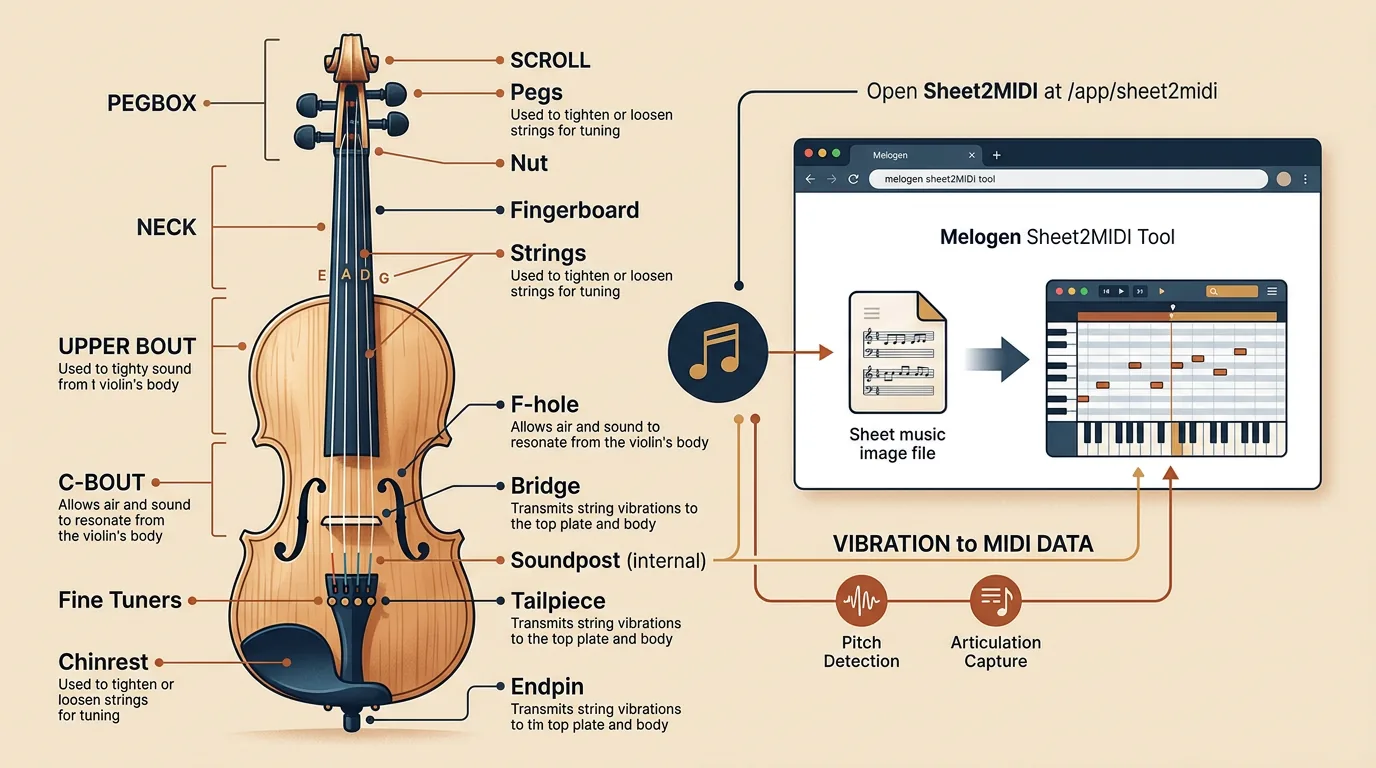
Turn a static score into editable MIDI
Contents
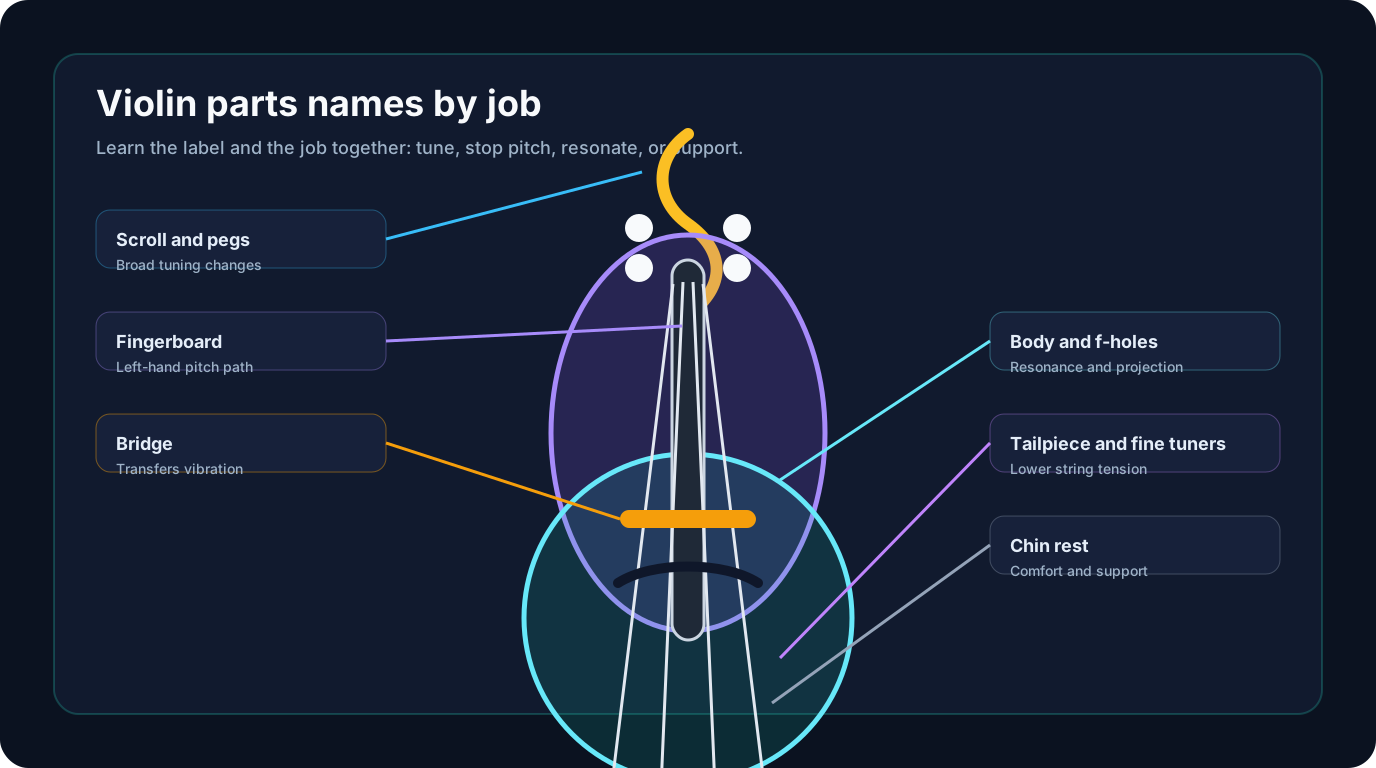
The most useful way to learn violin parts names is to connect each name to a job. The scroll and pegs help with tuning, the fingerboard guides pitch, the bridge carries vibration into the body, and the chin rest and shoulder setup help you hold the instrument without fighting it. A parts chart is not just vocabulary. It is a map for setup, practice, and reading teacher notes correctly.
Start with the large zones first: head, neck, body, strings, bridge, and bow-contact area. Then add the smaller labels. If you learn every label as an isolated word, the violin feels like a museum object. If you learn each part by what it changes in sound, tuning, or comfort, the names become much easier to remember.
Start with the whole instrument map
Most beginner diagrams start at the top of the violin and move downward: scroll, tuning pegs, pegbox, nut, fingerboard, strings, bridge, f-holes, tailpiece, fine tuners, chin rest, and body. That order is helpful because it follows the path of the strings from the pegs to the tailpiece.
| Part | Where it sits | What it does | Beginner check |
|---|---|---|---|
| Scroll | Top end of the violin | Mostly decorative, but it helps identify the head of the instrument | Hold the violin with the scroll pointing away from the body |
| Pegs | Sides of the pegbox | Make larger tuning changes by tightening or loosening strings | Turn slowly and never force a stuck peg |
| Nut | Small ridge before the fingerboard | Holds string spacing at the top of the fingerboard | Make sure strings sit in their grooves |
| Fingerboard | Long black playing surface | Gives the left hand a smooth pitch path | Keep fingers curved and relaxed |
| Bridge | Upright carved piece near the middle | Transfers string vibration into the body | Check that it stands straight |
| F-holes | Curved openings in the body | Help the body resonate and project sound | Do not push objects through them |
| Tailpiece | Lower string anchor | Holds string tension at the lower end | Check that fine tuners are not fully tightened |
| Chin rest | Lower side of the body | Helps support the violin comfortably | Adjust posture before squeezing with the jaw |
This first map also explains why a violin is sensitive. A small bridge lean, a slipping peg, or a tense chin-rest grip can change the whole practice session. The name tells you where to look before you blame your hands.
Read violin part names by job, not by trivia
The violin has many small pieces, but a beginner does not need equal attention on all of them. Sort the names into four jobs: tuning, pitch, resonance, and support.
Tuning parts include the pegs, fine tuners, tailpiece, bridge, and strings. Pitch parts include the strings, fingerboard, nut, and left-hand contact points. Resonance parts include the bridge, body, top plate, back plate, ribs, and f-holes. Support parts include the chin rest, shoulder rest if you use one, neck, and button area.
That grouping makes practice conversations clearer. If a teacher says your bridge is leaning, that is a setup and resonance issue. If they talk about touching the fingerboard lightly, that is a pitch and left-hand issue. If they mention squeezing the chin rest, that is a support issue.
| Job | Parts to know first | Why the group matters |
|---|---|---|
| Tuning | Pegs, fine tuners, strings, bridge | These parts control tension and pitch stability |
| Pitch | Fingerboard, nut, strings | These parts define where notes are stopped by the left hand |
| Resonance | Bridge, body, f-holes, soundpost area | These parts decide how vibration becomes sound |
| Support | Chin rest, neck, shoulder rest, end button | These parts affect comfort, balance, and tension |
If you are also learning pitch names, keep the part map separate from the note map at first. The guide to notes in violin strings is better for string pitch order. This article is about the physical instrument vocabulary that helps you use those strings safely.
Know what each part changes in real playing
Some violin parts are visible every day. Others matter mostly when something feels wrong. Here is the practical version.
The pegs make broad tuning changes. Fine tuners make smaller changes, often on the E string or on all four strings for beginners. The bridge sets string height and carries vibration. The fingerboard gives your fingers a smooth surface for stopping notes. The nut and bridge together control string spacing and height. The body amplifies vibration. The f-holes let the instrument breathe and project.
The bow has its own part names too: tip, stick, hair, frog, screw, and grip. They are not on the violin body, but they matter because many beginner problems are bow-contact problems rather than left-hand problems. If the bow hair is too loose, too tight, or angled badly, the best violin setup still sounds rough.
Do not adjust structural parts casually. A fine tuner is safe to turn in small amounts. A bridge, soundpost, or peg problem can need a teacher or luthier. The useful beginner habit is to describe the problem with the right part name: "the bridge is leaning," "the A peg slips," or "the fine tuner is almost fully tightened."
Use part names when reading a score
Violin anatomy and written music connect more often than beginners expect. A score will not label the bridge or pegs, but it may ask for technique that depends on the part of the instrument you use.
Pizzicato means pluck the string instead of bowing. Arco means return to the bow. Sul G asks you to play on the G string. Sul ponticello moves the bow closer to the bridge. Sul tasto moves the bow over the fingerboard. Those instructions make much more sense when the physical map is already clear.
If you are working on scales, the violin note scale guide connects open strings, first-position notes, and practice patterns. Learn the instrument parts here, then use that note-scale map when the question becomes pitch and finger placement.
Move from a chart into practice
A parts chart is useful for naming the instrument. It is not a substitute for hearing and reading music. Once the vocabulary is familiar, move into a short practice loop:
- Name the part you are checking.
- Say what job it has.
- Play one open string or short phrase.
- Listen for the effect.
- Describe the issue with the part name if something feels wrong.
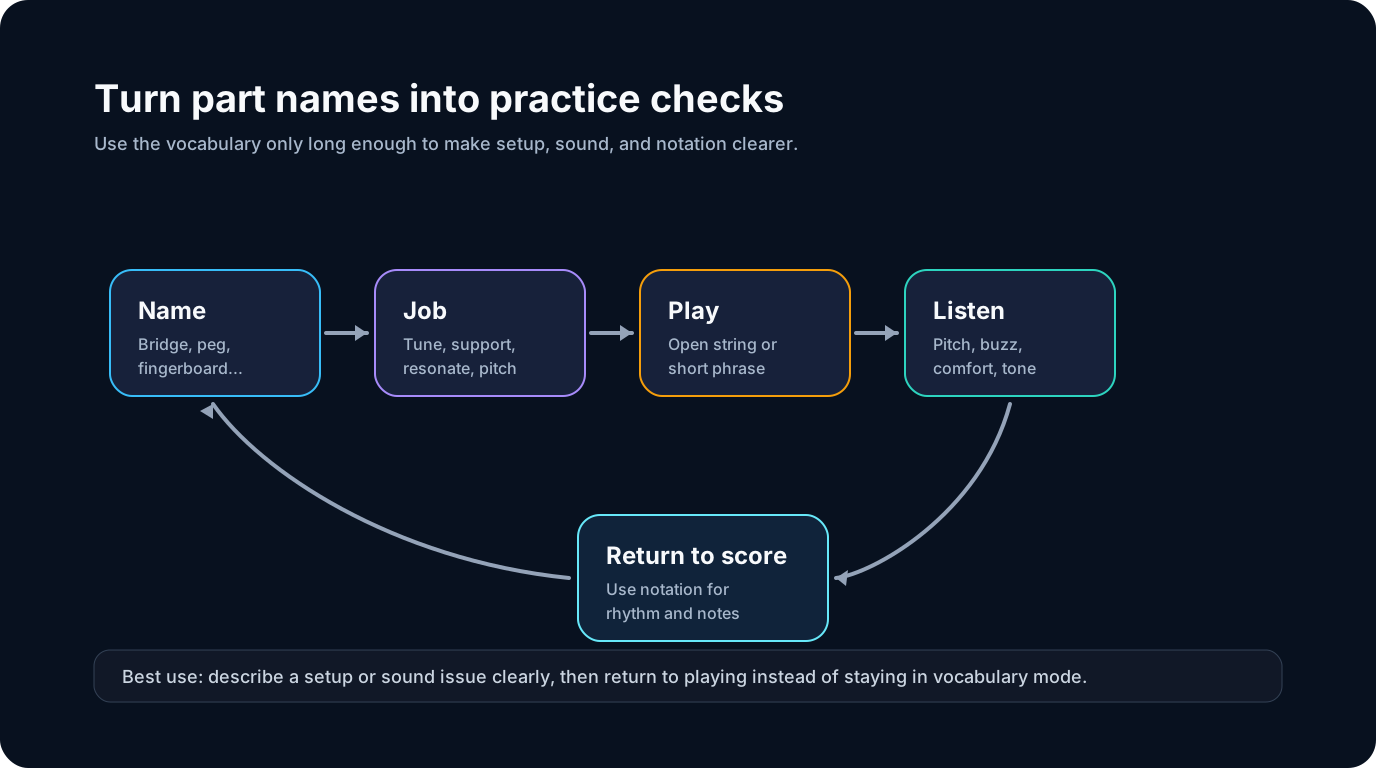
That loop turns anatomy into musicianship. Instead of memorizing "bridge" as a word, you learn that the bridge affects string height, bow contact, resonance, and the visual spacing between strings.
Use Melogen as a notation bridge, not an anatomy teacher
Melogen Sheet2MIDI helps after you move from the physical violin to visible notation. The local product page describes a browser workflow for converting sheet music images and PDFs into MIDI. That makes it useful when you have a clean exercise page and want a quick playback reference before practice.

Keep the boundary clear. Sheet2MIDI does not identify violin body parts, adjust a bridge, or teach bow hold. It helps when the source is readable notation and your next step is hearing or editing the notes. For a scanned beginner exercise, public-domain etude, or teacher-created page, that can be a useful bridge into listening practice.
If the page is a score rather than an anatomy chart, the broader sheet music to MIDI workflow explains how source quality, clean scans, and output review affect the first conversion.
Turn a clean violin exercise into a MIDI reference
Use Melogen Sheet2MIDI when you have readable violin notation and want a first-pass playback file before you finish the musical decisions yourself.
The practical takeaway
Violin parts names become easier when you stop treating them like flashcards. Learn the map, then attach every label to a job: tuning, pitch, resonance, or support. That gives you better questions for a teacher, clearer notes during practice, and a safer way to describe setup problems.
Before your next practice session, check three things:
- Can you name the scroll, pegs, fingerboard, bridge, f-holes, tailpiece, fine tuners, and chin rest?
- Can you say what each part affects in playing?
- Can you separate physical setup questions from note-reading questions?
If yes, move on to strings, scales, and reading. If not, keep the map nearby for one more week. A clear instrument map makes the written page less mysterious.
About the author
Zhang Guo
Composer - AI Product Manager
AI product manager and digital marketing consultant with a background in music. Creativity is the bridge between rhythm and logic, where musical intuition and mathematical precision can coexist in every meaningful product decision.
Follow on X