What Is MusicXML? Format Guide for Musicians
Learn what MusicXML is, how it differs from MIDI and PDF, when musicians use it, and how to keep notation-editing workflows clean.
 Zhang Guo
Turn a static score into editable MIDI
Contents
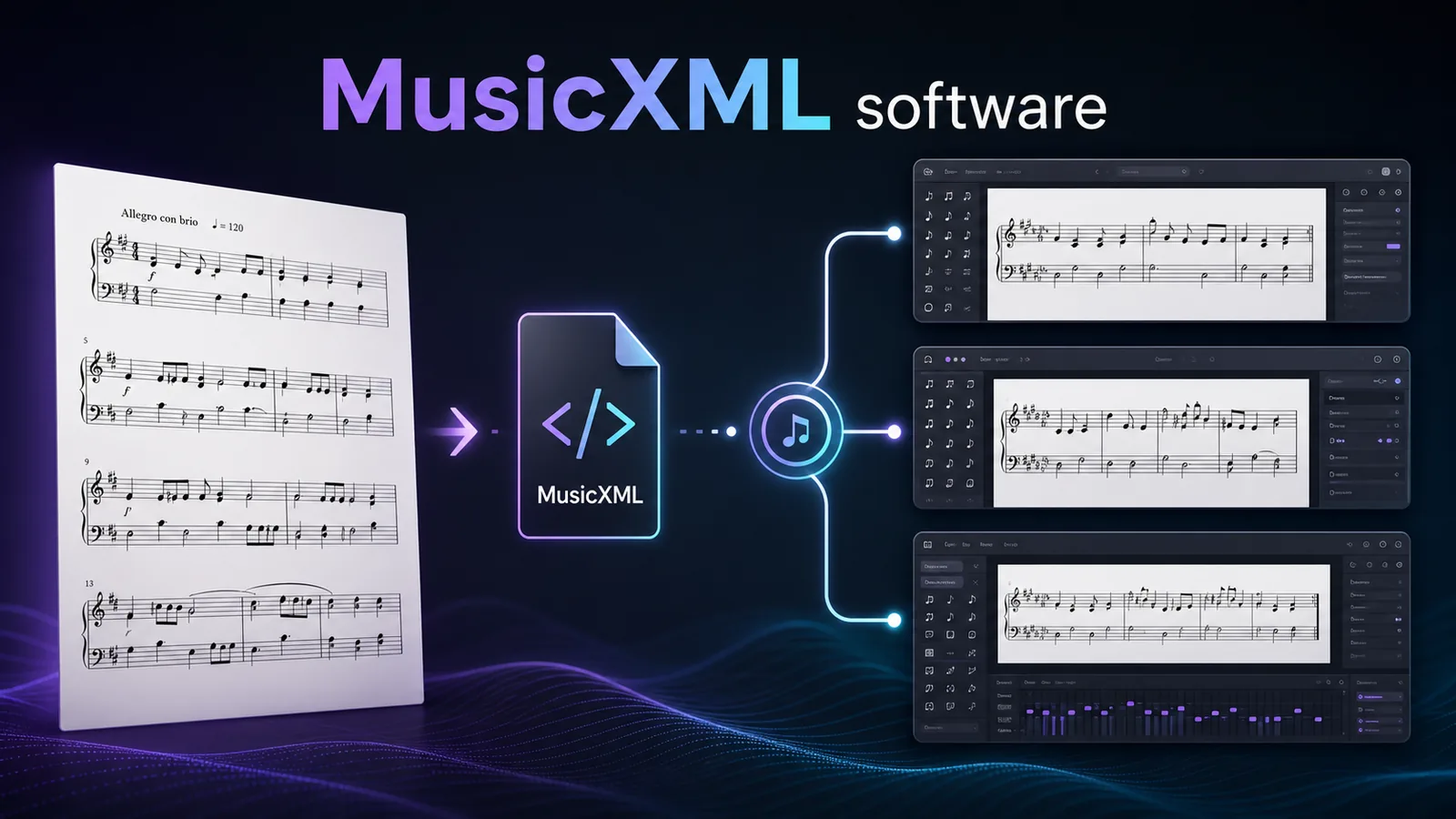
What is MusicXML? MusicXML is an open file format for exchanging digital sheet music between notation programs. It is useful when you want a score to stay editable: measures, parts, staves, voices, clefs, key signatures, lyrics, dynamics, and layout cues can travel with the file instead of being flattened into a static page.
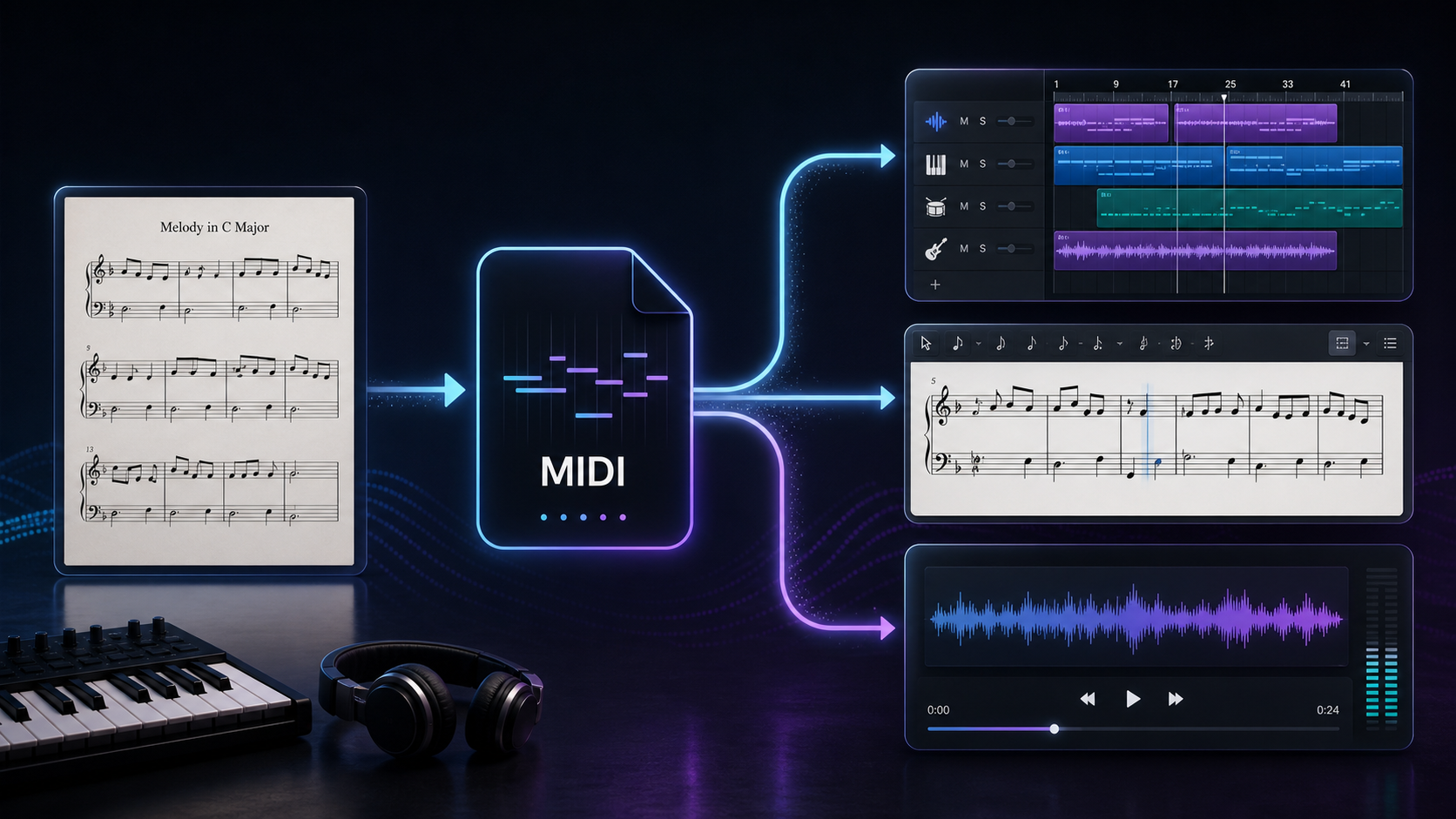
The practical version is even simpler. A PDF shows what the score looks like. MIDI tells software how notes should play. MusicXML tries to preserve the written score model so you can open it in MuseScore, Dorico, Sibelius, Finale, Notion, or another notation editor and keep working.
That makes MusicXML important for composers, arrangers, teachers, copyists, and anyone converting sheet music into a file that still needs musical cleanup.
MusicXML in Plain Language
The W3C MusicXML 4.0 specification describes MusicXML as a standard open format for exchanging digital sheet music. The W3C Music Notation Community Group maintains MusicXML along with other notation specifications.
In plain musician terms, MusicXML is a structured score file. It is not just an image of notation. It can describe the musical objects that make a score work:
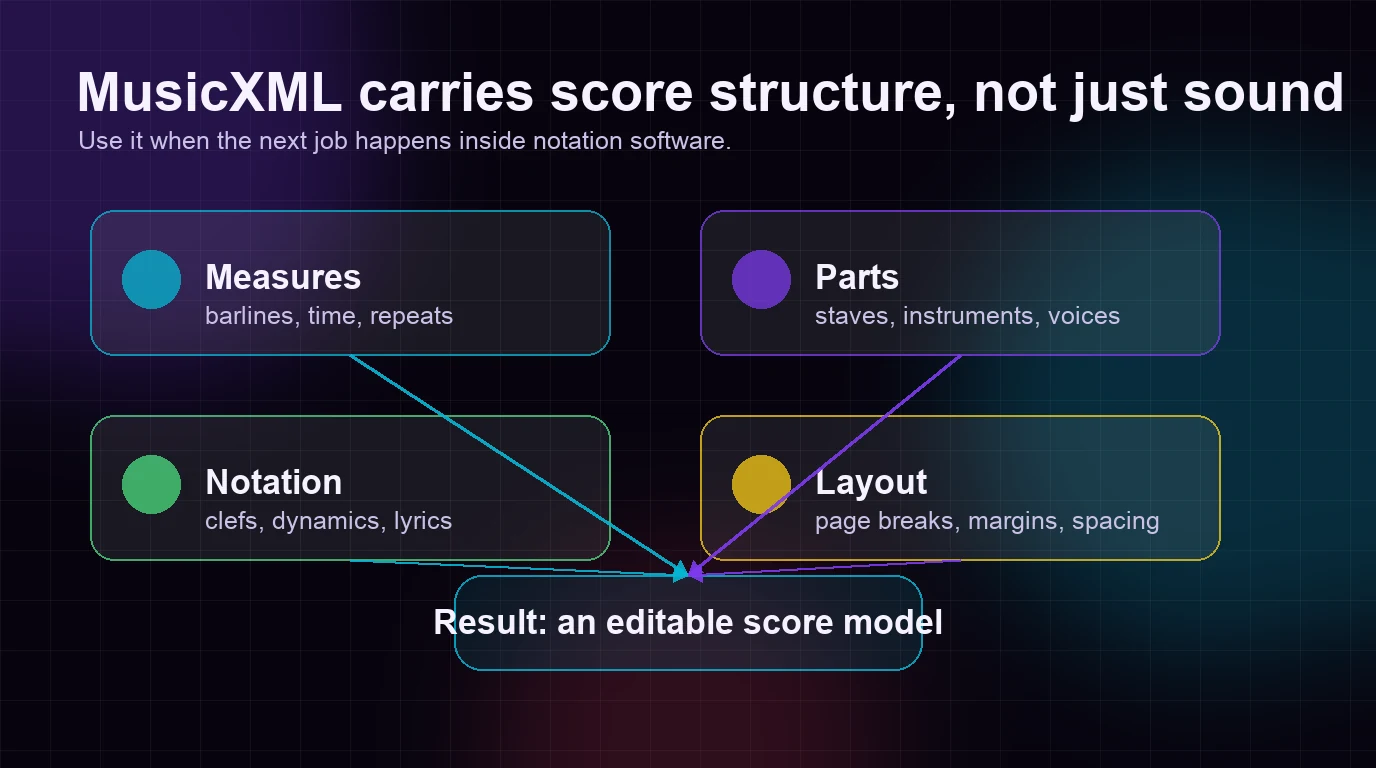
| Score layer | What MusicXML can carry | Why musicians care |
|---|---|---|
| Measures and timing | barlines, time signatures, repeats, pickups | The score stays organized by bars, not just by page position. |
| Parts and staves | instruments, staff groups, voices | Ensemble and piano scores are easier to reopen and fix. |
| Notation details | clefs, key signatures, lyrics, dynamics, articulations | The file can keep more of the written music than MIDI alone. |
| Layout hints | page size, margins, system breaks, spacing data | The imported score can start closer to the original layout. |
That last point needs a little caution. MusicXML is strong at transferring score structure, but it is not a guarantee that every imported score will look identical in every program. Different notation editors use different fonts, spacing rules, engraving defaults, and import settings.
Why Musicians Use MusicXML
MusicXML matters because music notation is more than notes on a timeline. If you are preparing parts, teaching from a score, correcting a scan, or moving a piece between notation programs, you need the written structure.
Here are common jobs where MusicXML is the right first file:
| Reader job | Why MusicXML helps |
|---|---|
| Open a score in another notation editor | MusicXML is built for exchange between scorewriters. |
| Convert a scanned PDF into editable notation | OMR can rebuild a score model, then export MusicXML for cleanup. |
| Prepare parts for rehearsal | Staves, measures, clefs, and voices matter more than raw playback. |
| Transpose a part | Key signatures, written pitch, and staff context need notation-aware editing. |
| Preserve lyrics, articulations, and dynamics | These markings are score objects, not just sound events. |
| Archive a score outside one app's native file format | An open exchange format is safer than locking every project to one program. |
The MuseScore handbook page for MusicXML files is a useful reminder of the real-world boundary: MusicXML can reproduce notes and instrumentation, but cleanup is usually needed if you want the transferred score to match the original exactly.
That is not a failure of MusicXML. It is the normal tradeoff of exchanging notation between different programs. The file gives you a structured starting point. The musician still has to proofread.
MusicXML vs MIDI vs PDF
The easiest way to understand MusicXML is to compare it with the two formats musicians confuse it with most often.
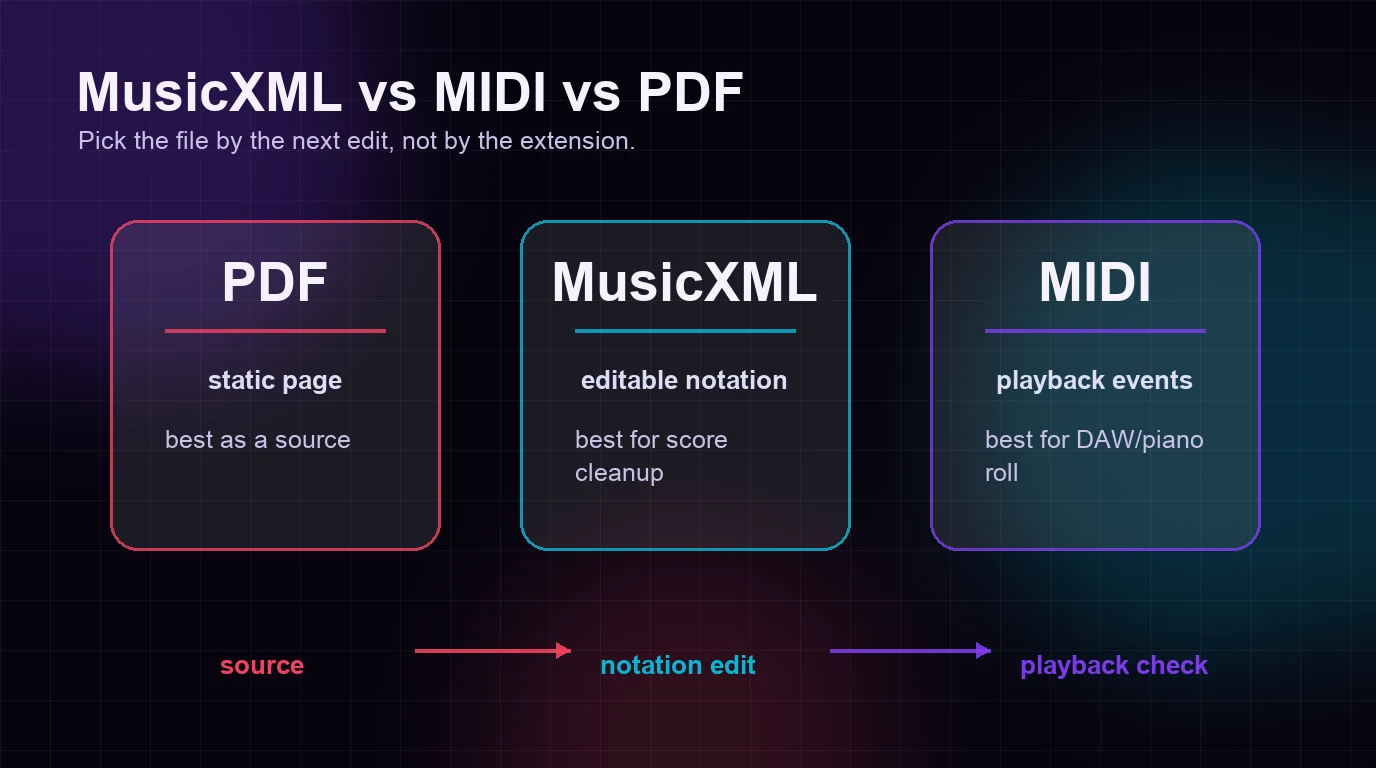
| Format | Best at | Weak spot | Use it when |
|---|---|---|---|
| Preserving the visual page | Usually not editable as notation | You need to view, print, send, or scan a score. | |
| MusicXML | Moving editable score structure | Needs cleanup after import | You need notation editing, transposition, part extraction, or score repair. |
| MIDI | Moving playback events | Does not naturally preserve engraving details | You need DAW editing, playback, virtual instruments, or piano-roll work. |
If a score is trapped in a PDF, the useful path is often PDF -> OMR -> MusicXML. If a musical idea is trapped in audio, the useful path is often audio -> MIDI. If you already have a clean MusicXML file, you are much closer to notation editing than if you only have a MIDI file.
Melogen already has a deeper MIDI vs MusicXML comparison if the file-choice decision is your main blocker. This article is the parent definition: what MusicXML is, why it exists, and how to use it without expecting the wrong thing from it.
How a MusicXML Workflow Actually Works
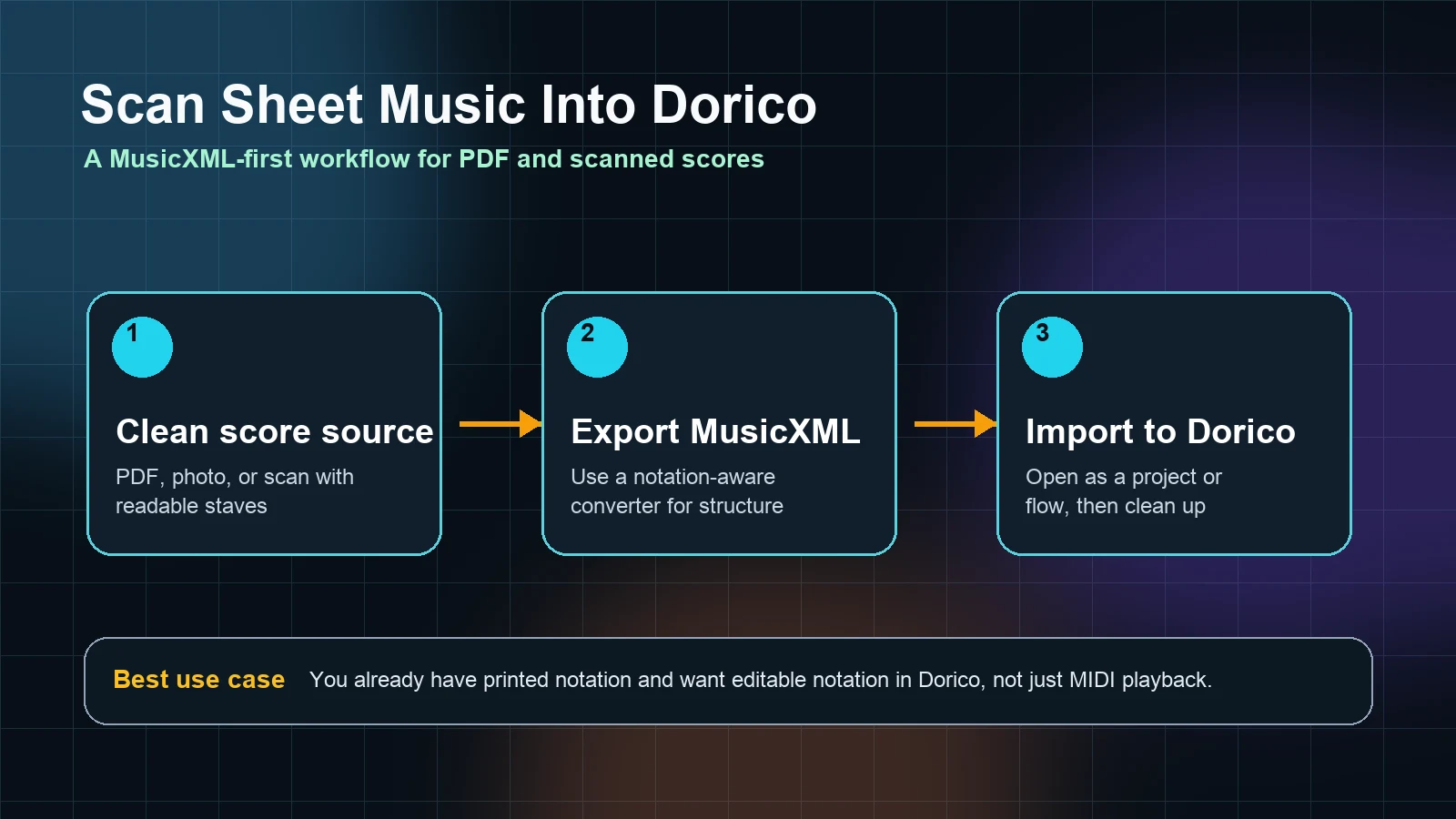
A clean MusicXML workflow has four separate jobs: source preparation, conversion, notation import, and proofreading. Keeping those jobs separate prevents a lot of frustration.
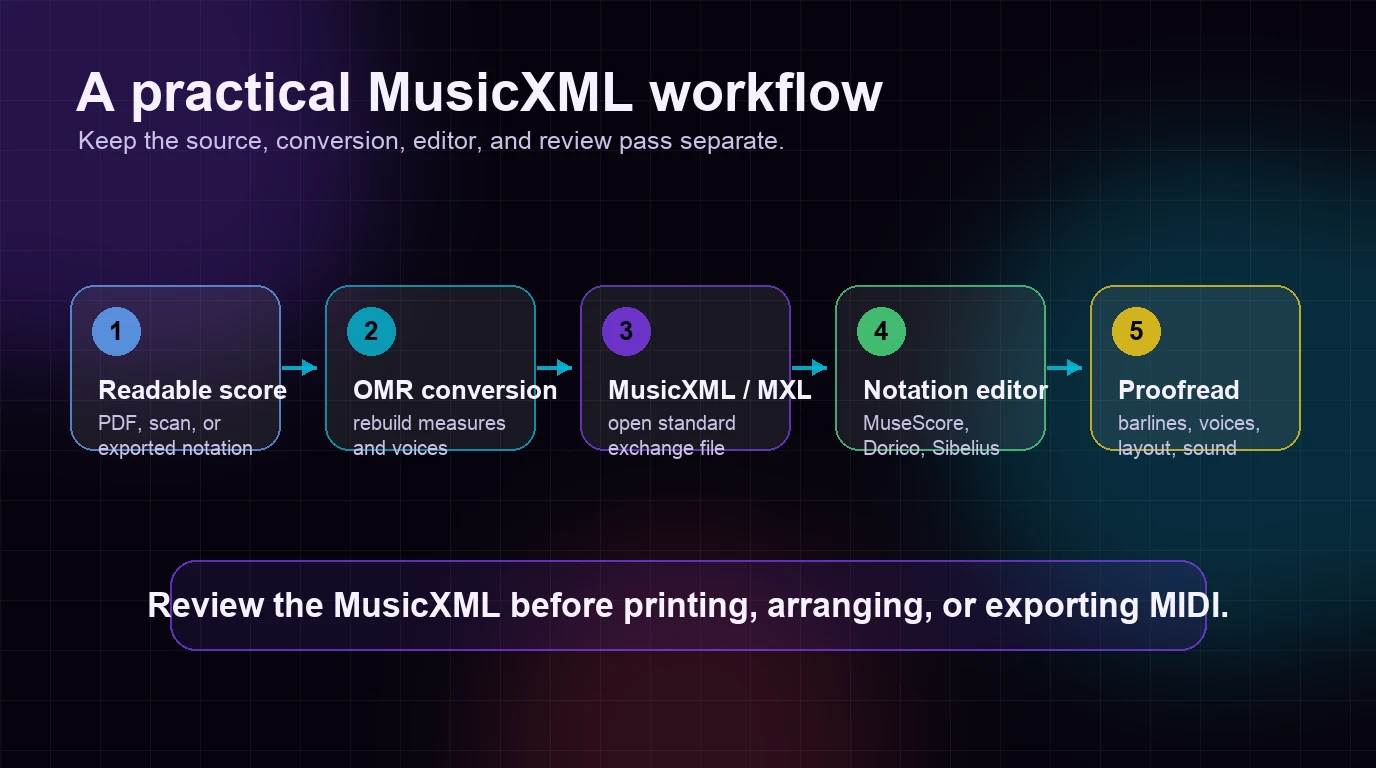
- Start with the best readable source you have. A digital PDF or sharp scan works better than a tilted phone photo.
- Convert the visible notation into structured music data. This is where optical music recognition, or OMR, does the heavy lifting.
- Export MusicXML or compressed MXL. The file is meant for notation software, not for final listening.
- Open the file in a notation editor. MuseScore, Dorico, Sibelius, Notion, and legacy Finale workflows are common destinations.
- Proofread the score like a musician. Check bars, voices, clefs, lyrics, repeats, dynamics, and layout before trusting the file.
The workflow is powerful because it saves manual entry. It is not a promise that the first import is publication-ready. Dense piano textures, choir scores, orchestral reductions, old scans, handwritten parts, and pages with weak contrast all need a review pass.
If you are learning the recognition step itself, read what is OMR next. OMR is the technology that reads notation from a page. MusicXML is one of the useful outputs when the destination is score editing.
Common MusicXML Misunderstandings
MusicXML is easy to misuse when you think of it as a magic conversion button. A few distinctions help.
| Misunderstanding | Better way to think about it |
|---|---|
| MusicXML is the same as MIDI | MIDI is playback-first. MusicXML is notation-first. |
| MusicXML will preserve every page exactly | It can carry layout data, but each notation editor has its own engraving defaults. |
| MusicXML replaces proofreading | It reduces manual entry. It does not remove musical review. |
| MusicXML is only for professionals | Students, teachers, choirs, bands, and hobby arrangers use it whenever they need editable notation. |
| A PDF automatically contains MusicXML | Most PDFs are static pages. You need OMR or the original notation file to get structured data. |
| MusicXML is always the best export | Use MIDI if the next job is DAW playback or sound design. |
One useful test: ask what you need to edit next. If the next edit is barlines, voices, clefs, lyrics, transposition, page layout, or printable parts, MusicXML belongs in the workflow. If the next edit is timing, velocity, instrument sound, quantization, or a backing track, MIDI usually comes first.
Where Melogen Fits
Melogen is useful when your score starts as a static PDF and you need an editable notation file. The PDF to MusicXML route is built for PDF input and MusicXML output, so it fits notation-first cleanup better than a generic MIDI conversion workflow.

Use Melogen when you want to move from a readable PDF score into a notation editor without retyping every note. After export, open the MusicXML or MXL file in your notation software and run the musician's check: measures first, then voices and staves, then markings and layout.
For a step-by-step source-prep workflow, use the convert PDF to MusicXML online guide. It goes deeper on scan quality, export expectations, and the first cleanup pass after conversion.
Turn a PDF score into editable MusicXML
Use Melogen PDF to MusicXML when your next step is notation editing, transposition, part extraction, or score cleanup in MuseScore, Dorico, Sibelius, or another notation editor.
A Quick MusicXML Checklist
Before you send a MusicXML file to another musician or start serious layout work, run a quick check.
| Check | What to inspect | Why it matters |
|---|---|---|
| First page | bar count, clefs, key signatures, time signatures | Early errors usually repeat later. |
| Voices | piano hands, choir parts, inner voices | OMR and imports can merge or split layers incorrectly. |
| Rhythm | ties, tuplets, pickups, rests | A score can look close but still play wrong. |
| Text | lyrics, rehearsal marks, tempo text, chord symbols | Text often needs cleanup after import. |
| Dynamics and articulations | slurs, accents, hairpins, phrasing | These markings affect performance and part preparation. |
| Layout | system breaks, page breaks, staff spacing | Treat layout as the final pass, not the first fix. |
If the first page is badly wrong, improve the source and rerun conversion. If the structure is mostly right, keep editing inside the notation program. That judgment saves time: do not polish a broken import, and do not rerun a file that only needs a few musical corrections.
Frequently Asked Questions
What is a MusicXML file?
A MusicXML file is an open score-exchange file for digital sheet music. It stores notation structure so a score can move between notation programs and remain editable.
What is the difference between MusicXML and MXL?
MusicXML usually refers to the uncompressed XML file. MXL is compressed MusicXML, often smaller and easier to share. Many notation programs can open both.
Can MuseScore open MusicXML?
Yes. MuseScore can open MusicXML files, but imported scores may still need cleanup for layout, text, breaks, stems, and other details. That is normal for exchanged notation.
Is MusicXML better than MIDI?
MusicXML is better for notation editing. MIDI is better for playback, DAW editing, and piano-roll work. The best format depends on the next job.
Can I convert PDF to MusicXML?
Yes, if the PDF contains readable printed notation. An OMR tool can analyze the page and export MusicXML, but clean PDFs and sharp scans work better than blurry, skewed, or handwritten sources.
The Practical Takeaway
MusicXML is the format to reach for when the music needs to stay written, editable, and shareable between notation tools. It is not a better MP3, and it is not a prettier PDF. It is a score model.
Use PDF when the page needs to stay fixed. Use MIDI when the music needs to play in a DAW. Use MusicXML when the score needs to keep living as notation.
That small distinction makes the whole workflow calmer: convert the source, open the MusicXML, proofread the score, and then decide whether the final destination is rehearsal, printing, publishing, or playback.
About the author
Zhang Guo
Composer - AI Product Manager
AI product manager and digital marketing consultant with a background in music. Creativity is the bridge between rhythm and logic, where musical intuition and mathematical precision can coexist in every meaningful product decision.
Follow on X