How to See Apple Music Lyrics on Any Device
See Apple Music lyrics on iPhone, Android, Mac, Windows, web, and Apple TV. Learn synced lyrics, translation, sharing, Sing, and fixes.
 Zhang Guo
Turn a static score into editable MIDI
Contents
To see Apple Music lyrics, play a catalog song, open the Now Playing view, and select the Lyrics button. When available, the words follow the music in time. If Apple does not have synchronized lyrics for that recording, you may see full static lyrics instead.
The control moves slightly between iPhone, Android, Mac, Windows, the web player, and Apple TV. This guide maps each device, then fixes the common cases where the button is gray, lyrics are missing, or Apple Music Sing does not appear.
Apple Music lyrics at a glance
| Device | Where to open lyrics | What you may see | Useful extra |
|---|---|---|---|
| iPhone or iPad | Now Playing, then Lyrics at the bottom | Time-synced or full lyrics | Translation, pronunciation, sharing, Apple Music Sing |
| Android | Now Playing, then Lyrics at the bottom | Time-synced or full lyrics | Report missing or incorrect lyrics |
| Mac or Windows PC | Play a song, then Lyrics at the top | Time-synced or full lyrics | Large desktop reading view |
| Apple Music on the web | Play a song, then Lyrics | Available lyrics beside the player | Jump to a timed line when supported |
| Apple TV | Now Playing, then Lyrics | Time-synced or full lyrics | Translation, pronunciation, and Sing on supported hardware |
Three terms matter:
- Time-synced lyrics advance with the recording and may let you jump to a line.
- Full lyrics show the words without beat-by-beat timing.
- Apple Music Sing adds adjustable vocal volume on supported songs and devices. It is not available everywhere that ordinary lyrics are available.
See lyrics on iPhone, iPad, or Android
On an iPhone or iPad:
- Open the Music app and play a song from the Apple Music catalog.
- Tap the MiniPlayer to open Now Playing.
- Tap the Lyrics button at the bottom of the screen.
- Tap a timed line to jump to that point in the song when the feature is available.
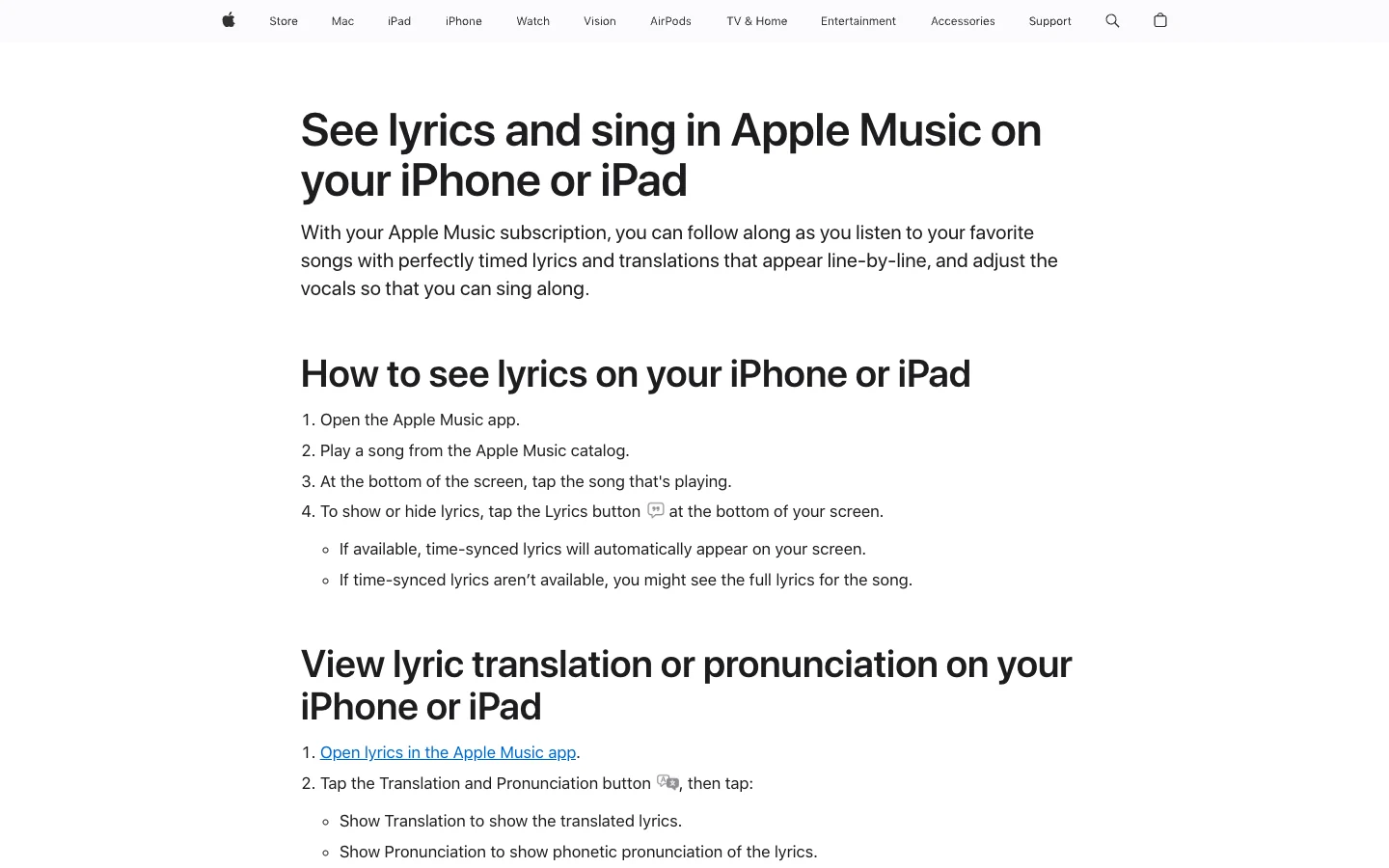
Apple's current iPhone and iPad lyrics guide also documents translation, pronunciation, Apple Music Sing, and reporting a concern. The translation options follow the device's preferred languages and are not available for every song, language, or region.
The Android flow is nearly the same: open Apple Music, play a catalog song, open the Now Playing screen, and tap Lyrics. Apple's Android lyrics instructions say a gray Lyrics button can mean the song is outside the Apple Music catalog, lyrics are unavailable, or the device is offline.
Do not assume that every local audio file will inherit lyrics from a similarly named catalog track. The recording, metadata, and Apple catalog match all matter.
See lyrics on Mac, Windows, or the web
In the Apple Music app on Mac or Windows:
- Play a song from the Apple Music catalog.
- Click Lyrics at the top of the window.
- Read the time-synced view, or the full lyrics when timing is unavailable.
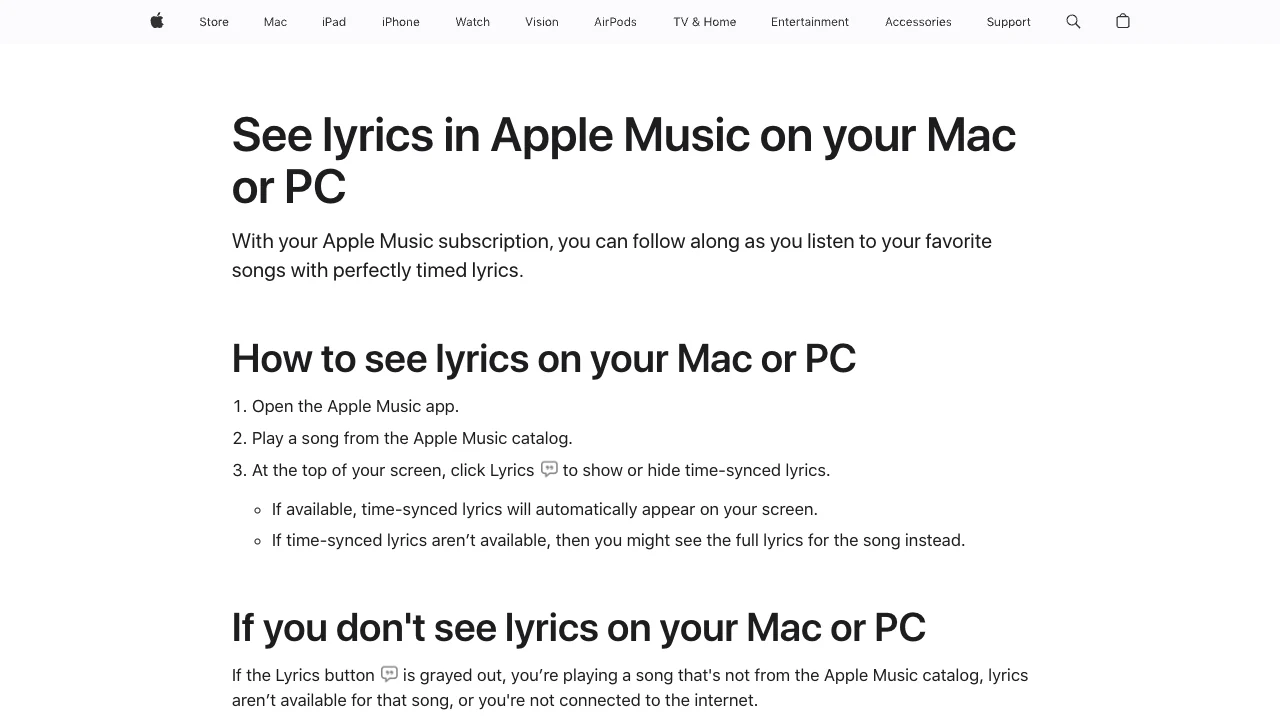
Apple's Mac and PC support page uses the same basic availability test as mobile: if the button is gray, check whether the song is from the catalog, whether lyrics exist for that recording, and whether the computer is online.
For the browser player, sign in at Apple Music on the web, play a song, and select Lyrics. Apple's web-player guide notes that you can select a line to jump within a song when timed lyrics are available.
The desktop and web views are useful for study because more lines fit on screen. They do not expose a downloadable lyric file, and copying an entire copyrighted lyric is not the job of this feature.
Use lyrics, translation, sharing, and Apple Music Sing
Apple Music lyrics are more than a scrolling text panel, but the extra controls depend on the song and device.
Translation and pronunciation
On supported iPhone, iPad, and Apple TV versions, open lyrics and select Translation and Pronunciation. You may be able to show a translation, show phonetic pronunciation, or hide the original script. Availability depends on the song, language, region, and your preferred-language settings.
This is especially useful for rehearsal: keep the original line visible, use pronunciation for the first pass, then remove the aid once the words and rhythm are secure.
Share a short lyric excerpt
On iPhone, touch and hold a time-synced line or use More and Share Lyrics. Apple limits the shared selection to a short excerpt and packages it through the share sheet. That is different from copying or republishing a complete song lyric.
Sing with adjustable vocals
Apple Music Sing adds a vocal-volume control to compatible songs. On iPhone and iPad, open lyrics and look for the Mic control. On Apple TV, Apple's lyrics and Sing guide documents the current Apple TV workflow, including translation and pronunciation.
If ordinary lyrics appear but the Mic button does not, check the device model, operating-system version, and the specific song. A lyrics-enabled song is not automatically a Sing-enabled song.
Fix Apple Music lyrics not showing
Start with the symptom. Reinstalling the app first usually hides the useful evidence.
| Symptom | Most likely explanation | Best next check |
|---|---|---|
| Lyrics button is gray for one song | Lyrics are unavailable for that recording, or it is not a matched catalog item | Test a current popular catalog song that is known to show lyrics |
| Lyrics button is gray for every song | Network, account, app, region, or service issue | Confirm playback, internet access, Apple Music subscription state, and service status |
| Full lyrics appear but do not move | Time-synced lyrics are unavailable | Use the full view; another device will not add timing to the same recording |
| Translation or pronunciation is missing | The song or preferred language is unsupported | Check Language and Region settings, then test another supported song |
| Mic button is missing | Apple Music Sing is unsupported for the song or hardware | Update the device and verify Apple's current compatibility list |
| Lyrics are wrong or mistimed | The catalog data needs correction | Use Report a Concern from the lyrics view or Apple Music feedback |
| A local file has no lyrics | It is not matched to the catalog version, or its metadata differs | Check title, artist, album, and source; do not overwrite the master file blindly |
If all songs lose lyrics at once, treat it as a broader Apple Music problem. Check whether streaming works, whether the same account works on another device, and whether Apple reports an outage. The Apple Music problems guide provides a wider symptom-first checklist for account, library, download, and playback failures.
Turn lyrics into a better practice workflow
Lyrics are useful when they change what you do next. A simple rehearsal loop is enough:
- Listen once without looking at the screen.
- Replay with time-synced lyrics and mark the phrases you miss.
- Use pronunciation or translation only where meaning or diction is unclear.
- Jump back to difficult lines instead of restarting the whole track.
- Practice without the text, then use it for a final check.
For songwriting, keep the task separate from catalog lyrics. Apple Music helps you study an existing recording; it is not an editor for your own draft. Melogen's AI lyrics generator is for developing original lyrics from topics, keywords, emotions, a title, or starting lines, followed by your own editing pass.
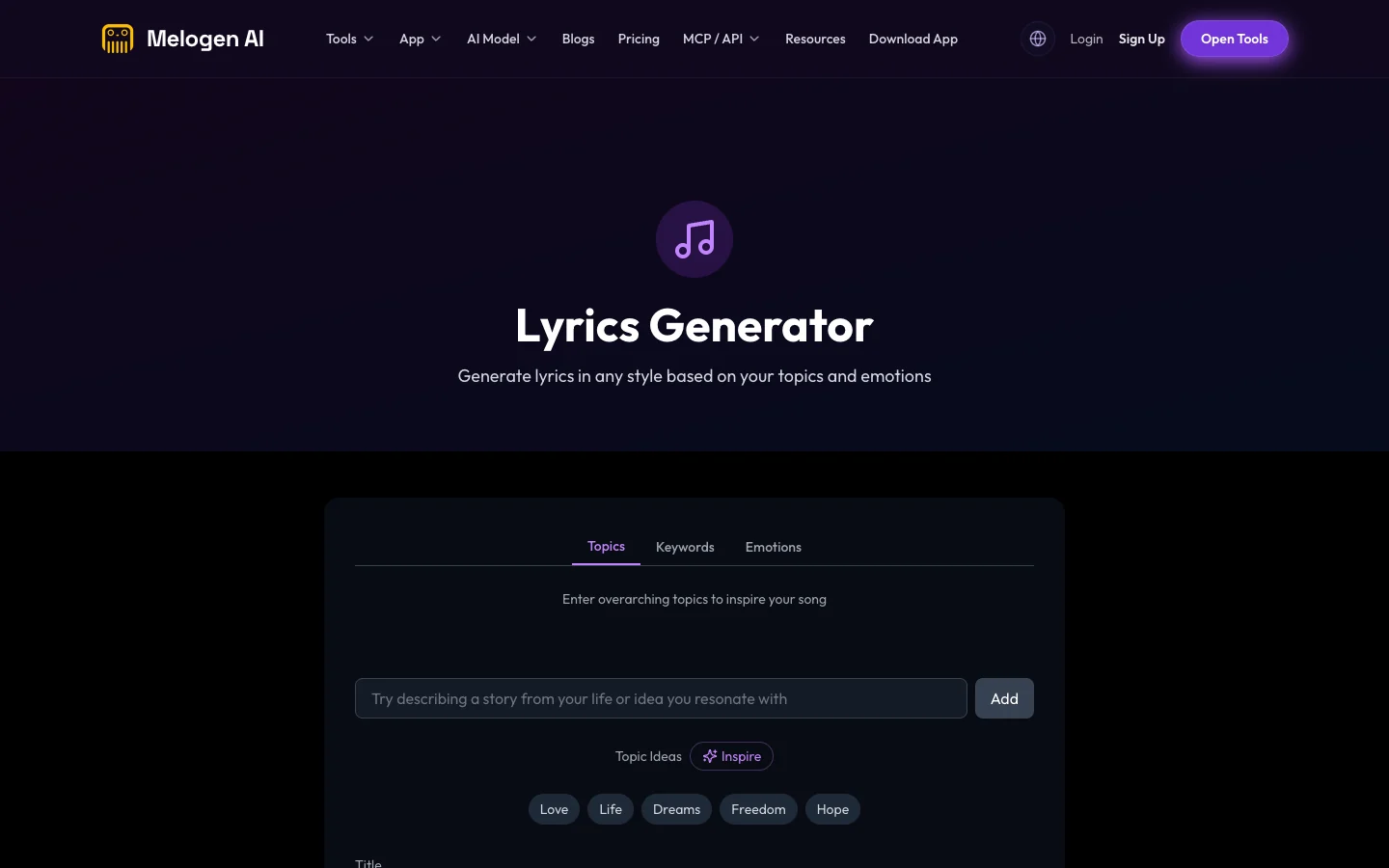
Move from lyric study to your own draft
Use Apple Music to follow and study released songs. When you are ready to write, use Melogen to generate an original starting point from your own topic, keywords, and emotional direction.
FAQs
Why are Apple Music lyrics not available for every song?
Lyrics are licensed and prepared per catalog recording. Some songs have time-synced lyrics, some have only full lyrics, and some have none. Regional availability can also differ.
Can I see Apple Music lyrics offline?
On supported Apple devices, downloaded Apple Music songs can keep lyrics available offline. Do not assume identical behavior for every platform or local file; test the exact device and recording before relying on it for a performance or lesson.
Can I translate Apple Music lyrics?
Yes, when Apple provides translation for that song and language. On supported devices, open lyrics and choose Translation and Pronunciation. The control may be absent or gray when the feature is unavailable.
What is the difference between lyrics and Apple Music Sing?
Lyrics display the words. Apple Music Sing adds adjustable vocal volume for compatible tracks on supported hardware. A song can have lyrics without supporting Sing.
Can I add lyrics to my own song in Apple Music?
The consumer Music app is not a general lyric editor for unreleased songs. Artists and rights holders manage catalog metadata through their distribution and Apple-facing workflows. For a local draft, keep your lyric document in your writing or production project.
How do I report incorrect lyrics?
On supported mobile devices, open the time-synced lyrics, touch and hold a line, then choose Report a Concern. Apple also provides an Apple Music feedback page for missing or incorrect lyrics.
The practical takeaway
Open Now Playing and select Lyrics. If the control works for one song but not another, the difference is usually catalog availability, not a broken device. Use full lyrics when timing is missing, enable translation or pronunciation when offered, and treat Apple Music Sing as a separate compatibility layer. For practice, jump between difficult lines; for original songwriting, move into a dedicated lyric draft instead of copying a released song.
About the author
Zhang Guo
Composer - AI Product Manager
AI product manager and digital marketing consultant with a background in music. Creativity is the bridge between rhythm and logic, where musical intuition and mathematical precision can coexist in every meaningful product decision.
Follow on X