Apple Music Skipping Songs: Fixes for All Devices
Fix Apple Music skipping songs by checking network, Sync Library, crossfade, downloads, storage, account, and local-file issues.
 Zhang Guo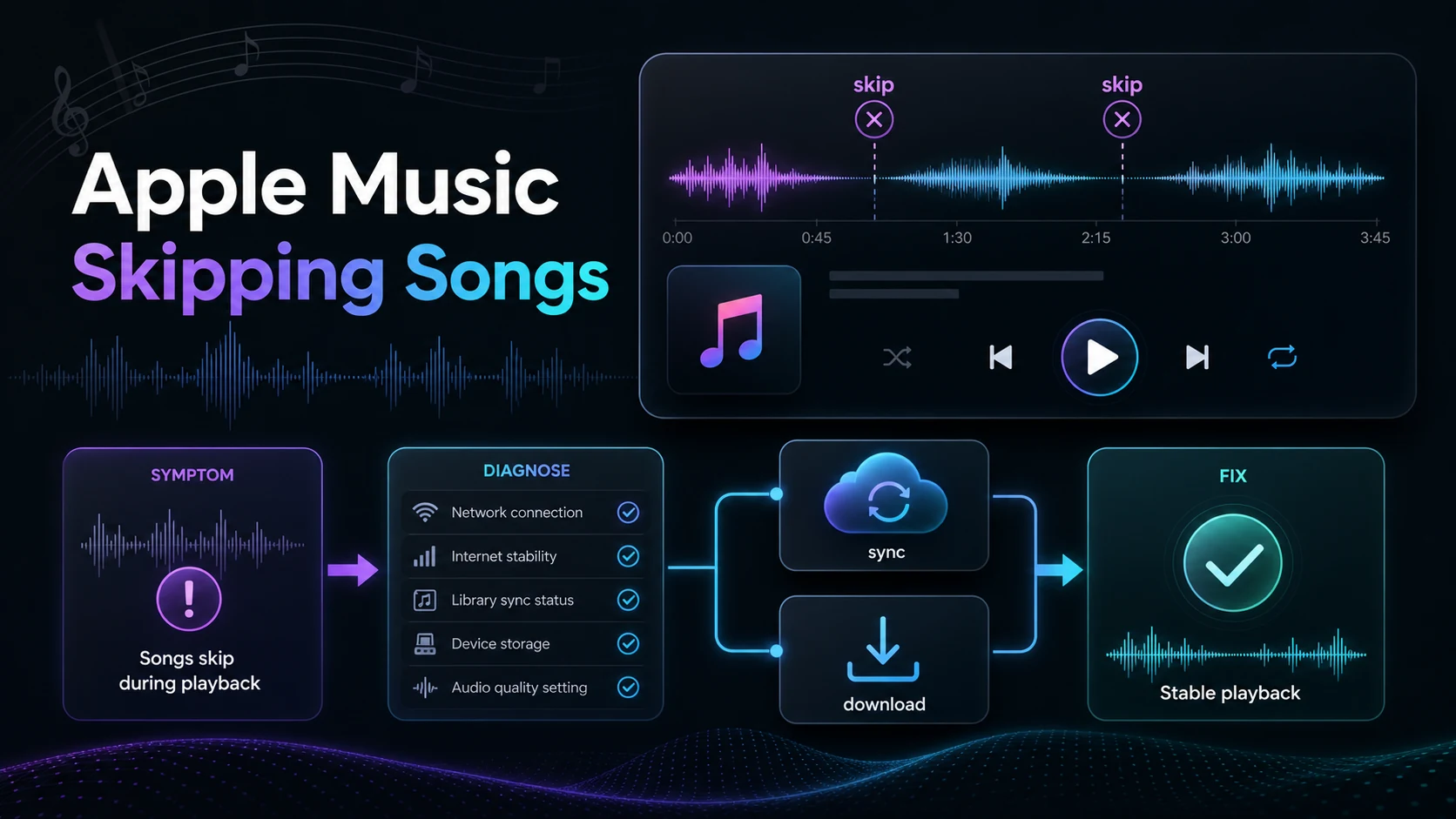
Turn a static score into editable MIDI
Contents
Apple Music skipping songs usually comes down to one of five things: weak network, a Sync Library mismatch, unavailable catalog tracks, a download/storage problem, or a playback setting that makes the transition feel broken. The useful move is to diagnose the symptom before reinstalling everything.
Start with the smallest fix that matches what you see. If every stream skips, check network and account status. If only downloaded tracks skip, remove and redownload them. If songs jump near the end, check Crossfade or AutoMix. If local files show warning icons or cloud-status problems, fix the original file and update your library.
Quick triage for Apple Music skipping songs
| What you notice | Most likely cause | First fix to try |
|---|---|---|
| Every song skips or buffers | Network or app session problem | Switch networks, force quit Music, then reopen it |
| Specific songs are skipped | Catalog availability, region, or library mismatch | Delete the grayed-out copy and add the available version again |
| Downloaded songs skip offline | Corrupt download or low storage | Remove the download, free storage, and download again |
| Songs jump near the ending | Crossfade, AutoMix, or transition settings | Turn song transitions off, then test the same track |
| Imported local files skip | Missing original file or bad local audio | Locate the original file and update Cloud Library |
This order matters because Apple Music can skip for different reasons that look similar. A track that disappears from Sync Library needs a different repair from a track that cuts out because the phone is out of storage.
Check account, catalog, and Sync Library first
Apple's Sync Library support page says Sync Library streams your library on devices signed in with the same Apple Account used for the Apple Music subscription. If your devices are not signed in consistently, Apple Music may look like it is skipping tracks when the real problem is that the library state is not aligned.
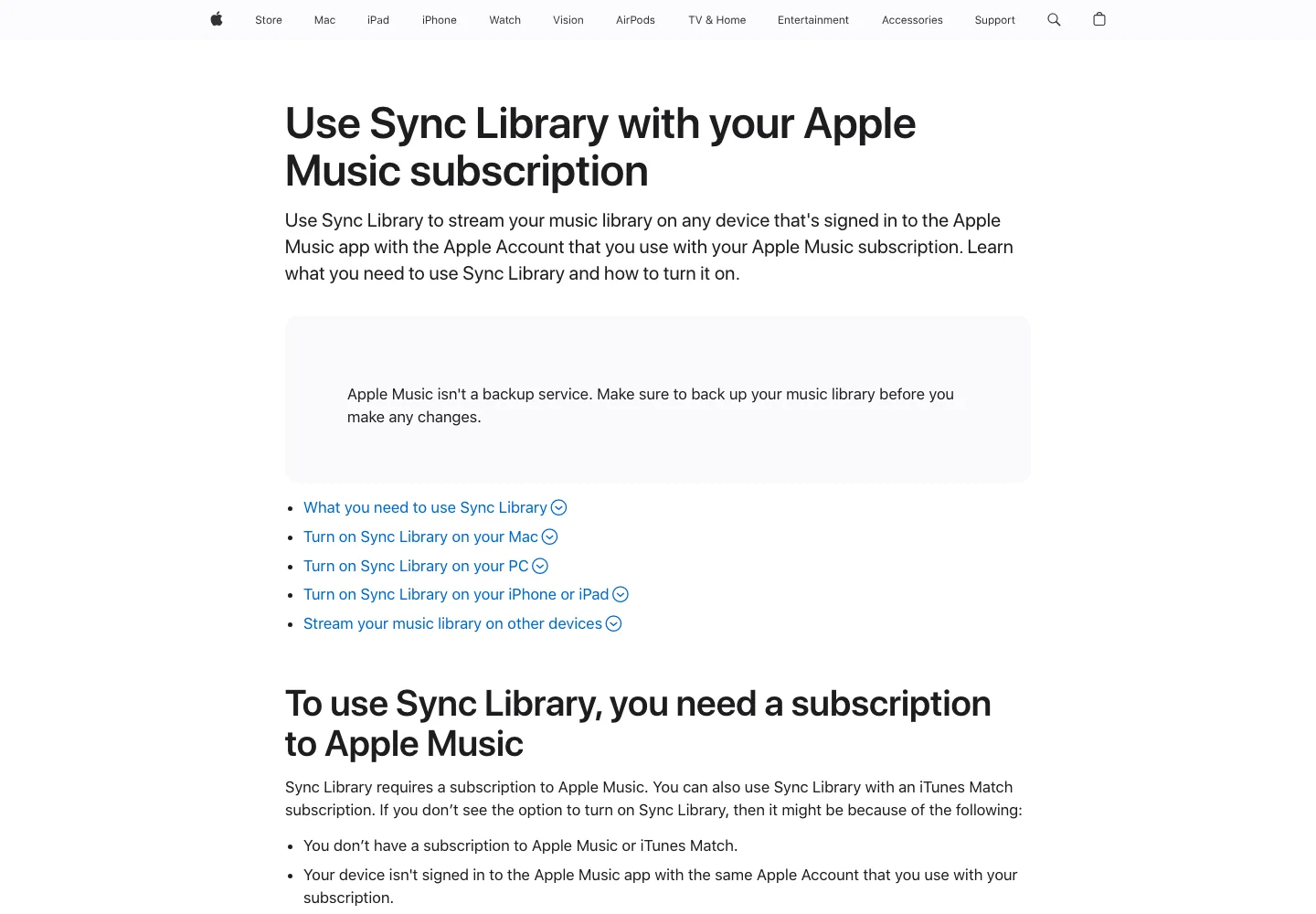
Check these before deeper repair:
- Confirm the Apple Music subscription is active.
- Make sure every device uses the same Apple Account.
- Turn Sync Library on for Mac, PC, iPhone, or iPad where needed.
- Keep the device online long enough for the library to finish updating.
- On Mac or Windows, update the cloud library from the Music app after restoring a missing local file.
If a song is grayed out or missing, use Apple's missing songs guide instead of guessing. Apple documents specific cloud statuses such as missing original files, waiting-to-sync tracks, and songs no longer available in the catalog. Those are library-state problems, not audio-quality problems.
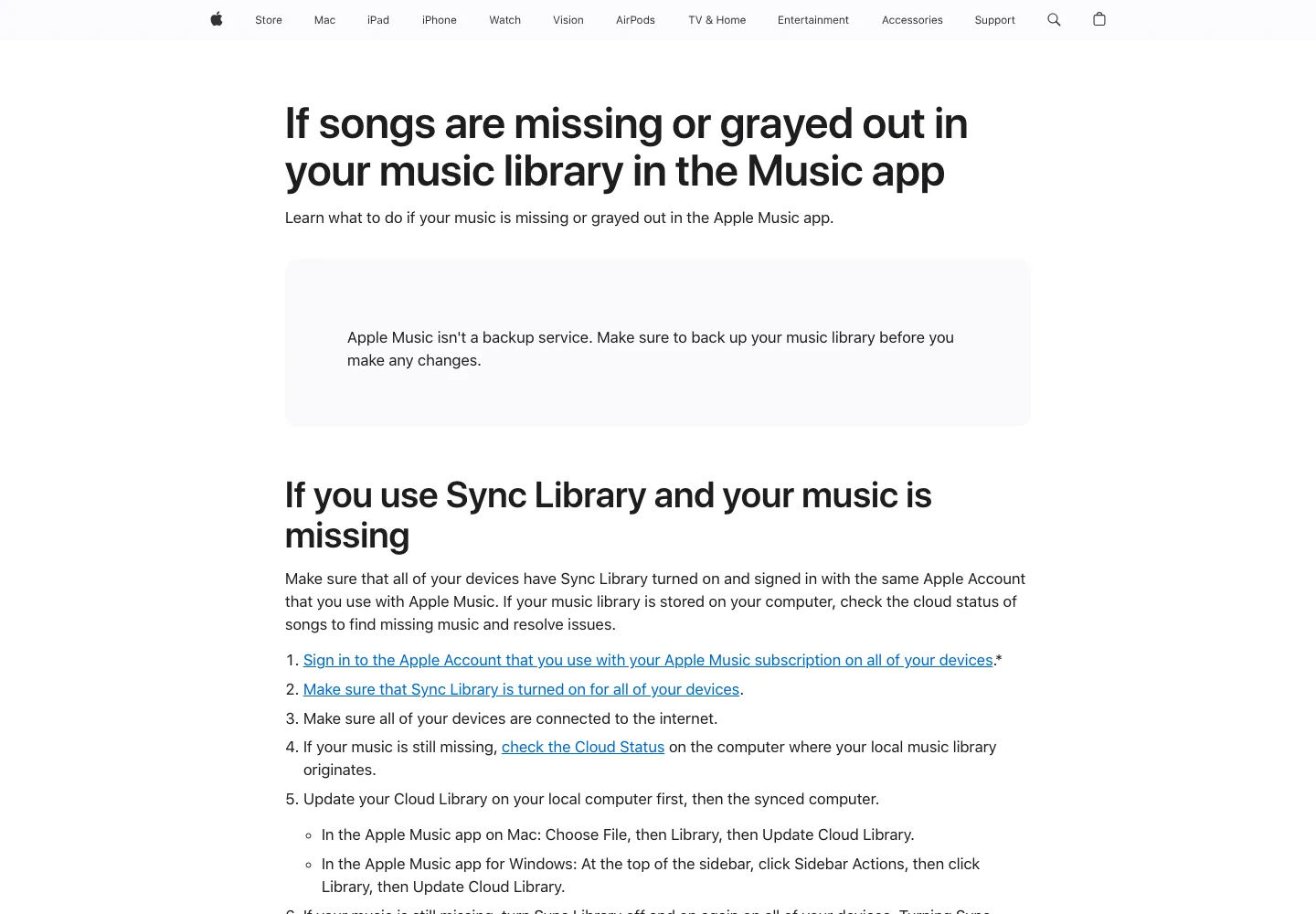
The fastest practical test is simple: search for the same song in Apple Music. If a current version plays normally, remove the broken library copy and add the available version again. If the original file is missing on your computer, locate or re-import that file before expecting Sync Library to behave.
Repair downloads without using converter shortcuts
Downloaded Apple Music tracks can skip when the download is incomplete, damaged, or fighting for space. Apple's add and download music guide separates streaming from offline downloads: you add music to the library first, then download it for offline listening.
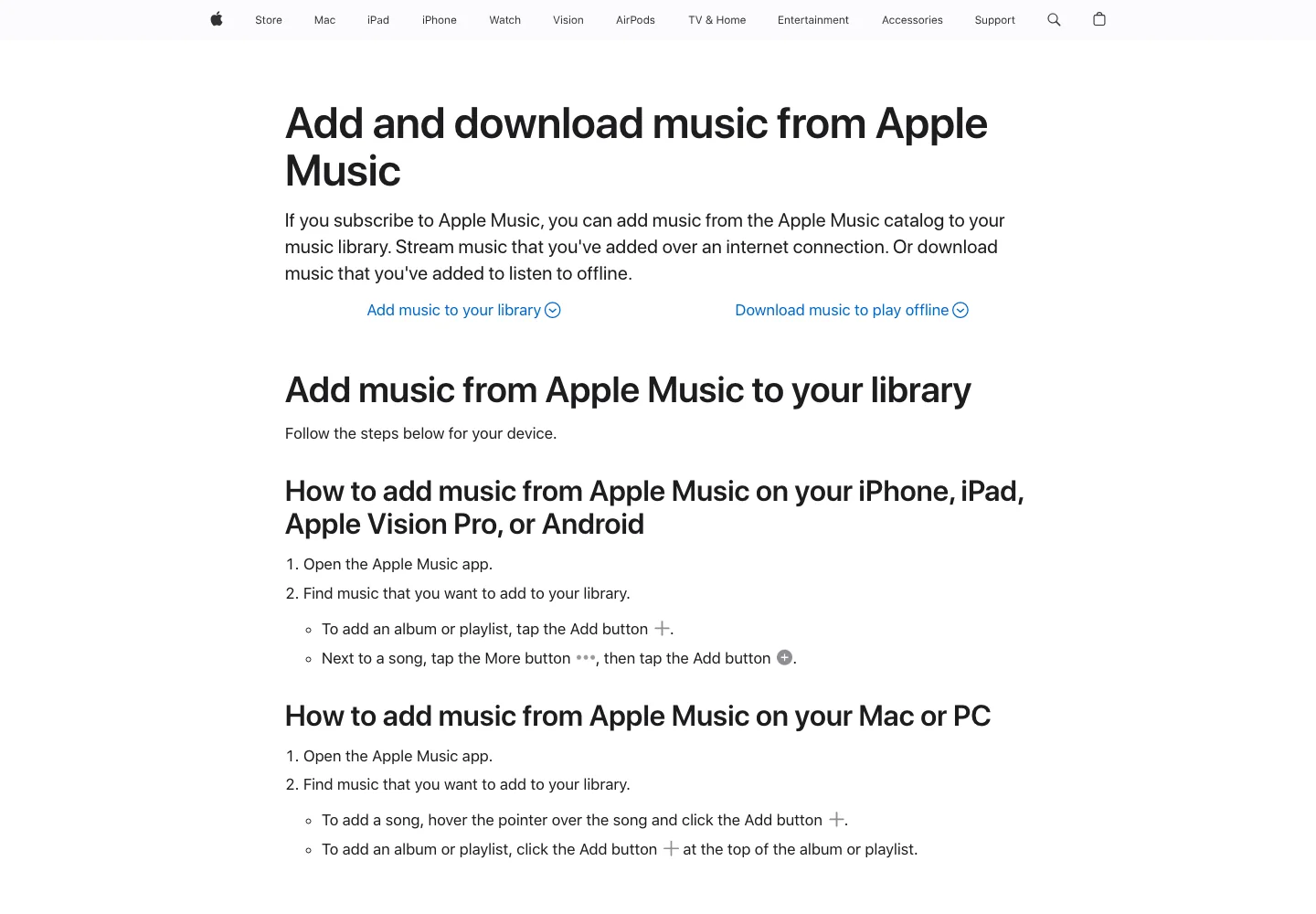
Use this clean download repair path:
- Remove the downloaded copy of the track or playlist.
- Restart the Music app.
- Free enough storage for the album or playlist.
- Add the song or album to your library again if needed.
- Download it again from inside Apple Music.
- Test in Airplane Mode only after the download fully completes.
Avoid the common bad advice here. If a guide promises to fix skipping by converting Apple Music subscription tracks into MP3s, it is solving the wrong problem. For subscription catalog tracks, stay inside the Apple Music app and its official download behavior. For purchased music or your own files, keep a normal backup so you can restore the original source.
Turn off Crossfade or AutoMix while testing
Sometimes Apple Music is not truly skipping. The transition setting is moving between songs earlier than expected, or AutoMix is changing the handoff in a way that sounds like a jump.
Apple's AutoMix and Crossfade support page explains the difference: AutoMix dynamically transitions Apple Music subscription content, while Crossfade uses a set number of seconds to fade between songs. It also notes that some content does not dynamically transition with AutoMix.
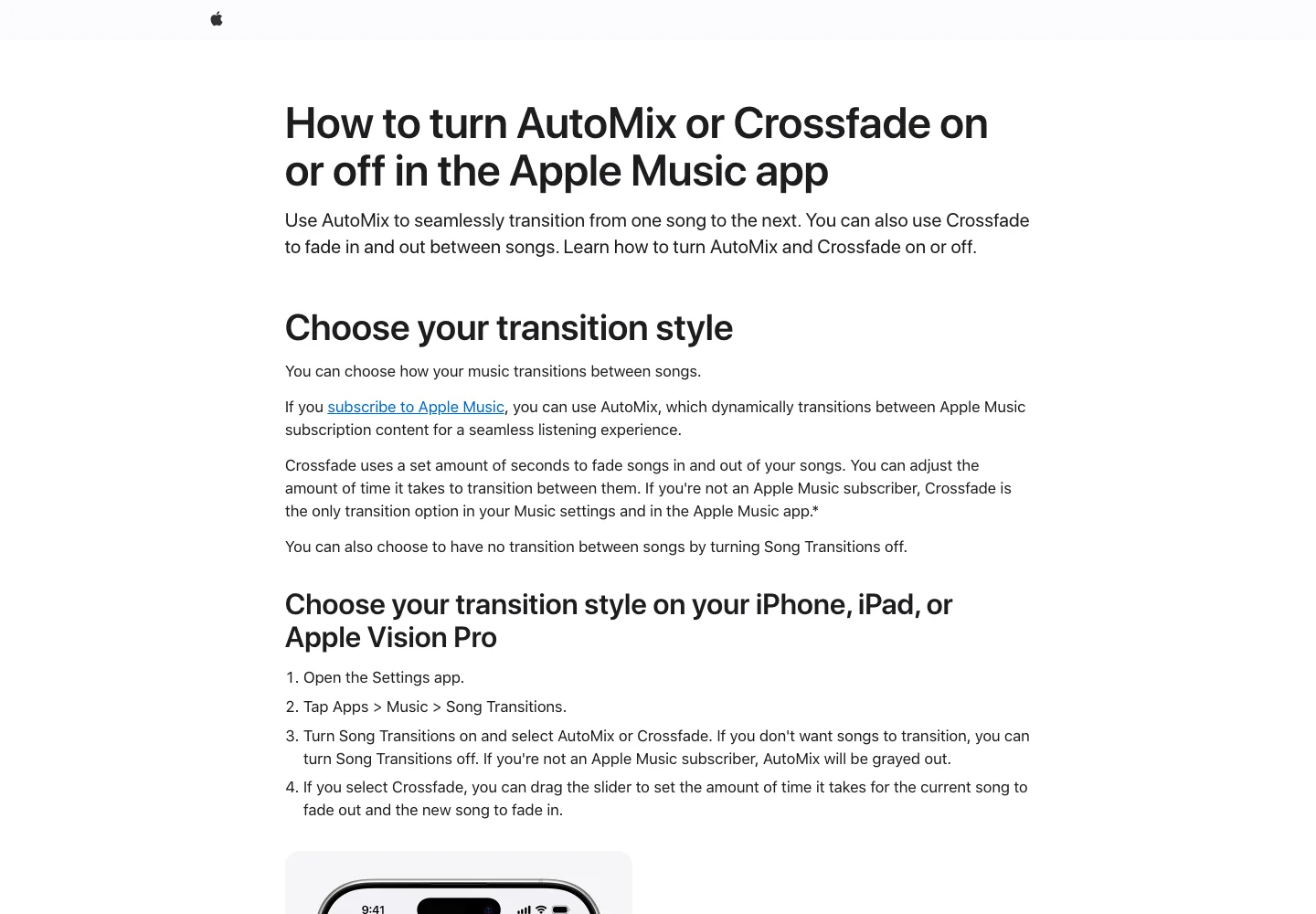
For diagnosis, turn transitions off first. Then play the same track again.
| Setting to test | Why it can feel like skipping | What to do |
|---|---|---|
| Crossfade | A long fade can make the ending feel cut short | Turn it off or shorten the fade seconds |
| AutoMix | Dynamic transitions can remove silence or change song handoffs | Turn it off when checking a suspected broken track |
| Shuffle | The next song can start unexpectedly if the queue is not what you expect | Inspect Up Next before blaming playback |
| Repeat | A looped section can hide whether the next song is the issue | Disable repeat during troubleshooting |
If the song plays normally with transitions off, the track is probably fine. Re-enable Crossfade or AutoMix later with a shorter setting.
Clear app state only after the music checks
General app cleanup helps when Apple Music is stuck, but it should not be the first move for every skipping problem. Use it after you have checked account, library, download, and transition settings.
Try this order:
- Force quit Apple Music and reopen it.
- Restart the device.
- Update iOS, iPadOS, macOS, Windows, Android, or the Apple Music app.
- Sign out and sign back in only if the account state looks wrong.
- Remove and reinstall Apple Music on platforms where that is supported.
For Spotify users, the logic is similar but not identical. The Spotify keeps logging me out guide is useful if the real pattern is session loss rather than playback skipping, and the Spotify crossfade guide explains how transition settings can change song handoffs in another streaming app.
When the problem is your local file
Apple Music can also manage imported local files, purchased tracks, and cloud-matched music. If only those files skip, separate them from Apple Music subscription streams.
Use this local-file checklist:
- Play the original file outside Apple Music.
- Confirm the file is not missing from its original folder.
- If the file lives on an external drive, connect the drive before opening Music.
- Re-import a clean copy if the file is damaged.
- Update Cloud Library after restoring missing files on Mac or Windows.
- Back up the library before making bulk changes.
This is where the reader has more control. If the audio file is yours to edit, you can make a short test clip, inspect the beginning and ending, and confirm whether the file itself is damaged.
Test your own audio outside Apple Music
If a purchased, exported, or personal audio file keeps skipping, trim a short test clip in Melogen before rebuilding the library.
Melogen does not unlock Apple Music subscription streams or bypass DRM. Use Melogen Music Trimmer only for audio you own or otherwise have permission to edit, such as a purchased track, rehearsal bounce, original recording, podcast intro, or venue cue. If your issue is really about quality settings, the Apple Music Lossless guide explains ALAC, Bluetooth limits, downloads, and storage tradeoffs. If it is about tone or volume balance, read the Apple Music EQ settings guide next.
Device-by-device repair order
Use the same diagnosis idea on every device, but the controls live in different places.
| Device | Repair order |
|---|---|
| iPhone or iPad | Check network, Sync Library, Music settings, storage, downloaded tracks, then app update |
| Mac | Check Apple Account, Sync Library, Cloud Status, Crossfade or AutoMix, local file paths, then macOS update |
| Windows PC | Check Apple Music app account, Sync Library, local file folder, storage, app update, then reinstall |
| Android | Check Apple Music subscription, app update, storage, downloads, network, and account session |
| CarPlay or Bluetooth speaker | Test phone speaker first, then Bluetooth, then cable, then vehicle media settings |
The goal is to isolate the layer. If the same song skips on every device, it is probably catalog, account, or library state. If it skips only on one phone, it is probably device storage, app state, or connectivity. If it skips only through a speaker or car system, test the connection before changing the library.
FAQs
Why does Apple Music skip songs on iPhone?
Most iPhone cases come from unstable network, low storage, incomplete downloads, Sync Library mismatch, or transition settings. Start by turning off Crossfade or AutoMix, then remove and redownload the affected songs.
Why are some Apple Music songs grayed out?
The song may be unavailable in your country or region, removed from the catalog, waiting to sync, or disconnected from its original local file. Apple's missing-songs guide recommends checking Sync Library, account sign-in, Cloud Status, and whether the track can be added again.
Should I delete and reinstall Apple Music?
Only after smaller fixes. Reinstalling can help with app corruption, but it does not solve unavailable catalog tracks, missing local originals, or an Apple Account mismatch.
Does Crossfade cause Apple Music to skip?
Crossfade does not usually break a song, but a long fade can make endings feel cut off. Turn song transitions off while testing, then re-enable Crossfade with a shorter time if the track plays normally.
Can I convert Apple Music to MP3 to stop skipping?
No. Do not use converter shortcuts for Apple Music subscription streams. Fix the official playback, download, Sync Library, or account problem. For files you bought, exported, recorded, or otherwise own, keep a backup and repair the source file directly.
The practical takeaway
Treat Apple Music skipping songs as a diagnosis problem, not a one-button cleanup problem. Check account and Sync Library first, repair downloads second, turn off transition settings while testing, and only then move into app reinstall or local-file repair. That keeps the fix legal, reversible, and much less chaotic than chasing a converter workaround.
About the author
Zhang Guo
Composer - AI Product Manager
AI product manager and digital marketing consultant with a background in music. Creativity is the bridge between rhythm and logic, where musical intuition and mathematical precision can coexist in every meaningful product decision.
Follow on X