SoundCloud vs Spotify for Musicians in 2026
Compare SoundCloud vs Spotify for creators, listeners, playlists, uploads, analytics, and owned-audio workflows before choosing a platform.
 Zhang Guo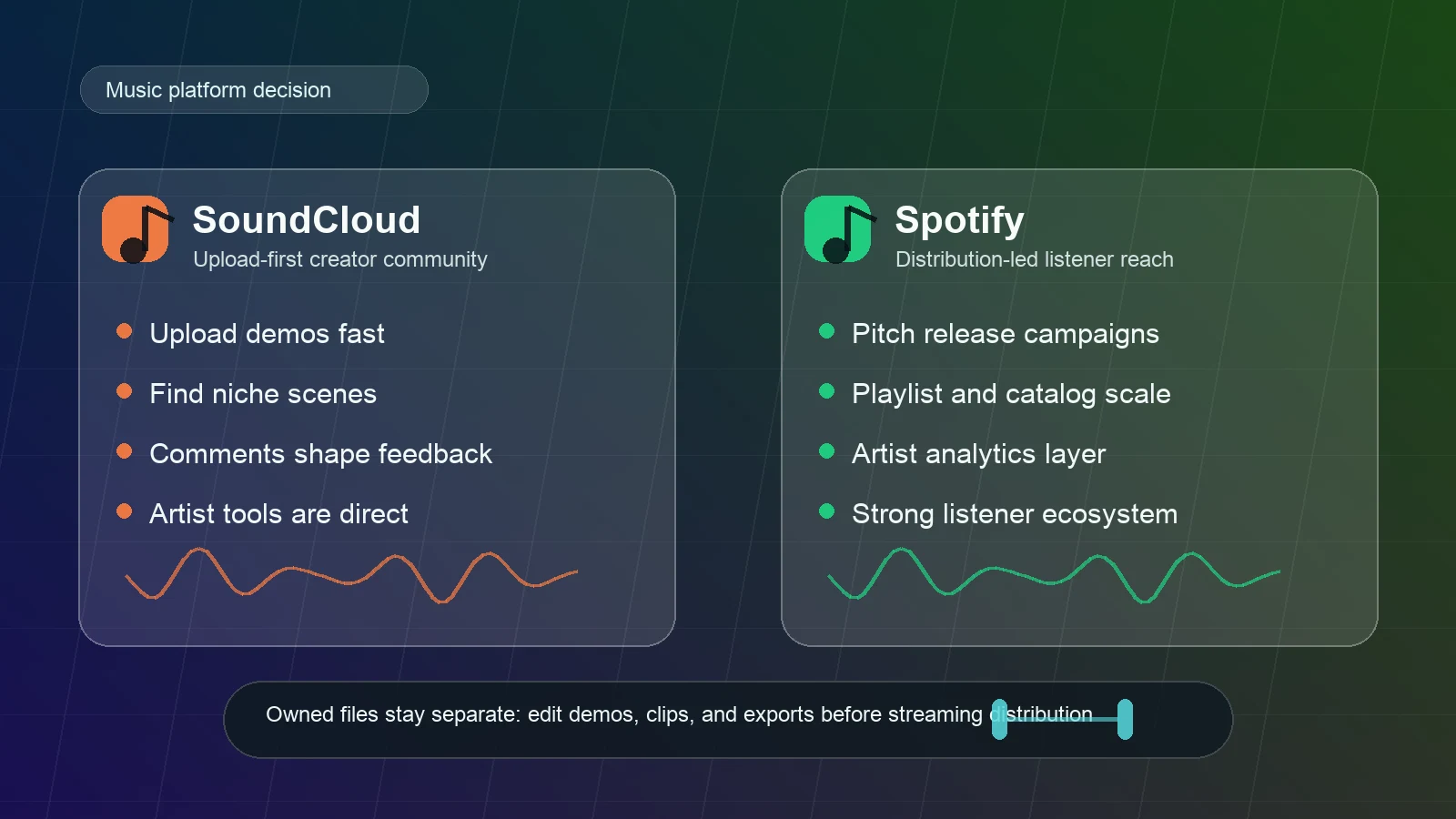
Turn a static score into editable MIDI
Contents
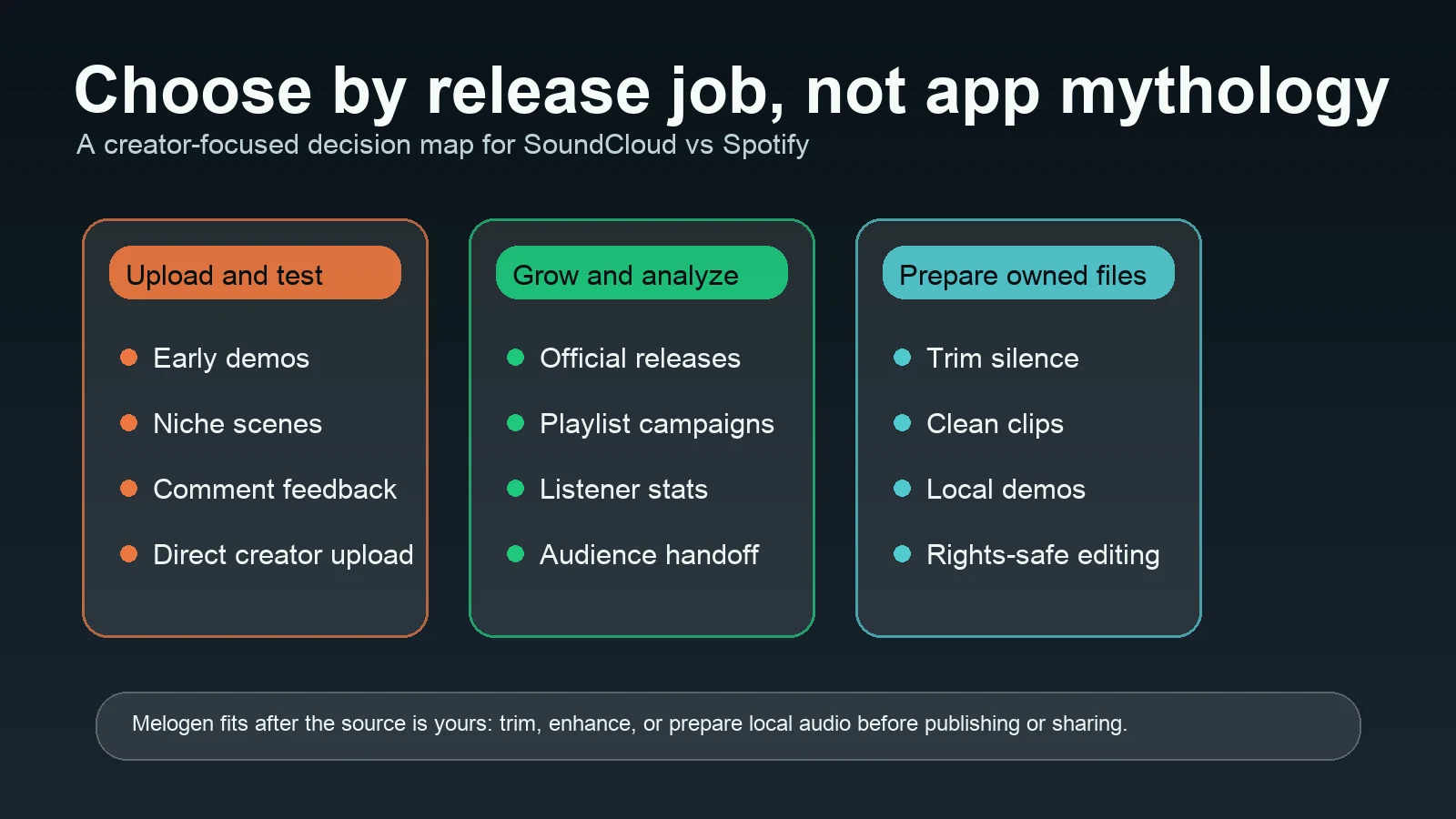
SoundCloud vs Spotify is not only a listener question. For musicians, producers, DJs, and teachers, it is a release workflow decision. SoundCloud is usually better when you want to upload quickly, test demos in public, join niche scenes, and collect comments from listeners. Spotify is usually better when the track is ready for formal distribution, playlist discovery, audience analytics, and listener-facing release campaigns.
The practical answer is simple: use SoundCloud for early signal and community, use Spotify for polished distribution and playlist reach, and keep your own demos, masters, stems, and rehearsal clips in an owned-file workflow outside both platforms.
Quick Comparison Table
| Decision point | SoundCloud | Spotify | Better fit |
|---|---|---|---|
| Creator upload path | Direct upload culture and creator-first profile pages | Music normally reaches Spotify through a distributor or label workflow | SoundCloud for fast public testing; Spotify for official releases |
| Discovery style | Niche scenes, reposts, comments, creator networks | Editorial playlists, algorithmic recommendations, user playlists, artist pages | SoundCloud for community feedback; Spotify for larger listener reach |
| Artist tools | SoundCloud for Artists, monetization, distribution, fan-powered royalty materials, upload requirements | Spotify for Artists, playlist pitching, profile tools, analytics, Campaign Kit | Depends on whether the release is still being tested or already campaign-ready |
| Listener use | Demos, DJ edits, independent uploads, creator communities | Albums, playlists, podcasts, mainstream listening, release discovery | Spotify for broad everyday listening; SoundCloud for underground and creator-led discovery |
| Audio workflow | Upload accepts common audio formats and optimizes for streaming | Distributed releases appear in the Spotify catalog after delivery approval | Neither app replaces a local source library |
| Melogen fit | Prepare legal local clips before upload or sharing | Prepare owned audio before release assets or local-file use | Melogen fits before publishing or after legal file export |
SoundCloud Is Better for Uploading and Testing Ideas
SoundCloud is the more direct platform when the music is still alive and changing. Its official SoundCloud for Artists page frames the platform around uploading tracks, growing an audience, earning royalties, and distributing to other platforms. That upload-first posture is the main difference from Spotify.
Use SoundCloud when:
- You want to publish a demo, DJ sketch, rehearsal bounce, remix idea, or alternate version quickly.
- Comments and reposts matter more than a formal release campaign.
- The audience is a small scene, collaborator group, class, or fan community.
- The track may change after feedback.
- You need a public link before the track is ready for full distribution.
SoundCloud's official upload help also matters here. The Upload Requirements page lists many supported audio formats, including WAV, FLAC, AIFF, ALAC, MP3, AAC, Ogg Vorbis, M4A, and WMA. That makes SoundCloud comfortable for creators who are uploading real audio files from DAWs, recorders, or editors.
The caution is rights. SoundCloud's own guidance on uploading bought or free tracks says that downloading or purchasing a track does not automatically give you permission to upload it publicly. That makes SoundCloud powerful for your own music, but not a shortcut for re-posting music you do not control.
Spotify Is Better for Release Reach and Playlists
Spotify is stronger when the music is ready to become a formal release. The official Spotify for Artists get-started page explains the flow clearly: once music is on Spotify, artists can access their artist profile and dashboard, track performance, manage profile content, and customize the public artist presence.
Spotify's playlist layer is the biggest reason creators care about the platform. Its Playlisting page describes Spotify for Artists as the route for submitting new music for playlisting, and Spotify support says playlist pitching is for upcoming, unreleased songs.

Use Spotify when:
- The track has final metadata, artwork, credits, and release timing.
- You want playlist pitching, Release Radar, pre-save style promotion, or a broader campaign.
- You need listener analytics after release.
- You want a clean public artist profile for fans, press, venues, or collaborators.
- The music should live in a mainstream catalog beside albums, singles, playlists, and podcasts.
The tradeoff is speed and flexibility. Spotify is not the place for every unfinished sketch. The release path is slower because metadata, distribution, rights, and approval matter more. For a serious single, that is a feature. For a rough idea, it can be friction.
Choose by the Job
| Your current job | Better first choice | Why |
|---|---|---|
| Test a demo with a small audience | SoundCloud | Faster upload culture and comment feedback |
| Share a private or semi-public draft | SoundCloud | Easier to treat the upload as an evolving track |
| Launch an official single | Spotify | Stronger playlist, profile, and listener analytics layer |
| Build a fan-facing release campaign | Spotify | Spotify for Artists focuses on profile, playlist pitching, and campaign tools |
| Let people hear underground edits or scene tracks | SoundCloud | Discovery often starts inside creator communities |
| Reach mainstream listeners with a finished catalog | Spotify | Better default listening app for many fans |
| Prepare a local clip, cue, or preview | Neither platform first | Edit the owned file before uploading or distributing |
This is why the generic "which app is better" answer is usually weak. A producer testing a club edit, a choir director sharing a rehearsal bounce, and an artist releasing a finished single are not asking the same question.
If you want another listener-side comparison, the Melogen guide to Spotify vs Pandora covers playlist control, radio discovery, offline listening, and audio-quality considerations from a listening-app perspective.
Watch the Downloader Boundary
SoundCloud vs Spotify searches often drift into downloader tools, playlist transfers, and MP3 extraction. Keep that separate from the platform decision.
If you need to understand legal and practical SoundCloud file paths, read Download SoundCloud Songs to MP3 Safely. The short version is this: an official download button, licensed source file, or music you created is different from extracting streams just because a page says "converter."
The same logic applies to Spotify. Spotify is excellent for listening, playlisting, analytics, and release reach. It is not a source-file library for editing. If you need local files in Spotify for personal listening, use the Add Local Files to Spotify workflow with files you are allowed to store and play.
Where Melogen Fits Before Either Platform
Melogen does not replace SoundCloud, Spotify, a distributor, a label, or a licensing agreement. It fits earlier in the workflow, when the audio is already yours and you need to prepare it before upload, sharing, or distribution.
Use Melogen when the task is:
- Trim silence from a demo before uploading it to SoundCloud.
- Cut a clean preview from a rehearsal recording.
- Fade the start or ending of an owned local clip.
- Prepare an audio file before sending it to a collaborator.
- Keep local files organized before deciding whether they belong on SoundCloud, Spotify local files, or a formal distributor release.
For this article, the most natural Melogen destination is Music Trimmer, because the platform choice often happens after a local audio file already exists. If the question is more about improving a rough recording, AI Audio Enhancer can be the next workflow step.
Prepare the file before you pick the platform
Trim starts, endings, and rehearsal clips from audio you are allowed to edit, then decide whether the result belongs on SoundCloud, Spotify local files, or a formal release.
FAQs
Is SoundCloud better than Spotify for new musicians?
SoundCloud is often better for early-stage musicians who want to upload quickly, test ideas, and collect direct feedback. Spotify is better once the track is ready for a formal release and a listener-facing campaign.
Can you upload directly to Spotify like SoundCloud?
Not in the same simple upload-first way. Spotify releases normally go through a distributor, label, or approved delivery workflow, then artists manage profile and campaign tools through Spotify for Artists.
Which is better for playlists?
Spotify is better for mainstream playlist discovery, listener playlists, editorial consideration, and release campaigns. SoundCloud is better when the playlist or repost behavior is part of a smaller creator scene.
Which is better for demos?
SoundCloud is usually better for demos because it accepts direct creator uploads and has a stronger culture around works in progress, comments, and community feedback.
Can Melogen publish music to SoundCloud or Spotify?
No. Melogen is not a distribution service and does not publish to streaming platforms. It helps with local audio preparation tasks such as trimming and cleanup before you upload, share, or distribute through the correct channel.
The Practical Takeaway
Choose SoundCloud if the track still needs feedback, scene discovery, or fast public testing. Choose Spotify if the track is release-ready and you need playlist reach, listener analytics, and a polished artist profile.
For music work, keep the layers separate. SoundCloud and Spotify are publishing and listening layers. Melogen is part of the owned-audio preparation layer. Your local files, rights, metadata, and release plan should stay clear no matter which platform wins the comparison.
About the author
Zhang Guo
Composer - AI Product Manager
AI product manager and digital marketing consultant with a background in music. Creativity is the bridge between rhythm and logic, where musical intuition and mathematical precision can coexist in every meaningful product decision.
Follow on X