How to Add a Pickup Measure in MuseScore Studio
Add a pickup measure in MuseScore Studio by setting its actual duration, then check rests, measure numbering, repeats, and the final bar.
 Zhang Guo

Turn a static score into editable MIDI
Contents
To add a pickup measure in MuseScore Studio, set its actual duration to the upbeat's length. For an existing score, right-click the opening measure, choose Measure properties, and change Actual under Measure duration. For a new score, enable Create pickup measure during setup.
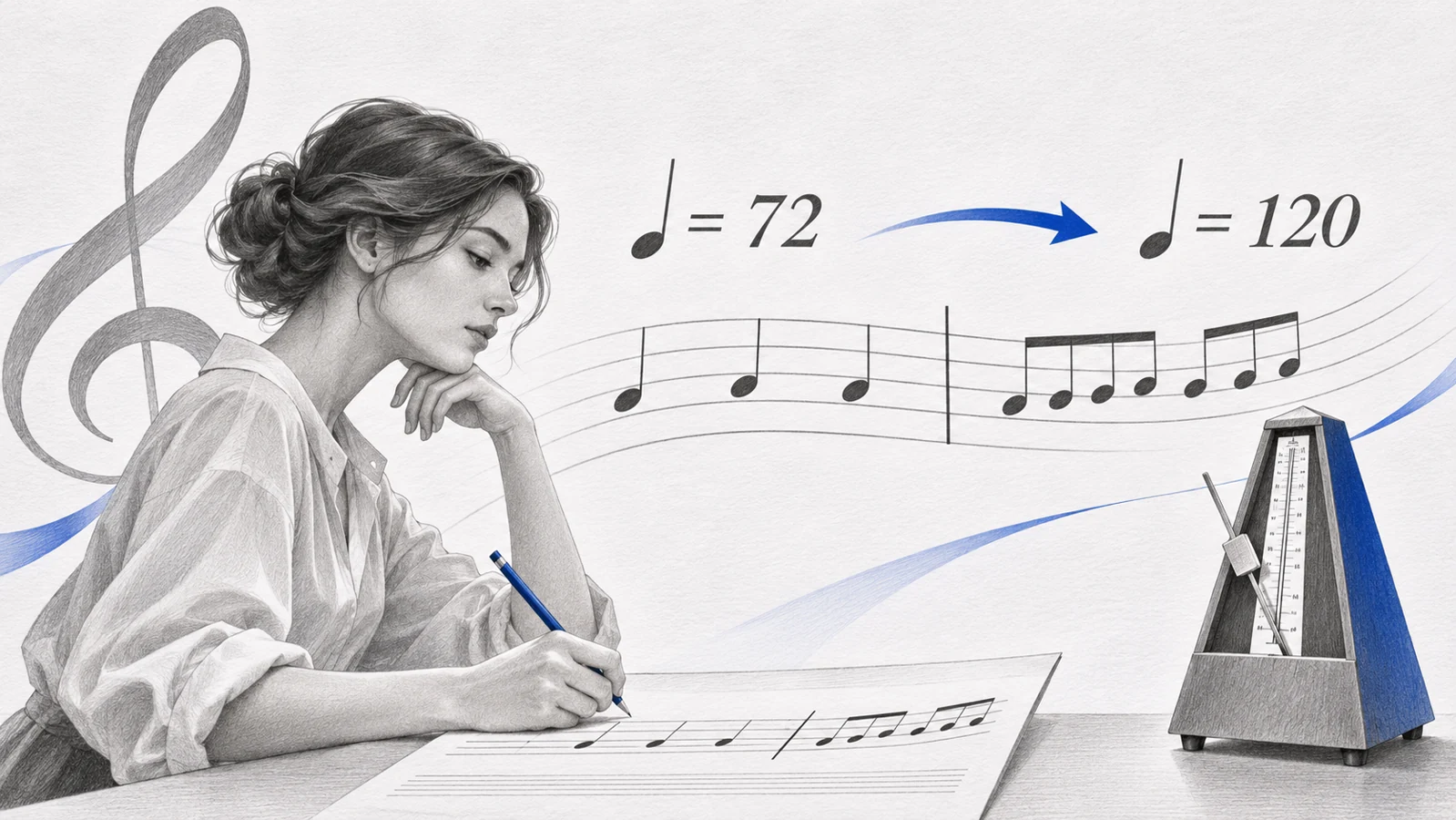
A one-beat pickup in 4/4 contains one quarter note's worth of music. It does not need three opening beats of silence, and it does not change the piece's displayed meter to 1/4.
Count the pickup before changing the score
Read the complete opening gesture. A pickup may contain one note, several short notes, or a rest followed by a note. Count their combined duration, not the number of noteheads.
| Upbeat in a 4/4 piece | Actual duration to represent | Following complete bar |
|---|---|---|
| One quarter note | 1/4 | Four quarter-note beats |
| Two eighth notes | 1/4 | Four quarter-note beats |
| Three quarter notes | 3/4 | Four quarter-note beats |
| One eighth note | 1/8 | Four quarter-note beats |
The visible time signature describes the regular meter. The actual duration describes the shorter opening bar. Keep those two decisions separate.
Create a pickup in a new score
In the New Score dialog's additional information page, open Measures, enable Create pickup measure, and specify the pickup duration. This is the setup method in the official pickup and non-metered measures guide.
Enter the regular time signature for the piece as well. For a one-quarter upbeat into a 4/4 melody, the piece stays in 4/4 while the opening measure contains only that quarter note.
Before entering a long piece, add the first complete bar and play the opening. The upbeat should lead directly into the next downbeat.
Convert an existing opening measure
Save a copy, then identify which notes should belong to the pickup. If the current first bar contains other music, preserve or move that material before shortening the bar.
- Right-click the opening measure and choose Measure properties.
- Under Measure duration, set Actual to the required fraction.
- Apply the change and confirm.
- Inspect the remaining notes and rests immediately.
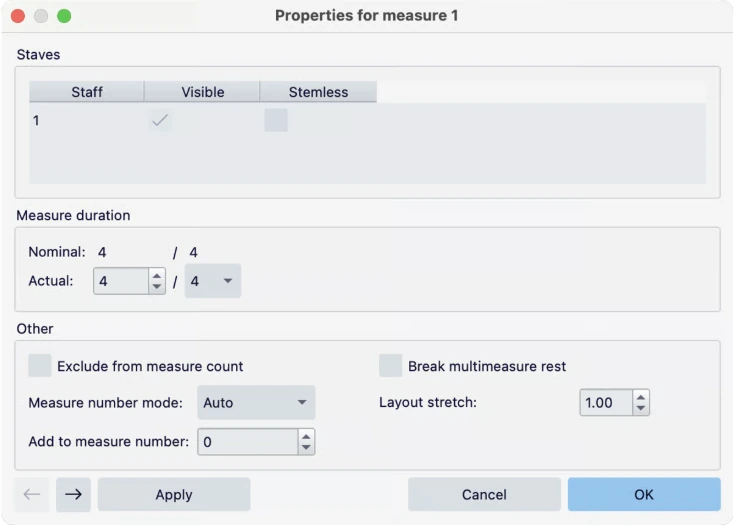
Official handbook screenshot. Actual duration controls the shorter measure; nominal duration reflects the surrounding meter.
If your score begins directly on a full downbeat and needs a new upbeat before it, first insert a measure at the start, then give that new measure the shorter actual duration. The original opening phrase should remain intact after the new pickup.
Compare a full empty opening with a real upbeat
Consider a melody whose first sound is a single quarter note. If it sits in a full 4/4 bar followed by three beats of rests, playback waits through those rests before reaching the first full phrase. A genuine one-quarter pickup reaches the next bar immediately after one beat.


Illustrative score fixtures rendered in MuseScore Studio 4.7.6. The second example represents the intended shorter upbeat.
Listen while counting “four, one, two, three, four” for a one-beat upbeat into 4/4. The pickup takes the final preparatory beat; the next full measure receives the downbeat.
Download the starting score and the illustrative result to inspect the musical difference in your own notation editor.
Check numbering and the final bar
By convention, the first complete measure is bar 1. In an existing score, inspect whether the pickup is excluded from the count; the measure properties guide documents that control. The measure numbering guide covers score-wide numbering choices.
A pickup is often balanced by a shortened final measure. For a one-quarter upbeat in 4/4, a three-quarter ending can complete the phrase's rhythmic cycle. Follow the source and musical form: do not shorten every final bar automatically.
Check repeat boundaries especially carefully. A repeat that returns to a pickup may need a different rhythmic treatment from one that returns to a full bar.
Verify the upbeat after import or export
- The pickup's notes and rests add up to its intended duration.
- The first full measure retains the regular meter.
- Playback does not insert unwanted silence after the upbeat.
- Bar numbering begins where the musician expects.
- Repeat endings and the final bar agree with the musical phrase.
- Other staves align with the shortened opening.
The rhythm notation guide helps when you need to calculate the duration from mixed note values.
If the source is a PDF, Melogen PDF to MusicXML can provide the editable score for this repair. Open the result in MuseScore and compare the opening against the PDF before moving later notes. An incorrect pickup can make the entire phrase appear shifted even when many individual pitches are right. The MuseScore scanning guide explains the earlier conversion stage.
Make a printed pickup editable
Use Melogen PDF to MusicXML, then check the pickup duration, bar count, and phrase ending in MuseScore Studio.
About the author
Zhang Guo
Composer - AI Product Manager
AI product manager and digital marketing consultant with a background in music. Creativity is the bridge between rhythm and logic, where musical intuition and mathematical precision can coexist in every meaningful product decision.
Follow on X