PlayScore Subscription Pricing and Plan Guide for 2026
Compare PlayScore subscription pricing, plan limits, and annual costs with current US iOS prices and a clear Free, Productivity, and Professional guide.
 Zhang Guo
Turn a static score into editable MIDI
Contents
PlayScore subscription pricing depends on the store and region where you buy it. As a concrete benchmark, the US iOS App Store listed Productivity at $5.99 per month or $34.99 per year and Professional at $6.99 per month or $59.99 per year when checked on July 15, 2026.
Those are reference prices, not a universal quote. PlayScore directs customers to the Store button inside the app because Apple, Google, and Microsoft can show different currencies, taxes, and regional prices. The more useful question is therefore not only “How much is PlayScore?” but also “Which plan unlocks the source and export I actually need?”
PlayScore subscription pricing at a glance
The table below combines the current US iOS price surface with the plan boundaries published in PlayScore’s official App Store listing. Prices and feature details can change, so verify the purchase screen before paying.
| Plan | US iOS monthly | US iOS annual | Best fit | Important boundary |
|---|---|---|---|---|
| Free | $0 | $0 | Trying photo playback and creating a one-page playable document | Not the plan for multi-page image projects, PDF import, or full export workflows |
| Productivity | $5.99 | $34.99 | Multi-page scores captured by camera or imported as images, interactive playback, and MIDI export | The official description does not position this tier as the PDF-to-MusicXML plan |
| Professional | $6.99 | $59.99 | PDF scores, MIDI export, and MusicXML containing full notation and text | Highest-cost tier and the one to check when notation editing is the destination |
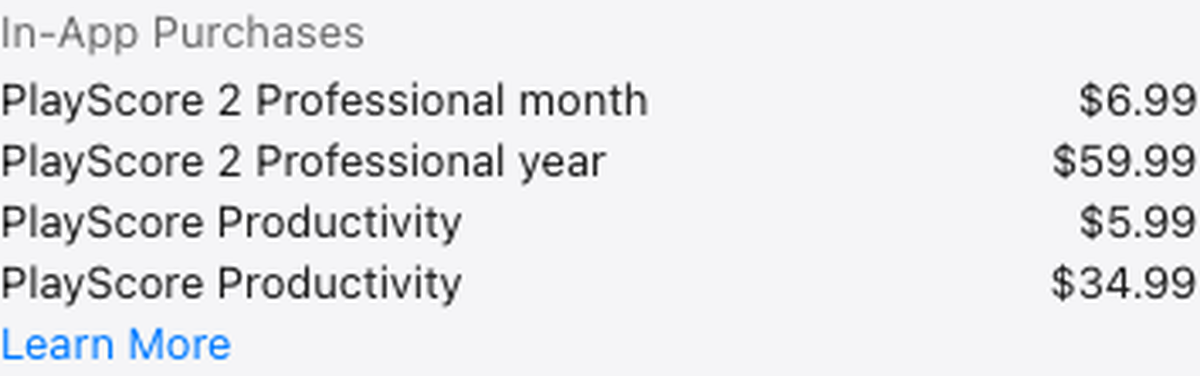
US iOS in-app purchase prices captured from Apple’s public App Store page on July 15, 2026. The two Productivity entries correspond to monthly and annual billing in the same order used by the listing.
Apple’s public PlayScore 2 App Store listing is unusually useful because it exposes both the plan descriptions and current US in-app purchase amounts. It also makes clear that Productivity and Professional are available as one-month or 12-month auto-renewing subscriptions.
Why the price on your device may be different
PlayScore’s own pricing FAQ does not publish one global price. It tells readers to download the free app, open the Store screen, and view the amount for their region. That is the correct final check because a US-dollar App Store benchmark cannot predict every Apple, Google Play, or Microsoft Store total.
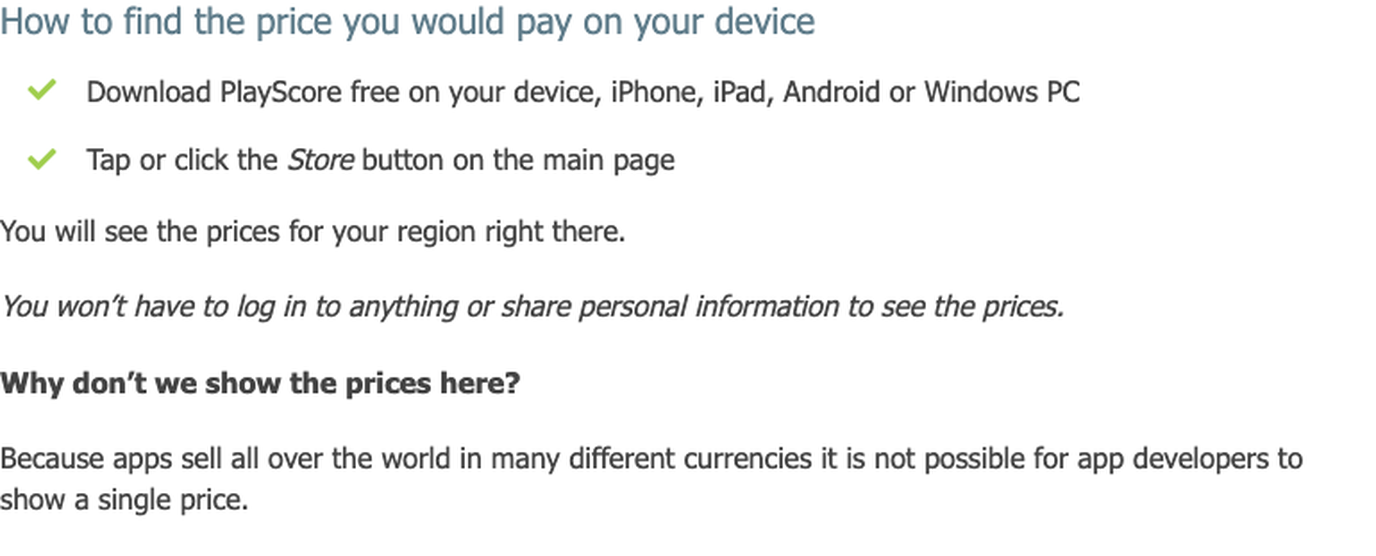
The official PlayScore subscription pricing FAQ says you can view the regional price without logging in or sharing personal information. Before comparing annual savings, confirm four details on your own purchase screen:
- The platform is the one you intend to use for scanning and export.
- The tier name says Productivity or Professional, not merely PlayScore.
- The billing period is monthly or annual as intended.
- The final amount reflects your store region, currency, and any local tax treatment.
This matters most for musicians who use more than one device. PlayScore’s FAQ explains that Apple iOS, Android, and Windows are separate apps with subscriptions offered by their respective stores. A subscription bought through one store should not be assumed to unlock the paid tier in another store.
What Free, Productivity, and Professional unlock
The cheapest plan is not automatically the best value. The right tier follows the source you start with and the file you need at the end.
Free is for a small real-world test
The free surface lets you play and interact with PlayScore playable documents, play unlimited staves from a photographed page, and create and share a single-page playable document. That is enough to test whether your lighting, camera angle, page condition, and notation style produce usable recognition before starting a subscription.
Use this tier for a proof of concept. Run a page that actually represents your normal repertoire. A clean piano score is not a useful test if the project is a dense SATB choral PDF with lyrics, divisi, and frequent system changes.
Productivity is the image-first multi-page tier
Productivity is aimed at multi-staff, multi-page scores captured with the camera or imported as images. The official listing also describes document sharing, interaction with scores, automatic transposition for transposing instruments, and MIDI export.
This is the practical middle tier when your sources are photos or image files and your destination is playback, rehearsal sharing, or editable MIDI. If a PDF or full-notation MusicXML export is central to the job, do not choose Productivity only because its annual price is lower.
Professional is the PDF and MusicXML tier
Professional adds the workflow that notation-heavy users usually care about: creating playable documents from PDF scores and exporting a score as MIDI or MusicXML with notation and text. That makes it the tier to evaluate for Dorico, MuseScore, Sibelius, or another notation editor where measures, voices, clefs, dynamics, articulations, and lyrics matter.
The plan decision is not “MIDI or MusicXML is better.” MIDI is usually the better handoff for playback and DAW production, while MusicXML is designed to preserve notation structure for score editing. Our PlayScore 2 review goes deeper into that workflow boundary without turning the pricing question into another general product review.
Monthly or annual billing
Annual billing is cheaper only when you keep using the same tier long enough. Based on the July 15, 2026 US iOS prices, the arithmetic looks like this:
| Plan | Twelve monthly payments | Annual price | Annual savings | Effective annual cost per month |
|---|---|---|---|---|
| Productivity | $71.88 | $34.99 | $36.89, about 51% | About $2.92 |
| Professional | $83.88 | $59.99 | $23.89, about 28% | About $5.00 |
The annual plan is easy to justify for a choir, teacher, arranger, or ensemble that scans scores throughout the year. Monthly billing is often the better first decision for a defined project, such as digitizing one concert program or preparing a short rehearsal cycle.
Use a simple break-even check before buying:
- Productivity annual costs less than six US monthly payments at the observed price.
- Professional annual costs less than nine US monthly payments at the observed price.
- A lower annual total is still wasted money if the required source or export is unavailable on that tier.
- If recognition quality is uncertain, test a representative page before committing to a year.
Choose the plan from your source and output
Start with the file in your hand, then name the next application in the workflow.
| Your real job | Sensible starting point | Why |
|---|---|---|
| Play one photographed page and judge recognition | Free | It provides a low-risk input-quality test before subscription |
| Build a multi-page score from camera captures or imported images | Productivity | This is the image-first multi-page plan described by PlayScore |
| Export an image-based project as MIDI | Productivity | MIDI export is included in the public Productivity description |
| Import a PDF score | Professional | PDF score documents are a Professional feature in the official listing |
| Export full notation and text as MusicXML | Professional | MusicXML with notation and text is the defining Professional export boundary |
| Convert an existing PDF or image in a browser | Compare a browser workflow before subscribing | A device-store subscription may be unnecessary when the source and destination already fit a direct converter |
The catch is source quality. A more expensive tier cannot restore notation that is cropped, blurred, skewed, shadowed, or hidden by a tight binding. Test the actual page condition before treating the annual price as the main decision.
When Melogen is the cleaner path
PlayScore is built around mobile and desktop app workflows for scanning, playback, and score export. Melogen serves a different route: when you already have a PDF, JPG, or PNG and want to move that notation into editable MIDI or MusicXML in the browser.
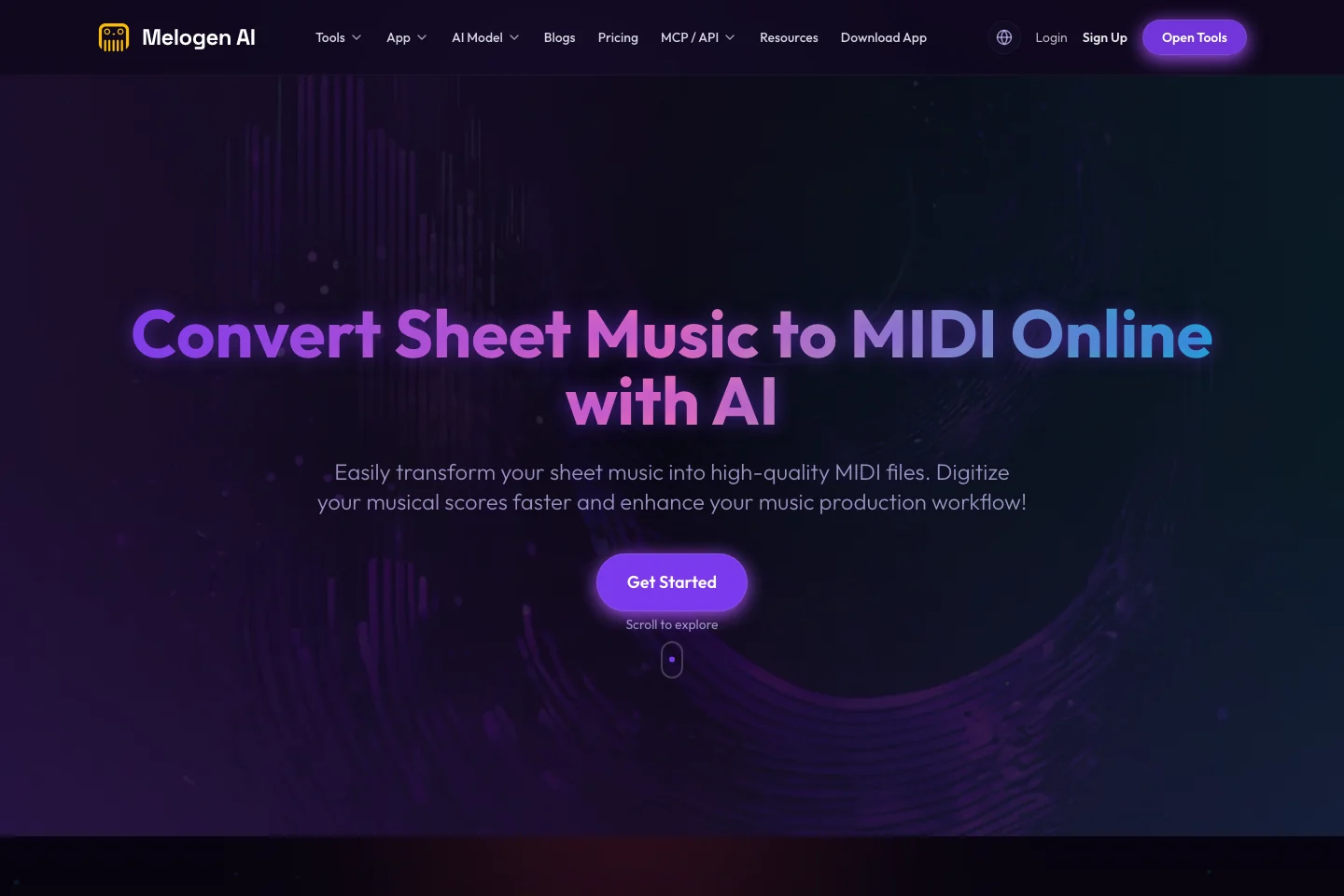
Use Sheet2MIDI when playback or DAW editing is the destination. Use the PDF to MusicXML route when preserving notation structure for a score editor matters more. These are separate Melogen services, not a way to manage a PlayScore account or unlock PlayScore features.
That boundary should stay explicit. Melogen cannot quote your regional PlayScore checkout total, change a PlayScore tier, issue a refund, or transfer an Apple subscription to Google or Microsoft. It can help with the music file after you decide that a browser conversion path fits better.
Convert a score without changing app-store plans
Use Melogen when your sheet music is already a PDF, scan, or image and you need a direct browser path to MIDI or MusicXML.
FAQs
How much does PlayScore cost?
On the US iOS App Store when checked July 15, 2026, Productivity was $5.99 monthly or $34.99 annually, while Professional was $6.99 monthly or $59.99 annually. Your amount can differ by platform, country, currency, and tax, so confirm the Store screen inside the app.
Is PlayScore free?
PlayScore offers a free surface for playing documents, testing a photographed page, and creating a single-page playable document. Multi-page image projects, PDF import, and advanced exports require the appropriate paid tier.
Which PlayScore plan exports MusicXML?
The current official App Store description assigns full-notation MusicXML export to Professional. Productivity includes an image-first multi-page workflow and MIDI export, but it is not described as the PDF-to-MusicXML tier.
Can one subscription cover iOS, Android, and Windows?
Do not assume so. PlayScore says the three platforms are separate apps with subscriptions offered by Apple, Google, and Microsoft. Confirm the paid access on every platform you plan to use.
How do I cancel PlayScore?
Cancel through the store that sold the subscription. Uninstalling the app is not cancellation. Follow the platform-specific steps in our PlayScore cancel subscription guide and verify that recurring billing is off.
The practical takeaway
Use the US App Store figures as a dated benchmark, not as a promise of what every device will charge. Free is the right first test, Productivity fits multi-page camera or image work with MIDI export, and Professional is the plan to inspect when PDF import or full-notation MusicXML is essential.
Then choose the billing period from project length. Monthly keeps the first commitment small; annual lowers the effective monthly cost when the workflow is already proven. Most importantly, buy from the platform you will actually use and verify the exact tier, period, and regional amount before checkout.
About the author
Zhang Guo
Composer - AI Product Manager
AI product manager and digital marketing consultant with a background in music. Creativity is the bridge between rhythm and logic, where musical intuition and mathematical precision can coexist in every meaningful product decision.
Follow on X