Spotify Private Listening Settings Explained
Use Spotify private listening, playlist privacy, activity settings, and taste profile controls without confusing streams with local files.
 Zhang Guo
Turn a static score into editable MIDI
Contents
Spotify private listening is not one privacy switch. It is a group of controls that answer different questions: do you want to hide the current session, stop sharing listening activity, make a playlist private, remove playlists from your profile, or keep temporary music from shaping recommendations?
The safest answer is to change Spotify visibility inside Spotify. Melogen only enters the workflow later, when the audio is already a local file you own, created, purchased DRM-free, licensed, or otherwise have permission to edit.
Quick answer
Use the control that matches the thing you want to hide:
| Goal | Spotify control to check | What it changes |
|---|---|---|
| Hide what you are playing right now | Private Session | Pauses Listening Activity for the current session |
| Stop showing activity to followers | Listening Activity | Controls whether friends can see what you are playing |
| Hide a specific playlist | Make playlist private | Stops public access to that playlist |
| Remove playlists from your profile | Playlist publishing or profile controls | Keeps public playlists from appearing on your profile |
| Stop sleep sounds or kids' music from shaping recommendations | Taste Profile exclusion, when available | Reduces recommendation influence for selected tracks or playlists |
| Edit a short audio clip | A permitted local file plus an audio editor | This happens outside Spotify's privacy system |
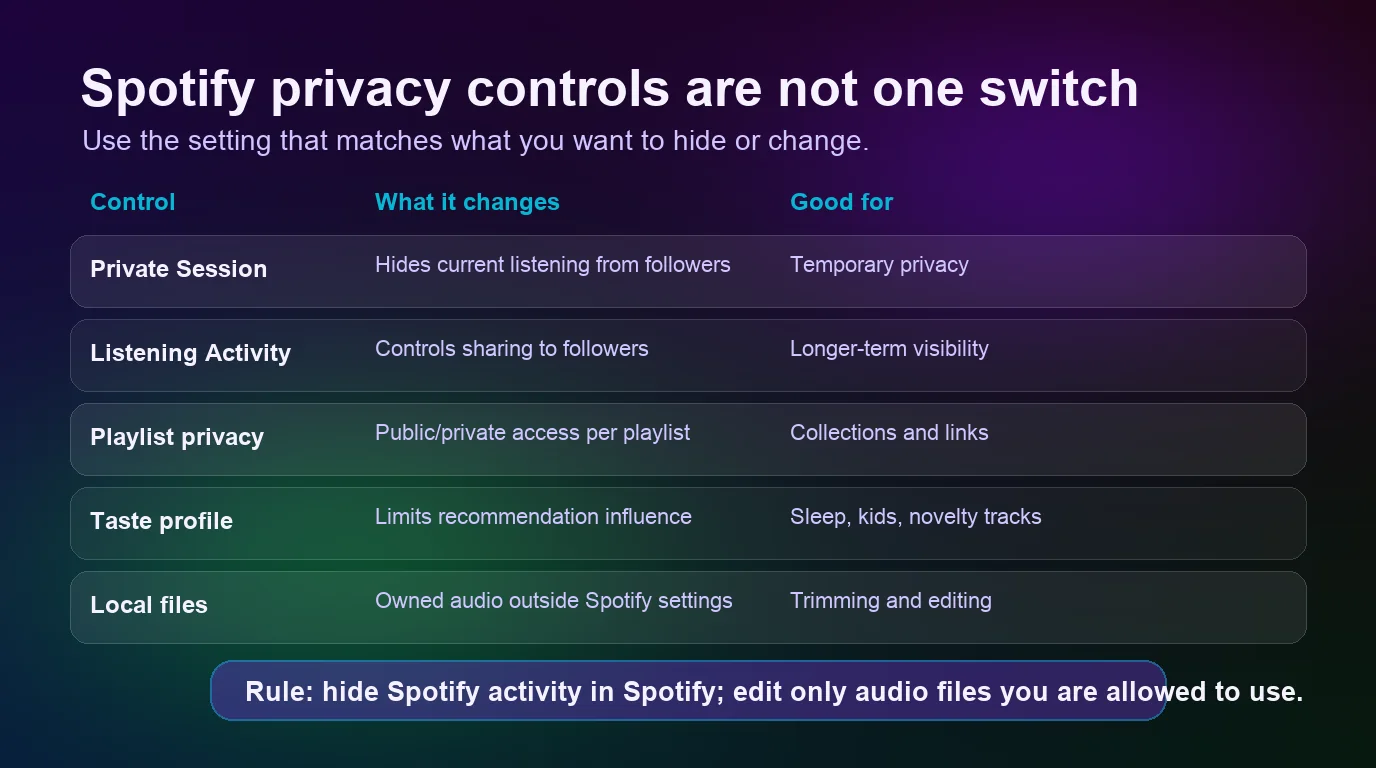
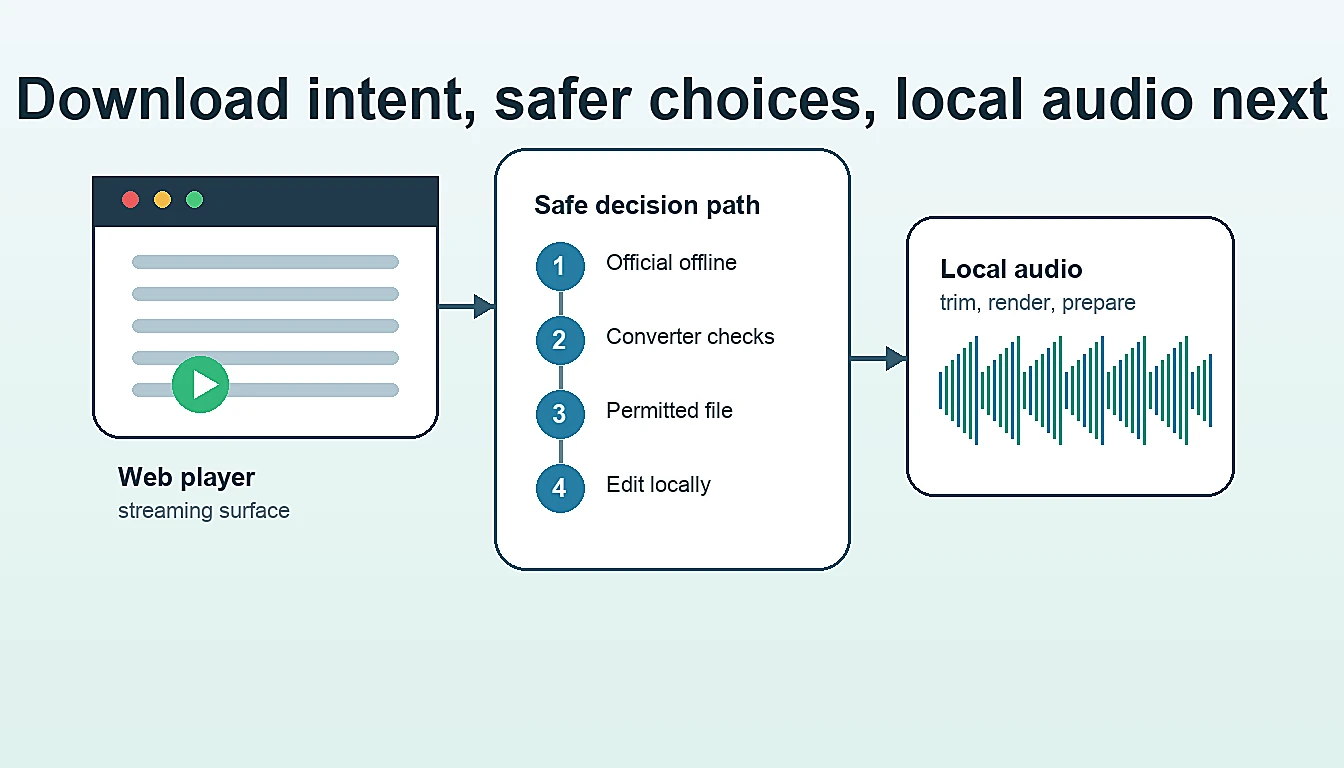
If you are trying to hide Spotify activity, stay in Spotify settings. If you are trying to prepare your own audio file, use a local workflow after the source question is settled.
What Spotify Private Session actually hides
Spotify's official private listening support page says Private Session pauses Listening Activity. It also notes that Private Session is available on mobile, tablet, and desktop apps only.
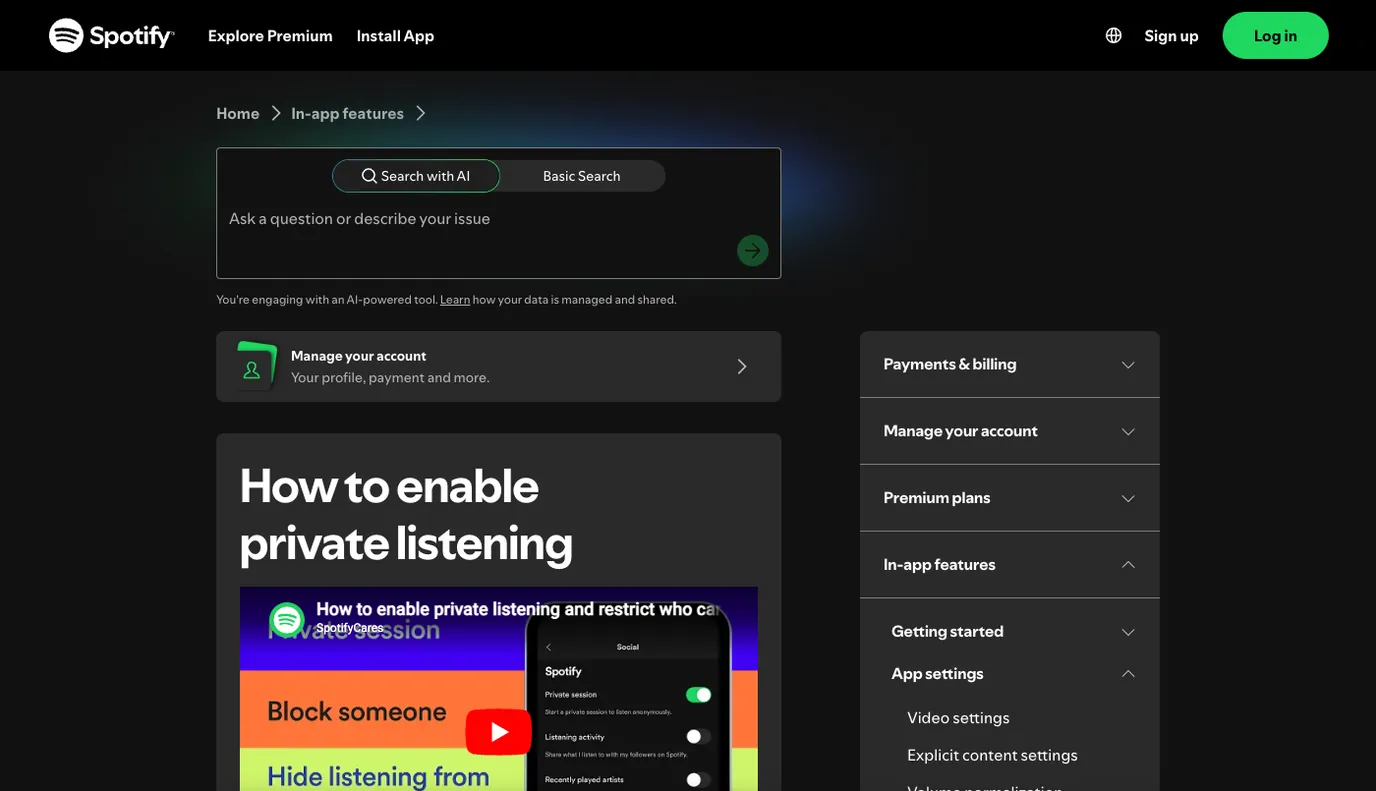
Use Private Session when the privacy need is temporary:
- You are previewing music you do not want followers to see.
- You are playing sleep sounds, practice tracks, kids' music, or reference material for a short window.
- You are using a shared room, party, or rehearsal setup and do not want that session on your activity feed.
- You want a quick switch without changing playlist visibility or profile settings.
Private Session is not the same as making a playlist private. It is also not a file tool. It will not export, download, convert, or clean up audio. It is a Spotify visibility setting for a Spotify listening session.
Set Listening Activity for longer-term privacy
If you do not want friends to see what you play in general, check Listening Activity rather than toggling Private Session every time. Spotify's Listening Activity support page says this feature shows what friends are listening to, and that you can enable or disable your own activity.
That same support page also says two details that are easy to miss:
- Listening Activity settings apply across your devices.
- If Private Session is on, Listening Activity is automatically disabled for 6 hours.
Use this decision rule:
| Situation | Better control |
|---|---|
| You want one hidden listening window | Private Session |
| You generally do not want followers seeing your plays | Listening Activity off |
| You want a playlist hidden even if someone searches for it | Playlist privacy |
| You want recommendations to ignore a temporary track or playlist | Taste Profile exclusion, when available |
For most privacy problems, the fix is not to reinstall the app or use a converter. It is to name the visibility layer correctly.
Make playlists private or remove them from your profile
Playlist privacy is separate from listening activity. Spotify's playlist privacy and access support page says new playlists are public by default. It also says that when you make a playlist private, nobody can access it, even if they have a link or search for it by name.
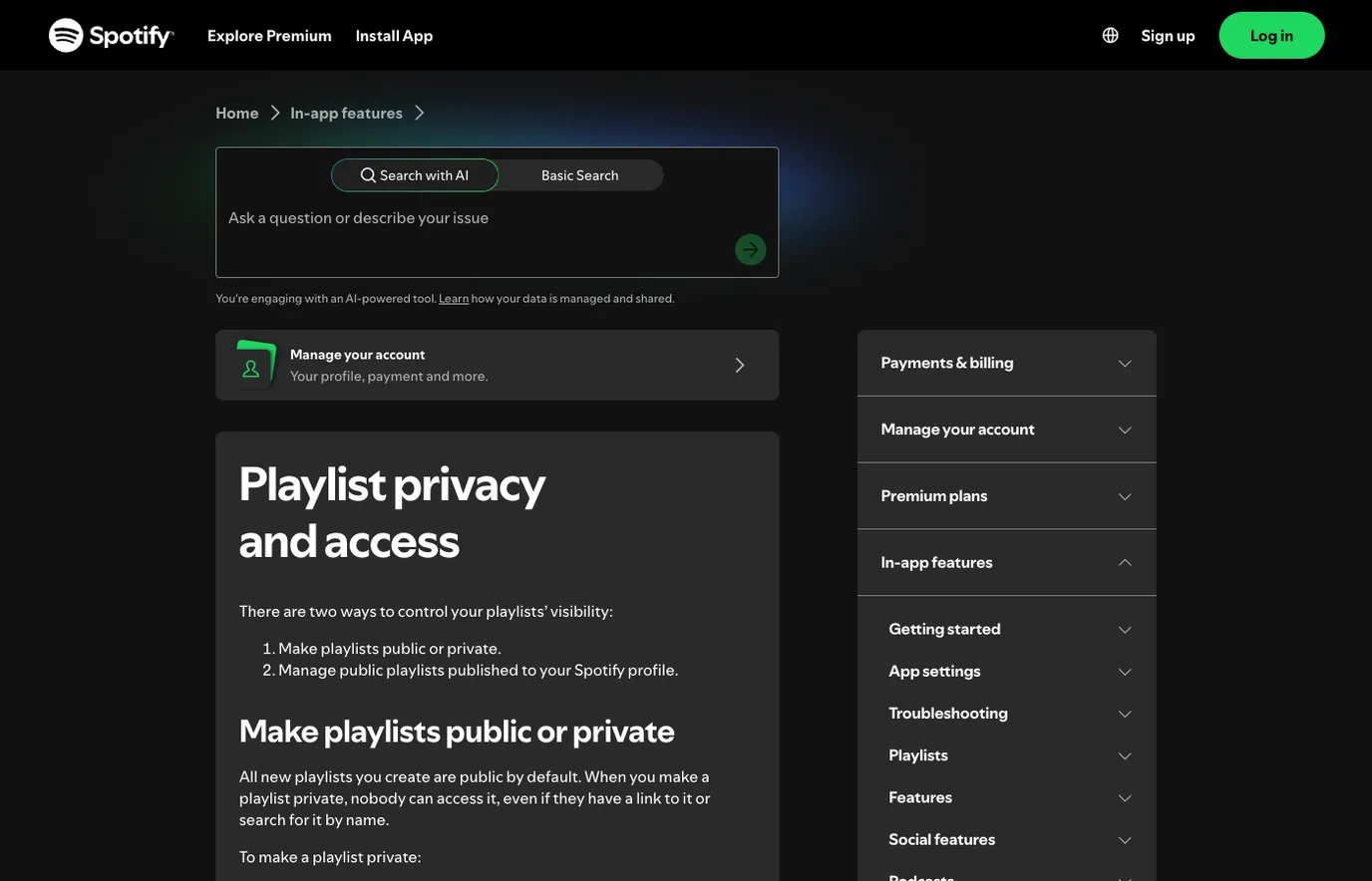
Use playlist privacy when the object you care about is the playlist itself:
- Open the playlist.
- Open the more-options menu.
- Choose Make private if you do not want it publicly accessible.
- Use Make public later if the playlist should be visible again.
- Check profile publishing controls if the playlist is public but should not appear on your profile.
There is one useful nuance. Spotify's support page says you can share a private playlist link with selected people, and that shared links expire after 7 days. That is different from publishing the playlist publicly.
Control Recently Played and recommendation influence
Private Session and Listening Activity deal with social visibility. They are not the only controls that affect how your Spotify profile or recommendations feel.
Spotify's Recently played artists support page says recently played artists are visible by default to anyone who taps your profile, and that you can disable that setting.
Taste Profile is a different layer. Spotify's Taste Profile support page describes a beta surface that can adjust Home recommendations in supported contexts. Spotify's 2025 Newsroom update also announced the ability to exclude tracks or playlists from your Taste Profile so one-off listening has less influence on recommendations.
Use this practical rule:
| Problem | Better setting to check |
|---|---|
| Followers can see what you are playing | Private Session or Listening Activity |
| A playlist is visible to other people | Playlist privacy or profile publishing |
| Your profile shows recent artists | Recently played artists |
| Sleep sounds or kids' songs are skewing recommendations | Taste Profile exclusion, if the control is available |
| You need to edit a sound file | A permitted local file plus an audio editor |
If a setting is not visible in your app, update Spotify first and check the same control on mobile, desktop, or web. Spotify rolls some personalization controls out by account, region, device, and app version, so do not build an important workflow around a menu item until you can see it in your own account.
Keep Spotify privacy separate from local audio editing
This is the boundary many converter-style guides blur. Spotify privacy settings control a Spotify account experience. They do not turn subscription streams into files, and they do not give you editing rights to music you do not own.
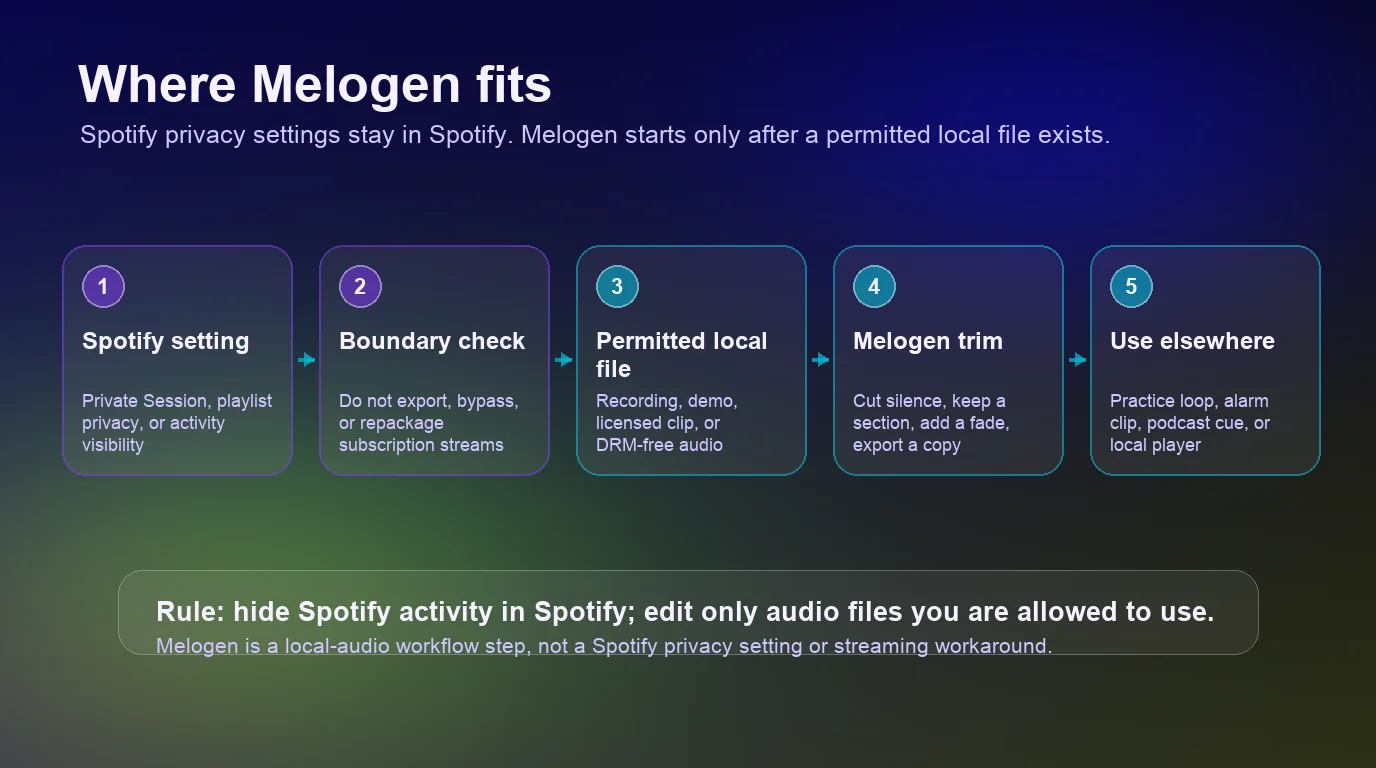
Melogen becomes useful when the source is already a normal local audio file:
- A recording you made.
- A rehearsal or lesson cue exported from your own project.
- A podcast intro, field recording, or voice memo.
- A DRM-free purchase or licensed sound file.
- A local clip that you have permission to edit.
It is not useful for hiding Spotify activity. It is not a Spotify downloader. It is not a way to bypass subscription catalog limits. Keep those jobs separate and the workflow stays cleaner.
Where Melogen fits for owned local audio
Use Melogen's music trimmer when your next step is file cleanup rather than Spotify account privacy. The tool page describes a browser workflow for cutting, trimming, and exporting audio clips, with support for common formats such as MP3, WAV, M4A, OGG, FLAC, and AAC in the local product copy.
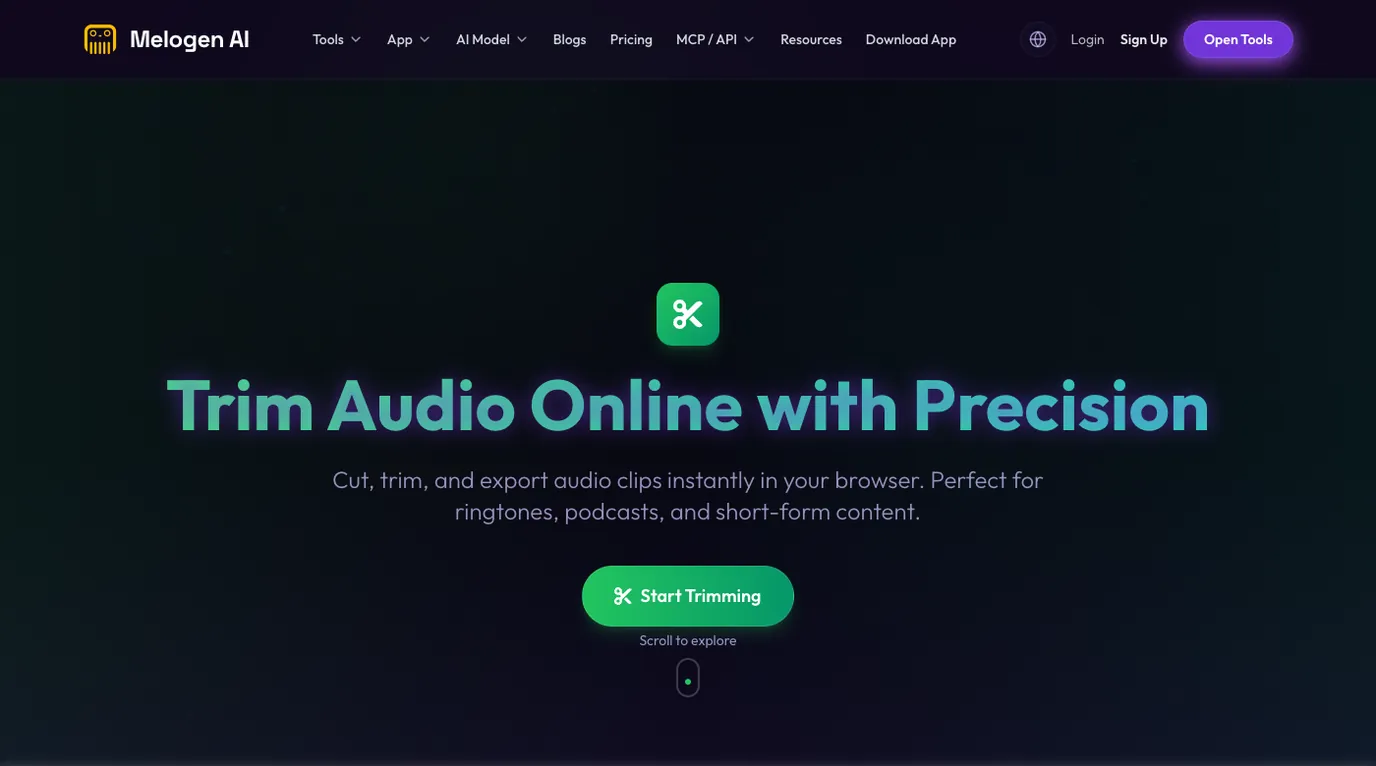
Good Melogen use cases include:
- Trim silence from the start of a rehearsal clip.
- Keep a 20-second section for a phone alarm or practice loop.
- Add a short fade so a local clip does not stop abruptly.
- Export a smaller copy for a podcast cue or lesson file.
- Prepare a local clip before adding it back to a personal library.
If your local file should live inside Spotify later, read Add Local Files to Spotify before importing it. If the temporary listening problem is bedtime playback, the Spotify sleep timer guide is more relevant than privacy settings. If transitions are the issue, use Spotify crossfade settings instead.
Trim local audio after the privacy question is settled
Use Melogen Music Trimmer when you already have a file you can edit and need a clean clip, fade, or shorter local copy.
Troubleshooting
| Problem | Likely cause | Safer fix |
|---|---|---|
| Friends still see what you play | Private Session is off, Listening Activity is enabled, or the session expired | Turn on Private Session for a temporary window or disable Listening Activity for a longer-term change |
| A playlist is still visible | It is public or still published on your profile | Make the playlist private or remove public playlists from your profile |
| A shared link still worked briefly | Private playlist sharing and public playlist publishing are different | Manage shared access and remember that shared links can expire |
| Recommendations keep changing after one-off listening | The music is still influencing your taste profile | Use Taste Profile exclusion when available, especially for sleep sounds, kids' music, or novelty playlists |
| You cannot find a setting | App version, device surface, account state, or rollout may differ | Update the app, restart, and check mobile, desktop, or web before assuming the control is gone |
| A guide tells you to download Spotify music for privacy | It is mixing account privacy with file extraction | Stay inside Spotify privacy settings unless you already have a local file you can legally edit |
Do the simple account-setting checks first. Most Spotify private listening problems are visibility problems, not audio-file problems.
FAQs
Does Spotify Private Session hide what I am playing?
It pauses Listening Activity for the current private session. Spotify's support page frames it as a way to pause what friends can see, and the Listening Activity page notes that Private Session automatically disables Listening Activity for 6 hours.
Is Spotify private listening available on web player?
Spotify's private listening support page says Private Session is available on mobile, tablet, and desktop apps only. If you are using the web player, check profile, playlist, and account controls separately instead of assuming the same menu exists.
Does Private Session make playlists private?
No. Private Session is about the current listening session. Playlist privacy controls whether a playlist is public, private, shared, or published to your profile.
Does Private Session stop Spotify Wrapped from counting a song?
Spotify does not describe Private Session as a guaranteed Wrapped removal tool. If your goal is recommendation or taste influence, check Taste Profile exclusion where available. If your goal is follower visibility, use Private Session or Listening Activity.
Can Melogen edit Spotify streams privately?
No. Melogen does not edit Spotify streams, bypass Spotify limits, or control Spotify account privacy. Use Melogen after you already have a permitted local audio file that needs trimming, fading, or export cleanup.
The practical takeaway
Spotify private listening is a visibility workflow. Use Private Session for a temporary listening window, Listening Activity for follower sharing, playlist privacy for playlist access, Recently played artists for profile history, and Taste Profile exclusion when a temporary song should not shape recommendations. Use Melogen only after the source is already a local audio file you are allowed to edit.
About the author
Zhang Guo
Composer - AI Product Manager
AI product manager and digital marketing consultant with a background in music. Creativity is the bridge between rhythm and logic, where musical intuition and mathematical precision can coexist in every meaningful product decision.
Follow on X