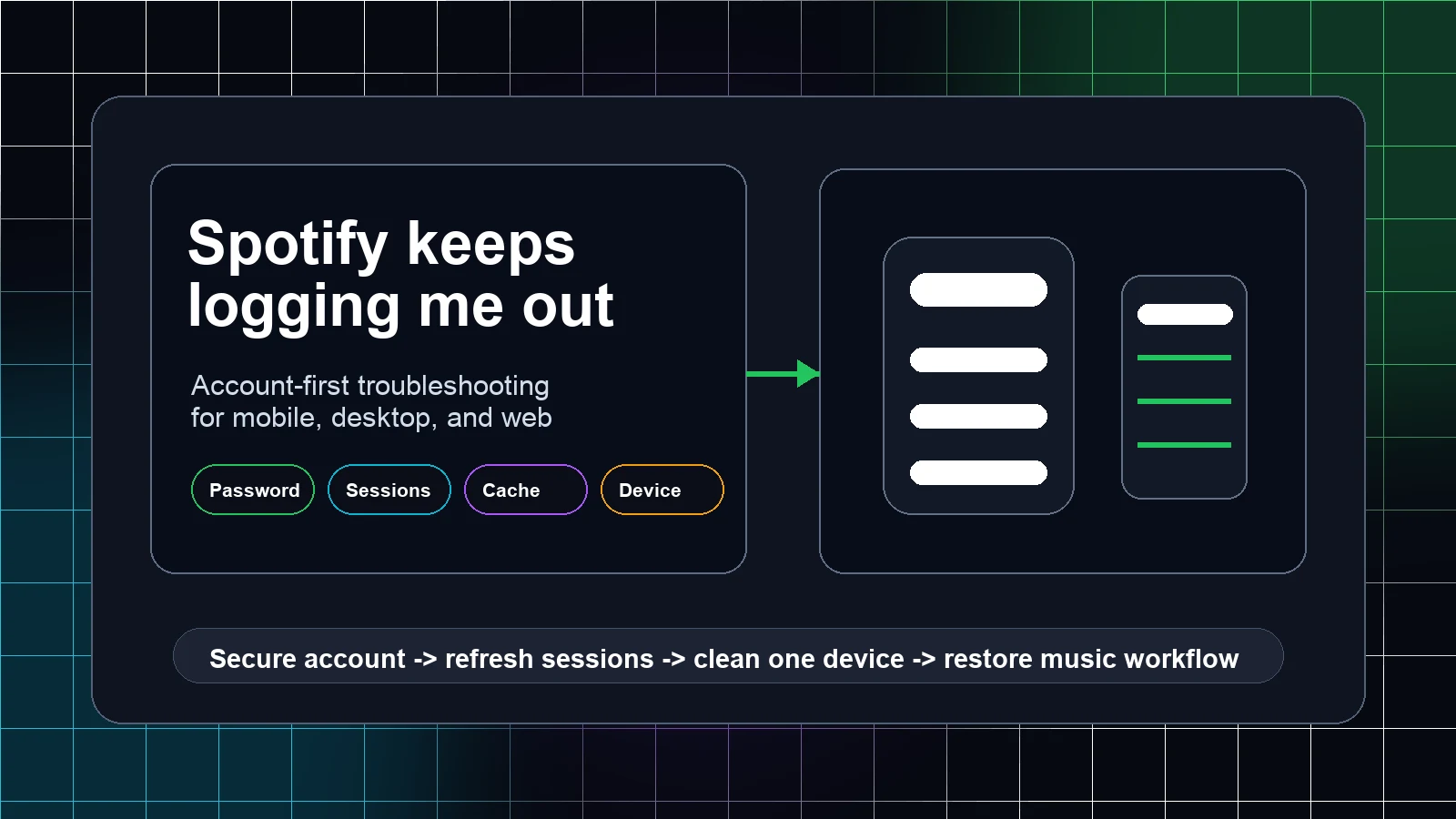
Stop Spotify From Opening on Startup on Mac and Windows
Stop Spotify from opening on startup with the desktop setting, Windows Startup Apps, and Mac Login Items, then isolate reopen and mobile behavior.
 Zhang Guo
Turn a static score into editable MIDI
Contents
To stop Spotify from opening on startup, start with the desktop app's startup setting. If it still returns, check the operating system layer: Startup Apps in Windows or Login Items on a Mac. Those controls solve a launch-at-login problem; they are different from Spotify playing more songs after a playlist ends.
Use the shortest path first. Change one setting, quit Spotify completely, restart the computer, and then decide whether you need the next layer. That test prevents a Windows or macOS control from masking an app-level setting you have not actually checked.
Quick fix by symptom
| What happens | Check first | Why it matters |
|---|---|---|
| Spotify appears after you sign in to Windows or macOS | Spotify desktop startup preference | The app can request its own launch behavior |
| Spotify still appears after that preference is disabled | Windows Startup Apps or Mac Login Items | The operating system can start an app at login |
| Spotify reopens after a restart only when you left it open | Quit the app before restarting and review window-reopen behavior | Reopening an app session is not always a startup entry |
| Music continues after a playlist ends but the app was already open | Spotify Autoplay | This changes playback, not login launch |
| Spotify resumes from the background on a phone | Mobile app and device behavior | Phones do not use the same desktop login-startup model |
Before making a change, write down when Spotify appears: immediately after the desktop loads, only after you unlock the screen, or only after you open another music app. The timing tells you whether to start in Spotify or in the operating system.
Turn off Spotify startup behavior in the desktop app
Open Spotify on Windows or macOS, select your profile picture, and open Settings. Look for the startup or window-behavior section and choose the option that prevents Spotify from opening automatically after login. Settings labels can move between desktop releases, so use the startup wording rather than changing unrelated Playback controls.
Then quit Spotify fully. On a Mac, use Spotify > Quit Spotify rather than only closing the window. On Windows, close the app and check that it is no longer active before restarting. Sign back in to the computer and test once.
If the app no longer opens, stop there. If it returns, continue to the Windows or macOS controls below instead of reinstalling Spotify. Reinstalling can remove local downloads and preferences without proving which startup layer caused the launch.
Check Startup Apps in Windows
Windows can start registered apps after you sign in even when an app's own preference is off. Open Start > Settings > Apps > Startup, find Spotify if it is listed, and switch it off. Microsoft documents this Startup Apps page as the place to prevent listed apps from starting automatically after sign-in.
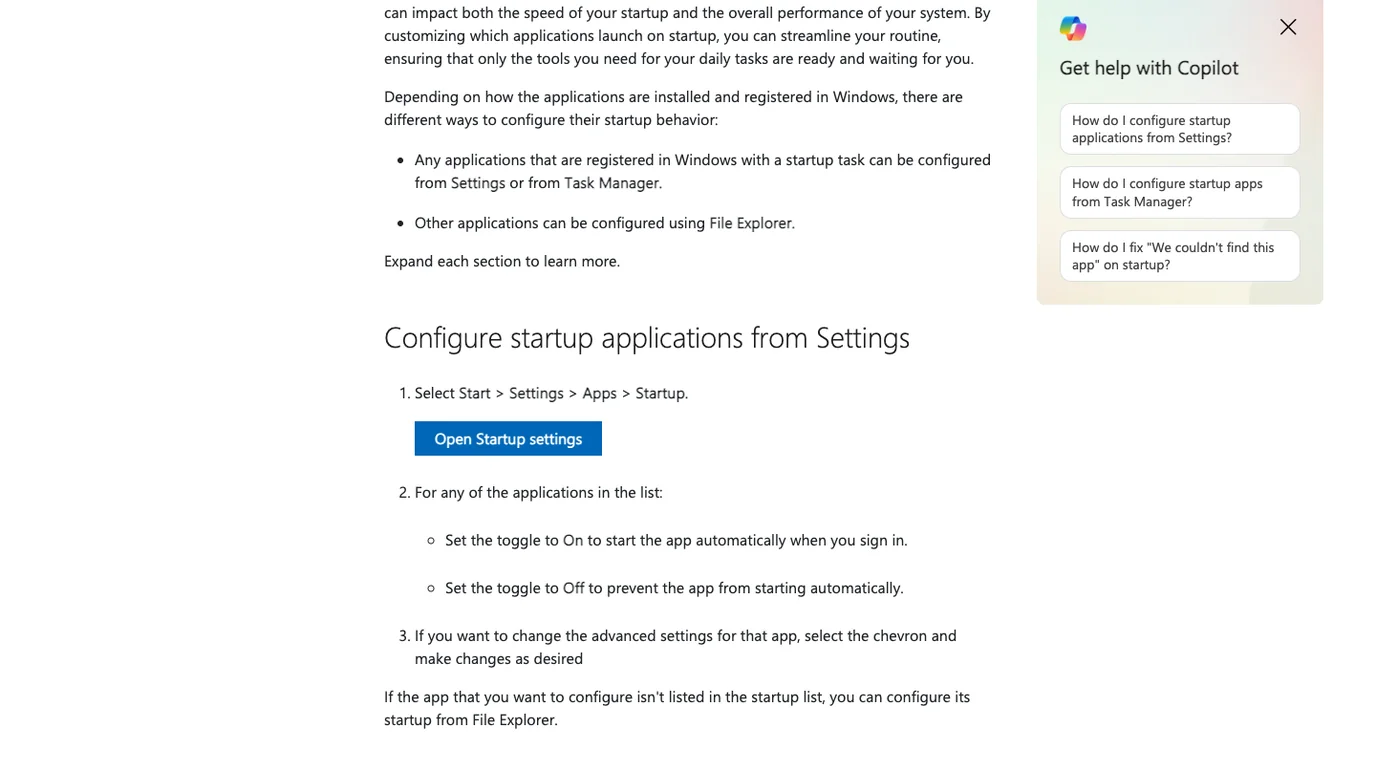
You can also search Windows for Startup Apps rather than navigating the full Settings path. Restart after changing the toggle. If Spotify is not listed, do not add it just to remove it; return to the Spotify desktop setting and check whether another launcher, shortcut, or managed-work profile starts it.
For the current Windows steps, see Microsoft's Startup Apps guide.
Remove Spotify from Login Items on a Mac
On a Mac, open Apple menu > System Settings > General > Login Items & Extensions. Under Open at Login, select Spotify if it appears and remove it. Apple's current Mac guide describes this area as the place to manage items that open automatically when you log in.
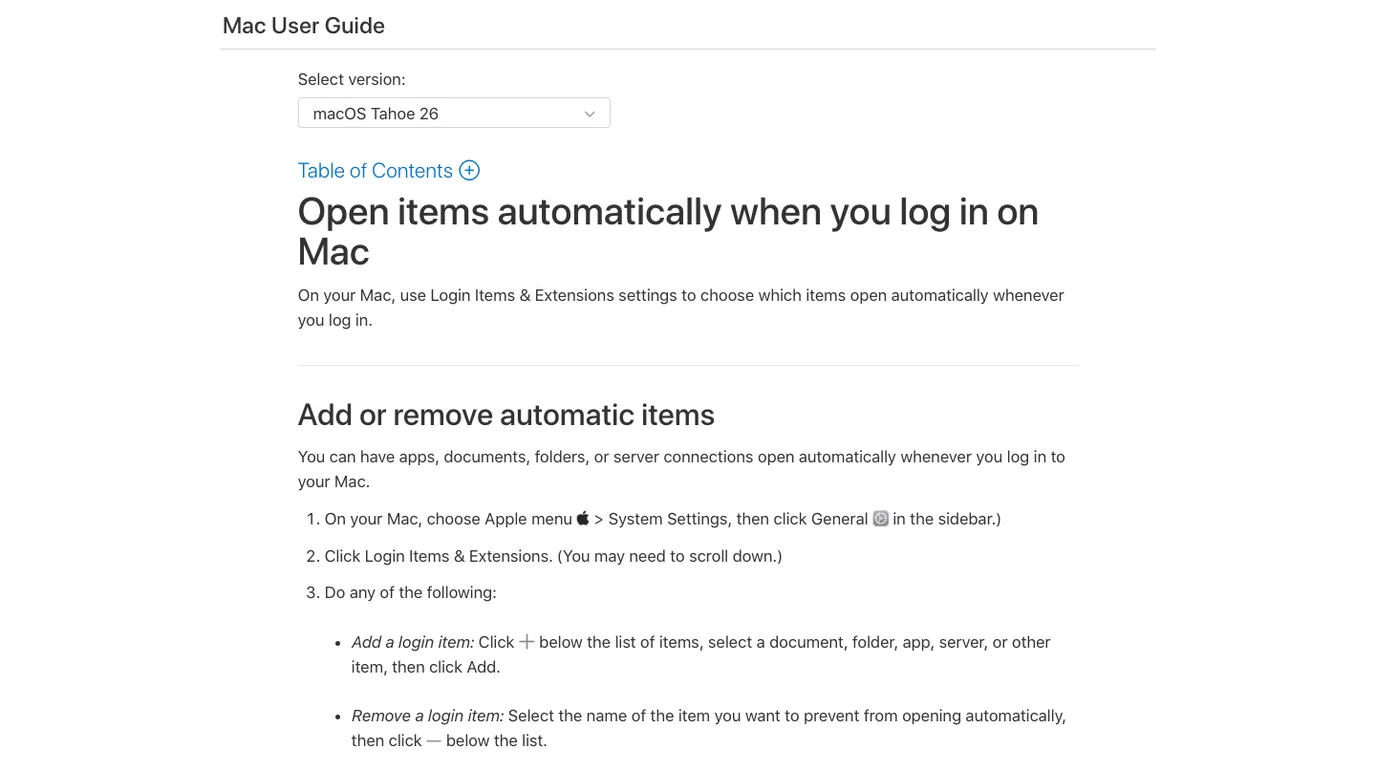
Restart the Mac after removing the item. If Spotify is absent from Login Items but still opens, quit it before the next restart and check whether macOS is restoring an earlier app session. That is a separate behavior from an entry explicitly configured to open at login.
Use Apple's Login Items guide if your macOS version uses a slightly different Settings layout.
Do not confuse startup with Spotify Autoplay
Spotify's official Autoplay guide explains that Autoplay starts similar music after an album, playlist, or song selection ends. It is not the setting that controls whether the desktop app launches when you sign in.
If the app is already open and extra music starts after your queue ends, use the Spotify Autoplay guide. If unexpected tracks appear inside a playlist, use the playlist playback fixes to check Smart Shuffle, the queue, and connected devices.
The distinction is useful: turning off Autoplay will not remove Spotify from Windows Startup Apps or Mac Login Items, and removing a startup entry will not change what happens when a playlist ends.
What to do if Spotify still opens after restart
Work through these checks in order:
- Confirm the Spotify desktop startup preference is disabled.
- Confirm Spotify is not enabled in Windows Startup Apps or listed under Mac Login Items.
- Quit Spotify completely, then restart once before opening the app again.
- Check whether the behavior happens only on one desktop user account or one managed work/school profile.
- If Spotify also fails to play, sign in, or stay connected, move to the broader Spotify problems guide instead of treating it as a startup-only issue.
Mobile devices need a different diagnosis. iPhone and Android apps can resume, receive notifications, or keep a background process for a period, but that is not the same as a Windows or macOS app launching at desktop login. Check battery, background, and device-specific controls rather than looking for a desktop-style Login Items setting.
Prepare permitted local audio separately
Changing Spotify startup behavior does not alter your library or convert streaming tracks. If you already have a recording or music file you own or are allowed to edit, you can prepare a shorter version independently of Spotify with Melogen's browser-based tools.
Trim a permitted local music file without changing Spotify settings
Use Melogen Music Trimmer for an owned or licensed audio file when you need a shorter clip or a clean fade. It is separate from Spotify playback and startup controls.
FAQs
Why does Spotify open even after I turn off Autoplay?
Autoplay controls what plays after a selection ends. It does not control whether Spotify starts when you sign in to Windows or macOS. Check the desktop startup preference and the operating system's Startup Apps or Login Items instead.
Can I stop Spotify opening on startup without uninstalling it?
Usually, yes. Disable the Spotify desktop startup behavior, then remove Spotify from Windows Startup Apps or Mac Login Items if necessary. Test after a restart before considering a reinstall.
Why does Spotify reopen only after I restart my Mac?
First quit Spotify fully and restart once. If it still returns, review Login Items. A restored app session can look like a login item but needs a different check.
Does this fix Spotify resuming on an iPhone or Android phone?
No. Mobile background and resume behavior are separate from a desktop app opening at computer login. Use the device's battery, background, and notification controls for that symptom.
The practical takeaway
To stop Spotify from opening on startup, disable the desktop app's startup behavior first, then check Windows Startup Apps or Mac Login Items. Restart after each change so you know which layer solved it. Keep Autoplay, Bluetooth resume, and mobile background behavior out of the same diagnosis—they are different jobs with different controls.
About the author
Zhang Guo
Composer - AI Product Manager
AI product manager and digital marketing consultant with a background in music. Creativity is the bridge between rhythm and logic, where musical intuition and mathematical precision can coexist in every meaningful product decision.
Follow on X