Spotify Says Offline Fixes That Actually Help
Fix Spotify says offline with a source-first checklist for Offline Mode, Wi-Fi, cellular data, firewall, VPN, cache, and reinstall risk.
 Zhang Guo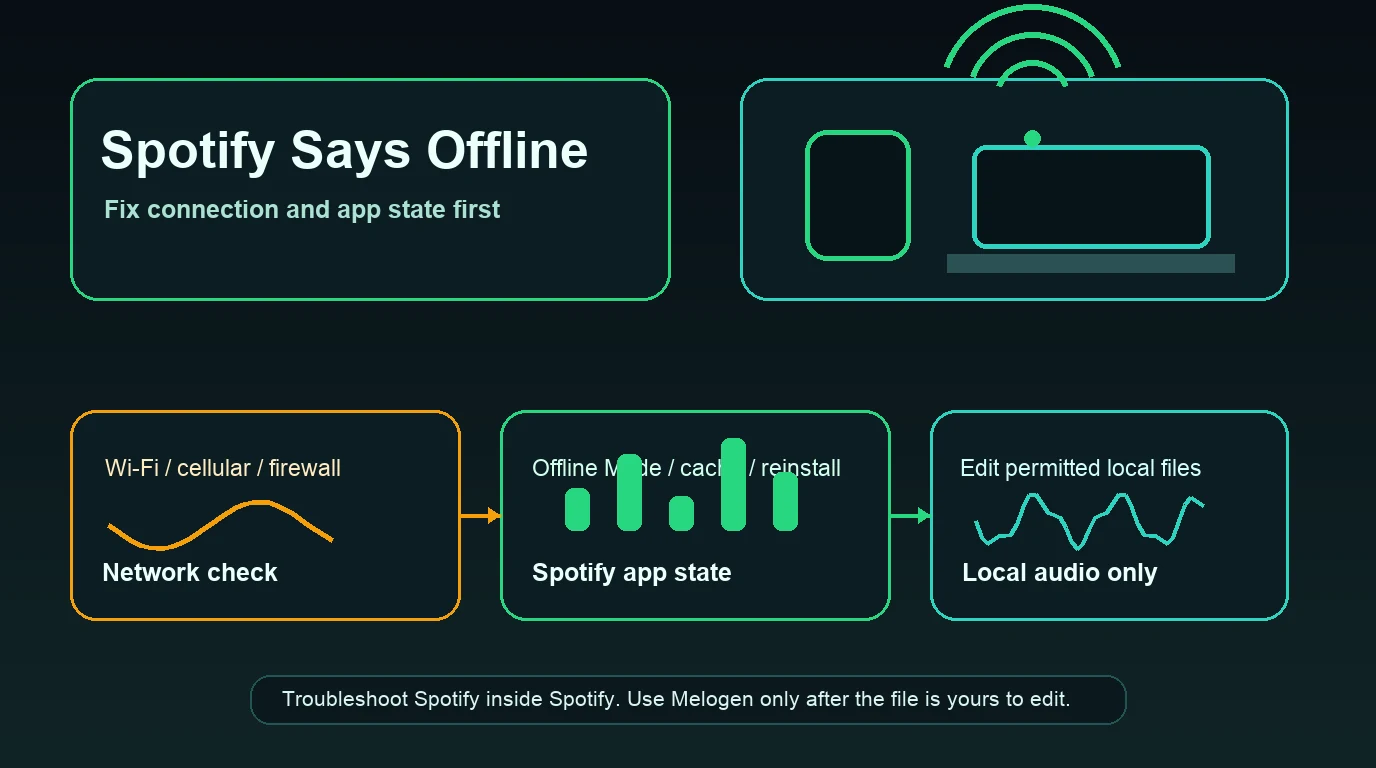
Turn a static score into editable MIDI
Contents
If Spotify says offline even though Wi-Fi or cellular data works elsewhere, start with the connection layer and Spotify's own app state. The problem is usually one of these: Offline Mode is on, the current network blocks Spotify, cellular data is disabled for the app, iOS local-network access is blocked, a firewall or VPN is interfering, cache is stale, or the app needs a clean restart or reinstall.
Do not solve this by looking for a converter, cracked app, or permanent-download shortcut. A Spotify offline error is a playback and connection problem. Fix it inside Spotify, your device settings, and your network first.
Quick triage for Spotify says offline
Use the symptom to choose the first fix. This keeps you from deleting downloads or reinstalling the app when the real issue is only one blocked permission.
| What you see | Likely layer | First fix to try |
|---|---|---|
| Spotify says offline everywhere on the device | Spotify Offline Mode or app state | Turn Offline Mode off, restart Spotify, then test again |
| Only Spotify fails on public Wi-Fi | Network restriction | Try cellular or another Wi-Fi network |
| Spotify works on Wi-Fi but not cellular | Mobile data permission or data allowance | Enable cellular data for Spotify and check your plan |
| iPhone can browse but Spotify still says offline | Local Network or data permission | Check iOS Spotify permissions and mobile data |
| Desktop app says offline | Firewall, VPN, proxy, or desktop app state | Temporarily test without VPN and allow Spotify through firewall |
| Spotify plays on another device | Device-specific app/cache/storage issue | Clear cache, update, then reinstall only if needed |
The useful distinction is scope. If Spotify fails on every device and network, check Spotify Status or account-level issues. If it fails only on one phone, repair that phone. If it fails only at work or school, the network may be blocking Spotify.
Start with Spotify's official offline checklist
Spotify's Spotify is offline support page gives the right first split: check whether Offline Mode is on, then test whether other apps or web pages work. If other apps are also offline, the issue is probably your internet connection. If other apps work, keep narrowing the Spotify-specific layer.
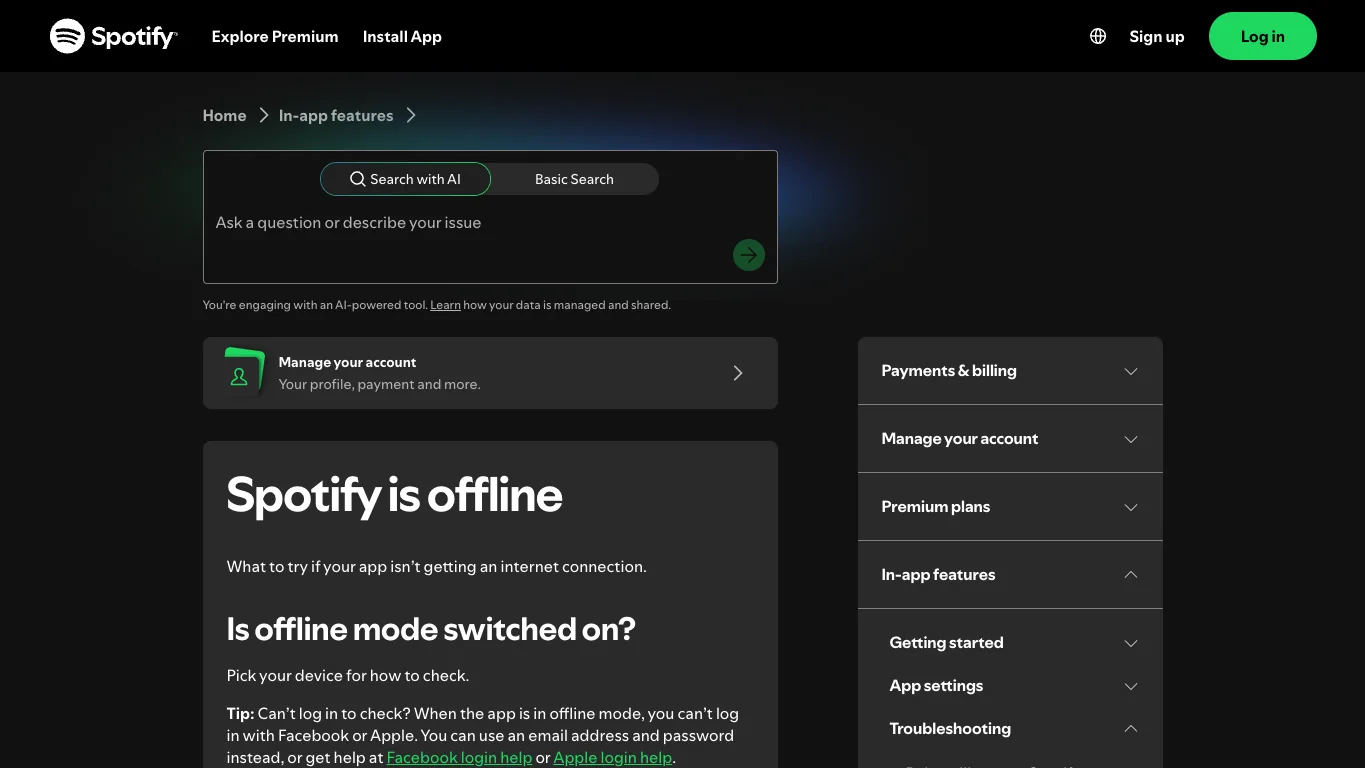
Run this order:
- Open Spotify settings and make sure Offline Mode is off.
- Test another app or web page on the same device.
- Switch Wi-Fi off for 30 seconds, then turn it back on.
- Restart your router if you are on home Wi-Fi.
- Try a different Wi-Fi network or cellular data.
- Check whether the network is shared, school-managed, office-managed, hotel-managed, or otherwise restricted.
- If you use a firewall, make sure Spotify is allowed.
This is also why airplane-mode advice is not the same article. The Spotify airplane mode guide is about planned offline listening. This guide is for the error state where Spotify cannot see a working connection.
Check mobile data, Local Network, and app permissions
Mobile offline errors often come from one small permission. The Spotify page mentions mobile or cellular data allowance, and the current US search results for "Spotify says offline" include Spotify Community threads about iOS Local Network access, cellular data being disabled for Spotify, and Android app permissions.
Check these on iPhone or iPad:
- Open iOS Settings.
- Tap Spotify.
- Make sure Cellular Data is on if you want Spotify to work away from Wi-Fi.
- Check Local Network access if Spotify cannot find the connection or devices.
- Turn Wi-Fi off and on, then reopen Spotify.
- If needed, log out and back in with email/password instead of a social login while Offline Mode is involved.
Check these on Android:
- Open Settings.
- Go to Apps, then Spotify.
- Confirm mobile data, Wi-Fi, and background data are allowed.
- Turn off any app-level data saver rule that blocks Spotify.
- Restart Spotify and test one track.
If Spotify only fails on cellular, do not clear every cache yet. Fix data permission first. If Spotify only fails on one public network, do not blame the phone yet. Test another network.
Separate network blocks from Spotify app bugs
Some networks allow browsing but block streaming services. Schools, offices, airports, hotels, and shared apartment networks may restrict music apps, media ports, VPN traffic, or background connections.
Use this table before deeper repairs:
| Test | What it proves | Next move |
|---|---|---|
| Same device, another Wi-Fi | Whether the original Wi-Fi blocks Spotify | Ask IT or use an allowed connection |
| Same device, cellular | Whether Spotify works away from Wi-Fi | Check router, firewall, or shared-network rules |
| Same account, another device | Whether the issue is device-specific | Repair the failing device, not the account |
| Spotify web player vs desktop app | Whether it is browser/app-specific | Use the surface-specific fix |
| VPN off vs VPN on | Whether routing is the issue | Keep Spotify on a clean route or adjust VPN rules |
If the desktop app is the only surface that says offline, check firewall, VPN, proxy, and desktop app state. Spotify's broader Spotify not playing page also points to stable internet, app updates, operating-system updates, unused apps, cache, desktop firewall, supported devices, and Spotify Status.
Clear cache before reinstalling
Cache can make Spotify behave as if the old connection state is still true. Spotify's storage information page explains that Spotify uses device memory for cache and offline downloads, and it recommends keeping at least 1GB of free memory.
Use cache cleanup as a middle step:
- Restart Spotify.
- Update Spotify from the official app store or installer.
- Clear Spotify cache from inside Spotify settings where available.
- Free device storage if the phone or computer is nearly full.
- Restart the device once.
- Test the same account on another device.
Reinstall only after those checks fail. Spotify's reinstall support page notes that downloaded music and podcasts need to be downloaded again after reinstalling. That can make a simple offline-state bug more annoying if you reinstall too early.
For nearby symptoms, use the more specific guide. If tracks are grey but Spotify is online, use Spotify Songs Greyed Out Fixes That Actually Help. If the web player is the only broken surface, use Spotify Web Player Not Working Fixes for Browsers. If the whole app feels slow, use Why Is Spotify So Slow and How to Fix It.
Where Melogen fits after Spotify is online
Melogen does not fix Spotify servers, change Offline Mode, manage Spotify permissions, bypass Spotify downloads, or convert protected Spotify catalog streams. It fits only after the source is already a local audio file you own, created, licensed, purchased DRM-free, recorded, or otherwise have permission to edit.

Use Melogen Music Trimmer when the Spotify problem revealed a separate local-file task:
- Trim silence from a rehearsal recording before adding it to Spotify Local Files.
- Cut a lesson clip down to the section you need to practice.
- Add a fade to a backing track you created.
- Export a shorter listening copy of a permitted file.
- Prepare a clean local file before following the Add Local Files to Spotify workflow.
The local Music Trimmer page describes browser-based cutting, trimming, waveform selection, preview, export, and support for formats such as MP3, WAV, M4A, OGG, FLAC, and AAC. That is useful for owned audio. It is not a workaround for Spotify being offline.
Prepare local audio after Spotify is fixed
Use Melogen Music Trimmer when the file is yours to edit and the next job is trimming silence, shortening a practice clip, or adding a clean fade.
FAQs
Why does Spotify say offline when Wi-Fi works?
Spotify may be in Offline Mode, blocked by the current network, denied cellular or local-network permission, blocked by a firewall or VPN, stuck on stale cache, or affected by a device-specific app issue. Test the smallest layer first.
How do I turn Spotify back online?
Turn Offline Mode off, restart Spotify, test another network, check cellular data permission, allow Spotify through any firewall, and clear cache. Reinstall only after low-risk checks fail.
Why does Spotify say offline only on mobile data?
Mobile data might be disabled for Spotify, your data plan might be out of allowance, or Android/iOS app permissions may be blocking Spotify. Check app-level data access before reinstalling.
Should I reinstall Spotify to fix offline errors?
Not first. Reinstalling can help after updates, network tests, permission checks, cache cleanup, and storage checks fail, but Spotify notes that downloaded music and podcasts need to be downloaded again afterward.
Can Melogen help when Spotify says offline?
No. Melogen does not repair Spotify connectivity or change Spotify offline rules. It helps only with permitted local audio files after the source file is already yours to edit.
The practical takeaway
When Spotify says offline, isolate the layer. Check Offline Mode, then network, cellular data, Local Network permission, firewall or VPN, cache, storage, and reinstall risk. Use existing Spotify troubleshooting guides for exact neighboring symptoms instead of rewriting the whole app. Once Spotify is online, Melogen belongs only in the separate local-audio workflow where you trim, fade, or prepare files you are allowed to edit.
About the author
Zhang Guo
Composer - AI Product Manager
AI product manager and digital marketing consultant with a background in music. Creativity is the bridge between rhythm and logic, where musical intuition and mathematical precision can coexist in every meaningful product decision.
Follow on X